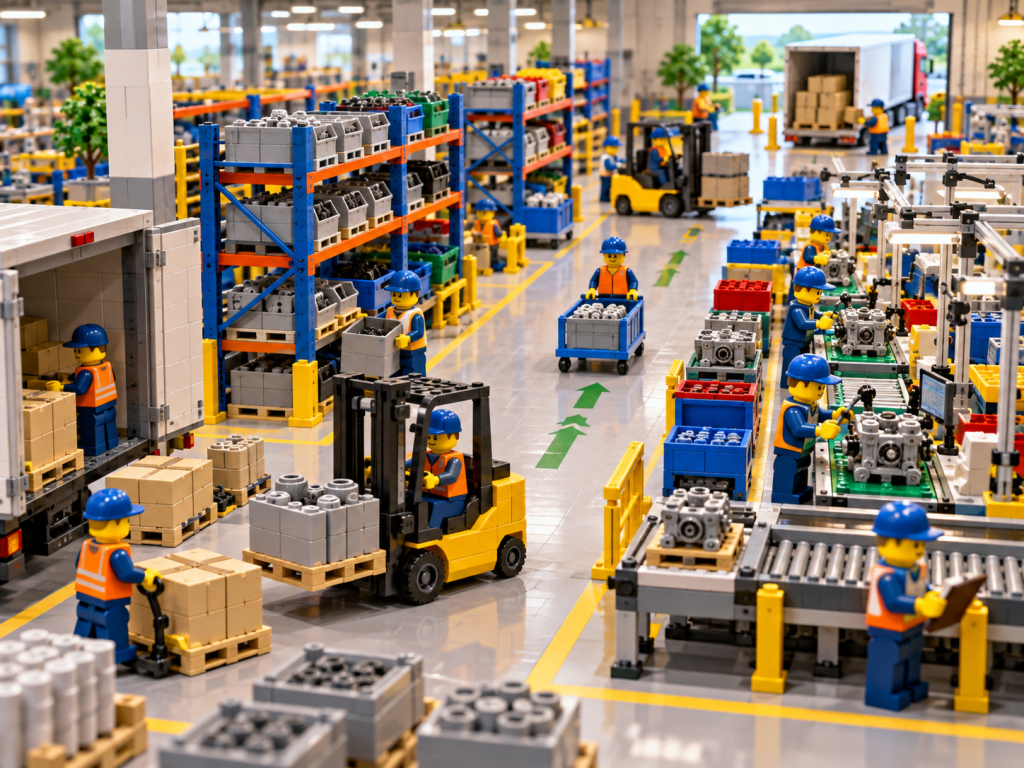
Manufacturing plants are full of movement. Parts flow from receiving to storage, from storage to production, from production to staging, and back again as work-in-progress moves through the plant. Every one of those movements depends on people knowing exactly where things are and how they move through the facility. When that knowledge is scattered across spreadsheets, sticky notes, and the memory of a few experienced employees, inventory flow becomes something you react to rather than something you actively manage.
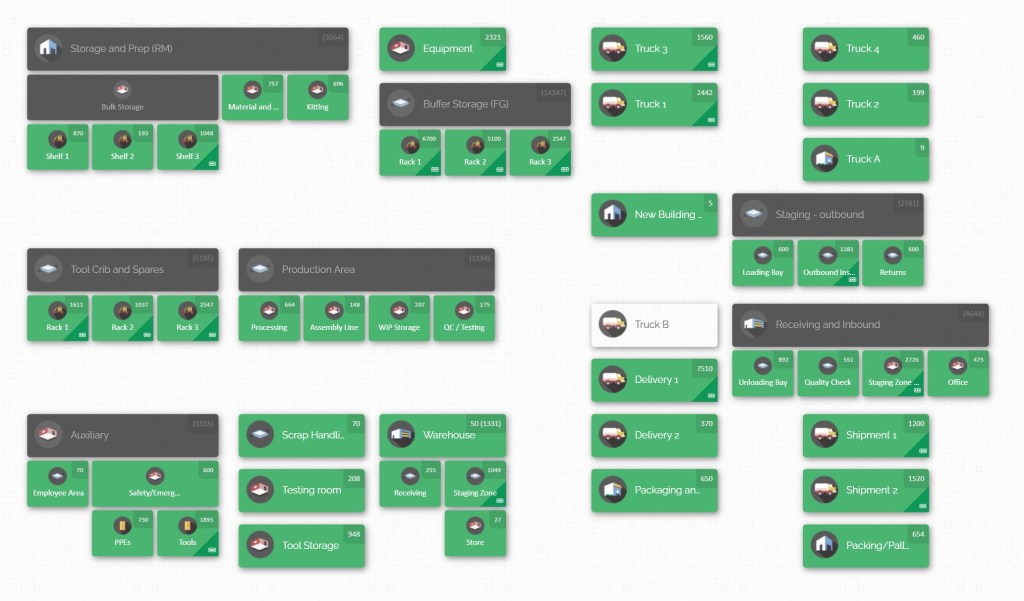
This is the gap digital twin technology is designed to close. A digital twin — in its simplest and most practical form for inventory operations, a detailed 2D visual representation of your facility’s layout and stock — gives manufacturing teams a living picture of how parts move through the plant. Instead of trying to mentally reconstruct where inventory sits and how it flows between departments, teams can look at a single visual model that mirrors the real floor, in real time, and use it to spot inefficiencies before they become costly problems.
This guide explains what a digital twin means in the context of inventory flow, why it matters for manufacturing operations specifically, and how to build the best practices around parts visibility that make a digital twin approach genuinely useful — not just a technology buzzword, but a practical operational advantage.
What Is a Digital Twin in an Inventory Context?

The term “digital twin” originated in industries like aerospace and heavy equipment manufacturing, where engineers built detailed virtual models of physical machines to monitor performance and predict maintenance needs. Applied to inventory and stockroom operations, the concept scales down to something far more approachable: a digital, visual model of your facility’s layout, storage locations, and stock levels that mirrors the physical reality of the plant.
For most manufacturing operations, this doesn’t need to mean an enormously complex 3D simulation environment. A well-built 2D digital twin — essentially an accurate, interactive floor plan with inventory data layered on top — delivers the practical benefits that matter most for day-to-day operations: knowing exactly where parts are, understanding how they move between departments, and identifying where flow gets stuck.
The Core Idea: A Living Map, Not a Static Record
The defining feature of a digital twin, compared to a traditional inventory list or spreadsheet, is that it represents the plant spatially and stays current as conditions change. A spreadsheet tells you a part exists. A digital twin shows you where it is, in the context of the actual physical layout, and reflects updates as parts move, get consumed, or get restocked. This spatial, living quality is what separates a genuine digital twin approach from simply digitizing a paper inventory log.
Why 2D Is Often the Right Starting Point
It’s tempting to associate “digital twin” exclusively with elaborate 3D visualizations, but for most manufacturing plants, a 2D digital twin delivers the same core operational value with far less complexity to build and maintain. A 2D layout — viewed from above, like an architectural floor plan — is easier for every department to read at a glance, easier to keep updated as storage locations change, and easier to onboard new employees onto quickly. The goal isn’t visual sophistication for its own sake; it’s giving people a fast, accurate answer to “where is this part, and how does it move through our plant.”
Digital Twins vs. Traditional Inventory Tracking
Traditional inventory tracking answers questions like “how many units do we have” and “when was this part last counted.” A digital twin approach answers a different, more operationally useful set of questions: “where exactly is this part right now,” “which zones does this part pass through as it moves from receiving to production,” and “where are the bottlenecks in how inventory flows across departments.” This shift from counting to mapping is what makes digital twin thinking such a valuable addition to manufacturing operations.
The Spatial Advantage: Why Location Beats Quantity
Quantity-based inventory systems have their place — they’re essential for financial reporting, reorder triggers, and cycle counting. But quantity alone doesn’t tell a technician which shelf to walk to, and it doesn’t tell a supervisor why a part that shows “in stock” still hasn’t arrived at the production line. A digital twin adds the missing spatial dimension: it doesn’t just say a part exists, it shows where that part exists in relation to everything else in the building. This spatial context is what allows teams to act immediately on inventory information rather than treating it as a starting point for further investigation.
From Snapshot to Motion Picture
Another way to think about the difference is the distinction between a snapshot and a motion picture. A spreadsheet or a periodic cycle count gives you a snapshot — an accurate picture of inventory at one moment in time, which begins losing accuracy the instant something moves. A digital twin, when properly maintained, behaves more like a motion picture: it continuously reflects change as parts are received, relocated, consumed, and restocked. This continuity is what makes flow optimization possible in the first place, since you can’t optimize movement you can’t actually see happening.
Digital Twins Don’t Require Complex Simulation Software
It’s worth directly addressing a common misconception: many teams assume “digital twin” necessarily means expensive, highly technical simulation platforms modeling physics, throughput algorithms, or predictive failure analysis. While those advanced applications exist in some industries, the version of a digital twin that delivers the most immediate value for inventory and stockroom operations is far simpler — an accurate, visual, and current map of your facility’s storage locations and how parts move between them. This more approachable interpretation is within reach for manufacturing plants of almost any size, not just large enterprises with dedicated simulation engineering teams.
Why Inventory Flow Optimization Matters for Manufacturing Plants
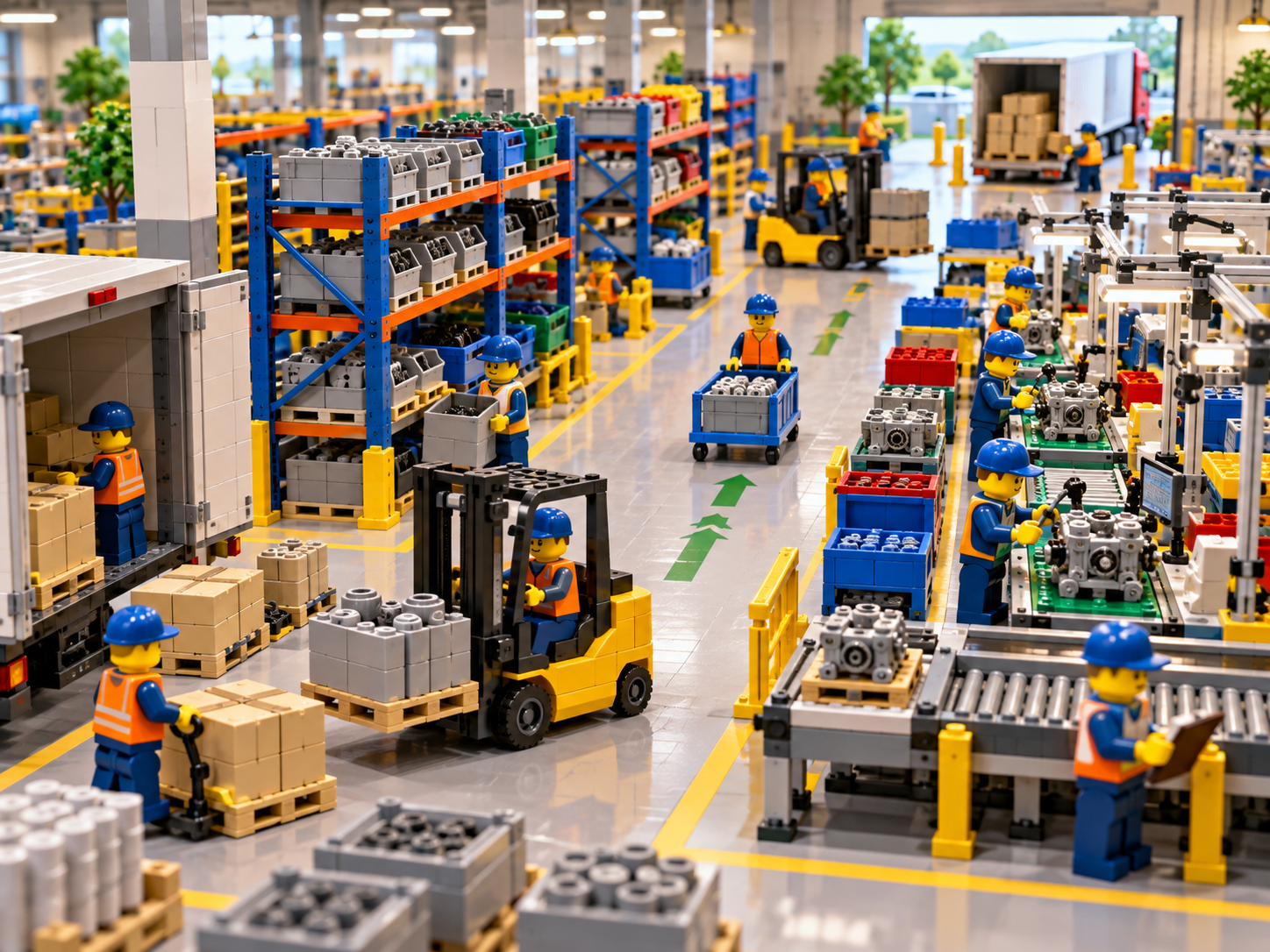
Before diving into best practices, it’s worth grounding this discussion in why inventory flow — the movement of parts and materials through a facility — deserves this level of attention in the first place.
Flow Determines Throughput
A manufacturing plant’s overall output is only as fast as its slowest, most poorly visualized handoff point. If parts move efficiently from receiving to storage to production, throughput stays high. If they get stuck — misplaced, miscounted, or simply hard to locate — every downstream process waits. Understanding flow, rather than just counting inventory, is what allows plants to identify and fix the points where movement slows down.
Poor Flow Visibility Creates Invisible Waste
Much like search time itself, poor flow visibility doesn’t usually show up as one dramatic failure. It shows up as a pattern of small, cumulative inefficiencies: parts staged in the wrong zone, components double-handled because no one could confirm they’d already arrived, or safety stock building up in one department while another runs short of the same part. A digital twin makes these patterns visible, because you can see the actual movement of parts across the mapped facility rather than inferring it from disconnected records.
Cross-Department Flow Is Where Most Friction Happens
Inventory rarely stays within a single department. Raw materials move from receiving into a central stockroom, then out to production, and sometimes back to maintenance for spare parts use. Every one of these handoffs between departments is a point where visibility can break down, and a digital twin approach is specifically valuable because it gives every department a shared spatial reference for how parts flow between them, rather than each team tracking its own segment of the journey in isolation.
Flow Optimization Supports Leaner Operations
Plants running lean or just-in-time production models depend heavily on predictable, well-understood flow. When inventory movement is mapped and visible, planning teams can identify where buffers are genuinely needed and where they’re simply masking a visibility problem. This distinction matters: some safety stock exists because of genuine variability in supply, while other “just in case” stock exists purely because no one trusted the system to reliably show whether existing inventory was available.
Flow Visibility Reduces Reliance on Institutional Memory
In plants without a mapped, visual model of inventory flow, the knowledge of “how things move around here” tends to live inside a small number of experienced employees. They know which staging area tends to get backed up during high-volume weeks, which parts get borrowed between departments without formal tracking, and which shelves are unofficially reserved for specific production lines. This institutional memory is valuable, but it’s also fragile and impossible to scale. A digital twin captures this knowledge in a shared, visual form that doesn’t disappear when an employee changes roles or leaves the company.
Flow Problems Compound Under Growth
A plant that’s been operating the same way for years might have accumulated small flow inefficiencies that never quite rose to the level of a priority to fix. But as facilities grow — adding new product lines, new equipment, new storage areas, or additional shifts — those same inefficiencies compound. A staging area that was merely inconvenient at a smaller scale can become a genuine bottleneck once volume increases. Establishing flow visibility early, through a digital twin approach, gives plants a much stronger foundation for absorbing growth without simply scaling up the same underlying inefficiencies.
The Connection Between Flow and Safety
There’s also a safety dimension to inventory flow that’s easy to overlook. Poorly organized or poorly understood flow often leads to parts being staged in aisles, walkways, or other areas not designed for storage, simply because there was nowhere else obvious to put them in the moment. A digital twin that clearly maps designated storage and staging areas helps prevent this kind of improvised, ad hoc placement, supporting a cleaner and safer plant floor alongside the operational efficiency benefits.
Core Best Practices for Parts Visibility Across Departments
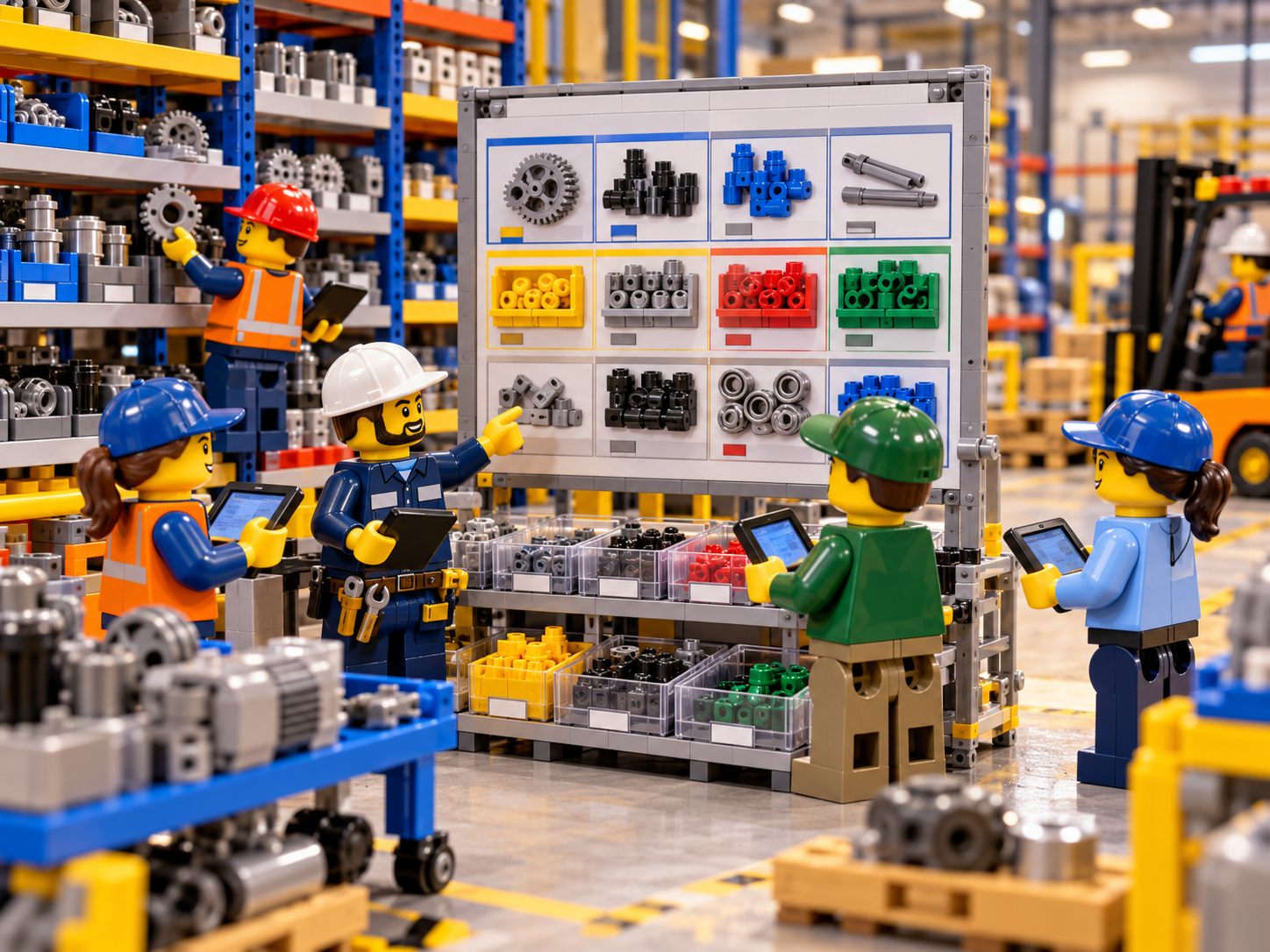
A digital twin approach only delivers value if the underlying parts visibility practices are solid. The following best practices form the operational foundation that makes a 2D digital twin genuinely useful, rather than an accurate map of a fundamentally disorganized system.
1. Build the Twin on an Accurate, Current Floor Plan
The starting point for any digital twin is an accurate representation of the physical space it’s modeling. Before mapping a single part, walk the floor and verify that the layout you’re digitizing reflects the plant as it exists today — not as it existed when the original blueprints were drawn. Storage areas shift over time as production lines are reconfigured and equipment is added or removed, and an outdated floor plan undermines the accuracy of everything built on top of it.
2. Standardize Zone and Location Naming Across Departments
A digital twin is only useful as a shared reference point if every department uses the same terminology to describe the same physical locations. If production calls an area “the staging dock” while receiving calls the same space “Bay 3,” the twin becomes confusing rather than clarifying. Establish standardized naming for zones, racks, shelves, and bins with input from every department that will use the system, so the visual model speaks a common language plant-wide.
3. Map Storage Locations at a Useful Level of Granularity
Decide how finely to map storage locations based on what will actually reduce search time and improve flow visibility, rather than mapping for its own sake. Zone-level mapping might be sufficient for bulk raw materials, while high-turnover components used across multiple departments often benefit from bin-level precision. The right granularity is the level that lets someone walk directly to a part without hunting, without creating an administrative burden that’s difficult to sustain.
4. Track Parts at Every Stage of Their Movement
A true flow-oriented digital twin doesn’t just show where a part sits at rest — it reflects where that part is as it moves between departments. This means updating location data not just when a part arrives in the stockroom, but as it moves to a production staging area, gets consumed on the line, or gets returned as excess. Capturing movement at each stage is what transforms a static location map into a genuine picture of inventory flow.
5. Assign Clear Ownership for Keeping the Twin Current
A digital twin that isn’t kept current quickly becomes a liability rather than an asset, since people will stop trusting it the moment it shows a part in the wrong place. Assign specific, clear responsibility for updating location and movement data — whether through a dedicated materials coordinator, rotating shift responsibility, or an expectation built into every employee’s handling of a part. Ownership should be explicit, not assumed.
6. Make Updates Effortless, Not an Extra Task
If keeping the digital twin updated requires more effort than the informal methods it’s replacing, adoption will fail regardless of how good the underlying technology is. The process of recording a part’s new location needs to be fast and built directly into the natural flow of moving or consuming that part, not treated as a separate administrative step performed after the fact.
7. Give Every Relevant Department Direct Access
Because inventory flow crosses departmental boundaries by nature, a digital twin only delivers its full value when production, maintenance, materials management, and quality teams can all view it directly. Restricting access to a single department recreates the exact siloed-visibility problem the twin is meant to solve, just with a more sophisticated interface layered on top.
8. Build Flow Awareness Into Training
New employees are typically trained on their specific job tasks, but rarely on how inventory flows through the broader facility. Incorporate the digital twin into onboarding for every department, not just the stockroom team, so new hires build spatial awareness of how parts move through the plant from their very first week, rather than relying on months of informal experience to develop that understanding.
9. Audit Regularly to Catch Drift Early
Even a well-maintained digital twin will drift from physical reality over time if left unchecked. Schedule regular audits — comparing what the twin shows against what’s physically on the shelf — to catch discrepancies before they compound into larger accuracy problems. Rotating audits across different zones on a consistent schedule keeps this manageable without requiring an exhaustive review every time.
10. Review Flow Patterns, Not Just Location Accuracy
Beyond confirming that individual parts are correctly located, periodically review how inventory is actually flowing between departments. Are certain zones consistently acting as bottlenecks? Are parts frequently double-handled between storage areas that could be consolidated? A digital twin’s real strategic value comes from these flow-level insights, not just from knowing where individual parts sit at any given moment.
11. Treat the Twin as an Evolving Operational Tool
A digital twin isn’t a one-time project with a defined completion date — it should evolve as your plant evolves. New equipment, new storage areas, new product lines, and changing production processes all require updates to the underlying model. Build a regular review cadence into your operations so the twin keeps pace with the plant, rather than becoming an outdated snapshot of how things used to work.
Cross-Team Alignment: Why Flow Visibility Is a Shared Responsibility
Inventory flow problems, almost by definition, cross departmental lines. A part that gets stuck in receiving delays production. A production delay affects maintenance scheduling. A maintenance parts shortage prompts an unnecessary purchasing request. Because these effects ripple outward, a digital twin’s value depends heavily on how well it supports alignment across every team that touches inventory.
Production Teams Need Flow Visibility to Plan Confidently
For production, understanding not just where a part is, but how reliably it flows from storage to the line, allows for far more confident scheduling. When a digital twin shows a consistent, visible path for how components move from receiving through staging to the production floor, operators and supervisors can plan changeovers and new runs without the uncertainty that comes from an opaque, memory-based system.
Maintenance Teams Need Immediate, Reliable Access
Maintenance work is frequently reactive, and every minute spent locating a spare part during an unplanned equipment failure extends downtime. A digital twin that shows exactly where critical spares are stored — and reflects recent movement accurately — turns emergency retrieval into a direct walk instead of a frantic search across multiple storage areas.
Materials Management Teams Need Relief From Constant Interruptions
Without a shared visual model, materials management staff often become an informal search function for the rest of the plant, fielding constant requests to help locate parts. A digital twin that gives every department self-service visibility frees this team to focus on organization, replenishment planning, and flow optimization rather than functioning as a human directory service.
Purchasing Teams Need Confidence in Existing Stock
When flow and location visibility are poor, purchasing frequently receives urgent reorder requests driven by an inability to confirm existing stock, not by genuine shortages. A digital twin that makes current inventory and its movement easy to verify reduces this noise significantly, allowing purchasing decisions to be based on real consumption patterns rather than uncertainty-driven overordering.
Quality Teams Need Traceable, Documented Movement
In regulated manufacturing environments, being able to trace exactly where a component has been throughout its time in the facility supports quality and compliance requirements. A digital twin that documents movement between defined zones creates a clearer, more defensible trail than informal or memory-based tracking, particularly during audits or investigations tied to a specific batch or component.
A Shared Model Eliminates Departmental Guesswork
The common thread across every department is this: when everyone works from the same visual, flow-aware model of the plant, the guesswork that normally drives friction between teams disappears. Cross-team alignment isn’t something you achieve through more status meetings — it emerges naturally when every department can independently check the same accurate, shared source of truth.
Shift Handoffs Become More Reliable
Many manufacturing plants operate across multiple shifts, and one of the most common places for inventory knowledge to get lost is in the handoff between an outgoing and incoming shift. Verbal handoff notes are easy to forget or misremember, especially when a shift ends in the middle of a busy production run. A digital twin that’s continuously updated removes much of this risk, since the incoming shift can simply check the current state of the model rather than relying entirely on what the previous shift remembered to mention.
Supervisors Gain a Plant-Wide View Without Walking the Floor
Supervisors and plant managers often need a general sense of where materials are concentrated, where staging areas are filling up, or where a particular zone looks unusually empty — without necessarily needing to physically walk every aisle to check. A digital twin gives this level of oversight from a single screen, allowing supervisors to spot unusual patterns early and investigate proactively, rather than discovering a problem only after it has already caused a delay downstream.
How CyberStockroom Supports a 2D Digital Twin for Multi-Department Parts Visibility
Everything discussed so far points toward a consistent underlying need: a practical way to build and maintain a visual, location-based model of your facility that every department can rely on. This is precisely the kind of foundation CyberStockroom is built to provide.
A Visual Map That Functions as Your Facility’s Digital Twin
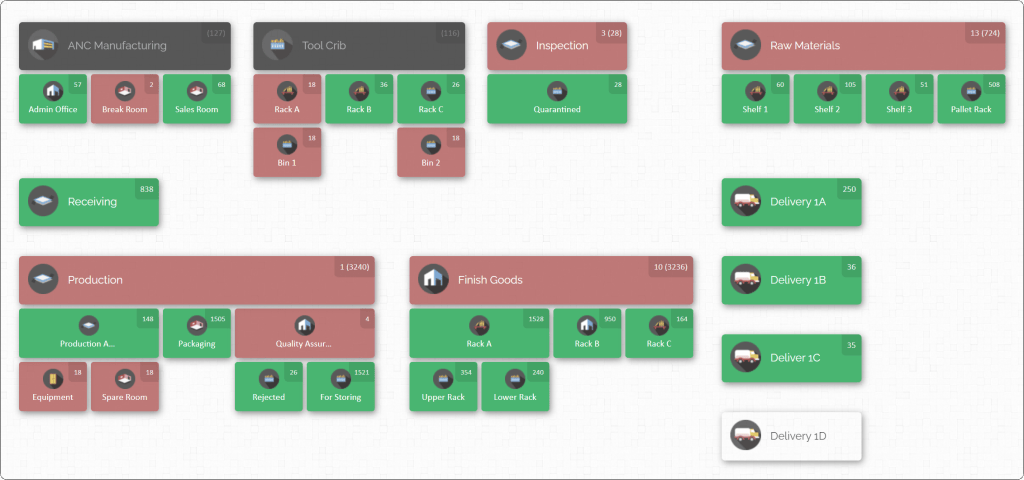
CyberStockroom allows you to build a 2D visual representation of your plant’s layout, with departments, zones, racks, shelves, and bins mapped directly onto that layout. Rather than working from an abstract list of part numbers and quantities, users see the plant itself, with inventory pinned to the exact locations where it’s stored. This is the practical, accessible version of a digital twin discussed throughout this guide — a living, visual model of your facility rather than a purely numerical inventory record.
Location Tracking That Reflects How Parts Actually Move
With CyberStockroom, parts are tied to specific, documented locations that can be updated as inventory moves — from receiving into storage, from storage out to production staging, or between departments as needs arise. This directly supports the best practice of tracking parts through their full movement, rather than only recording where they sit at rest, giving your team a far more accurate picture of how inventory flows through the facility over time.

Fast, Self-Service Access for Every Department
Rather than depending on a single team to answer “where is this part” questions, CyberStockroom allows any authorized user across production, maintenance, or materials management to search directly for a part and see exactly where it’s located. This self-service visibility is central to the cross-team alignment goals discussed earlier — every department works from the same underlying model instead of routing requests through one overburdened team.
Organized Structure That Mirrors Your Physical Layout
CyberStockroom supports organizing inventory into a clear hierarchy of zones, racks, shelves, and bins that mirrors your plant’s actual physical structure. This makes it straightforward to apply the granularity best practices covered earlier — mapping broadly where that’s sufficient, and drilling down to bin-level precision where high-turnover or high-value parts demand tighter tracking.
Keeping the Model Accurate Without Adding Administrative Burden
Because updating a part’s recorded location within CyberStockroom is a natural extension of handling that part, it directly supports the best practice of making updates effortless rather than burdensome. This is a critical factor in whether a digital twin approach is sustained over time: if maintaining accuracy feels like a natural part of the job rather than a separate task, teams are far more likely to keep the model reflecting reality.
A Shared Source of Truth Across the Entire Plant
Because CyberStockroom is designed as a shared platform rather than a department-specific tool, production, maintenance, and stockroom personnel all work from the same underlying visual model. This eliminates the fragmented, siloed tracking that undermines flow visibility, replacing it with one consistent, plant-wide reference point that every team can trust and use independently.
Reducing the Burden on Materials and Stockroom Staff
By giving every department direct visibility into part locations, CyberStockroom reduces the volume of interruptions materials management staff face simply helping colleagues locate parts. This shift allows that team to spend more of their time on organization, replenishment, and genuine flow optimization work, rather than functioning as an informal search desk for the rest of the plant.
Taken together, these capabilities make CyberStockroom a practical, accessible way to bring digital twin thinking into everyday inventory operations — not through complex simulation software, but through an accurate, visual, shared model of exactly where your parts are and how they move through your facility.

Building Your 2D Digital Twin: A Step-by-Step Implementation Guide
Understanding digital twin concepts is one thing; actually rolling one out across a working manufacturing plant requires a deliberate, phased approach that doesn’t disrupt ongoing operations. Below is a practical sequence for building a 2D digital twin of your facility’s inventory flow.
Step 1: Audit Your Current Flow and Visibility Gaps
Before building a digital twin, understand your current state. Where does inventory get stuck as it moves between departments? Which handoffs cause the most confusion or delay? Which teams rely most heavily on informal, memory-based location knowledge? This audit establishes a baseline and helps prioritize which areas of the plant to map first.
Step 2: Digitize an Accurate 2D Floor Plan
Using your plant’s current, verified physical layout, create a digital representation broken into logical departments, zones, and storage areas. This doesn’t require architectural precision — it requires functional accuracy that reflects where storage areas genuinely exist and how they relate to one another spatially.
Step 3: Standardize Naming Conventions Across Departments
Before mapping specific parts, secure agreement across departments on how zones, racks, shelves, and bins will be named. Involve representatives from every team that will use the twin, so the naming convention makes sense plant-wide rather than reflecting one department’s internal shorthand.
Step 4: Pilot in a High-Impact Area
Rather than attempting to map the entire facility at once, select a single high-friction area — often a maintenance spare parts stockroom or a busy production staging zone — as an initial pilot. This lets you refine naming conventions, granularity decisions, and update workflows on a manageable scale before expanding further.
Step 5: Map Parts to Locations and Establish Flow Paths
With the pilot area’s structure in place, begin assigning specific parts to specific locations, and start documenting the typical flow paths those parts follow — from receiving, through storage, to their point of use. This flow documentation is what elevates a simple location map into a genuine digital twin of inventory movement.
Step 6: Train Every Department That Will Use the Twin
Before expanding beyond the pilot, train all relevant staff — not just the team that built the model. Keep training hands-on and practical: show people how to search for a part, interpret the visual map, and update a location when a part moves through their area of responsibility.
Step 7: Expand Zone by Zone Across the Facility
Once the pilot area runs smoothly, extend the digital twin to additional zones and departments incrementally. This phased expansion allows lessons learned in earlier zones to improve the process in later ones, rather than repeating the same mistakes across the entire facility at once.
Step 8: Establish Ongoing Maintenance and Ownership
Once the twin covers the full plant, shift focus from building it to sustaining it. Assign clear ownership for keeping locations and flow data current, and schedule regular audits to catch any drift between the model and physical reality before it compounds.
Step 9: Analyze Flow Patterns for Optimization Opportunities
With the twin fully populated and reasonably accurate, begin analyzing flow patterns specifically — not just individual part locations. Look for zones that consistently act as bottlenecks, storage areas that cause unnecessary double-handling, or parts that travel unusually convoluted paths between departments. These insights are where the real optimization value of a digital twin approach emerges.
Step 10: Refine Continuously Based on Real-World Usage
Treat your digital twin as a living tool that improves over time. Gather feedback from the departments using it daily, adjust granularity or naming where needed, and revisit flow paths as production processes and storage layouts evolve.
Measuring the Impact of Your Digital Twin
A digital twin delivers real operational value only if that value can be measured and demonstrated. Manufacturing plants that successfully sustain a digital twin initiative typically track the following metrics before and after implementation.
Average Part Retrieval Time
Track how long it takes an employee to locate and retrieve a specific part, from the start of the search to having it in hand. Comparing retrieval times before and after implementing a digital twin is one of the clearest indicators of impact.
Flow-Related Delays and Bottlenecks
Monitor how often production, maintenance, or other departments experience delays specifically tied to parts not being where they were expected, or not moving through the plant as anticipated. A reduction in these incidents reflects improved flow visibility, not just improved location accuracy.
Duplicate or Emergency Purchase Orders
Track how often purchasing receives urgent reorder requests that later prove unnecessary once existing stock is located. A decline in this pattern indicates that teams are successfully verifying inventory through the digital twin rather than defaulting to reactive overordering.
Unplanned Downtime Attributable to Parts Search
For maintenance applications specifically, track how much unplanned downtime is attributable to searching for spare parts versus actual repair work. Even modest reductions here can translate into meaningful gains in overall equipment availability.
Inventory Accuracy Rate
Compare the accuracy of recorded locations against physical audits over time. An improving accuracy rate indicates that update habits and ownership structures established during implementation are holding up in daily practice.
Cross-Department Interruptions
Track how often materials management or stockroom staff are interrupted by colleagues trying to locate a part. A decline in these interruptions signals that self-service visibility through the digital twin is genuinely working.
Employee Onboarding Time
Measure how quickly new employees become independently confident locating parts and understanding how inventory flows through the plant. A digital twin that shortens this ramp-up period reduces reliance on experienced staff to informally train newcomers.
Common Pitfalls to Avoid
Even well-planned digital twin initiatives can run into predictable obstacles. Being aware of these pitfalls in advance helps plants avoid losing momentum partway through implementation.
Overbuilding Before Proving Value
Attempting to build an exhaustively detailed model of the entire facility before validating the approach in a pilot area often leads to wasted effort and rushed decisions. Start small, prove the value, and expand deliberately.
Skipping Cross-Department Input on Standards
When naming conventions or granularity decisions are made unilaterally by one team, other departments resist adopting terminology that feels imposed on them. Involve every relevant department from the earliest planning stages.
Treating the Twin as a Finished Project
A digital twin that isn’t actively maintained will drift out of sync with reality within weeks. Ongoing ownership and regular audits are not optional extras — they’re what keeps the model useful over the long term.
Making Updates More Difficult Than the Old Way
If recording a part’s new location takes more effort than the informal habits it’s replacing, adoption will quietly fail. Every part of the update process should be designed for speed and simplicity.
Focusing Only on Location, Not Flow
A digital twin that only tracks where parts sit at rest, without capturing how they move between departments, misses much of the optimization value the approach can offer. Make an effort to document and review flow patterns, not just static locations.
The Road Ahead: Digital Twins as a Standard Manufacturing Practice
As manufacturing facilities continue to grow in complexity, the gap between informal, memory-based inventory tracking and structured, visual, flow-aware digital twins will only widen. Plants that build this capability now are establishing a foundation that scales with future growth, rather than a stopgap that will need to be rebuilt as complexity increases.
A 2D digital twin doesn’t require elaborate simulation software or complex modeling environments to deliver real value. An accurate, well-maintained visual map of your facility, tied directly to how parts move between departments, already delivers the core benefits that make digital twin thinking worthwhile: faster search times, clearer flow visibility, and stronger alignment between every team responsible for keeping inventory moving efficiently through the plant.
Conclusion
Optimizing inventory flow starts with being able to see it clearly. A digital twin — even in its most practical, accessible 2D form — gives manufacturing plants exactly that: a living, visual model of where parts are stored and how they move between departments, replacing guesswork and tribal knowledge with a shared, accurate reference point everyone can rely on.
The best practices covered in this guide — standardized naming, clear ownership, effortless updates, cross-department access, and ongoing flow analysis — form the operational foundation that makes a digital twin genuinely useful rather than just an accurate snapshot of a disorganized system. Tools like CyberStockroom make this foundation achievable, giving every department in your plant a shared, visual, location-based model of exactly where inventory sits and how it flows.
Plants that invest in this kind of visibility aren’t just adopting a new piece of technology. They’re building a more efficient, better-aligned operation — one where every department, from receiving to production to maintenance, is working from the same clear, accurate picture of how inventory moves through the facility.







Leave a Reply