
Why location visibility is the foundation of picking accuracy
Picking errors are often treated as a picking problem. A warehouse manager sees the wrong part delivered to production, a maintenance technician receives the wrong bearing, or a kit arrives at an assembly station with a component missing, and the natural response is to focus on the person who made the pick. That is rarely enough.
In many manufacturing environments, the error started well before the picker reached the shelf. The part may have been put away in the wrong bin. Stock may have moved to another department without the location record being updated. Material in quarantine may still appear available. Two similar components may be stored beside one another with poor labelling. Overflow stock may exist in a second building that the picker does not know about. A line-side quantity may have been consumed without anyone recording the movement. All of these conditions make accurate picking harder before the picking task even begins.
The most effective way to reduce picking errors with better location visibility in your warehouse is therefore to work backwards from one simple requirement:
For every part, your team should be able to answer three questions quickly and confidently: what is it, where is it, and what is its current stock status?
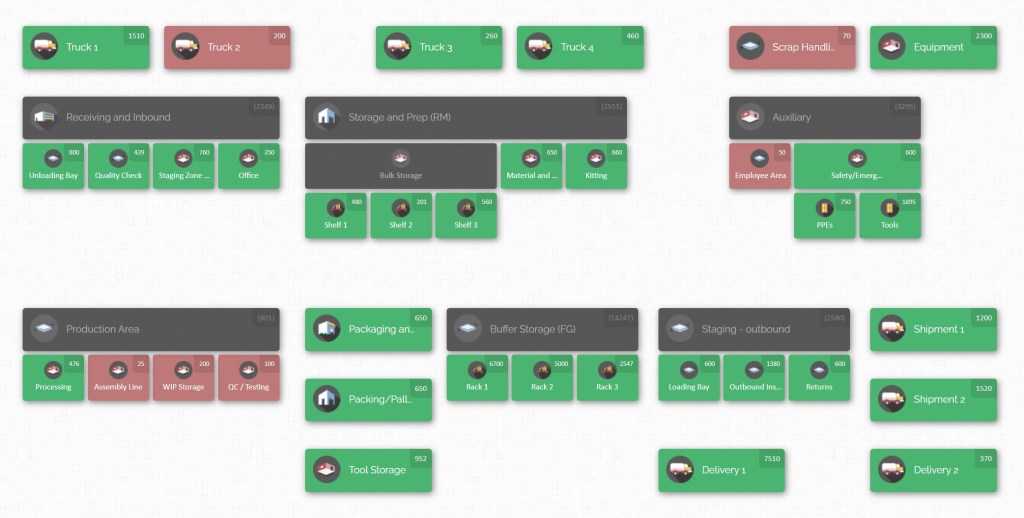
That sounds straightforward. In a manufacturing plant, it rarely is. A single component can move through receiving, inspection, central stores, production staging, kitting, line-side storage, maintenance stores, temporary work areas, returns and overflow locations. The physical journey of the part often crosses departmental boundaries, while the information used to locate it remains split between spreadsheets, labels, paper forms, local knowledge and inventory records. That gap between physical movement and recorded location is where many picking problems begin.
Order picking also deserves close attention because it is one of the most labour-intensive and costly warehouse activities. Long-standing research into warehouse operations has estimated that picking can account for as much as 55% of warehouse operating expense, with warehouse layout, storage assignment and picker routing all affecting performance.
Improving picking accuracy is therefore not only about reducing incorrect issues. Better location visibility can also reduce unnecessary searching, repeat travel, emergency replenishment, duplicate purchases, stock checks and production delays. When people know exactly where material belongs and can see its location across departments, the warehouse becomes easier to operate as one system rather than a collection of separate stockrooms.
Location visibility is more than knowing a bin number.
A traditional inventory record might say:
Part 54821 | Qty 36 | Location A-14That is useful, but it leaves several questions unanswered.
Is A-14 in the main warehouse or the maintenance store? Is the material on the rack, in a cabinet or on a pallet beneath it? Is all 36 available, or are 20 already staged for tomorrow’s production run? Is another quantity stored in Building B? Has some stock moved to quality inspection? Does the picker know what Part 54821 looks like?
A location system becomes much more useful when it represents the actual hierarchy of the operation:
Plant > Building A > Main Stores > Zone 2 > Aisle A > Rack 14 > Shelf 3 > Bin 2The same principle can be used for locations outside traditional racking:
Plant > Production > Assembly Line 4 > Line-Side Rack > Bin 7or:
Plant > Maintenance > Mechanical Stores > Bearing Cabinet > Drawer 12or:
Plant > Quality > Quarantine > Incoming Inspection Hold
The point is not to make location codes longer. It is to remove ambiguity. Warehouse software and location-control practices work best when the location of each item is tracked precisely enough for efficient retrieval and when the physical and recorded structures correspond.
This matters especially in manufacturing because inventory is not confined to finished goods waiting for dispatch. Plants may simultaneously hold raw materials, components, consumables, work in progress, maintenance spares and finished products, each of which follows a different material flow.
A production planner asking, “Do we have enough?” needs more than an aggregate quantity.
A picker asking, “Where do I get it?” needs more than an item description.
A maintenance technician asking, “Can I have it now?” needs to know whether the part is actually accessible.
A buyer asking, “Should I reorder?” needs to know whether stock is sitting somewhere else in the plant.
A good location-visibility system helps all four people work from the same physical reality.
That is the central idea of this guide. Picking accuracy improves when warehouse organisation, inventory records, labels, part identification and departmental hand-offs all reinforce the same location truth.
Diagnose where warehouse location visibility is breaking down
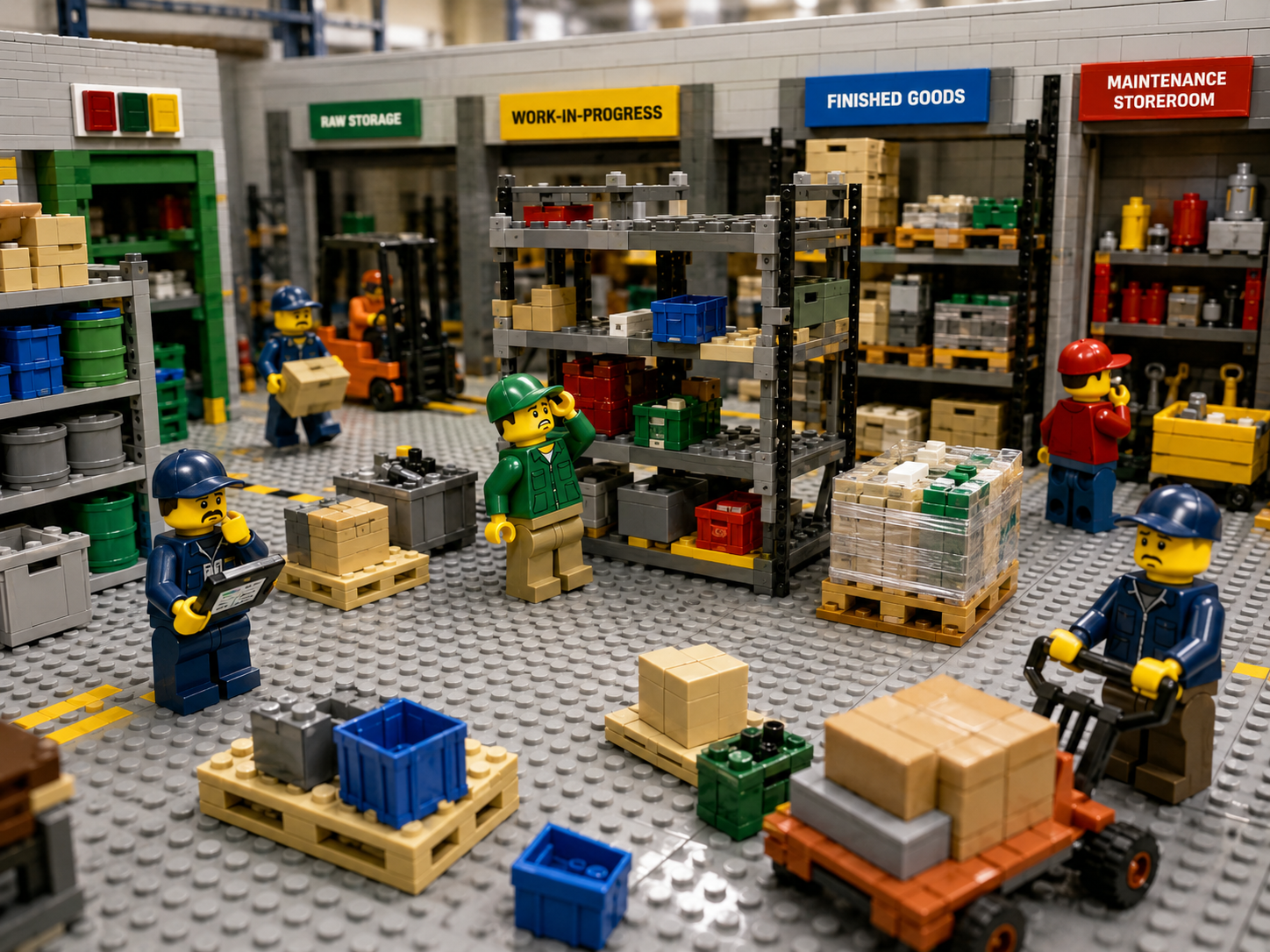
Before reorganizing shelves or introducing new software, find out how location information is currently being lost. The easiest mistake is to begin with the warehouse layout you think you have. Start instead with the warehouse and plant you actually have. Walk the entire material flow from receiving to point of use.
Do not stop at the main stores. Include every area in which inventory can remain for more than a moment: receiving docks, inspection areas, quarantine cages, approved stock, bulk storage, small-parts cabinets, maintenance stores, tool cribs where stocked consumables are held, production supermarkets, kitting areas, staging lanes, line-side racks, overflow space, outside storage, returns areas and other buildings. Manufacturing inventory visibility is incomplete when one of these stock-bearing areas exists physically but has no equivalent location in the inventory system.
Look for the seven common forms of location failure.
- The first is unknown location. The system shows that the part exists, but the location is missing, too broad or unreliable.
- The second is wrong location. The system directs the picker to one bin while the material is physically somewhere else.
- The third is multiple-location blindness. A part exists in several areas, but users normally see or search only the primary storage location.
- The fourth is temporary-location blindness. Material has been staged, quarantined, returned or moved to production, but the temporary location is not treated as a real inventory location.
- The fifth is status confusion. The stock is physically present but cannot legitimately be picked because it is awaiting inspection, reserved, damaged or otherwise unavailable for the requested purpose.
- The sixth is identity confusion. The picker finds the right general storage area but cannot easily distinguish the required part from similar products.
- The seventh is quantity-location mismatch. The total quantity may be correct, but the recorded distribution between bins or departments is not. A plant could have 100 units in total while the system incorrectly says 80 are in central stores and 20 are line-side. The total looks perfect while the location records are wrong.
These failures matter because a picker depends on a sequence of correct inputs. The requested item must be identified correctly, the inventory record must match physical stock, the storage location must be accurate, and the part at that location must be distinguishable from neighbouring items. Break any link in that sequence and careful workers can still make mistakes.
Measure search behaviour, not just stock counts.
A plant can report high inventory accuracy and still have poor parts visibility. Suppose a cycle count confirms that there are 18 seals somewhere in the maintenance stockroom. The inventory total is technically correct. But if the maintenance team spends ten minutes checking shelves because the location is recorded only as “Maintenance Stores”, the inventory is not operationally visible.
Location accuracy should therefore be examined separately from quantity accuracy. During your warehouse walk, choose a representative group of parts and ask someone who does not normally work in that exact area to find them using the available inventory information.
Record:
| Test | What it reveals |
|---|---|
| Can the user identify the correct building? | Site-level visibility |
| Can the user identify the correct department or storage zone? | Area-level visibility |
| Can the user reach the correct rack, cabinet or staging lane? | Location precision |
| Can the user identify the exact shelf, drawer or bin? | Pick-location precision |
| Can the user distinguish the requested part from neighbouring stock? | Part identification quality |
| Can the user see stock stored in secondary locations? | Multi-location visibility |
| Can the user determine whether stock is available, staged or held? | Status visibility |
| Can the user complete the search without asking another employee? | Dependence on tribal knowledge |
The last test is particularly revealing. When people routinely ask, “Where does Steve keep these?” or “Does maintenance have any more?” the organization has not really created parts visibility. It has created a network of human memory.
That system may work while experienced employees are present. It becomes fragile during holidays, shift changes, turnover, overtime, shutdown work or rapid growth.
A lean material-handling approach addresses the same underlying problem by creating a plan for every part and bringing scattered information about each component into a controlled structure. Visual-management practices similarly aim to make the condition of work easier to understand from the workplace itself rather than relying on hidden knowledge.
Trace recent picking errors back to their true origin.
Review a sample of actual errors from the last several weeks or months. Instead of recording only “wrong item picked”, ask what made that incorrect choice possible.
For example:
| Picking problem | Likely visibility cause |
|---|---|
| Wrong bearing selected | Similar parts stored together with weak identification |
| Correct SKU, wrong size | Description or unit information unclear |
| Picker reports stockout but stock exists | Secondary location not visible |
| Production receives too few parts | Quantity wrong at the pick location |
| Picker takes quarantined stock | Inventory status not separated physically or logically |
| Maintenance orders an emergency replacement that already exists | Maintenance and warehouse stock not visible together |
| Material cannot be found after receiving | Put-away movement not recorded |
| Kit contains obsolete revision | Similar revisions stored without adequate distinction |
| Stock disappears after transfer to production | Departmental hand-off not recorded |
| System shows inventory after the bin is empty | Consumption or issue transaction delayed |
This shifts improvement work from blaming the final operator to correcting the conditions that allowed the error.
Pay particular attention to temporary locations.
Permanent racks are usually the easiest part of the warehouse to control. Temporary spaces cause more trouble because people do not think of them as inventory addresses.
- A pallet waiting for inspection is still somewhere.
- A kit waiting outside Cell 3 is still somewhere.
- A motor removed from central stores for next week’s shutdown is still somewhere.
- A box of fasteners left beside an assembly line is still somewhere.
- Returned material awaiting a decision is still somewhere.
If the inventory system has no meaningful way to represent those places, workers compensate with notes, spreadsheets, memory or broad location names. Over time, the recorded location and the physical location separate. Mapping every stock-holding and stock-touching area is therefore a basic requirement for plant-wide inventory visibility.
Check whether location naming means the same thing to everybody.
A code such as R3-B2-S4 may look organized to the person who designed it. It is useful only if people understand it consistently. Ask receiving, warehouse, production, maintenance and planning employees to interpret a sample of location names. Differences in interpretation reveal a governance problem.
Location language should be documented and predictable. A facility might use:
Building > Department > Zone > Aisle > Bay > Level > Position
Another plant might need:
Site > Building > Room > Cabinet > Drawer
There is no single correct hierarchy. The right hierarchy is the one that accurately represents the physical operation and lets people locate material without guessing. CyberStockroom’s mapping model follows this principle by allowing businesses to create locations and sub-locations and arrange them to reflect their physical operation.
Look for shadow inventory systems.
During the diagnostic stage, ask departments how they really track stock. You may find a central inventory record alongside:
- a maintenance spreadsheet;
- production whiteboards;
- handwritten labels;
- purchasing lists;
- supervisor notebooks;
- unofficial overflow locations;
- personal lists of spare parts.
The presence of these tools does not automatically mean the employees are doing anything wrong. It usually means the official system is not answering an operational question quickly enough.
Instead of banning shadow processes immediately, find out what information they provide.
- Perhaps maintenance needs to see a part photograph.
- Perhaps production needs to distinguish line-side stock from central stock.
- Perhaps quality needs a visible quarantine location.
- Perhaps warehouse staff need a map rather than a long location-code list.
Those requirements should inform the new location-visibility model.
Build a warehouse location system that mirrors the factory

Once the visibility gaps are understood, the next step is to create a physical and digital location structure that people can trust. The guiding principle is simple:
The digital warehouse should resemble the real warehouse closely enough that workers can move naturally between the two.
CyberStockroom’s inventory-map follows the same model: define the physical places in which inventory is stored, create them as locations, position them to reflect the facility, label them clearly and verify the map before placing products into those locations.
Start with the site, not the shelf.
For a small stockroom, designing locations aisle by aisle may be sufficient. For a manufacturing operation with several departments or buildings, begin higher in the hierarchy.
The important point is that stock outside the main warehouse remains visible in the same overall model. A plant-wide location map makes the question “Where is Part X?” very different from “Which department owns Part X?”
Ownership and physical location are not the same thing. Maintenance may own a spare motor stored in central stores. Production may own staged material physically sitting in a kitting area. Quality may control material located in a quarantine cage. Warehouse personnel may manage stock that belongs financially to another cost center.
Location visibility should describe where the stock actually is. Departmental responsibility can be recorded separately.
Give every meaningful stock location one identity.
Avoid broad labels where precision matters.
Warehouseis usually not enough.Rack 3may not be enough.Rack 3, Shelf 4, Bin Bmay be appropriate for small components.
For palletized material, the pallet position itself may be the useful level. For maintenance stock, the hierarchy may need to reach cabinet and drawer level. For bulk raw materials, a designated floor zone may be enough.
The right level of detail is the lowest meaningful location that people actually maintain. Do not create hundreds of virtual sub-locations that workers will never use. Excessive precision increases transaction effort and encourages people to bypass the process.
Likewise, do not stop one level too early. If a location covers a twenty-metre rack containing fifty similar items, it does little to prevent picking errors.
Use physical labels that match the inventory location exactly.
The screen, pick instruction and warehouse sign should use the same terminology. If the system calls a location A-04-03-B, the physical position should display A-04-03-B.
Do not let the inventory record call it “Bin B” while employees refer to it as “Old Rack 4”. Consistency reduces interpretation. Standardized product and location identification is a core principle of traceable material movement, while warehouse management systems depend on accurate storage-location information to support retrieval.
Location labels also need to be visible from the direction in which pickers approach. A perfectly coded label hidden by cartons or positioned on the wrong side of a rack does not improve practical visibility.
Use a consistent hierarchy for label size as well. Aisle signs should be visible from further away than bay labels. Bay identification should be easier to see than shelf or bin codes. The worker should progressively confirm the location while approaching it.
Separate location identity from part identity.
One label answers, “Where am I?” The other answers, “What is stored here?”
Do not combine them so completely that changing one requires changing the other. Locations are relatively stable. Products move.
A bin should remain MECH-02-04 even if the bearing stored there is replaced with another item next month.
That separation makes relocations, re-slotting and cycle counts easier to control.
Use part images where visual recognition matters.
A clear description may be enough for distinctive stock. It is less useful when employees are choosing between similar bearings, fasteners, fittings, connectors, seals, electrical components or consumables.
Images can provide an additional recognition cue. They should not replace item numbers, specifications or disciplined identification, but they can make the correct item easier to recognize. CyberStockroom allows images, barcodes and custom fields to be assigned to inventory items, and a product can be selected or scanned to view its distribution across locations.
For high-confusion parts, store the information a picker needs to distinguish them:
- manufacturer part number;
- internal stock number;
- size or dimensions;
- revision where applicable;
- unit of issue;
- relevant description;
- product image.
The purpose is not to fill the item record with every possible attribute. It is to make the picking decision unambiguous.
Treat units of issue as a visibility problem.
A location can be perfectly accurate and still generate picking errors if people interpret the required quantity differently.
- Consider a fastener supplied in boxes of 100.
- Purchasing thinks in boxes.
- The warehouse receives boxes.
- Production requests individual pieces.
- The inventory record displays “12”.
- Does that mean 12 fasteners or 12 boxes?
Location visibility without quantity clarity creates false confidence. Define the working unit for each stock item and make it obvious at the location. Where different units are genuinely required, create a controlled conversion rather than allowing departments to interpret quantities independently.
Create visible separation for non-pickable stock.
One of the most dangerous forms of false availability occurs when material is physically present but not available for normal issue. Quality hold is the obvious example. If 25 components have arrived but have not passed inspection, “25 on hand” is not equivalent to “25 available to production”.
The warehouse layout and inventory-location structure should make that distinction clear.
Use dedicated locations for states such as:
RECEIVING-AWAITING-PUTAWAY
QUALITY-HOLD
APPROVED-STOCK
PRODUCTION-STAGING
RETURNS-AWAITING-INSPECTION
DAMAGED-MATERIAL
The exact names can vary. The principle should not. A stock state that changes whether an item may be picked deserves visible separation.
Slot parts according to how people pick them.
Better location visibility does not mean every product should have a permanent bin forever. Storage assignment and internal layout influence picking travel and warehouse performance, so slotting should reflect demand and handling requirements rather than habit alone.
High-frequency parts should generally be positioned where unnecessary travel and handling can be reduced, provided safety, size, weight and production-flow requirements allow it. Rarely used shutdown spares do not need prime picking positions. Frequently issued consumables probably do. Heavy components may require locations dictated by safe handling rather than pick frequency. Similar-looking items deserve extra consideration. In some cases, separating easily confused SKUs is more valuable than placing all members of a product family together.
The goal is to make the correct pick easy, not merely to create a visually tidy warehouse.
Apply 5S thinking to inventory locations.

5S uses sorting, organisation, cleaning, standardisation and sustained discipline to create a more orderly workplace, with visual cues helping workers recognise normal and abnormal conditions.
For warehouse location visibility, that translates into practical habits:
- Remove obsolete or unidentified stock from active pick faces.
- Give required items defined homes.
- Keep labels visible.
- Do not allow cartons to spread into neighbouring locations.
- Standardise how overflow is handled.
- Mark aisles and operational zones clearly.
- Correct damaged labels rather than teaching experienced employees to work around them.
- Keep material-handling routes clear. Properly marked and unobstructed aisles are also an important warehouse safety requirement where mechanical material handling is used.
A location system loses value quickly when physical discipline is allowed to deteriorate.
The map says Bin 12.
The label says Bin 12.
The part record says Bin 12.
But the actual part is sitting on the floor beside Bin 12 because the bin is full. At that point the warehouse has three consistent records and one inconsistent reality. Reality wins.
Standardize part movement across departments
Location visibility improves picking only when locations remain accurate after the initial clean-up. That requires control over movement.
A warehouse map can be perfectly designed on Monday and unreliable by Friday if inventory moves without the recorded location changing.
The most important behavioural rule is therefore:
When the physical location changes, the recorded location changes as part of the same work.
- Not at the end of the shift.
- Not when somebody has time.
- Not after production asks where the material went.
- The move is not complete until both realities match.
Inventory mapping guidance similarly emphasises regular location and quantity updates as inventory moves, together with physical audits to reconcile discrepancies.
Control the receiving-to-put-away hand-off.
Receiving is one of the earliest opportunities to create bad location information.
Material arrives. It is counted. The receipt is entered. Then the pallet waits because the intended rack is occupied. Someone moves it to an open space “temporarily”. Production needs it urgently. Part of the quantity is taken. The remaining stock eventually reaches the rack. A few days later, nobody can explain why the system quantity does not match the bin.
Avoid this by giving receiving and temporary put-away areas defined inventory locations. Each meaningful stock-holding state should have a recognizable location.
Make quality hold impossible to confuse with available inventory.
- Quality departments frequently become an information boundary.
- Warehouse staff know something was received.
- Quality knows it is waiting for inspection.
- Production knows it urgently needs the part.
- Planning sees a quantity.
- The result can be a false promise.
- Treat quarantine and inspection areas as first-class inventory locations, not exceptions hidden in notes.
Anyone looking for the item should be able to distinguish stock physically present in the plant from stock available for issue.
Define what happens when production takes ownership.
Manufacturing plants often lose location visibility at the central-stores-to-production boundary.
- The warehouse issues a day’s components.
- The material reaches a staging area.
- Some goes directly to the line.
- Some remains on a trolley.
- Some is placed on a nearby shelf.
- An unfinished kit is carried into the next shift.
- Excess material returns to stores two days later.
Without clear locations for each of those states, quantities become difficult to interpret. Create designated locations for production material that genuinely remains inventory.
The names are less important than the discipline. The central question is: At what point does stock leave one controlled inventory location, and where does it go next?
Every department involved should give the same answer.
Bring maintenance spares into the same visibility model.
Maintenance inventory is particularly vulnerable to departmental isolation. Critical spares may be stored in the main warehouse, a maintenance cage, workshop cabinets, shutdown containers or near specific equipment. The operational problem appears when those locations cannot be searched together.
- A technician sees zero in the maintenance store and assumes the part is unavailable.
- Purchasing raises an urgent order.
- Later, someone discovers three units in central stores.
- The issue was not necessarily insufficient inventory. It was insufficient visibility.
A multi-location inventory model should allow teams to find the total distribution of a part while retaining the exact location of each quantity. CyberStockroom, for example, allows a selected or scanned product to be viewed across its locations so users can see how its quantity is distributed.
This does not mean every department should be free to take every part. Visibility and control are separate decisions.
A maintenance technician may be able to see that production holds a component without having permission or operational authority to remove it. But simply knowing it exists can improve planning and internal coordination.
Treat kitting as controlled inventory movement.
Kitting concentrates several opportunities for error in one process. The operator must pick multiple items, often in specific quantities, bring them together and preserve the identity of the kit until production consumes it. Poor location visibility creates two risks.
- First, the wrong component enters the kit.
- Second, correctly picked components effectively disappear from inventory visibility while waiting to be used.
Give kitting areas defined locations. For large or long-running kits, consider specific staging positions rather than one broad “Kitting” location. The location model should make it possible to distinguish:
- components still available in stores;
- components allocated to a kit;
- completed kits waiting for production;
- unused material being returned.
This provides a much clearer picture than showing all material as though it remained on warehouse shelves.
Control overflow deliberately.
Overflow is one of the fastest ways to damage location accuracy.
- The normal bin fills.
- The excess goes to a spare shelf.
- The spare shelf fills.
- The next delivery goes to another building.
- Experienced warehouse staff remember the arrangement.
- The system continues to show only the original location.
- Several months later, purchasing buys more because nobody remembers the overflow stock.
Overflow must be treated as a named location, not as an informal condition. Where one SKU exists in multiple places, record the quantity by location. Do not use location notes such as “also some in back”. That may help today. It will not provide dependable warehouse location tracking over time.
Create a return-to-stock process.
Returned parts deserve the same location discipline as received parts.
- Production may return unused components.
- Maintenance may return a spare that was issued but not required.
- A kit may contain excess stock.
- Material may return after inspection.
Do not allow these parts to bypass normal controls simply because they were previously known inventory. Confirm the identity, condition, quantity and destination before they become available again. Where inspection is required, route them to a return or inspection location first.
Use cycle counting to test location truth as well as quantity truth.
CyberStockroom supports cycle counts and inventory adjustments from its inventory environment, while broader inventory practice uses physical verification to reconcile recorded and actual stock.
When cycle counting, ask two questions:
- Is the correct quantity here?
- Is everything recorded here actually here?
Those are not the same test.
Suppose Bin C12 should contain:
- Part A: 40
- Part B: 12
- Part C: 6
The counter finds all three quantities correct.
Good.
But the counter also finds five units of Part D that the system says are in C16. Traditional counting may focus only on whether A, B and C are correct. Location auditing should also capture the unexpected Part D. A strong cycle-count process detects both missing stock and misplaced stock.
Create an exception location rather than an exception habit.
Warehouses will always encounter material that does not fit the normal process.
- An unidentified item appears during a count.
- A pallet has a damaged label.
- A supplier sends an unexpected component.
- A return needs investigation.
- An item cannot fit its assigned bin.
Do not solve those cases with “put it here for now”. Create controlled exception locations. The purpose is not bureaucracy. It is containment. A known exception in a visible exception location is far safer than invisible stock hidden in an ordinary picking area.
Assign ownership for location accuracy.
Cross-department visibility does not mean nobody owns the data. Define responsibilities for:
- creating new locations;
- changing location names;
- assigning parts to pick faces;
- approving overflow locations;
- recording transfers;
- investigating discrepancies;
- maintaining physical labels;
- counting stock;
- returning unused material;
- reviewing obsolete locations.
Without ownership, each department gradually creates its own interpretation of the warehouse. A plant may then have a location map created by inventory control, physical labels created by warehouse supervisors and local naming conventions created by production. Those systems eventually conflict. Location governance keeps them aligned.
How CyberStockroom supports multi-department parts visibility
The practices described so far depend on one thing: making the physical location of inventory understandable across the operation.
That is where a visual inventory approach can be particularly useful.
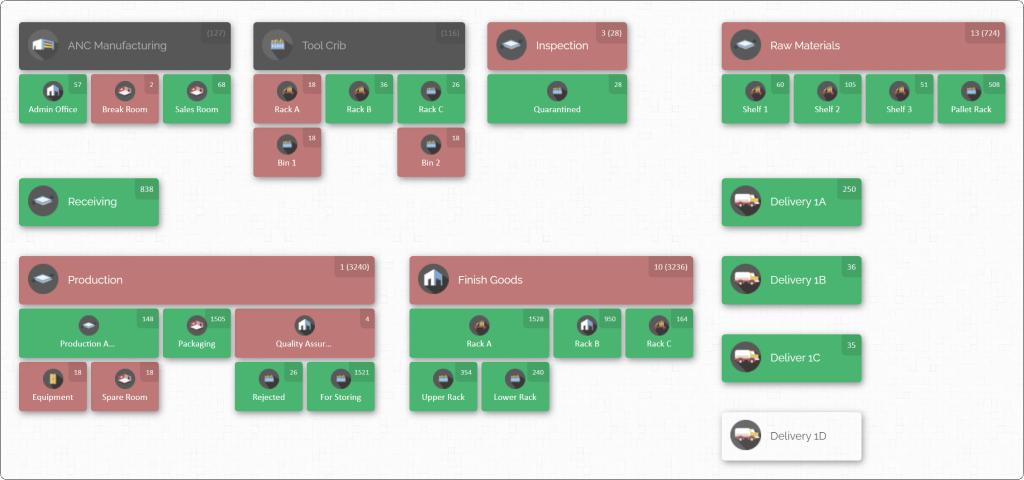
CyberStockroom centers inventory management around a customizable visual map. An organization can break its operation into locations and sub-locations, arrange those locations to correspond with the way the business is physically structured and see product quantities from the map.
For a manufacturing plant, that means the map does not have to stop at the warehouse door.
It can represent the wider inventory environment.
A company might build the top level around separate buildings:
├── Main Warehouse
├── Production Building
├── Maintenance Building
├── Quality
└── External Storage
Inside the warehouse, users can create further locations corresponding to the real storage structure. Inside maintenance, the structure can follow its own physical arrangement. Inside production, inventory-bearing line-side or staging areas can be represented separately.
CyberStockroom’s location model supports any number of locations and sub-locations, and its map layout can be rearranged around the way the organization sees its operation.
That matters because manufacturing departments do not necessarily organize stock in the same way. The central warehouse may think in aisles, racks and shelves. Maintenance may think in rooms, cabinets and drawers. Production may think in lines, cells and staging areas.
A visual map allows those different physical structures to remain distinct while belonging to one broader inventory picture.
See where a part is distributed, rather than seeing only one default location.
One of the most useful principles for reducing picking errors is making secondary stock visible. A product may have:
- 25 units in central stores;
- 6 units in maintenance;
- 10 units beside Line 2;
- 40 units in overflow.
A single quantity of 81 tells only part of the story.
CyberStockroom allows users to select or scan a product and see its distribution, helping them locate the item and visually assess stock levels across locations. For warehouse picking, this can help answer a practical question before somebody starts walking:
Which location actually contains the stock I need?
For inventory control, it answers another:
Why is this product spread across four places?
And for purchasing:
Do we really need more, or is usable stock already elsewhere in the operation?
The same visibility supports cross-team alignment because departments can work from a common representation of where stock resides instead of maintaining separate mental pictures of inventory.
Use the map as a visual representation of location truth.
Traditional location lists are effective for experienced users who understand the code structure. Visual mapping adds context. A person can see that one inventory location belongs to Maintenance while another belongs to Building B. The map becomes a bridge between stock data and physical space.
CyberStockroom allows locations to be repositioned so the map reflects the way the operation is laid out. Its setup process specifically supports creating warehouses, buildings, floors, storage rooms, bins, shelves and other relevant location types, then labelling and arranging them to represent the physical inventory environment.
This is particularly useful when the people searching for a part are not warehouse specialists. An experienced storekeeper may instantly understand B2-Z4-R07. A production supervisor may not.
A visual representation helps provide context without eliminating the underlying location structure.

Move inventory between locations as the physical movement occurs.
CyberStockroom supports drag-and-drop inventory transfers between locations and sub-locations. It also supports inventory adjustments and cycle-count activity. Those capabilities fit directly into the movement discipline described earlier.
Suppose 15 valves leave central stores and move to a shutdown staging area.
The physical movement should be reflected by moving the corresponding quantity from:
Central Stores > Mechanical > Valve Rack
to:
Shutdown Staging > Area 2
The part has not disappeared. It has not necessarily been consumed. It has changed location. Representing that change is what preserves visibility for everyone else.
The same logic works when parts are moved between buildings, into line-side storage, back from production or into another controlled location.
Use product information to reduce identification ambiguity.
CyberStockroom allows products to carry images, barcodes and custom fields. Products can be added manually, through a barcode-scanning workflow or by spreadsheet.
For a manufacturer, custom fields can help organize information that improves identification, provided the organization chooses fields that matter operationally.
For example:
Internal Part Number
Manufacturer Part Number
Part Description
Size
Revision
Unit of Issue
Material Type
An image can give the picker another visual cue. The barcode can support item identification where barcoding forms part of the warehouse process. The map supplies location context. Together, those elements help reduce the two questions that create many picking mistakes:
“Am I in the correct place?”
and:
“Is this the correct part?”
Barcode-based warehouse processes are widely used to connect physical product identification with recorded warehouse movements, while standardized location identification helps connect the physical and information flows.
Use the visual map during cycle counts and location audits.
A cycle count should not merely confirm that Part 123 has 50 units somewhere. It should confirm that the 50 units are in the locations where the inventory record says they are. CyberStockroom’s map can provide the visual structure for this process, and its inventory tools support cycle counts and adjustments. That makes location maintenance part of inventory maintenance.
When a discrepancy is found, the team can ask whether it is:
- a quantity error;
- an unrecorded move;
- an incorrect location;
- an unidentified part;
- stock stored in the wrong physical position.
This distinction matters because different causes require different corrective actions. A quantity adjustment may fix today’s record. It does not fix a movement process that will create the same discrepancy again tomorrow.

Put better location visibility directly into the picking process
Location mapping creates the foundation. The next step is to design picking work around it. A good picking process should make the correct action easier than the incorrect one. That requires more than telling workers to “double-check everything”.
A picker needs a clear destination, a clear item identity, a clear quantity and a defined way to handle exceptions. Research and warehouse-management guidance consistently place location assignment, routing, item verification and accurate inventory information among the controls that influence picking performance.
Build each pick instruction around four pieces of information.
A clear warehouse pick should answer:
What?
The exact part.
Where?
The exact location.
How many?
The required quantity and unit.
Where next?
The destination or staging point.
Confirm the location before confirming the part.
A useful manual picking habit is:
- Navigate to the specified storage location.
- Confirm the physical location identifier.
- Identify the required part.
- Confirm the quantity.
- Complete the movement to the destination location.
This order prevents a subtle error. Without location confirmation, a picker who sees what appears to be the correct part in a nearby bin may take it without noticing that the item belongs to a different stock location.
The part could be similar.
The stock could have been misplaced.
Or the neighbouring bin could contain another revision.
Location confirmation provides the first independent check. Part identification provides the second. Where appropriate, barcodes provide an additional way to match physical identification with the warehouse transaction.
Separate visually similar parts.
Suppose two seals differ by only two millimeters. Placing them beside each other may seem logical because they belong to the same product family, but operationally, this can create a high-risk picking point. When parts look nearly identical, even experienced workers can select the wrong item, particularly during busy shifts or repetitive picking tasks.

Where mis-picks have occurred repeatedly, consider increasing the physical separation between similar items and using clearer, more descriptive bin labels. Key distinguishing information should be easy to see at a glance, whether that means highlighting an important dimension, specification, model number, or another identifying attribute. Item images can also help where visual differences are difficult to communicate through text alone.
It may also be useful to assign similar-looking parts to distinct, unambiguous locations and add an identification check to the picking process when the risk of selecting the wrong item is especially high. The goal is to make the correct choice easier rather than relying on workers to notice small differences every time.
Warehouse organization should account for normal human behavior. Visual cues, clear labeling, and deliberate product placement are commonly used in lean workplace organization because important differences and abnormal conditions should be easy for workers to recognize.
Do not let replenishment destroy pick-face accuracy.
A well-organized pick face can still generate errors if the replenishment process is poorly controlled. Common problems include:
- A pallet is replenished into the wrong location.
- Two SKUs are mixed in the same bin.
- A picker empties the primary location while reserve stock exists elsewhere but is not visible.
- Replenishment stock is left in an aisle without a recorded location.
- Overflow is added to a neighboring pick face.
Replenishment should be treated as a location-controlled inventory movement, not simply as the task of filling a rack. Each replenishment activity involves transferring a specific quantity of a specific part from one defined location to another, and both sides of that movement need to be recorded accurately.
This approach helps preserve pick-face accuracy by keeping reserve stock, active picking locations, and overflow inventory aligned with the inventory system. When replenishment movements are clearly documented, workers are less likely to encounter mixed SKUs, misplaced stock, or inventory that physically exists but cannot be easily located.
Use maps before changing routes.
Warehouse managers often try to reduce travel by rearranging rWarehouse managers often try to reduce travel time by rearranging picking routes first, but route optimization only works when inventory locations are accurate. Optimizing a pick path through unreliable location data may simply help workers reach the wrong place faster.
Start by establishing accurate, trustworthy locations across the warehouse. Once you have confidence in where inventory is actually stored, you can begin analyzing travel patterns and identifying where unnecessary movement is occurring. Warehouse layout, storage assignment, and picking routes are closely connected, so changes to one area should be considered alongside the others.
Once your inventory map is reliable, look for patterns such as:
- Frequently picked parts
- Repeated trips to distant zones
- Congestion around popular racks
- Repeated backtracking
- Parts that are commonly picked together
- Excessive travel between buildings
- Staging areas that interrupt normal picking routes
- Maintenance parts that regularly require warehouse assistance
These patterns can help reveal opportunities to improve slotting, reposition frequently used inventory, reduce unnecessary travel, and redesign workflows around how materials actually move through the facility.
The goal is not simply to create a shorter route. It is to build a picking process based on accurate locations and real movement patterns so workers can reach the right inventory with fewer delays and unnecessary trips.
Put fast-moving inventory where it supports flow, not where there happens to be space.

Placing new stock in the first available location may solve an immediate space problem, but it can create more travel, handling, and picking effort over time. Storage decisions should instead reflect demand history and operational needs so the most important inventory is positioned where it best supports day-to-day work.
In a manufacturing environment, picking frequency is only one factor to consider. Criticality also matters. A component that is picked only a few times a year may still need to be easy to access if it is essential during an equipment breakdown. Size and weight should also influence placement, since frequently used stock that requires mechanical handling cannot always be positioned in the most convenient picking area.
Point of use is another important consideration. A production consumable issued repeatedly throughout the day may be better suited to controlled line-side storage rather than a central storeroom. Similarity between parts should also be taken into account. Two high-volume components may need to be stored in separate zones if placing them together increases the risk of repeated mis-picks.
Storage assignment should therefore balance travel distance, handling requirements, safety, available space, criticality, and error risk rather than optimizing for a single factor. Effective warehouse layout and storage planning depend on arranging inventory in a way that supports consistent, efficient work while making the right parts easier to locate and access.
Design an exception process that keeps pickers moving without encouraging guesses.
One of the most important warehouse rules is defining what a picker should do when the physical inventory does not match the system. For example, the system may show eight units in Bin A12, but the picker finds only three. Without a clear exception process, workers may rely on quick fixes that keep the order moving but make the inventory problem harder to trace.
Poor responses might include taking stock from a neighboring bin because it looks similar, searching nearby locations without recording the movement, changing the quantity without investigating the cause, or asking someone who usually works in the area. These actions may solve the immediate picking problem, but they can also hide location errors, unrecorded transfers, or inventory discrepancies.
Instead, create a standard exception path that tells workers exactly what to do when expected inventory is missing. This might include confirming the item and location, checking approved secondary or reserve locations, recording the discrepancy, and escalating the issue when the stock still cannot be found.
A visible multi-location inventory structure can make this process faster by showing whether the missing quantity has a legitimate secondary location before the picker begins an uncontrolled physical search. The goal is to keep work moving while ensuring that exceptions generate useful information rather than additional inventory errors.
Make line-side stock visible enough to prevent double picking.
A common manufacturing problem occurs when inventory has already been staged or moved closer to production, but that movement is not clearly visible to the next shift or team. For example, production may need ten units that were staged the previous day, but if the morning shift cannot see that information, another request may be sent to stores and ten more units may be issued. Production now has twenty units while central inventory appears unexpectedly low.
This is not necessarily a traditional wrong-part picking error. It is a visibility problem caused by inventory being physically moved without its new status or location being clear to everyone involved.
Better visibility into staging areas and line-side inventory helps prevent these duplicate issues. The location structure should make it easy to answer a simple question: Has this stock already moved toward the request?
That is why staging areas should be treated as real inventory locations rather than temporary spaces outside the normal tracking process. When staged and line-side stock remains visible, teams can confirm what has already been issued before creating another request.
Keep partially used packs under control.
Small-parts inventory can quickly become difficult to manage when full boxes are easy to identify but open quantities are not. A box of 100 units may be reduced to 67, moved to another shelf, and then effectively forgotten. If another worker cannot find it, a second box may be opened, leaving multiple partial packs in different locations. The issue often surfaces later during cycle counting.
For parts that are frequently issued in smaller quantities, define a consistent process for handling opened packs. Keep partial quantities in designated pick locations, use a standard unit of issue, and avoid creating several open containers across different areas unless there is a clear operational reason to do so.
Inventory visibility means more than knowing where an item is stored. It also means understanding how the available quantity is physically represented at that location. Keeping partial packs controlled and easy to identify helps reduce duplicate openings, counting discrepancies, and unnecessary replenishment.
Use visual management to make abnormal storage obvious.
A well-designed warehouse should make storage problems easy to notice. A pallet left in an aisle should immediately look out of place, an unlabeled box should appear incomplete, and a component sitting between two marked bins should clearly signal that something is wrong. Quarantined stock should also be visually distinct from ordinary pickable inventory, while an empty high-use pick face should attract attention before it causes an urgent shortage.
This is why physical organization and location visibility work best together. Visual management helps workers quickly recognize what normal storage should look like and identify when something does not match that standard.
When abnormal conditions are easy to spot, teams can respond sooner, correct misplaced inventory, and prevent small storage issues from turning into picking delays or inventory discrepancies.
Reduce departmental searching by making the first search useful.
Employees should not have to search multiple systems, contact several departments, walk through different areas, and ask previous shifts just to find out where a part is located. When the process involves checking the ERP, warehouse spreadsheets, maintenance records, overflow areas, production, and purchasing, the problem is not a lack of effort. It is a lack of usable inventory visibility.
The first search should provide enough location context for the user to make the next operational decision. They may still need authorization, a warehouse employee to issue the stock, or quality approval before using it, but they should not need to conduct a lengthy investigation simply to determine where the inventory exists.
This is where map-based inventory visibility can change the warehouse conversation. Instead of asking, “Does anyone know where we have these?” the team can work from a clearer starting point: “The map shows twelve in Building B and five in maintenance. Which stock should we issue?”
That is a much more useful operational question because the team can focus on deciding what to do with the available inventory rather than spending time trying to locate it.
Measure picking accuracy, location accuracy and cross-team performance

A warehouse improvement program should not end when the labels are installed or the inventory map is complete. The real test is whether employees can find the correct parts more quickly, inventory locations remain trustworthy, and the processes surrounding picking and movement become more reliable over time.
To understand whether those improvements are actually happening, measure both the outcomes and the conditions that produce them.
Picking accuracy
A simple way to measure picking accuracy is:
Picking Accuracy = Correct Picks ÷ Total Picks × 100
Before using the metric, define what counts as a correct pick. A pick should generally be considered correct only when the item, quantity, and relevant specification are accurate and the material reaches the intended destination. Consistent definitions are important because accuracy results become difficult to compare when one shift records quantity mistakes as picking errors while another counts only wrong-SKU picks.
Do not rely on the overall percentage alone. Classify picking errors so you can identify what is actually going wrong. Useful categories may include:
- Wrong SKU
- Wrong quantity
- Wrong revision
- Wrong unit
- Wrong location
- Missing item
- Duplicate issue
- Incorrect status
These categories provide more useful information than a single accuracy percentage because they show where processes need to improve.
Location accuracy
Location accuracy measures whether recorded inventory locations match physical reality. A practical calculation is:
Location Accuracy = Inventory positions found in the correct recorded location ÷ Inventory positions checked × 100
For example, if you audit 200 SKU-location combinations and 194 are physically where the inventory record says they should be, location accuracy is 97%.
A high percentage can still hide meaningful operational problems in a facility managing thousands of parts. Even a relatively small number of incorrect locations can create repeated searches, delayed picks, stockouts, and emergency corrections. The goal should therefore be more than improving the headline percentage. Use the results to understand where location failures originate.
Break location-accuracy results down by factors such as:
- Building
- Department
- Zone
- Shift
- Movement type
- Product family
- Receiving
- Put-away
- Production transfers
- Maintenance issues
- Returns
Patterns within these categories can often reveal which process is causing location accuracy to deteriorate.
Inventory quantity accuracy
Quantity accuracy remains just as important as location accuracy. Knowing exactly where a part is stored does not help if the system shows ten units and the bin contains only two.
Cycle counting should therefore evaluate both quantity and location. The objective is to confirm not only that the recorded amount matches the physical stock, but also that the inventory is stored where the system says it is.
Part-search time
Measure how long employees spend finding parts by selecting a sample of routine requests and recording the time between beginning the search and physically identifying the inventory.
Do not test only experienced warehouse pickers. Include people with different levels of familiarity with the storage area, such as:
- A warehouse employee
- A production supervisor
- Maintenance personnel
- Inventory control
- Another authorized user who does not normally work in that storage area
The goal is not to turn every employee into a warehouse picker. It is to determine whether inventory visibility depends too heavily on local knowledge. When the system is working well, a trained user should be able to identify the correct location without relying on one particular employee’s memory.
Location exception rate
Track how often a picker arrives at the specified location and finds something different from what the inventory record promised. Examples may include an empty bin, insufficient quantity, the wrong item, mixed SKUs, moved inventory, inaccessible stock, unlabeled material, or stock sitting nearby rather than in the recorded position.
This metric can reveal problems before they become completed picking errors. A location exception is an early warning that the physical warehouse and inventory record are no longer aligned. Instead of treating these incidents as minor inconveniences, use them as opportunities to identify and correct the underlying process problem.
Unrecorded transfer rate
Track discrepancies caused by inventory moving between departments or storage areas without the corresponding location being updated. This can be especially useful during the early stages of a plant-wide inventory visibility program because it shows where location accuracy is being lost.
For example, if most discrepancies originate during warehouse-to-production transfers, redesigning bin labels will do little to solve the problem. The handoff process needs attention. If errors are concentrated around returns, review the return workflow. If emergency maintenance issues are creating frequent discrepancies, the controlled issue process may need to be simplified for urgent situations.
The data should help identify where the connection between physical movement and recorded movement is breaking down.
Duplicate purchasing caused by hidden stock
This metric requires cooperation between purchasing and inventory control. Track situations where a replenishment or emergency purchase is initiated, usable inventory is later discovered elsewhere in the organization, and the purchase could reasonably have been avoided if that stock had been visible earlier.
Not every duplicate purchase is caused by poor warehouse visibility. Demand, reservations, quality status, lead times, and other operational factors may justify an additional order. However, repeatedly discovering usable stock that employees did not know existed is a strong indication that multi-department inventory visibility needs improvement.
Production delays related to material search
When production is delayed because a part cannot be found, classify the actual cause rather than treating every incident as a stock shortage. Determine whether the material was genuinely unavailable, stored in the wrong location, held by another department, placed in quarantine, already staged, recorded with an incorrect quantity, or difficult to identify because of an unclear description.
This distinction separates genuine supply problems from inventory-visibility problems. If the required stock already exists somewhere in the facility, purchasing additional inventory will not correct the underlying issue. Improving the visibility, location, or movement process will.









Leave a Reply