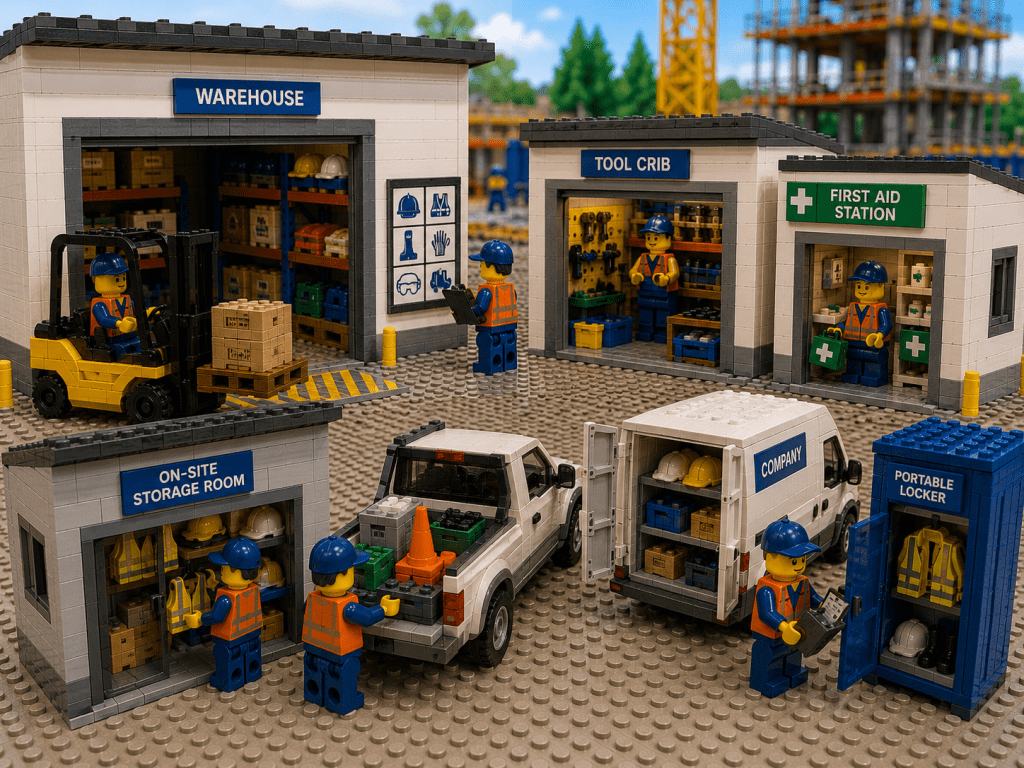
In high-stakes industrial construction sites, effective PPE inventory management is crucial for both worker safety and regulatory compliance. Every day on site, teams rely on personal protective equipment (helmets, goggles, gloves, vests, etc.) to stay safe. A missing helmet or respirator isn’t just an inconvenience – it can lead to injuries, fines, or project delays. Using modern inventory practices helps prevent shortages of critical items and keeps crews protected around the clock.
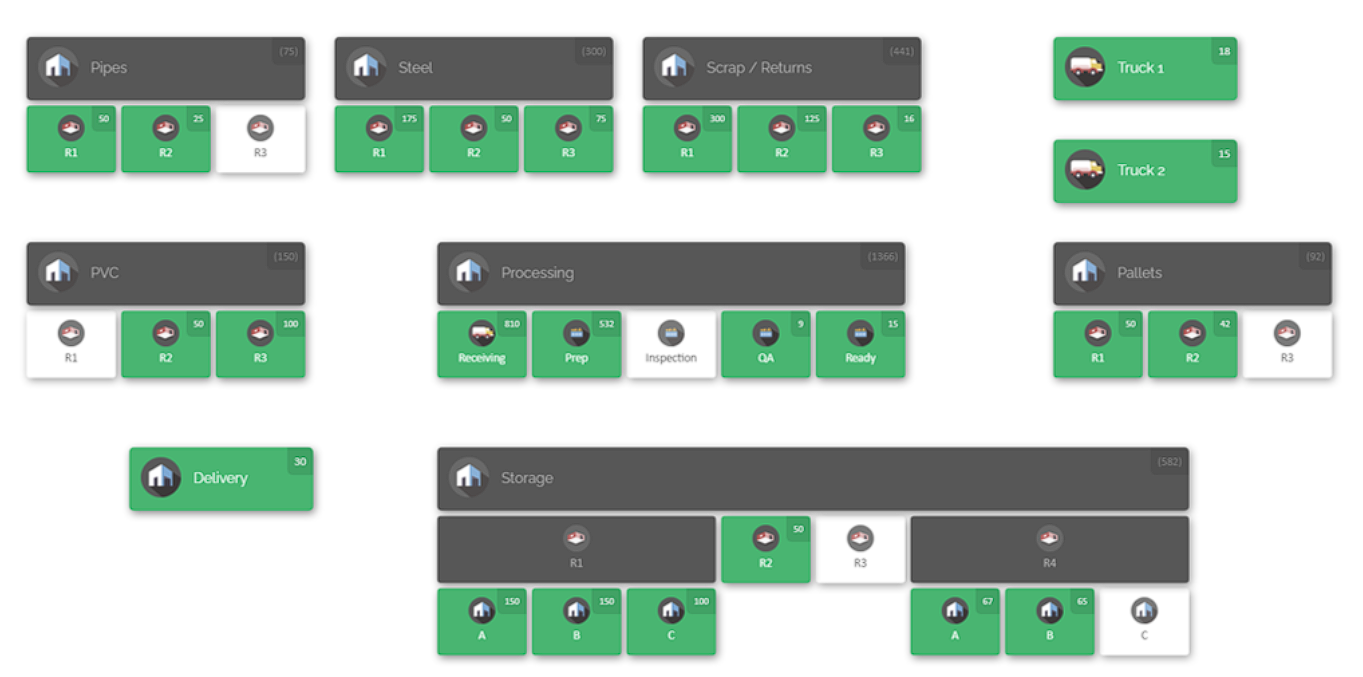
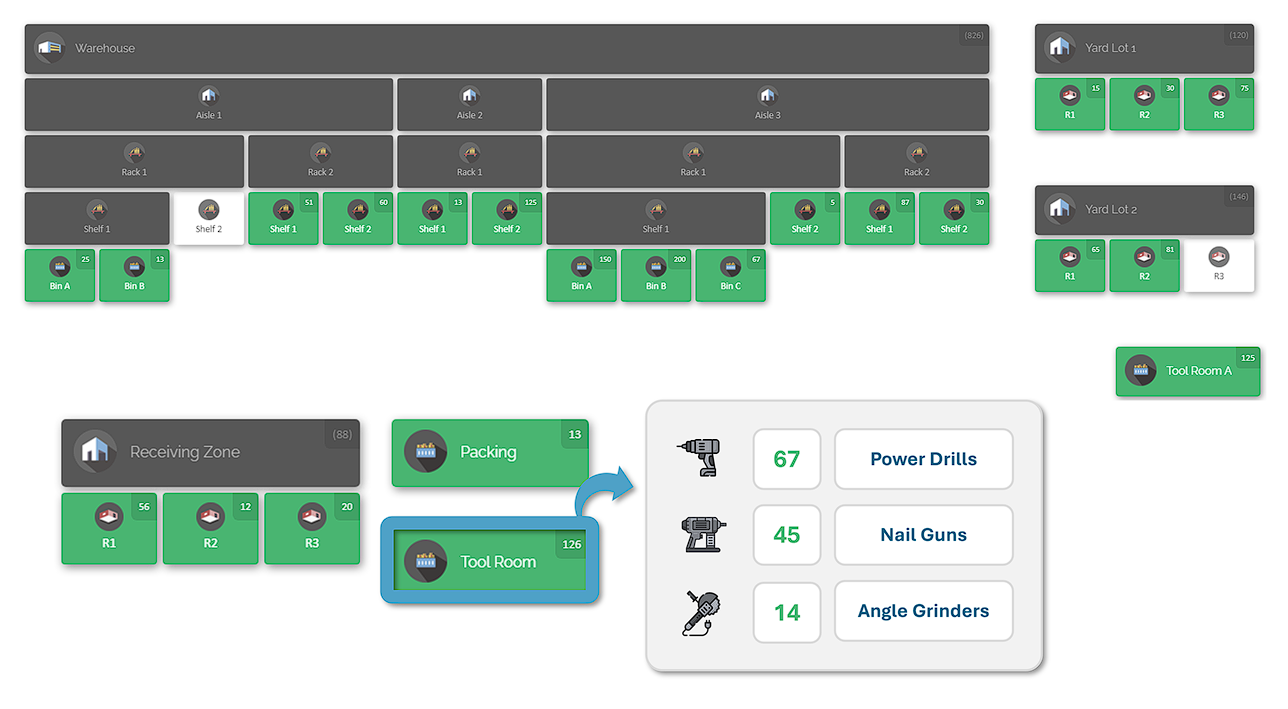
Example inventory map of a construction job site
This article will explore best practices for achieving full parts and PPE visibility across multiple departments on industrial construction projects. We will focus on operational efficiency, inventory accuracy, and cross-team alignment.
Regulatory Compliance and PPE Requirements
Construction sites are governed by strict safety regulations that mandate proper use of PPE. Regulatory bodies require that employers provide appropriate PPE and ensure it fits each worker properly. Employers must not only supply the gear, but also manage it: selecting the right items, training workers on use, performing regular inspections, and replacing worn-out or expired equipment.
Having a documented PPE program is part of compliance. This program should include hazard assessments, specified PPE lists for each task, training records, and maintenance schedules. Crucially, inventory control is a core part of that program. Managers need to know where each piece of equipment is, who is using it, and when it needs service or replacement. For example, hard hats and respirator filters have service lives and expiration dates; failing to track these can lead to using unsafe gear. A centralized inventory system simplifies this task: it can automatically flag items due for inspection or alert you when a certification is approaching its expiration. Without such a system, companies often rely on manual checklists or memory, which can fail under busy conditions, potentially leading to compliance violations or safety incidents.
Modern inventory systems also aid compliance documentation. With a digital log of every PPE assignment, site supervisors can quickly produce audit trails. If a safety inspector asks for proof that all workers had required PPE, managers can generate a report from the system showing distribution and expiry status at any date. This transparency reduces legal risk and demonstrates a proactive safety culture.
Common PPE Inventory Challenges
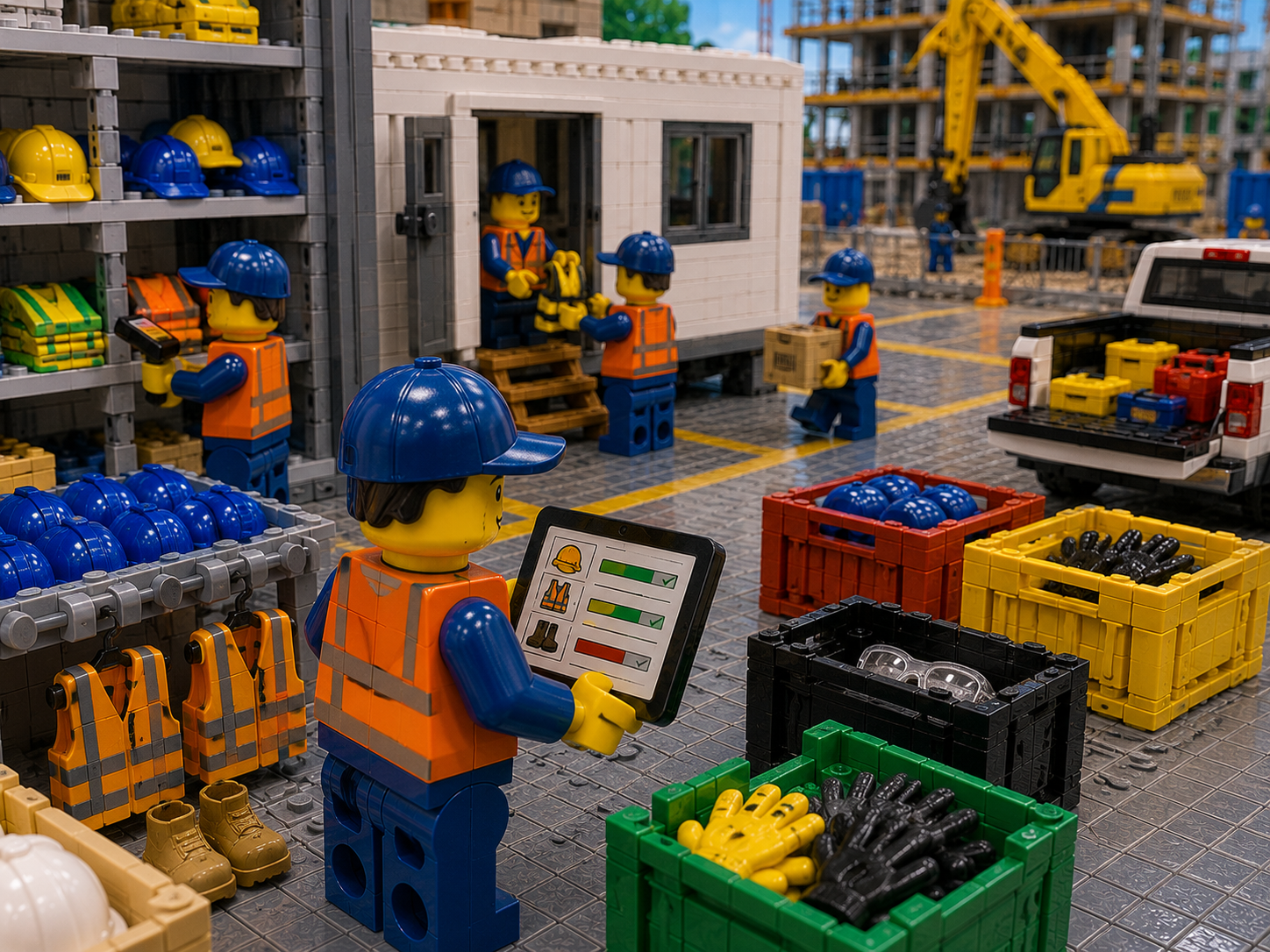
Managing PPE stock on large construction sites comes with many challenges. Sites often span multiple locations – main warehouses, satellite tool sheds, jobsite trailers, vehicles, and laydown yards – and different departments may hold pieces of the inventory. Without clear visibility, problems arise:
- Decentralized Inventories. PPE supplies can be scattered across containers or buildings. The safety team at one site might store a set of high-vis jackets, while a remote crew vehicle has another set. If inventory is tracked in separate lists or not at all, one team might order new gear while another team already has excess. This leads to wasteful overstocking or costly duplicate orders. For example, one contractor saw crews on Site A running out of respirators while Site B had surplus stock that went unused. Consolidating those lists into one system would have prevented expensive emergency shipments.
- Manual Tracking Errors. Many operations still rely on spreadsheets, whiteboards, or clipboards to note PPE distribution. Handwritten logs can be incomplete or lost, and paper records rarely get updated in real time. This often results in inaccurate counts. For instance, a foreman may assume 20 safety glasses were issued today, but without scanning or logging the exact number, the digital record (if any) will be out of sync with reality. Over time, these errors compound. Relying on such manual methods can leave sites unknowingly low on critical items.
- Lack of Accountability. If workers check out gear without any system tracking, items can go missing or end up on the wrong site. Imagine a worker borrowing a safety harness on Monday at Site A and never returning it. Without an electronic issuance record, nobody knows who has it or where it should be. This leads to “lost” equipment and stockouts. Clear check-in/check-out processes are needed to prevent casual borrowing from turning into permanent loss. Accountability also means that if PPE is damaged or unreturned, the system’s history will show who was last responsible.
- Expiration and Maintenance Tracking. Certain PPE must be inspected or replaced on a schedule. Items like respirator filters, fall-arrest harnesses, or ear protection have service limits or expiry dates. Tracking these manually is tedious. If someone overlooks an expired filter on a respirator, a worker could unknowingly use unsafe equipment. A robust system should automatically track expiration. Without it, teams often discover expired gear only when regulators review it, which can trigger shutdowns or fines.
- Forecasting and Procurement Issues. Construction projects are dynamic. Workload can spike, change phases, or shift between indoor and outdoor tasks, all of which affect PPE needs. Seasonal changes (e.g. more dust in summer, cold weather gear in winter) also play a role. Predicting PPE demand purely by guesswork is unreliable. Inaccurate forecasts lead to stockouts, last-minute rush orders, or excess inventory that ties up capital. A lack of usage data compounds the problem: teams may not realize they consume 30% more gloves in summer until a shortage occurs.
- Cross-Department Silos. Procurement, inventory, operations, and safety departments often each have their own priorities. If each group manages its own list or system, no one has the full picture. A warehouse manager might report “sufficient stock” because their count excludes gear already on truck, while the field crew lacks what was delivered to site. Miscommunication then leads to conflicting actions (one team orders more, another hoards stock). Breaking down these silos requires a single source of inventory truth that all teams use.
To solve these problems, the overriding theme is visibility. Stakeholders across the company must see the same inventory data in real time. Next, we’ll outline best practices that establish and leverage that visibility, leading to better inventory accuracy, efficiency, and compliance.
Best Practices for Inventory Visibility and Accuracy
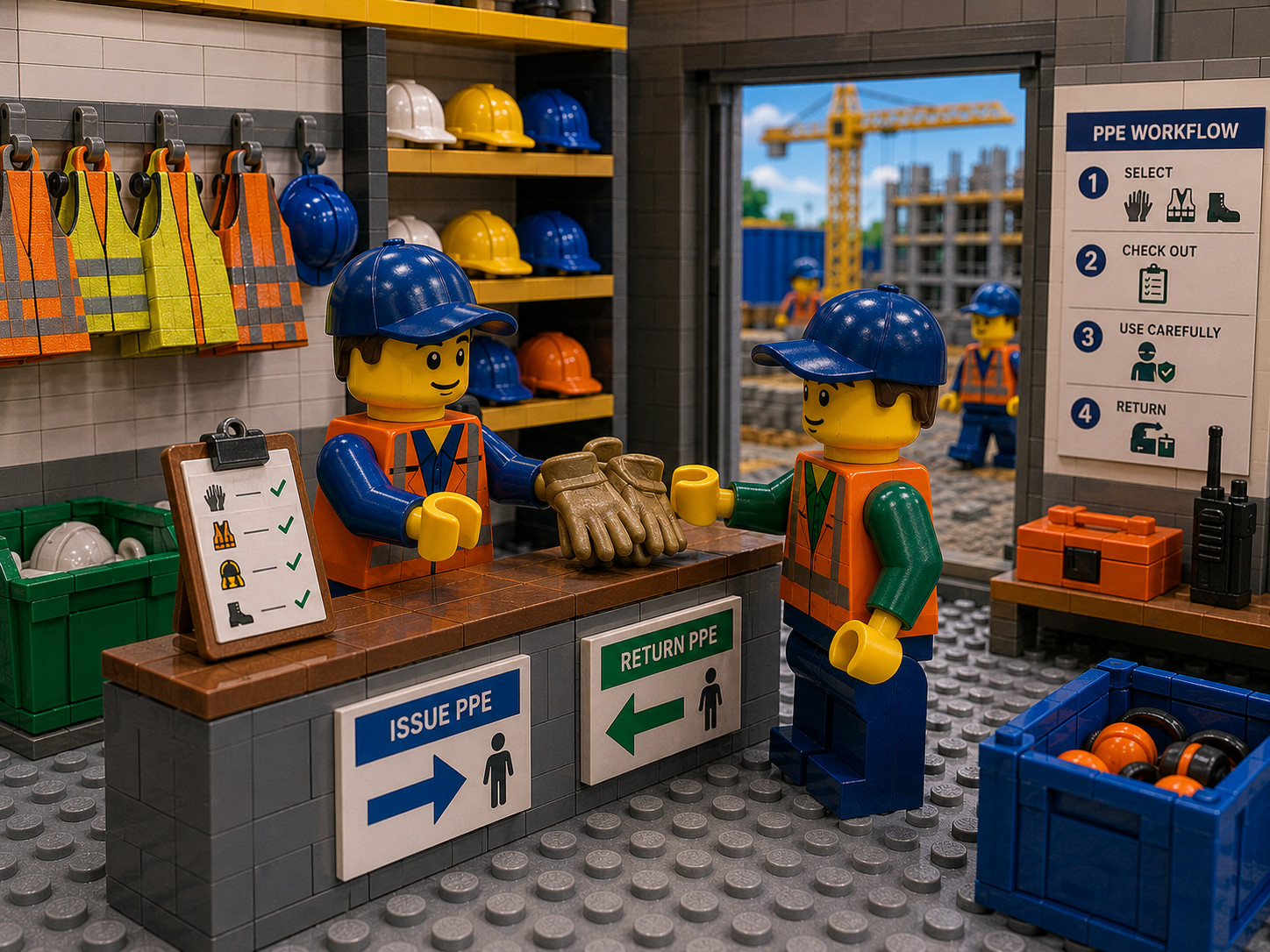
Improving parts and PPE visibility in a multi-site construction environment requires both disciplined processes and the right tools. Implement the following best practices:
- Unified System for All Stock. Don’t treat PPE in isolation. The best approach is to track PPE and other parts (spare parts, tools, consumables) in one system. This integrated view means different departments share the same inventory information. For example, if maintenance needs respirator filters and the safety team has extras, a unified system will show that overlap so transfers can happen. Tracking all inventory together prevents duplicate orders and enables better sharing of resources across crews and projects.
- Centralize Inventory Data. Store all inventory information in one central, cloud-based database rather than in siloed spreadsheets or isolated software. A shared digital system ensures everyone – from safety officers and operations managers to warehouse clerks and procurement staff – sees the same current data. For instance, if a site foreman updates the quantity of high-vis vests on-hand after a delivery, that change instantly reflects for the purchasing team. This single source of truth eliminates conflicting counts and reduces communication errors.
- Visual Mapping of Locations. Organize physical storage points in a visual map or layout that mirrors your facilities. For example, create nodes on the map for “Main Warehouse – Aisle 1”, “Site B – Tool Crib”, “Truck 12 – PPE Box”, etc. Each node corresponds to a physical storage area. By representing shelves, containers, or even vehicles on a map, you can label what is stored where. At a glance, managers and workers can see which room or site has which items. Mapping makes it easy to find items: instead of scanning through lists of text, you just look at the map.
- Standardize Check-In/Check-Out Processes. Implement one clear workflow for issuing and returning PPE. Every time an item is taken from inventory (for example, a set of gloves or a toolbox), it should be checked out to a person or crew and location, and similarly checked back in on return. Require that each item has a unique identifier (barcode or tag) and a status (e.g. “in use”, “available”, “under maintenance”). This can be done with handheld scanners or mobile devices on site. A standardized digital procedure ensures accountability: if a safety harness shows up as missing, the system log will indicate who last checked it out. Consistency in these workflows prevents gaps where items slip out of inventory unnoticed.
- Assign Responsible Users. In the inventory system, link items or storage zones to specific teams or individuals. For example, you might assign all respirators in Site C’s tool crib to that crew’s supervisor. When an item is assigned to a person or team, it clarifies ownership and accountability. Permissions in the system can also control who can edit or move inventory. Department leads can be given view-only access to other teams’ stock if needed. By designating responsibility, if PPE goes missing or runs low, management instantly knows which team’s inventory to check first.
- Efficient Receiving and Stocking. Set up a clear process for accepting new PPE shipments. When a delivery arrives, staff should promptly scan or enter the incoming items into the system. Include a quick count and quality check (for example, verifying that all pieces were delivered and undamaged) as part of receiving. This practice ensures the digital inventory always matches physical stock. By updating counts immediately, planners can rely on current data: for instance, once 500 pairs of gloves are scanned in, the site supervisor or foreman sees the change immediately. This means they can allocate gear where it’s needed without delays or guesswork.
- Real-Time Updates and Scanning. Use barcode scanning (or QR/barcode techniques) and mobile devices for inventory transactions. Every product should have a scannable code that encodes its identity and details. When new PPE arrives, workers can quickly scan boxes or items to add them to stock. When issuing gear, scanning updates its location and status instantly. Real-time tracking makes sure everyone sees the same numbers at the same time. It eliminates confusion – if two supervisors view stock on their phones, they will see identical counts, preventing accidental double issuance.
- Automated Alerts and Reorder Points. Configure the system to notify you of critical inventory events. Set minimum quantity thresholds for essential items and low-stock alerts. For example, you might want an alert when high-vis vest inventory drops below a safety stock of 50. Also configure alerts for approaching expiration dates on PPE. Modern systems can email or notify responsible personnel automatically. This moves teams from reactive firefighting to proactive planning: instead of discovering a shortage at the last minute, they get warned days ahead. For instance, if helmet replacement liners expire in two weeks, the system can remind you to procure new ones before they become unusable.
- Track Certification and Expiry. Record key details like batch numbers, certification dates, and expiry dates for PPE items. For example, keep the manufacturing date of fall-protection harnesses and schedule their periodic inspection. This ensures you’re not just monitoring counts, but also the condition and compliance status of equipment. If a safety inspector asks for proof that gear meets standards, you can immediately produce documentation or audit records from the system. Keeping track of certifications and expiry ensures no item in use falls outside safety specifications.
- Categorize and Prioritise Stock. Not all inventory is of equal criticality. Use an ABC-style approach to categorize items by importance. Category A items (e.g. respirators for hazardous tasks, life-line harnesses) should be kept in constant stock with tight controls; these are high-usage, mission-critical supplies. Category B items (like gloves or safety glasses) are important but can have a moderate buffer stock. Category C items (seasonal outerwear, spare radio batteries) have low usage and can be ordered Just-In-Time. Assigning categories helps prioritize auditing and stocking efforts. High-priority PPE gets priority in checks and reorder planning, while low-priority items are not over-ordered.
- Regular Audits and Cycle Counts. Even with real-time tracking, schedule routine audits of inventory. Instead of doing only annual full counts (which are hard on busy construction sites), perform regular cycle counts on subsets of inventory. For example, count a set of shelves or a tool truck each week. Compare these physical counts to system records to catch any discrepancies. Audits should cover PPE as well as other parts – a thorough audit might include scanning down a PPE locker or safety station. Quick spot-checks (for example, a daily check of the PPE bin) can also catch issues early. When mismatches appear, investigate immediately – often they reveal process gaps like missed scans. Over time, regular auditing will bring the system data and reality into alignment.
- Cross-Team Collaboration. Use the centralized system to break down silos. Encourage teams to share inventory needs and surpluses. For example, if the site superintendent for Building 2 needs extra safety harnesses, the foreman in Building 1 can check the system to see if they have excess. Schedule periodic inventory coordination meetings involving safety, warehouse, and project leads. During these reviews, go over usage trends and upcoming requirements (e.g. if a night shift will start, do they have the right cold-weather PPE?). Having all departments use the same platform means everyone is literally on the same page. Collaboration tools like shared dashboards or common reports keep communication aligned. When each department trusts the system’s data, it fosters teamwork and avoids blame games over missing items.
- Key Performance Metrics. Track inventory KPIs to drive continuous improvement. Useful metrics include inventory accuracy (the percentage match between system and physical counts), stockout frequency (how often projects run out of an item), and emergency purchase rate. Also monitor usage patterns by site or crew. For example, if Site 5 repeatedly runs out of respirators, investigate why – perhaps that phase of work uses more breathing protection than anticipated. Analyze these metrics by department and by project phase, not just as a company average. This level of analysis reveals hidden issues: one yard might be efficient while another suffers losses. Use the data to adjust reorder points, refine forecasts, or retrain staff. For instance, if cycle counts show constant variance on a particular shelf, perhaps it needs a lock or process reinforcement.
- Training and Accessibility. Ensure all relevant staff are comfortable with the inventory system. The interface should be intuitive so that even field crew members can check stock or scan items with minimal training. Provide simple reference guides (e.g. “How to scan in a new shipment” or “How to find an item on the map”). Designate power users or “super users” in each crew – people who become system experts and help train others. This peer support prevents any single point of failure. Finally, regularly train new hires on inventory protocols (for example, including a brief demonstration in site safety orientations). The easier the system is to use, the more consistently it will be updated, leading to better overall data quality.
By following these best practices, companies transform PPE and parts inventory from a manual chore into a well-oiled operation. Visual mapping and real-time data turn raw inventory into actionable insight, while structured processes and collaboration keep everyone aligned.
CyberStockroom: Enhancing Inventory Visibility and Control
Having solid practices in place is essential, but they are hard to execute without the right software. CyberStockroom is a cloud-based inventory platform that embodies these best practices, making them easy to implement across multiple sites. It is particularly suited to construction operations because it provides a visual, location-based approach. Here’s how CyberStockroom supports safety and compliance goals:
- Interactive Visual Maps. CyberStockroom lets you build a custom map of your entire operation – warehouses, yards, trailers, trucks, and all sub-locations down to shelves or bins. You define the layout to match your real-world setup. For example, you can drag nodes named “Main Tool Sheds”, “Laydown Yard (A)”, and “Crane 7 Cab” onto the map. Each node holds inventory data. By representing physical space in the software, anyone can click on a zone to see what’s inside. This means you can configure, say, a crew’s PPE locker or an equipment trailer as map locations. If there’s a container for gas masks or a pickup truck with spares, these become visible on the map too. Customizing the map to your exact sites ensures no location is ignored.

- Cross-Department Visibility. Because CyberStockroom is cloud-based, everyone with login access sees the same information in real time. The safety officer in the office and the foreman in the trailer both look at the same inventory map. When one user scans 20 hard hats as “issued to Site C”, the counts drop immediately for all users. If the foreman at Site C logs in a minute later, they will see exactly 20 fewer hats available – no lag or confusion. In practice, this means no more “but I thought you had it” arguments; the system is the single source of truth. For example, if a worker reports missing gloves, the supervisor can log in and see whether other teams have surplus gloves on hand to lend. This shared visibility helps departments coordinate: maintenance can easily see safety stock and vice versa.
- Item-Level Tracking and “X-Ray Vision.” Each PPE item or spare part is treated as a distinct product in CyberStockroom. You can attach product images and descriptions to each entry. The platform supports custom fields, so you might add fields for PPE size, color, or etc. You can even store PDF manuals or inspection records as attachments. Once items are in the system, CyberStockroom offers “X-ray vision” – you can select or search for a product and instantly highlight all locations containing it. For example, searching for “N95 Mask” will visually light up every node on the map that has that item. This helps locate items without scrolling through lists. It also ensures consistency: the same standardized part number and description is used everywhere, so there are no mix-ups like “hardhat” vs “helmet”.
- Check-In/Check-Out Functionality. CyberStockroom supports issuing items to people or crews. If a worker checks out a full set of PPE for a shift, that transaction is logged in the system against that person. You can run a report of all outstanding check-outs to see who still has gear. This creates accountability: if a respirator issued to John remains unchecked-in after a job, managers will see it and can follow up. Such logs are invaluable for safety reviews. The system also allows you to perform “what-if” transfers: for example, you can move a quantity from the warehouse node to a jobsite node with a click, and that movement is dated and attributed to a user. If large quantities disappear from one location, you can easily track it via the Activity History.
- Real-Time Inventory Updates. CyberStockroom constantly keeps inventory quantities in sync. Whether someone adds a new shipment, relocates items, or performs a count adjustment, the changes take effect immediately. This “live” accuracy means inventory data is reliable. Field crews can depend on what they see in the system. For instance, if a supervisor sees that Site B now has 10 extra respirators (because a delivery was scanned in), they can redeploy those to the team at Site A that has been running low. This real-time trust eliminates wasted trips and hesitations about using gear. Managers no longer need to wait for a weekly emailed report – they have up-to-the-minute stock levels at their fingertips.
- Barcode Scanning Support. The platform is designed for fast scanning. Each PPE item can be labeled with a barcode. Personnel can use a barcode scanner to scan items in bulk. At delivery, workers might scan all boxes of gloves to receive them into stock. On site, scanning is used to issue or return items. Because scanning automatically captures quantities, manual entry errors shrink dramatically. For example, receiving ten boxes of gloves involves ten scans instead of ten manual entries. Bulk operations are easy: you could scan an entire pallet of respirators by scanning each box to populate your map in seconds.
- Audit Trail and Theft Prevention. CyberStockroom logs all inventory activity. Every time an item is created, moved, or edited, the software records who did it and when. This audit trail improves security and accountability. Supervisors can review logs to trace shortages. For example, if a set of high-value fall-protection gear is unaccounted for, the history will show its last check-out. The map interface also makes it obvious if entire kits vanish from a node. If that happens, the system highlights the discrepancy (e.g. suddenly missing safety kits), prompting investigation. Over time, this discourages casual theft or neglect because everyone knows the system is tracking them.
- Easy Setup and Scaling. Setting up CyberStockroom is designed to be straightforward. You can import existing data from a spreadsheet (for example, a list of all current PPE and counts) to populate the initial map. Locations are added through a drag-and-drop interface. The platform scales easily: whether you have two storage rooms or two hundred project sites, CyberStockroom handles it. There are no artificial limits on the number of locations or products. As your operations grow (new projects, more equipment), you simply add more nodes to the map and continue. Because it’s cloud-based, there’s no new hardware to install and no concern about local failures – your data is securely backed up online.

By incorporating these capabilities, CyberStockroom brings the best practices described earlier into everyday use. Crews no longer need to guess where to find equipment – they just look at the map. Inventory inaccuracy, which once caused idle time and compliance anxiety, all but disappears. In short, CyberStockroom functions as a single source of truth that aligns all departments.
For example, one midsize contractor with multiple active projects experienced exactly these benefits. Before using a unified inventory map, foremen on different sites often faced PPE shortages while other sites had extra. By mapping all PPE stock in one system, the company could instantly see where spare gear existed and reallocate it before shortages occurred. Within a few months, emergency PPE orders dropped dramatically and missing-item incidents became rare. The improved transparency also meant safety audits went smoothly – reports that previously took days of paperwork were now generated in minutes with a few clicks. This case illustrates how turning visibility into action leads to safer, more efficient operations.
Implementing Effective PPE Inventory Workflows
Adopting these strategies involves planning, tools, and ongoing management. Below are practical steps an inventory team can take to implement a robust PPE inventory system:
- Assign an Inventory Lead and Team. Before diving in, gather the right stakeholders. Designate a project lead (often an inventory or safety manager) to oversee implementation. This person coordinates setup, trains others, and reports progress to management. Securing leadership support and clear responsibilities ensures resources are allocated and the project stays on track.
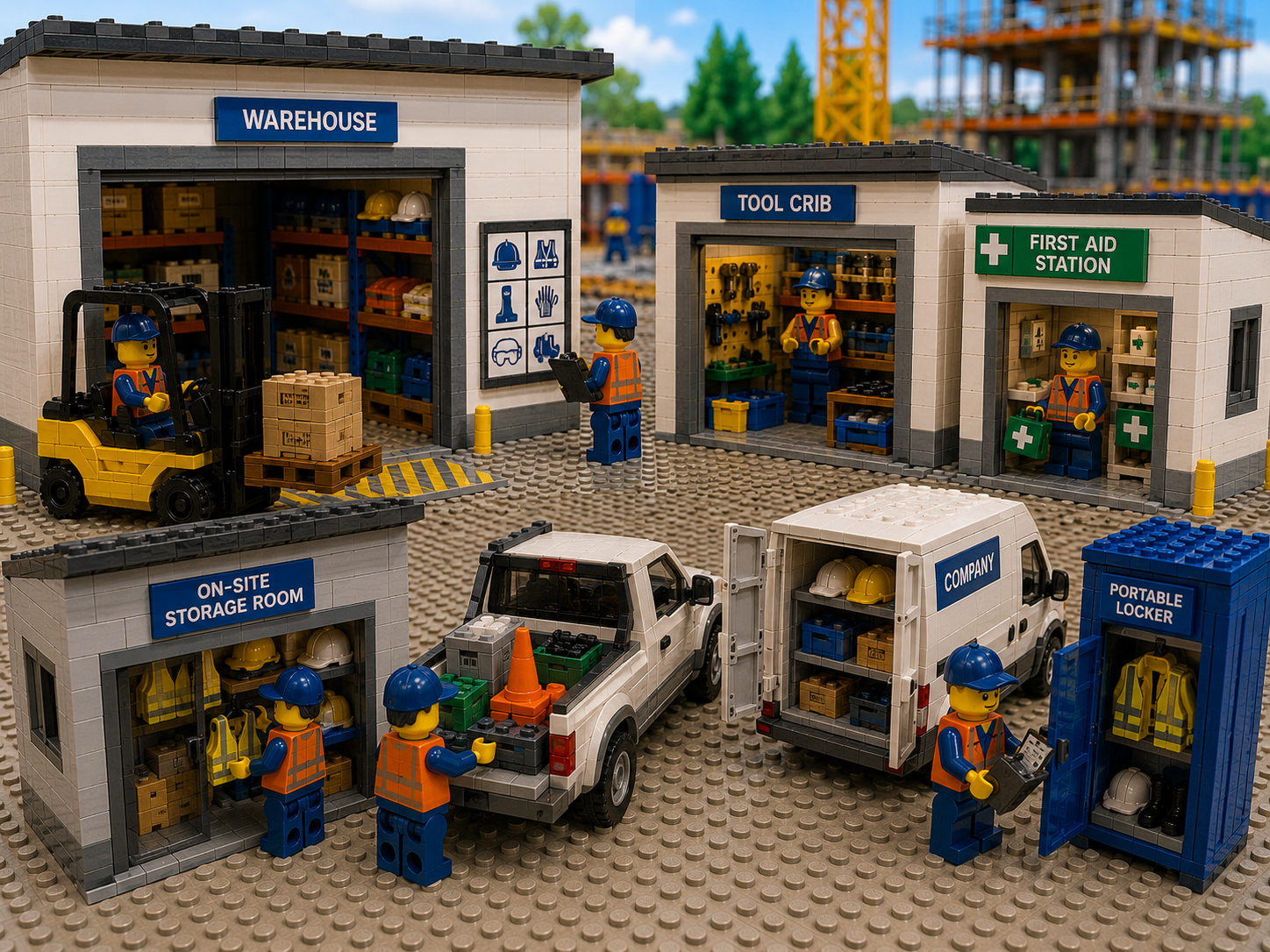
- Define Inventory Locations. Identify every place that holds PPE. This includes warehouses, on-site storage rooms, tool cribs, first-aid stations, company vehicles (trucks, service vans), and even portable lockers. Each distinct storage point becomes a location in the system. Walk the sites if needed: map out “Site A – Ground Floor Storage”, “Site A – Trailer B Level 2”, “Off-site Yard Container #3”, and so on. Accurately mapping locations is critical: if a storage area is missed in the system, the items there will never be tracked or seen.
- Catalog All PPE and Equipment. Create product entries for every type of gear. Include all sizes and models separately (for example, “Safety Vest – Medium (Yellow)”). Populate descriptions, part numbers, and any notes (like suitable standards). Add images if helpful (for instance, photo of a specific respirator model). Then enter current quantities at each location. You can do this by uploading spreadsheets or performing a one-time scan/count at each spot. Label any unlabeled items with barcodes. The result is a complete digital roster of all PPE, with quantities per location.
- Train Staff on Check-In/Check-Out. Establish the habit of logging every issue and return. Train warehouse clerks, supervisors, and crew leaders on the process. For example, show them how to scan an item before issuing it and how to scan it back when it’s returned. Use simple examples: practice logging a new shipment, issuing a safety helmet to a crew, and then returning it. Document the steps in an easy reference. Make inventory logging part of your standard operating procedures and include it in site orientation. Regularly remind teams that if they borrow gear, they must record it – otherwise the system can’t keep accurate counts.
- Set Thresholds and Alerts. In the system, configure minimum stock levels and expiration alerts for each critical item. Identify key staff who should receive these alerts (for example, the warehouse manager for stock alerts, the safety officer for expirations). Test the alerting system by temporarily setting a high threshold or near-date item. Ensure that when stock dips below the threshold or a date approaches, the responsible person is notified. This way, when trigger thresholds are reached, action can be taken immediately, even if primary inventory personnel are off-shift.
- Perform Routine Audits. Schedule regular inventory checks. This could be weekly counts of fast-moving items or monthly scans of each location. Use the map’s location lists to guide counting. When doing an audit, compare the physical count (by scanning or tallying) with the system’s on-screen data. Correct any differences and investigate the causes (such as unrecorded transfers or lost items). Include PPE in these audits just as you would tools or parts. Even a quick spot-check (for example, verifying that the first-aid station has a complete PPE kit) can maintain accuracy. By auditing in pieces on a schedule, you avoid the pain of a single annual count and keep confidence in the system high.
- Review Reports with Cross-Functional Teams. Once the system is live, use its data to conduct regular reviews. Pull up usage and stock reports for all PPE by location and by time period. Hold briefings with safety, operations, and procurement leaders to discuss findings. Did any site have repeated shortages? Are some safety items hardly used? These insights help adjust purchasing and processes. For example, if the report shows Site X had to borrow gloves from Site Y thrice this month, you might rebalance stock or change order quantities. Sharing data fosters accountability – when field teams see that stockouts and usage are tracked, they understand the impact of their requests.
- Continuously Improve. Inventory management is an ongoing process, not a one-time project. Solicit feedback from users: if warehouse staff finds a location label confusing, or if crews need a new stockroom added, update the system. Keep training new staff and refreshing old habits. Periodically revisit and tighten your check-out policy. As operations evolve (new projects, peak seasons, or regulatory changes), adjust categories, reorder points, and map structures. By treating the inventory program as a living system, you ensure it continues to serve safety and efficiency goals over the long term.
By combining these steps with a capable software platform like CyberStockroom, PPE inventory becomes transparent and proactive. The result is fewer runouts of gear, fewer emergency purchases, and greater confidence that every worker has the protection they need. Management gains peace of mind knowing that compliance records are neatly maintained, and crews can focus on building rather than searching for supplies.
Conclusion
Effective PPE inventory management on industrial construction sites unites safety and compliance into a smooth operation. By centralizing data, visualizing inventory locations, and standardizing workflows, companies eliminate blind spots in their parts and equipment supply. Modern tools like CyberStockroom make these practices easy to apply: teams can see all PPE on a live map, issue equipment with a scan, and see information before items expires.
In practice, this means site teams and safety officers work in sync: no crew is left unprotected for lack of equipment, and costly delays over missing gear disappear. Advanced inventory visibility turns a logistical headache into a strategic advantage. Companies can confidently prove to auditors and regulators that every worker was equipped properly, and they can avoid the hidden costs of downtime or fines.
In the end, a disciplined inventory process and the right technology remove uncertainty from PPE management. This not only keeps projects running smoothly but also keeps every worker safe – bringing true peace of mind that “safety” and “compliance” go hand in hand on every job site.









Leave a Reply