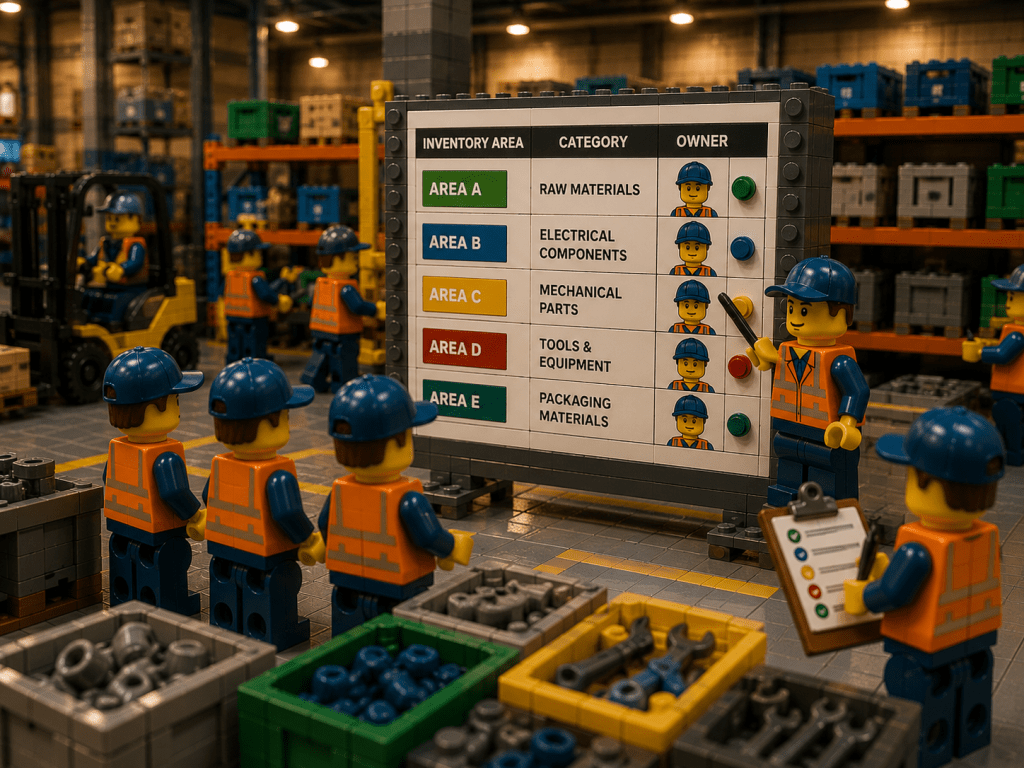
In any industrial setting – whether a factory, construction site, or complex production plant – keeping track of parts and materials is crucial. Inventory is the lifeblood of operations, and when multiple departments use and share the same stock, clarity about who is responsible for what becomes essential.
Defining inventory ownership means assigning clear responsibility for each category of parts or each storage location, so that someone is accountable for updates, counts, and quality of that stock. Without these clear roles and processes, parts can slip through the cracks: one department thinks another has ordered them, or a critical spare part goes missing in transit between teams. The result is delays, wasted effort, and higher costs.
By contrast, when each item or location has an “owner” and every movement of parts is documented, teams can work with confidence. Everyone knows where to look for a part, which stock levels to trust, and who to ask when numbers don’t match reality. In practice, strong ownership and accountability mean implementing consistent procedures, using a unified inventory system, and building cross-team communication.
What Does Ownership and Accountability Mean?
Inventory ownership isn’t about legal title but about responsibility. In industrial teams, “ownership” means defining who takes care of each part of the inventory process. For example, one team or person might own the workshop’s tool crib, another owns maintenance spares, and yet another owns finished goods. Accountability means that if counts go awry or parts go missing, there is a person or role that takes action to investigate and fix it. It creates a clear line of sight: if a department issues or receives parts, they update the system immediately or report discrepancies.
Without this clarity, problems arise. Imagine a production line that pauses because a critical bearing is “somewhere in the factory”. One shift thought maintenance had ordered it; another thought it was already in stores. If nobody is assigned to reconcile such questions, the part might sit unused somewhere until a crisis. In a well-run operation, each part of the supply chain – receiving, storage, production, maintenance, quality control – works from the same inventory records. This shared visibility turns inventory from a hidden liability into a shared asset. Teams stop blaming one another over lost items and start trusting the data to make decisions.
Establish Clear Ownership Roles
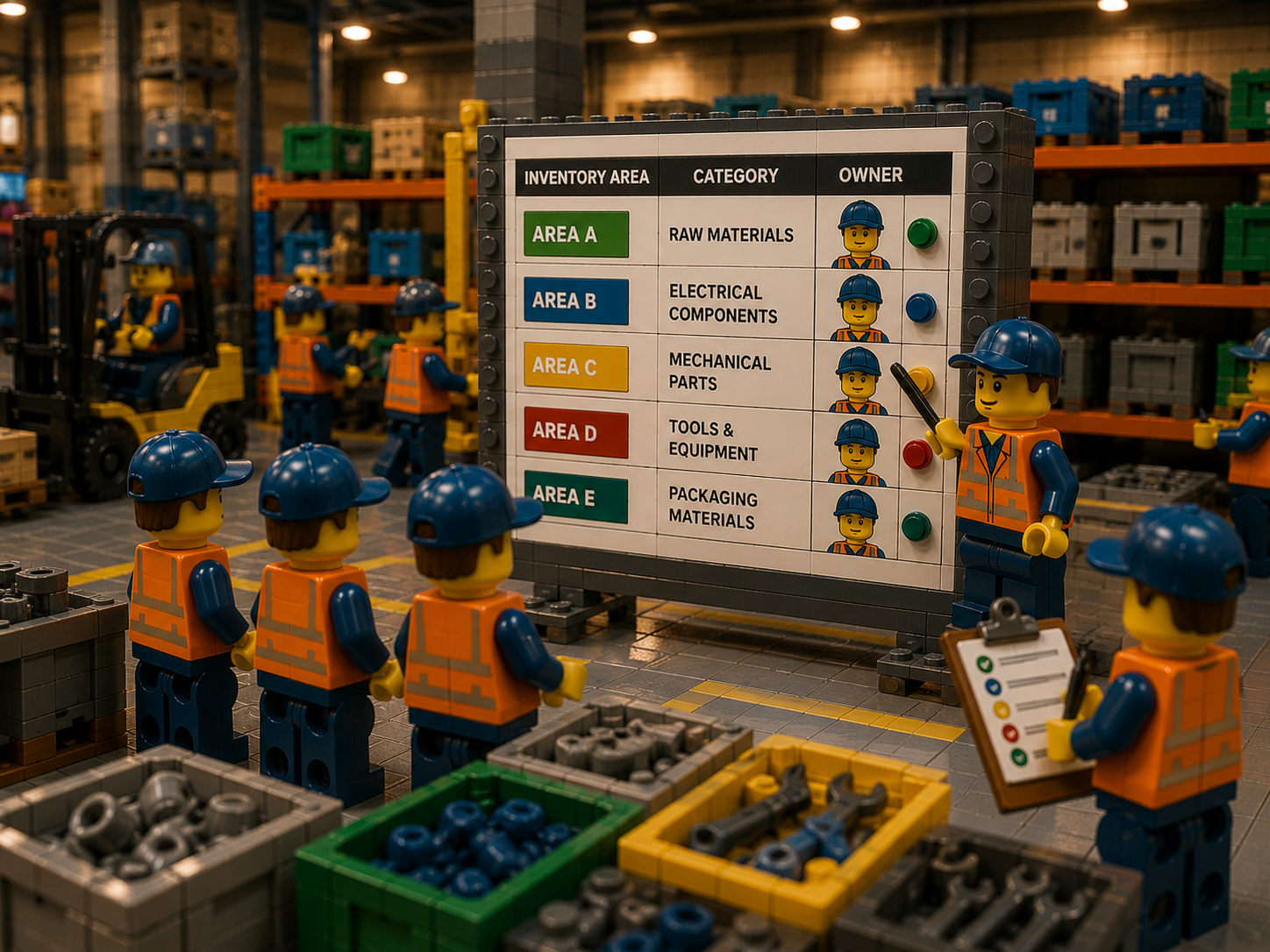
A key step is to assign ownership roles for different types of inventory or locations. Make it explicit who is responsible for each inventory area or category. Common approaches include:
- Inventory Custodians by Area: For example, assign a Storekeeper or Stockroom Manager to each storeroom or warehouse, a Maintenance Lead to own their department’s spares, and a Production Supervisor to own line-side consumables. Each custodian updates the records for their area and answers questions about its contents.
- Category Ownership: Divide inventory into categories (e.g. electrical components, mechanical parts, safety gear, etc.) and assign each category to a team. For instance, the maintenance team “owns” lubricants and spare filters, while production “owns” raw material and work-in-progress items on the shop floor. This way, anyone receiving or requesting parts knows which team should verify stock levels.
- Designated Inventory Coordinator: In some plants, an overall Inventory Coordinator or Materials Manager oversees coordination. This person acts as a central point of contact for cross-department issues. They may not move parts themselves but ensure processes are followed and schedules (like cycle counts) are met.
To make roles stick, document them in your inventory policies and procedures. For example, your operations manual might include a section like: “Inventory Roles and Responsibilities: Warehouse Manager is responsible for daily counts and reporting variances; Maintenance Lead handles all maintenance parts requisitions and returns; Production Planner monitors work-in-progress and line supplies; Purchasing handles receipts and updates stock in the system.” Having a written responsibility matrix removes confusion. It also sets the stage for accountability: if a count is off, you can see which area’s records disagreed with reality and who needs to investigate.
Standardize Inventory Processes
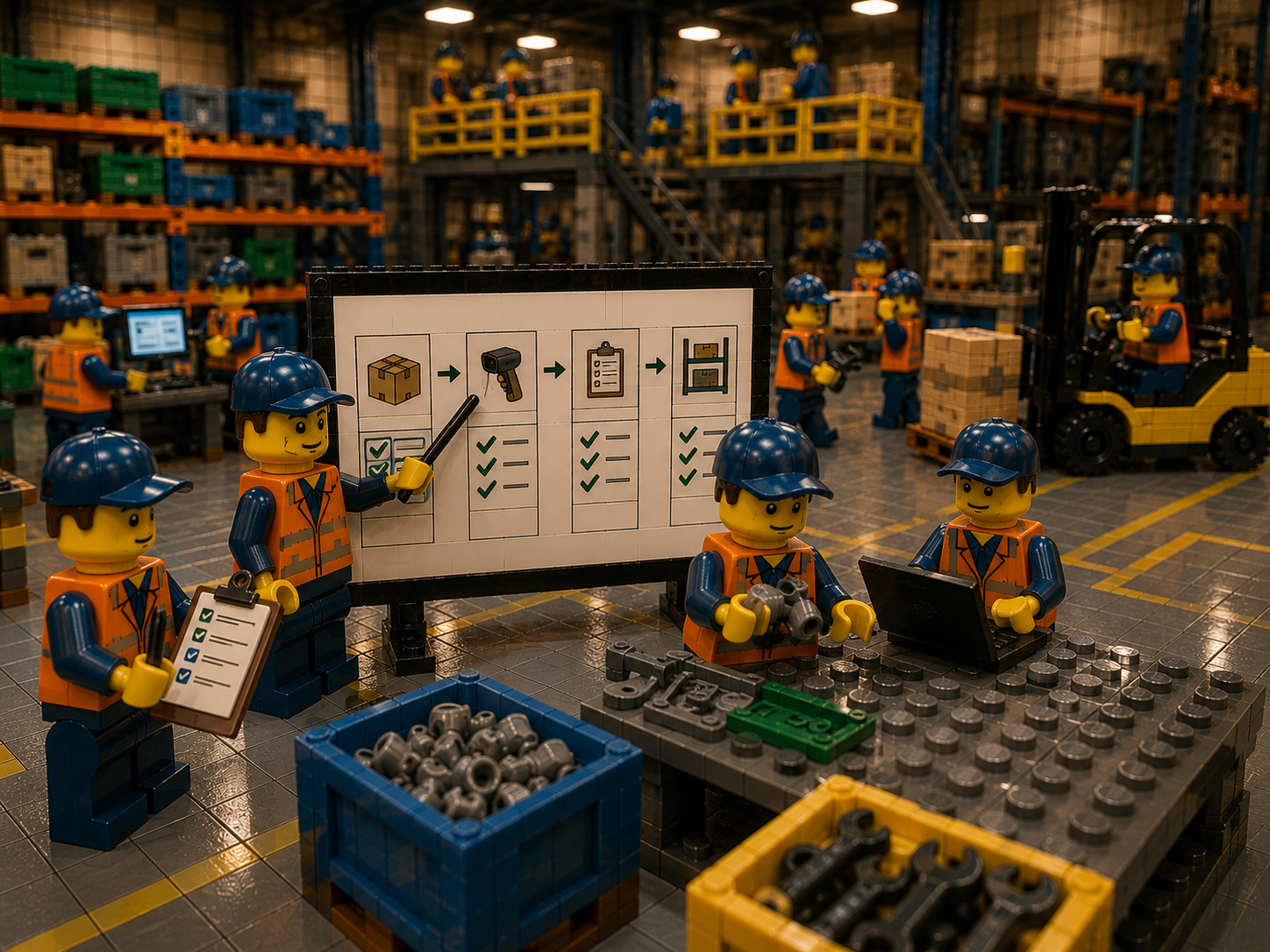
Defining roles is only effective if everyone follows consistent processes. Standardization ensures that every item’s movement or status change is captured the same way by any team member. Key process best practices include:
- Label Every Item and Location: Assign unique identifiers (part numbers, SKUs or barcodes) to each part and every storage location (bins, shelves, racks, even vehicles or tool carts). For example, tag every shelf or bin in maintenance stores and every toolbox with a label. When items and places are clearly labelled, any staff member can scan or note the code to record moves accurately.
- Document Receiving and Issuance: Create a standard workflow for receiving new stock and issuing parts. For instance, on receipt of goods, require that items be scanned, entered into the inventory system, and placed into a labelled location with a timestamp. Likewise, when parts are taken for production or maintenance, the person should scan or log the item out of inventory into a work order. This might be a paper log or, preferably, a digital transaction. The key is that no transfer occurs without a record.
- Use Checklists and Forms: Standard forms or electronic checklists for common tasks help enforce rules. For example, a workshop might have a “Tool Crib Issue Form” where mechanics sign out any tool or part with quantity. Similarly, a QA lab might use an “Inventory Audit Sheet” when moving rejected items to a quarantine bin. These forms ensure even temporary holds are noted and later cleared.
- Formalize Handover Points: Identify the exact point where ownership passes. For example, when production uses parts from stores, the storekeeper checks them out and production checks them in via the system. Or when maintenance borrows tools, they must return and log them back. Clarify that anytime stock moves between departments, it must be entered into the system or logged manually. This enforces accountability: the person handing off stock is responsible for updating the record.
- Routine Cycle Counts and Audits: Rather than relying on infrequent stocktakes, schedule regular cycle counts (daily, weekly or monthly for different areas). Involve the custodians: each department’s owner can count their own critical items on a schedule. If discrepancies arise, assign immediate follow-up to reconcile differences. The process should be documented (e.g. “Lock out” for QA areas, “scanned count” for stores), and variances are reported back to a manager. Frequent counting not only improves accuracy but also holds people accountable to keep records correct.
By codifying these processes, you make clear how inventory should be handled. Training and checklists reinforce the discipline. Over time, strict processes mean that inventory data remains reliable, which is the foundation of true accountability. If a part is missing, you can trace it: who last scanned or requested it, and at what point it left the system.
Adopt a Unified Inventory System

Disparate spreadsheets and local ledgers hinder ownership. For true accountability, all departments must operate from one central inventory system. A cloud-based inventory management platform unifies data so that “one screen” shows the same information to everyone. In practice:
- Centralized Data: Store all inventory records in a shared database or software. When one team logs a transaction, it is instantly visible to others. This prevents two departments from unknowingly ordering the same item or double-counting stock.
- Real-Time Updates: Use technology (barcode scanners, simple smartphone scanning, or RFID readers) to update stock instantly. For example, as parts arrive or are used, teams should scan them into or out of the system. This real-time updating means on-screen stock levels match physical reality during the same shift.
- Accessibility: Ensure the system is accessible by everyone who needs it – from the warehouse floor to the office. A cloud or web-based system means a site supervisor can check stock on a tablet by the line, and a remote planner in the office can see it too. The point is, no department should be in the dark.
- Shared Dashboards: Provide dashboards or reports that combine all departments. Instead of separate “warehouse report” or “maintenance report”, have one combined view. For example, a dashboard might show total critical parts count across all stores, with details by department. This transparency aligns teams: purchasing, production, maintenance and quality all see the same charts and can coordinate.
The primary benefit of a unified system is that it creates one source of truth. If every department logs its inventory movements to the same database, then nobody holds a separate unofficial record. Discrepancies can only occur if someone neglects the system – and that non-compliance becomes obvious and traceable. In effect, the software enforces accountability by making sure every action is logged where everyone can see it.
Improve Cross-Team Visibility
Manufacturing inventory moves through many areas, and each transfer point is an opportunity for parts to get “lost” if not tracked. To improve accountability, each team must be able to see inventory in other departments:
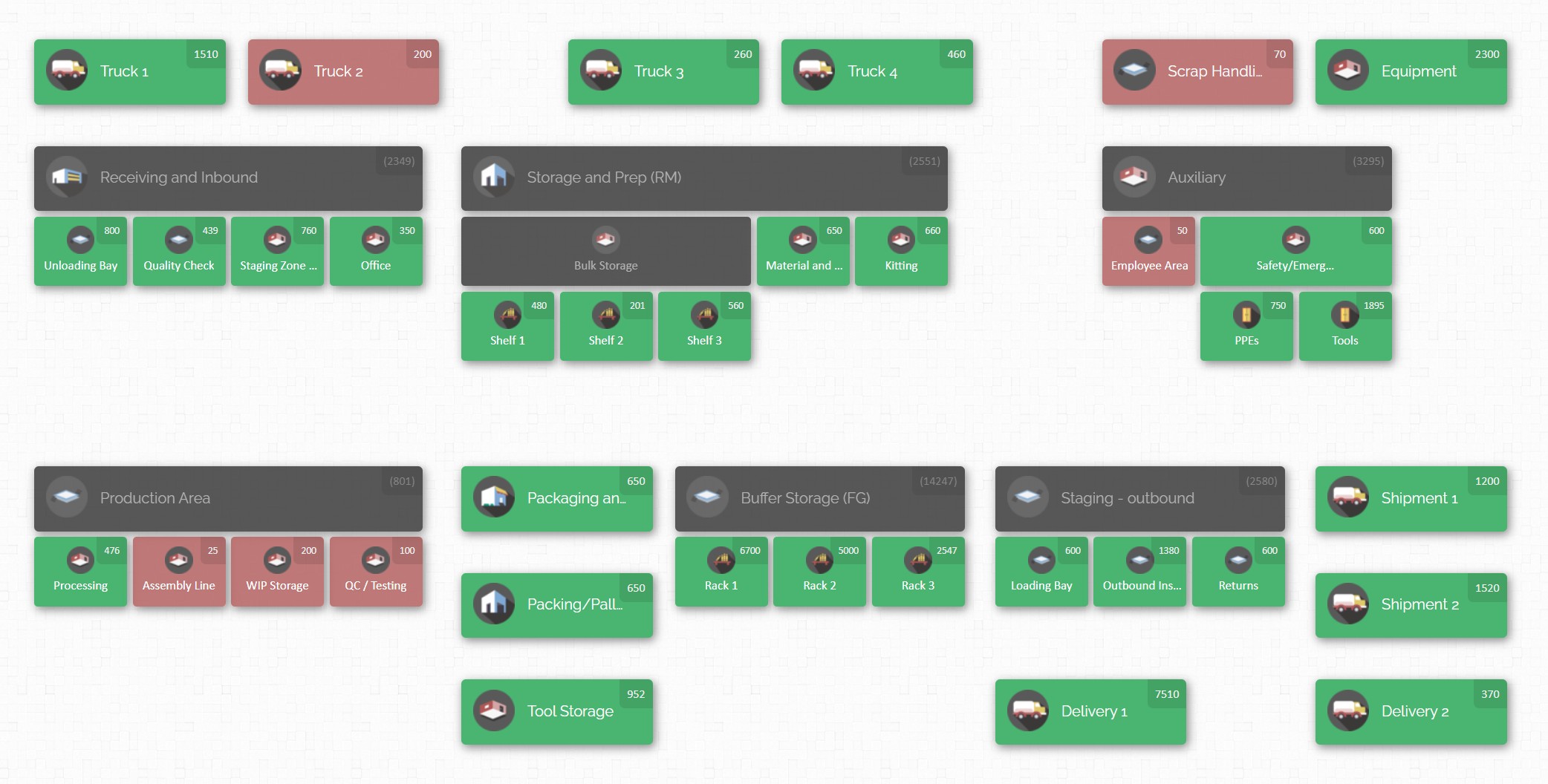
- Visual Maps of Inventory: A floorplan or site map in your system helps teams quickly grasp where everything is. Imagine a map with the storeroom, production lines, maintenance workshop, and yard zones drawn out. On this map, the system shows current quantities in each area. When a production supervisor clicks on the raw material zone, they instantly see which items and how many are there. This visual inventory map turns abstract data into a clear picture. It eliminates confusion: instead of asking another team “Do you have 50 units of Part X?”, one glance at the map answers “yes – 60 units in Production Area A, and 20 more in Quality Room B.”
- Product Distribution Views: In addition to maps, the system should allow looking up a specific part and seeing exactly where it is. For example, by scanning or searching for a component number, a user can get a list of every location holding that part across the plant (shelving, bins, vehicles, etc.). This distribution view is powerful: it answers questions like “If we’re short on this pump seal, can we reassign any from maintenance, or is it in outgoing shipments already?” If one department holds extra stock, another can reuse it instead of ordering new.
- Alerts and Notifications: Teams should agree on how to alert each other. When inventory for a shared part dips below a threshold, the responsible owner gets notified (for instance, a maintenance tech might get an alert that production’s stores are low on a critical filter). These proactive alerts reinforce accountability: teams see signals to act before production stops. They also keep everyone aware of changes happening in other areas.
- Regular Coordination Meetings: Beyond software, schedule short daily or weekly huddles with representatives from each department. During these meetings, review any open inventory issues (e.g. pending orders, missing counts, upcoming projects). Having a set time where owners review the same report ensures no team is working off outdated information. It also reinforces that they share inventory goals rather than operate in silos.
By making inventory visible across departments, teams shift from asking “Who has it?” to “How do we move it?”. Clear visuals and shared data break down the “us vs. them” mentality. Everyone sees the same inventory picture, which builds trust. Teams become accountable not only for their own records, but also for promptly communicating changes to others.
CyberStockroom: Enhancing Visibility and Accountability
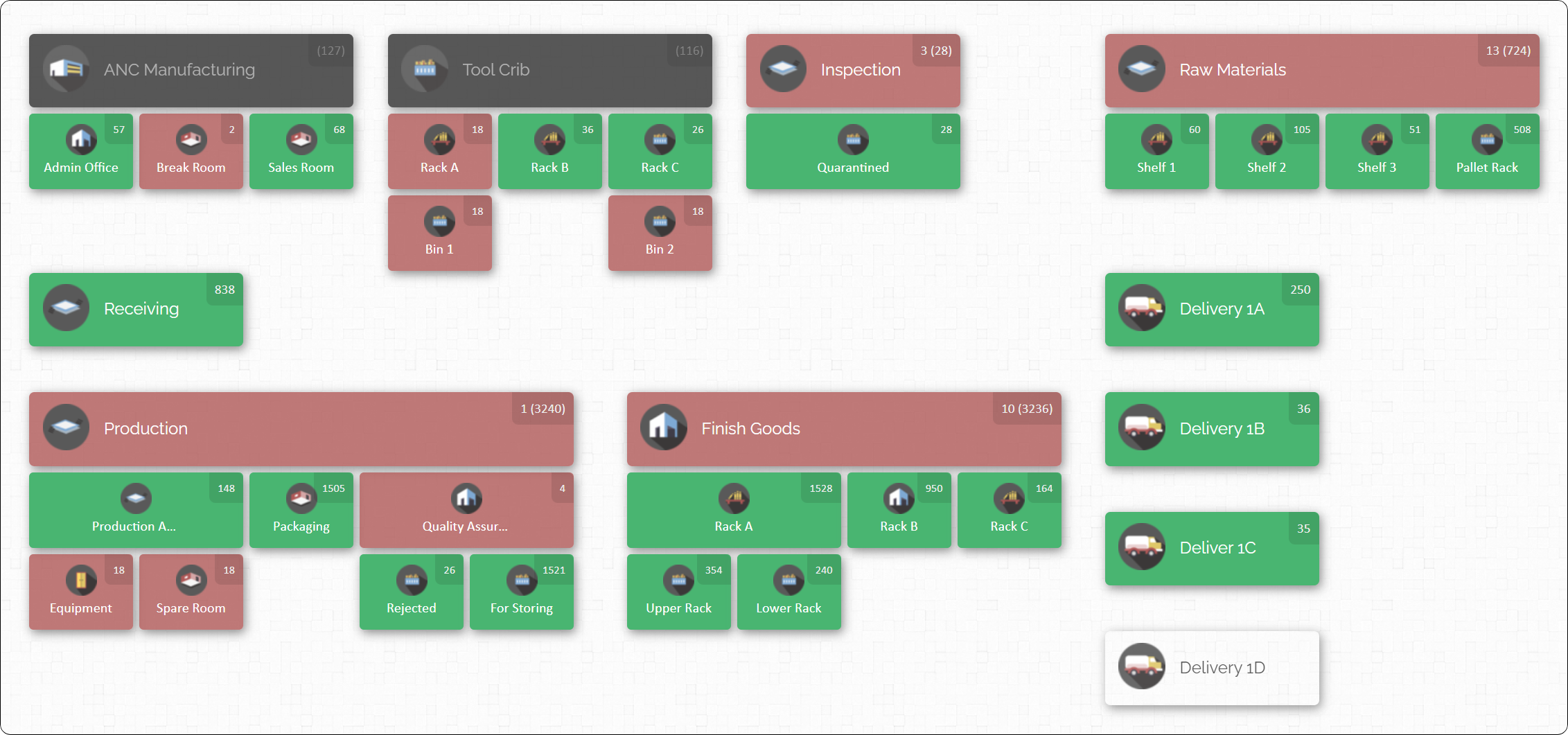
To implement the practices above, a modern inventory system is invaluable. CyberStockroom is an example of software designed for exactly this purpose. It translates the principles of cross-team visibility into everyday workflows in manufacturing and construction environments. Some of the ways CyberStockroom supports ownership and accountability are:
- Map-Based Interface: CyberStockroom lets you build a detailed digital map of your entire site. You can draw out warehouses, racks, workstations, and even trucks or toolboxes as “locations” on the map. Once locations are defined, you place products into them. The result is a live map where you see every storage point and what’s there. Departments can easily recognize their areas on the map, so everyone literally sees the same layout. For example, the maintenance team can see the tool crib location on the same screen as production lines and easily find spare parts. This single-screen layout ensures every department is aligned on where things live, reducing confusion and finger-pointing.

- Drag-and-Drop Transfers: Moving parts between areas is as simple as dragging icons on the map. In CyberStockroom you can select an item in one location and drag it to another. The system automatically updates the quantities for both locations and logs the transfer. This intuitive action mirrors real-world movement (like moving boxes in the warehouse), so staff adoption is easy. When a worker or manager uses drag-and-drop to relocate stock, it enforces the practice of recording moves at the time they happen, rather than waiting to remember them later.
- Barcode Scanning: CyberStockroom fully supports barcodes and QR codes for inventory management. Staff can scan products to quickly add or move them in the system. Even locations can have barcodes: a worker can scan the bin label and then scan the items being moved out. A feature called Quick Scan allows batch check-ins and check-outs: simply scanning a series of items one after another will adjust the stock levels instantly. This reduces manual entry errors. For accountability, scanning means every transaction is tied to the operator. If a part isn’t scanned out properly, the system flags a discrepancy, making it clear someone skipped a step.
- Real-Time Cloud Updates: Because CyberStockroom is cloud-based, all updates are immediate and accessible by any connected device. The storekeeper logging a part-out at 8am on shift is visible to the production planner viewing the dashboard in the next room, or even a manager checking from home. This live sync means nobody works with stale data. For team alignment, this is key: one team updates stock, and every other team sees it at once, ensuring accountability for data accuracy.
- Inventory Distribution Tool: A handy feature is the “Product Distribution” view. When a user searches for a particular item, CyberStockroom highlights on the map exactly where that item is and in what quantities. Locations with stock are colored and marked with numbers. This answers the perennial question “Where else do we have this part?” With a single click, a maintenance mechanic might see, for example, that 30 widgets are in Warehouse A, 10 in Stores, and 5 reserved on a truck. Rather than calling around or digging through lists, the solution delivers one-screen visibility and trust that it’s up-to-date.
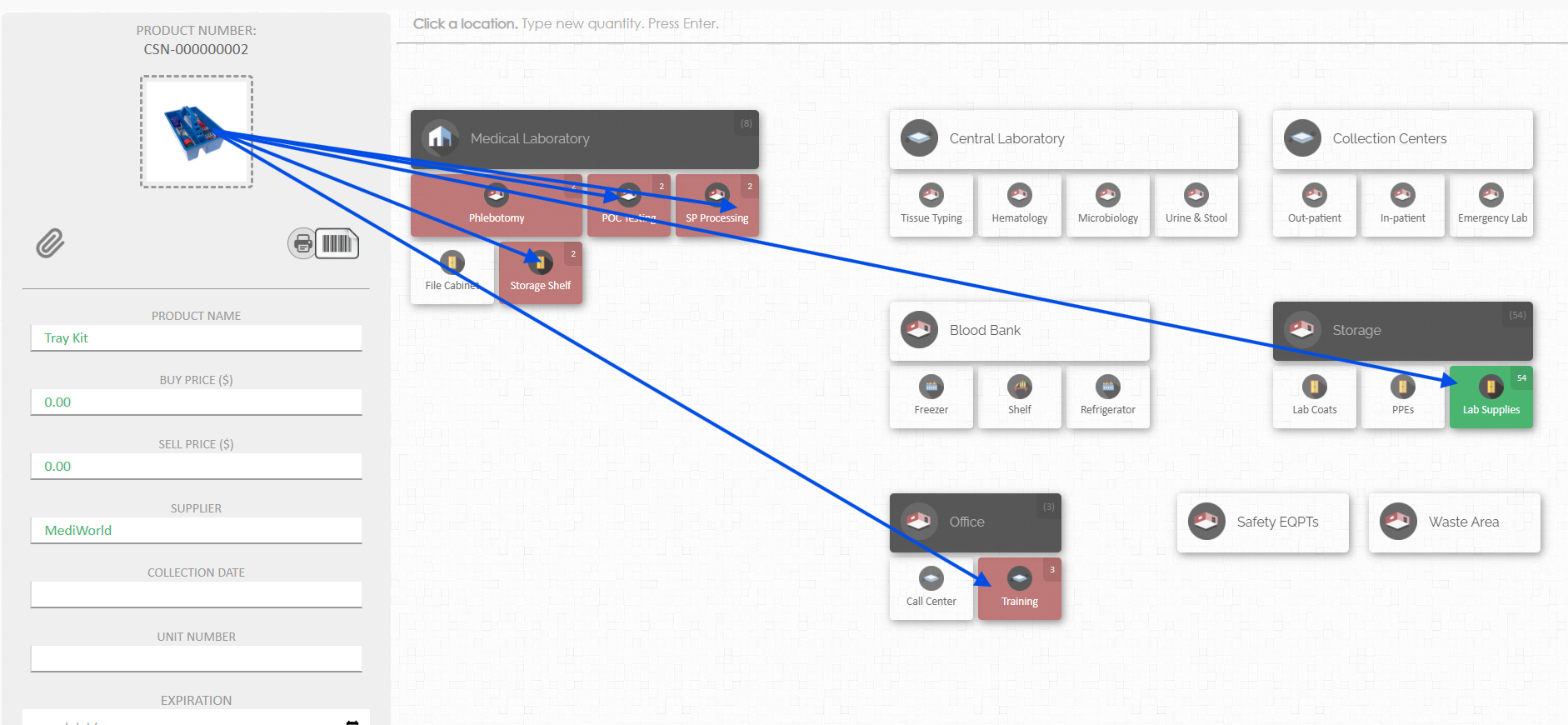
- Alerts and Colour-Coding: To keep stock levels in check, CyberStockroom uses visual cues. Locations turn red if inventory falls below a defined minimum threshold. Teams can set default safety stock levels so that any urgent shortage jumps out on the map. These colour signals act as early warnings that someone needs to restock or investigate before production grinds to a halt. For accountability, it means the map itself highlights when attention is needed and whose part is running low.
- Audit Trails and Permissions: Every action in CyberStockroom is logged with user and timestamp. This activity history becomes a powerful accountability tool. If a discrepancy arises (“how did we lose 20 units of that part?”), managers can review the log to see who last transferred or adjusted that inventory. The system also allows creating read-only users: planners or supervisors who can see the full inventory map and history but cannot alter records. This widens transparency while preventing accidental edits. In practice, operations can include more team members in viewing inventory without risking data errors – all while capturing who actually made each change.

In summary, CyberStockroom turns best-practice ideas into real features. Its map-driven approach directly addresses multi-department visibility. By encouraging discipline (scan when you move, label everything, log transfers), it embeds accountability into daily routines. For instance, when a part is scanned out of maintenance, the map changes immediately to show the new location, and the history notes who did it. Over time, the map becomes the single trusted view of inventory for the entire operation. Instead of separate paper lists or siloed databases, there is one shared model. This unification means teams no longer ask “Who has it?” – they simply look at the map and act.
Best Practices for Accuracy and Efficiency
Beyond tools and roles, certain time-tested practices support ownership and accountability:
- Unique Identification: Build a clean item master database. Ensure every part has a unique code or barcode. Avoid duplicates and ambiguous descriptions. When each item is distinct, cross-department confusion drops (teams won’t mistake one bolt for another) and electronic counts remain reliable. Using CyberStockroom’s custom fields (e.g. serial number, manufacturer) or barcode features can enforce this clarity.
- Label Everything: Label not just parts but also bins, shelves, racks, vehicles and any container that stores inventory. When both items and their locations have clear labels, scanning a transaction becomes foolproof. For example, scanning “Cart A” followed by a part’s barcode accurately captures the transfer. This dual-label approach ensures that moving inventory truly updates “from where” and “to where” in one go – eliminating blind spots.
- Document Every Movement: Capture stock movements at the point they happen. If a production worker pulls raw material, they should log it before or as they retrieve the item, not at the end of the shift. If maintenance borrows a tool, they immediately check it out in the system. In practical terms, insist that handoff transactions (check-out, check-in, transfers) occur during the transfer. Any delay undermines visibility: an item stashed without being scanned will make the system lie. By contrast, if every move is recorded live, inventory levels stay accurate.
- Use ABC Classification: Not every part is equal. Classify items by criticality (A-items are high-value or production-critical, B-items moderate, C-items low-value consumables). Then apply stricter processes to A items. For instance, A-items might require two-person verification or weekly audits, whereas C-items might be managed with visual min/max levels. This focus ensures effort is proportional: teams obsess over the parts whose ownership matters most, while still keeping basic visibility on the rest. CyberStockroom’s alerts and filters can help you focus on A-items by flagging when they dip or by generating reports just for that category.
- Cycle Counting and Audits: As a rule, continuous small counts work better than one big annual count. Schedule frequent counts of critical stock (even daily spot-checks for A-items). Rotate through other inventory on a regular schedule. Use the central system during counts so discrepancies get resolved on the spot. This practice keeps the digital record honest. It also holds each department accountable for accuracy: when stores personnel know they’ll count what production reported, they double-check earlier transfers.
- Tighten Edit Controls: Balance visibility with control. While everyone should see the inventory map, not everyone should overwrite it. Grant most users view-only access and reserve edit rights for trained custodians. For example, give floor supervisors read-only access so they always see the latest data, but only the warehouse manager can adjust quantities. This reduces accidental errors and centralises responsibility. If only authorised people can change counts, then any change clearly comes from the person owning that stock.
- Continuous Improvement: Treat ownership and accountability as evolving targets. Regularly review performance metrics (inventory accuracy %, fill rates, time to find items) and discuss them with all teams. If, say, maintenance consistently misses returns, revise that process. Encourage staff to suggest better ways to track certain items or mark new locations. Over time, build a culture where everyone knows that precise inventory control protects production and cuts costs. When people understand why accuracy matters – they see that a missed transaction caused last week’s line halt – they naturally adhere to the system.
By following these best practices, an industrial operation ensures that inventory doesn’t slip through departmental cracks. It becomes a coordinated discipline: clear ownership, enforced through process and technology, leads to fewer errors and faster response when issues do arise.
Conclusion
Effective inventory ownership and accountability transform the way industrial teams work. When responsibilities are clearly defined – every part has someone responsible – and when all movements are tracked in a unified system, the whole plant gains visibility. Teams stop working in isolation and start operating from a single source of truth. Stock that was once “somebody else’s problem” becomes visible and reusable, rather than lost or over-ordered.
Implementing the practices above (assigning inventory custodians, standard processes, real-time tracking, and so on) prevents the common “blame game” over missing parts. With shared dashboards or maps (as shown above), every department can answer the key questions: What do we have? Where is it? Who last handled it? When everyone can see the same answers, accountability comes naturally.
A solution like CyberStockroom brings these best practices to life. Its visual mapping and scanning tools make cross-department inventory management straightforward. But even without fancy software, the principles remain the same: define who owns each part, make sure every movement is logged, and give all teams access to up-to-date data.
In the end, visibility is accountability. By seeing and recording every inventory transfer and by giving every team access to the same information, an operation eliminates surprises. Production runs smoother, orders ship on time, and maintenance has the right spares. All because the plant chose to clearly define its inventory ownership and hold everyone accountable, across every department and shift.







 CyberStockroom
Leave a comment