
Efficient inbound logistics and dock management are crucial for smooth warehouse operations. When freight arrives at a busy receiving door, any delay can quickly snowball into a traffic jam of idling trucks, cluttered aisles, and frustrated staff. Inbound logistics covers all activities from coordinating shipments to offloading and storing incoming goods. If this flow breaks down, the receiving door becomes a bottleneck that slows down your entire supply chain.
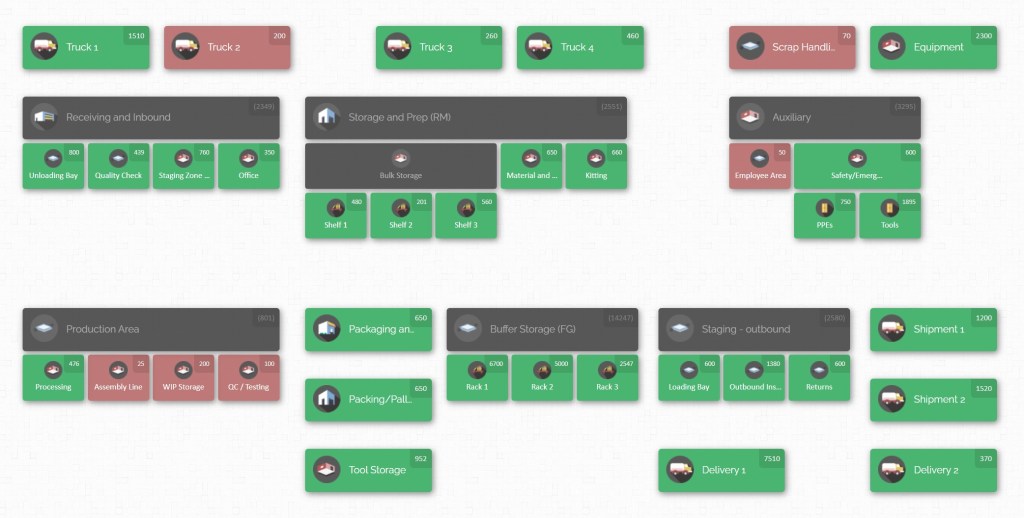
This blog explores best practices for reducing congestion at the receiving door. We’ll cover everything from warehouse layout and dock scheduling to yard management and team communication. You’ll learn how to optimise inbound processes and even see how a tool like CyberStockroom – with its visual inventory maps – can support these improvements. By combining thoughtful processes with the right technology, you can keep trucks moving and stock flowing in.
Understanding Inbound Logistics in Warehouse Operations
At its core, inbound logistics involves receiving, checking, and storing all materials and products coming into your warehouse from suppliers or manufacturing plants. A typical inbound process has these key steps:
- Scheduling – Setting delivery appointments so trucks arrive at planned times, rather than all at once.
- Receiving and Unloading – Offloading goods from trailers and verifying them against purchase orders.
- Inspection and Quality Control – Checking for damage or discrepancies, and enforcing quality standards.
- Staging and Sorting – Temporarily placing received items in a staging area, often grouped by destination within the warehouse.
- Put-away – Moving items into their designated storage locations so they are ready for later picking or production.
When each step runs smoothly, the warehouse stays organized and throughput stays high. However, common challenges can cause inbound inefficiencies: slow unloading (for example, due to limited labour or equipment), poor staging space, missing or inaccurate documentation, and outdated warehouse layouts. Even routine tasks like verifying Advanced Shipment Notices (ASNs) and scanning barcodes can eat up time if not well managed. Wasted touches and errors in receiving quickly cascade downstream – leading to inaccurate inventory, misplaced stock, delayed orders, and higher labor costs. In short, a problem at the receiving door disrupts the entire operation. By contrast, a disciplined inbound process protects accuracy and speed: every step from the door to storage is accounted for.
Inbound logistics is especially vital because it sets the tone for the rest of the warehouse. For example, if the warehouse management system (WMS) is updated immediately when goods arrive, it can direct put-away to the optimal location. That saves space and makes picking faster later on. Conversely, if inventory is mis-recorded on arrival, the WMS will guide workers to the wrong shelves and create chaos in picking and packing (the system would be “doing a garbage in, garbage out” scenario). In practice, companies measure Inbound Key Performance Indicators (KPIs) such as dock-to-stock time (how long from receiving at the door to the item on the shelf), receiving accuracy (correct counts and items on first match), and dock wait time. Tracking these helps pinpoint bottlenecks. For example, a high dock-to-stock time might reveal slow unloading or put-away processes, while poor receiving accuracy indicates a need for better checks and scanning. The goal is to keep items moving quickly from the door into the system.
In summary, solid inbound logistics means on-schedule deliveries, fast verification, and accurate data entry. When this happens, downstream operations hum along. But when it doesn’t, the receiving door can become congested with trailers waiting to unload, and warehouse staff scrambling. The rest of this blog will cover how to prevent that congestion through layout, scheduling, technology and teamwork.
The Cost of Dock Congestion

A backlog of trucks at the receiving door isn’t just an annoyance – it hurts your bottom line and service levels. Imagine a scenario where several trucks arrive unannounced at once. With all dock doors occupied, new arrivals idle outside or idle drivers wait inside, wasting fuel and time. This delays unloading and causes detention time – which often incurs penalty fees by the minute. It also means goods sit in trailers longer than expected, delaying put-away and downstream processes like picking or production.
Studies consistently show dock congestion is expensive. For example, surveys find that delays at loading docks cause carriers to burn significant hours of pay and fuel costs – which ultimately get passed back to shippers through higher freight rates or penalties. One logistics report noted that when docks and yards operate in silos, drivers can waste nearly two hours per day waiting, which adds up to hundreds of dollars in wasted labor, fuel and detention fees. Over a year, these inefficiencies can cost businesses millions. In addition, a cluttered dock area poses safety risks. Forklift collisions, trip hazards, and even theft become more likely when the space is overcrowded.
Beyond costs and safety, dock congestion affects customer satisfaction. If inbound parts are late into stock, production may slow or customer orders can ship late. Conversely, trucks delayed at your door are unhappy, which can sour carrier relationships. Carriers may even avoid a warehouse known for long wait times. A congested dock therefore can strain relationships on both sides of the supply chain.
Why Warehouses Get Congested at the Door?
There are many reasons congestion builds up:
- Poor Scheduling: If shipments all arrive at random or at the same time, docks become overwhelmed. Without scheduled appointments, you cannot control the flow of trucks. When several drivers converge at once on a busy day, only a fraction can unload, and the rest must wait.
- Insufficient Staging Space: If you have nowhere to temporarily park or sort newly arrived goods, trailers stack up. A common issue is that staging areas in front of docks become overflow yards, limiting access.
- Unplanned Delays: A single hiccup – a misplaced item, a trailer needing special equipment to unload, a missing document – can stall the entire schedule. If staff only find out about these delays at the door, nothing is prepared and everything backs up.
- Limited Resources: Having too few forklifts, pallet jacks, or trained people at critical times means even a scheduled delivery might face delays. For example, unloading three trucks with only one forklift turns a planned two-hour task into a six-hour logjam.
- Layout and Pathing Issues: If the warehouse layout funnels all activity through the same narrow routes, forklift traffic and storage usage can block each other. Poor signage, narrow aisles, or lack of dedicated pathways force back-ups as multiple crews try to use the same space.
- Lack of Real-Time Visibility: Without knowing exactly what is happening on the floor, schedulers can’t react. Truck drivers may arrive based on old information. If your systems don’t show dock status (busy/free), trucks will drive in and find no space.
The result of these and other factors is exactly what the name implies: dock congestion. Inbound trucks form queues, goods pile up on the dock floor, and productivity plummets. In one analogy, yard congestion is like a traffic jam: all the pieces are there, but they’re gridlocked.
Optimizing Layout and Staging

A well-designed receiving area is the first line of defense against congestion. Here are some proven methods to optimise physical space:
- Clear Traffic Lanes: Create dedicated pathways for forklifts and pedestrians, with floor markings or barriers. This prevents forklifts from zigzagging through parked trailers and causing delays. For example, designate one-way lanes in the dock yard to avoid two-way conflicts.
- Staging Zones Near Docks: Reserve empty zones just outside each dock door for temporary staging. Incoming shipments can be unloaded into these zones so that trucks can quickly depart. By making a buffer zone, you avoid blocking the actual dock aisle. If one staging zone is full, trucks can be directed to the next.
- Adjustable Dock Door Usage: If your warehouse has multiple docks, think flexibly. You might have some docks reserved for inbound and others for outbound, to keep flows separate. In high-volume periods, convert additional doors to receiving on the fly. Conversely, for low inbound times, you can switch doors to outbound to balance usage.
- Adequate Dock Equipment: Make sure each dock has the right tools: dock plates/levelers, dock lights, and fast access to forklifts or pallet jacks. Dock lights improve speed and safety at night. Having portable dock ramps or lifts can also prevent equipment shortages from halting an entire door.
- Ease of Movement to Storage: The closer storage locations are to the receiving area, the quicker put-away can happen. Analyse your layout to minimise travel time from dock to storage. Sometimes this means reorganising the warehouse zones: put high-volume SKUs near docks, or create direct routes to key storage aisles.
- Cross-Docking Opportunities: If certain inbound items will immediately be shipped out (for example, to a production line or a local customer), pre-plan for cross-docking. Reserve a separate area where such shipments can be moved straight off the truck and onto an outbound truck without long-term storage. This keeps the main receiving floor less cluttered.
- Visual Signage and Instructions: Use clear signage for dock numbering, directions, and staging rules. If drivers know exactly which bay to enter and where to wait, they will not hesitate or wander. Inside, mark each staging zone with floor tape indicating which dock it supports or which product type can be placed there. This level of organisation ensures a smooth flow of goods.
Appointment Scheduling and Traffic Coordination

No matter how good your layout is, uncontrolled arrivals will cause congestion. An effective scheduling system keeps the flow of trucks evenly paced. Consider these strategies:
- Implement an Appointment System: Require carriers to book delivery slots in advance for each dock door. With appointments, you can limit how many trucks arrive in each time window. This prevents 10 trucks showing up all at once and competing for a few doors. Many warehouses use simple calendars or dedicated dock scheduling software that lets carriers self-schedule into open slots.
- Stagger Deliveries: Even with appointments, coordinate high-volume and low-volume times. If you know demand peaks after certain events or at month-end, spread out slots around those peaks rather than clustering them. For instance, allow appointments from 8–11am and 1–4pm, and leave a midday gap for catching up on early returns.
- Separate Inbound and Outbound Flows: Schedule inbound (receiving) and outbound (shipping) separately to avoid overlap. If the same door handles both, a busy shipping schedule can block your inbound trucks. One best practice is to block specific docks or times just for incoming freight, and others for outgoing. If all 10 docks share the same schedule, trucks handling returns might collide with pickups. Protecting some capacity for inbound ensures no single flow overwhelms the dock.
- Use Buffer Times and Flexibility: Always plan a buffer between appointments. For example, if a typical unload takes 30 minutes, book 45-minute slots. This way a small delay does not cascade. Also be ready to adjust: if a truck gets delayed on the road or a dock unload goes over time, the scheduler or manager should push out the following appointment accordingly. Flexibility prevents a minor slip-up from jamming the rest of the day.
- Communicate Clear Rules to Carriers: Make your scheduling rules transparent. Define how early or late trucks can arrive (e.g. “no-show policy, max 15-minute window”), how cancellations must be handled, and what documentation carriers should have ready. You may even send carriers quick reminders or instructions before their appointment to ensure they come prepared.
- Leverage Technology for Scheduling: If possible, use a dock scheduling tool or a Transportation Management System (TMS) that ties into your calendars and trucks. Many modern systems will automatically release an appointment confirmation after you verify capacity, or even notify your team when a truck is en route (using EDI or GPS data from carriers). Real-time alerts help you react instantly to any changes.
By proactively controlling truck arrivals, you prevent sudden surges of traffic. As one logistics consultant puts it, “Your yard doesn’t need more space, it needs smarter scheduling.” In practice, docks stay under control if you know exactly which trailers to expect and when. Many warehouse managers report that instituting an appointment system alone cuts wait times dramatically. The key is consistency: once drivers get used to booking an appointment, chaos at the door can give way to a smooth, predictable schedule.
Yard and Trailer Management

The area just outside the dock doors – the yard – is part of the inbound puzzle too. Treat it as an extension of the supply chain, not as wasted space. Yard management best practices include:
- Maintain Real-Time Trailer Inventory: Keep a live record of every trailer in your yard. As soon as a truck arrives, log its load information (products, quantities, priority). Use a simple spreadsheet, a whiteboard in the gate house, or better yet a Yard Management System (YMS) to record what’s on each trailer and which dock it’s nearest. This way, even if a trailer is idling, your team knows what’s inside it without having to open it. Accurate trailer inventory means when a dock frees up, you can immediately pick the next right load to bring in, rather than first figuring out which one is important.
- Gate Check-In/Check-Out: Implement a formal check-in and check-out process for vehicles. Some companies use barcoded decals on trailers or gate scanning so every truck’s entry and exit is automatically recorded. This prevents “lost” trucks that sit in the yard unnoticed and ensures lanes aren’t occupied by forgotten trailers. Gate logs also help measure dwell time per carrier or shift.
- Yard Layout and Storage: Just as with the building, create a layout for the yard. Mark lanes and parking spots so that trailers are aligned orderly. For example, one strategy is to create “parking lanes” parallel to the docks – if all inbound trailers back in uniformly, it’s easier to move them in sequence. Reserve separate lanes or stalls for empties versus full loads to avoid confusion. If space allows, designate areas for trailers awaiting inspection, those waiting to unload, and empties to be returned.
- Pre-stage and Sequence Trailers: For high-priority or time-sensitive loads, pre-stage them in a position to access quickly when a door opens. Likewise, keep trailers that still have many hours of dwell time behind those that must move soon. Think of it as traffic sequencing: put the “fast moving” trailers at the front of the line so they don’t get stuck behind a slow one.
- Visibility to Dock Status: Ensure your yard team (if separate) knows instantly when a dock becomes available. This could be as simple as radio handoffs or a shared digital board. When a dock door frees up, the yard manager should be able to call the next truck immediately. Likewise, if a dock is unexpectedly held up, yard staff should communicate that so drivers don’t creep forward too soon.
- Communication and Alerts: Some advanced yards use digital signs or driver apps to show status. For instance, when a door opens, a screen can flash the truck ID of the next scheduled carrier. Automated text or email alerts can let drivers know “Your dock is ready.” Even if you don’t have fancy tech, assigning someone to radio drivers or blow a horn when it’s their turn can reduce confusion.
The goal is to avoid having trailers floating around with nobody attending to them. If the yard is treated like free parking, late arrivals can still block everything. Instead, by actively managing trailer movement – knowing which loads are highest priority and moving them first – you smooth out peaks. In fact, one yard-management expert noted that US businesses lose $75 billion a year to yard congestion, much of it due to manual processes and poor coordination. Breaking the silos between yard and dock scheduling is the remedy.
In summary, integrate your yard with your dock operations. A quick check: does your system let you see both truck arrivals at the gate and dock occupancy? If not, even a whiteboard or shared spreadsheet is better than nothing. Every yard operation you formalise (parking patterns, check-ins, staging rules) adds capacity and clarity, reducing the jam at the receiving door.
Technology for Visibility and Control
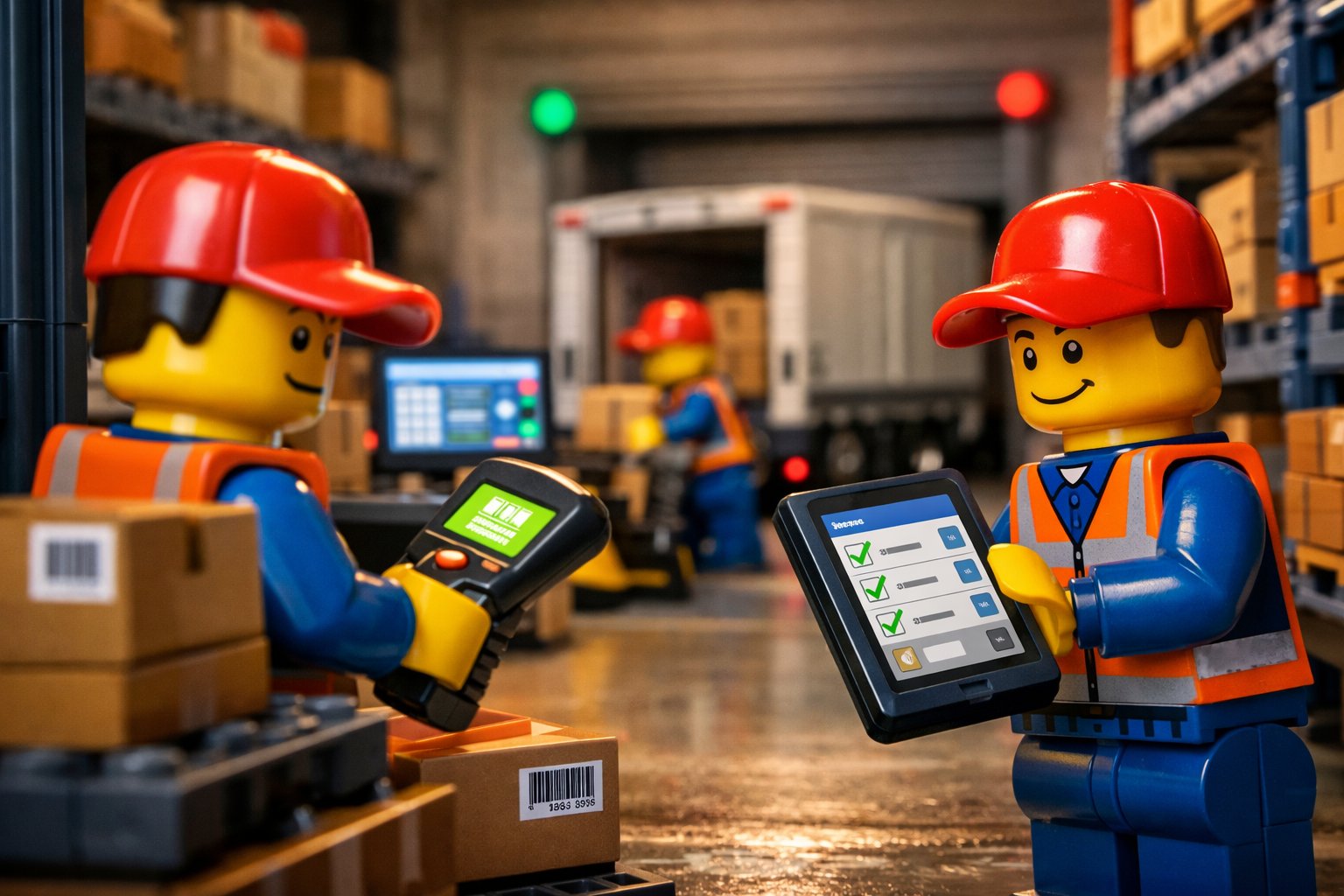
The right technology tools can tie everything together and reduce manual errors. Key areas to consider:
- Warehouse Management System (WMS) and Inventory Software: Modern WMS or inventory systems can automate receiving tasks. For example, when a shipment is expected, the system can generate a receiving work order so dock workers know what to expect. Upon unloading, staff can scan items with handheld devices – the system immediately updates inventory and suggests optimal put-away locations. This instant data capture (barcode scanning) eliminates paper errors and keeps everyone on the same page. Even if you don’t have a full WMS, a simple digital inventory tool can do wonders: scan an item at check-in and it disappears from the incoming list.
- Dock Scheduling Software: Specialized dock scheduling platforms allow carriers to book slots online and let warehouse staff see an overview calendar. More advanced solutions can also send reminders to drivers or integrate with your TMS. By automating bookings, you eliminate human bottlenecks (fewer phone calls and spreadsheets) and ensure no double-booking of doors. Some systems include features like driver notifications, waitlist handling, and analytics on door usage.
- Yard Management Systems (YMS): YMS software extends WMS capabilities to the yard. It can assign trailer locations, record check-ins, and communicate status. For instance, a YMS might automatically alert when a trailer has been waiting too long or needs inspection before unloading. Even if you only use a light version (like a shared database of trailer IDs and statuses), having that data centrally accessible (via mobile or desktop) is powerful.
- Mobile and Barcode Scanning: Embrace handheld scanners or mobile devices to capture data in real time. When dock workers scan pallets as they’re unloaded, the system instantly knows they’re off the truck. Real-time scanning is a quick win: it keeps your system accurate and employees focused on moving goods instead of paperwork. (Remember: the key is immediate syncing of data – if inventory only updates at night, your day shifts will operate on stale info, causing confusion.)
- Real-Time Alerts and Dashboards: Set up a simple dashboard in your loading area showing dock status, upcoming appointments, or key metrics. Even a shared spreadsheet on a TV screen can flag if a planned unload is overdue. Similarly, use SMS or email alerts internally: notify your receiving manager when a high-priority truck is 30 minutes away, or alert the packing team when goods have arrived so they can prepare. Keeping everyone informed in real-time prevents surprises and lets your team jump into action.
- Data and Reporting Tools: Leverage built-in reporting to find improvement opportunities. Track KPIs like average dock wait time, trailer dwell time, and dock utilisation. If one dock door consistently has longer waits, investigate why. Are certain shifts slower? Are some carriers late? Use historical data to adjust scheduling rules, add staffing when needed, or retire less used docks.
Technology is an enabler, not a panacea. For example, you could have the best software, but without clear processes to use it, congestion will persist. However, even small steps – like using free cloud-based forms or a shared online calendar – can provide the coordination you lack. Tools like barcoding make once-tedious tasks nearly foolproof. When everyone from dock workers to managers has up-to-date information, decisions can happen before a problem escalates into a jam.
Process Improvement and Lean Methods

Beyond layout and tech, it’s essential to continually refine your inbound process. Adopting lean principles and standard work can eliminate waste and prevent congestion:
- Standard Operating Procedures (SOPs): Document clear procedures for all receiving tasks. Checklists ensure nothing gets skipped. For example, always verify the Advanced Shipping Notice (ASN) details against the actual boxes before signing off. Train staff on these steps and post simple checklists in the receiving area. Standardisation means each shipment follows the same workflow, reducing random errors.
- Error-Proofing (Poka-Yoke): Introduce simple checks to catch mistakes. For instance, use scanning to confirm counts – if a box is over-shipped, the scanner alerts the user. Label all incoming cases with destination and part numbers so nothing goes to the wrong place. By catching errors immediately at the dock, you avoid the much costlier problem of hunting for missing inventory later.
- Quality Control at Receiving: Don’t defer inspection. Check for obvious damages or discrepancies at the door so you can address them with the supplier immediately. Even a quick visual check of 10–20% of cartons (sampling) can prevent dozens of bad items from ever entering your stock. Log every discrepancy and follow up with the supplier to improve their performance. Over time, you’ll see fewer errors and faster unloads as suppliers “get it right” more often.
- Lean Workflow Layout: Apply lean thinking to minimise movement. For example, put-items nearest to the dock that are shipped out soonest (a pull system). Keep fast-moving goods in the easiest-to-reach spots. Some warehouses use colour-coded zones or floor markings (like Kanban zones) so workers intuitively know where to stage parts or which queue to join. The goal is a continuous flow – nothing should block the path from dock to storage. If a piece of equipment isn’t needed immediately, don’t leave it parked in an aisle. Visual management (labels, signs, floor tape) is vital to keep processes transparent.
- Cross-Training and Kaizen: Train all receiving team members on multiple tasks – unloading, checking, and moving goods. This flexibility means no single point of failure if someone is absent. Encourage team members to suggest improvements: hold short daily or weekly meetings to discuss issues and wins. Over time, gradual tweaks (like changing a check-in form, adjusting a rack position, or reorganising staging layout) add up to big gains. Tracking results of these improvements helps maintain momentum.
- Just-In-Time (JIT) Mindset: While JIT is often used in manufacturing, the idea translates to inbound logistics: only have as much stock in staging as you can handle immediately. Don’t let trailers sit queued up – get them emptied and sent on as promptly as possible. If necessary, implement cross-docking for items that are needed right away, so they never enter inventory queues at all.
By continuously scrutinising the process, you catch small issues before they become big problems. For example, if you notice pallets are piling up because put-away is slow, schedule more staff for put-away or consider adding a conveyor. If receiving counts are consistently off, maybe you need a dedicated audit team or to switch from spot-checks to full counts. Use a mindset of “Did we do everything we could to eliminate waste?” – waste being any extra handling, waiting, or storage that isn’t truly needed.
Performance Measurement and Continuous Improvement
You can’t improve what you don’t measure. Tracking the right data is crucial:
- Monitor Dwell Time and Throughput: Record how long each truck waits and how many pallets or items it unloads per hour. If dwell time is creeping up, you have a clue that something is wrong. Likewise, measure dock-to-stock time (often called dock turnaround time): from the moment a shipment is confirmed “received” to when it’s fully checked, labeled, and put away. Many best-in-class warehouses aim to minimize dock-to-stock time, since it directly affects responsiveness.
- Track Door Utilisation: Keep stats on how often each dock is occupied. Sometimes you’ll find one door is almost never used and another is always backed up. By redistributing workload (or reassigning lanes), you can level the traffic. Also note how often planned appointments result in no-shows or late arrivals – you might need stricter scheduling enforcement if no-shows are common.
- Key Performance Indicators (KPIs): Decide on a set of metrics to review regularly. Common inbound KPIs include: Receiving Accuracy Rate, Dock Capacity Utilisation, Average Receiving Cycle Time, and Perfect Order Rate (the percentage of orders that have no errors). Display these on a dashboard or in routine reports. When the data is visible, the team knows if they’re improving or if new issues pop up.
- Root Cause Analysis: Whenever you see a problem trend (e.g. long waits or high error rates), dig deeper. Is the issue tied to a specific supplier? A certain shift? A type of product? Understanding the root cause lets you apply targeted fixes. For example, if you see many errors from one supplier, you can hold a meeting with them to sort out shipping instructions.
- Use Exceptions Wisely: Not every late or damaged arrival needs a knee-jerk reaction, but do log them. Over time, exceptions reveal patterns. For instance, perhaps all oversized shipments cause a slowdown, indicating a need for special equipment or procedures for those loads. Use these exception logs during process reviews to avoid ad-hoc fixes.
Good data also helps justify improvements. If you spend $X on a new dock leveler, you can later compare how much faster your unloading became. Or if you hire two extra docks helpers, you’ll see their effect on throughput numbers. This cycle of plan-measure-improve is at the heart of continuous improvement in logistics.
Training and Communication

Finally, none of the above matters if your team and carriers aren’t aligned. Keep people in sync:
- Regular Training: Make sure all staff understand the receiving process end-to-end. Train new hires on procedures, and hold refresher sessions on any process changes. Topics include how to use the inventory system, dock safety rules, and best practices for loading/unloading. Experienced team members should supervise and mentor newbies.
- Daily Briefings: Start shifts with a quick meeting at the dock: review the day’s scheduled arrivals, priority shipments, and any special instructions (e.g. a hazardous material load or oversized cargo). This keeps everyone aware of the workload and any changes.
- Clear Roles and Responsibilities: Define who does what. Who greets the carrier at the gate? Who keys in the trailer info? Who does the quality check? If every task is owned by someone, nothing slips through the cracks. Document these roles in your SOPs.
- Proactive Carrier Communication: Notify carriers early of any changes to their appointment. For example, if unloading is running late, text or email the delayed driver. Conversely, remind on-time drivers of arrival expectations. Some warehouses even use messaging apps or portals where drivers can log in and see updates. The better the communication, the more trust you build with carriers – and trust translates to on-time, coordinated arrivals.
- Cross-Functional Coordination: Communicate inbound issues to other departments. For example, if you see a shortage in a critical raw material coming in, production schedulers should know so they can adjust assembly. Or if inbound space is tying up inventory, the purchasing team might consider changing order sizes or schedules. Encourage open communication so that problems are tackled collaboratively, not siloed.
- Feedback Loop: Encourage your frontline staff to report problems and improvement ideas. The people unloading boxes and scanning items have insights management might miss. Perhaps the forklift battery station is in an inconvenient spot, or the labeling workstation is cluttered. Create a simple way for them to give feedback – it could be a suggestion box, a chat channel, or part of the daily briefing.
Also remember to foster a culture of accountability. When everyone understands the impact of a congested dock (missed orders, extra costs), they are more likely to double-check their work. Praise teams when KPIs improve – it reinforces the right behaviours.
Visual Inventory Mapping with CyberStockroom
Incorporating visual tools can greatly enhance inbound logistics and dock management. For example, CyberStockroom offers an inventory mapping interface that turns your warehouse layout into a live chart. When new shipments arrive, staff can quickly decide where to place goods by looking at the map: if one staging area is nearly full, the system will show empty spots in another.
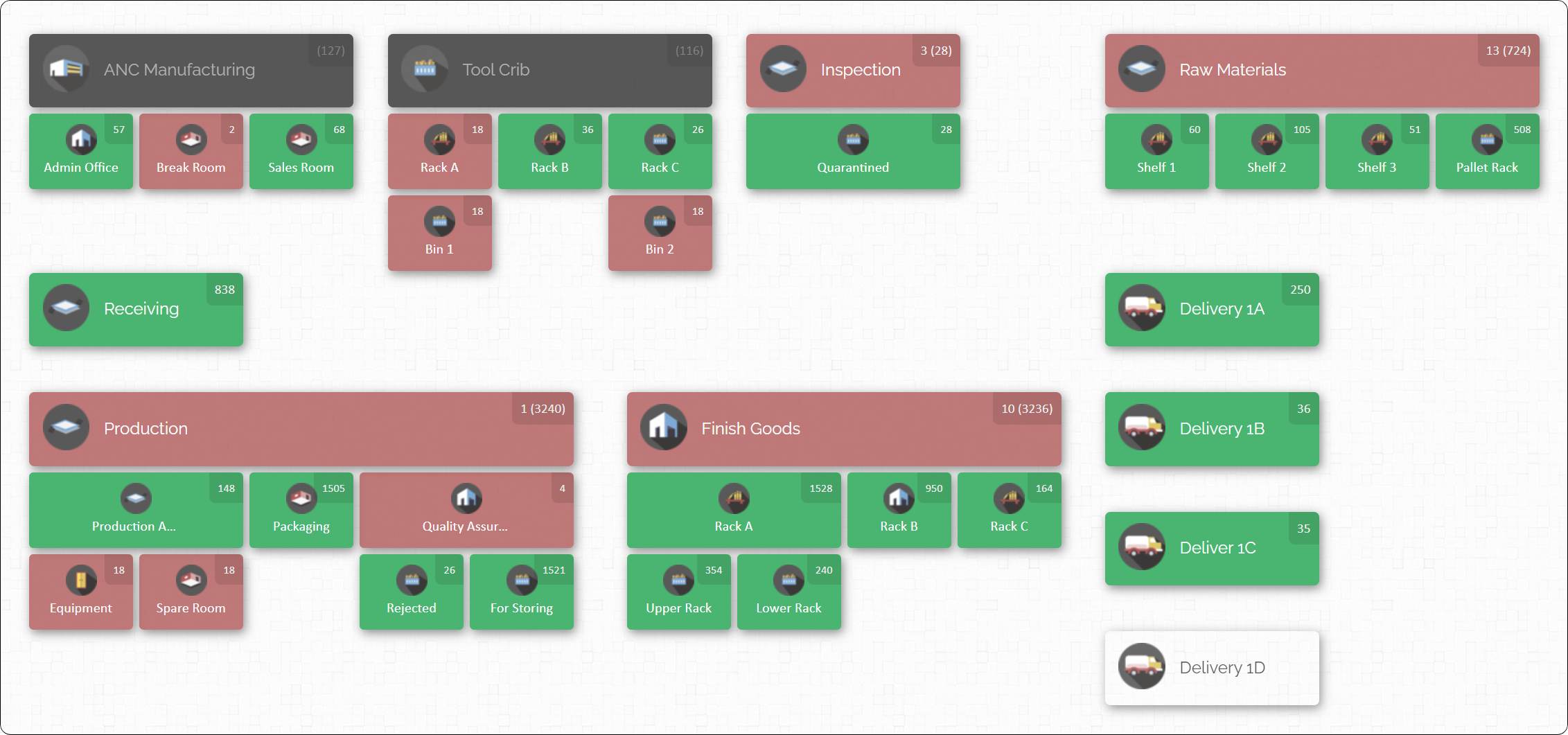
An inventory map essentially gives a “bird’s eye view” of the warehouse, so everyone knows where items are supposed to go. For instance, incoming pallet A might belong in Zone 2, so drivers can be guided directly there and avoid congesting Zone 1, which is already near capacity. In practice, this means fewer forklift detours and smoother traffic flow to clear the dock doors.
The map interface also makes cycle counts and audits easier: rather than searching blind, staff can walk locations in map order and tick them off. And if a critical part is running low, the map instantly highlights it. Inbound teams benefit from this visibility too. When a truck unloads, the receiver can scan items and check them in, and see them immediately placed on the digital map – so downstream personnel know to expect them. CyberStockroom’s mapping feature integrates seamlessly with its inventory database, so any manual adjustments or check-ins update the map in real time. In short, visualising inventory cuts down search time and confusion, letting dock staff and warehouse managers coordinate more effectively.
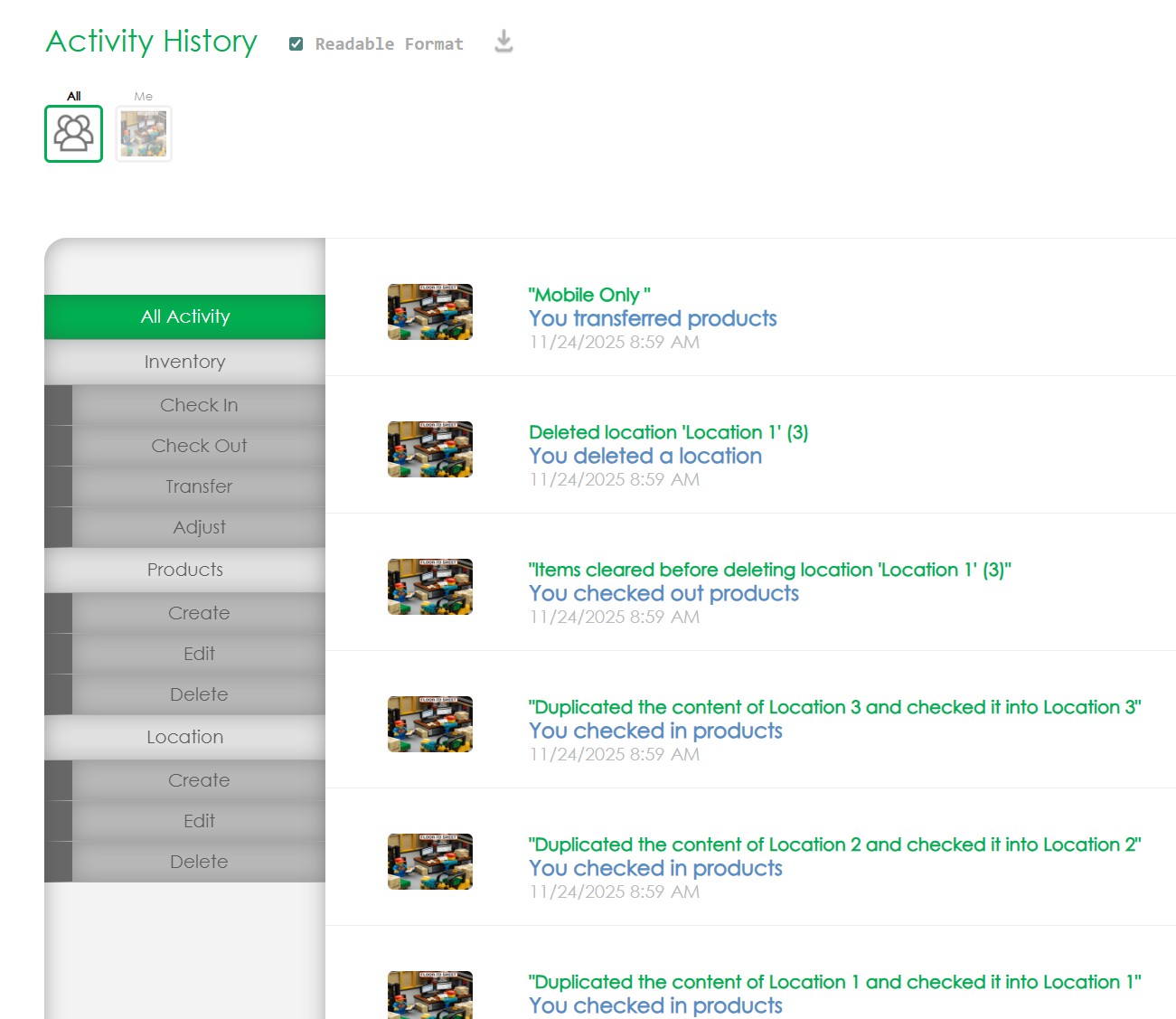
CyberStockroom’s inventory management tools directly support efficient inbound flows. Its barcode scanning allows quick check-in of products at the dock: workers can scan a pallet, verify it matches the PO, and have the quantity updated on the map on the spot. The platform supports Quick Scan workflows on mobile devices (via browser), which is ideal for busy docks: just scan a location barcode and an item barcode to adjust stock levels, then hit “check in.” Every check-in or transfer is logged in the system’s activity history, providing an audit trail of who handled each shipment. In effect, the software turns your smartphone or tablet into a receiving assistant – no paperwork needed.
CyberStockroom’s visual tools mean the entire team shares one source of truth. Multiple users can view or update the map at once, so if a forklift driver has moved goods, the inventory manager will see the change immediately. The system can also track multiple warehouse locations, so if your company receives goods at several sites, you’ll have a unified view. This is especially handy for businesses that split functions across floors or buildings: the map shows exactly which warehouse or aisle has space for a new delivery. By providing a real-time picture of inventory distribution, such mapping solutions help prevent overcrowding in any one zone – directly supporting our goal of clearing dock congestion.

Beyond maps, CyberStockroom includes features like drag-and-drop transfers, letting you reassign items between any two locations with a few clicks. If the receiving area needs a quick clear-out, managers can instantly shift inventory to other bins or floors in the interface. The system also allows custom fields and images on parts, so anyone at the dock can confirm that the right item has arrived.
While CyberStockroom focuses on inventory, it complements the other practices described above: it keeps stock visible and movements controlled, so you spend less time searching and more time unloading and putting away. In the context of dock management, this visibility means that as soon as goods arrive, the path forward is clear on the map – greatly reducing the chance of blockages at the receiving door.

Monitoring and Continuous Improvement
Reducing dock congestion is an ongoing effort. After implementing these changes, keep track of how things improve and what new challenges arise:
- Regular Audits: Periodically review your dock processes. Walk the yard and dock floor at peak times to see firsthand where clogs form. Use a checklist (gate log, door signage, safety) to verify that procedures are followed.
- Review KPI Trends: Compare your tracked metrics month over month. A successful change (like adding a dock assistant) should show up as reduced wait time or higher throughput. If trends stall or worsen, dig deeper to find the cause.
- Listen to Feedback: Keep communication open with your team about what’s working and what isn’t. If dock workers suggest a better unloading sequence or notice a repeated issue, act on it quickly. A small tweak (like repositioning a pallet jack charging station) might save minutes each day.
- Stay Flexible: Business needs change – new products, seasonal surges, different carriers. Be prepared to adjust your setup. For example, if winter means slower unloading (due to weather delays), schedule accordingly or invest in equipment like high-speed dock heaters.
- Invest When Needed: Once you have data showing a chronic problem, justify capital improvements. For instance, if you consistently run out of dock space, consider adding a covered canopy or extra dock door. If checking in freight is too slow, equip more staff with scanners. Data makes these investments easier to approve.
Ultimately, reducing dock congestion is about creating flow. Trucks should spend minimal time at the door, cargo should move immediately into stock, and each team member should know their role in that flow. By combining the warehouse layout optimisations, scheduling discipline, yard visibility, lean processes, and technology described above, you create a system where incoming freight “flows” through the dock rather than piling up.
Keep in mind: technology alone cannot fix a broken process. But by carefully addressing every link in the chain – physical space, timing, inventory data, and people – you can turn your receiving dock from a bottle-neck into a streamlined gateway. The payoff is worth it: faster turnaround, happier drivers and customers, and better use of your warehouse space and staff.
Implementing these best practices will make your inbound logistics more reliable and your dock management more proactive. With clearer processes and better tools, you’ll see shorter queues at the door and more productivity on the floor. In the end, a warehouse that keeps its receiving docks clear is one that keeps commerce moving smoothly.








Leave a Reply