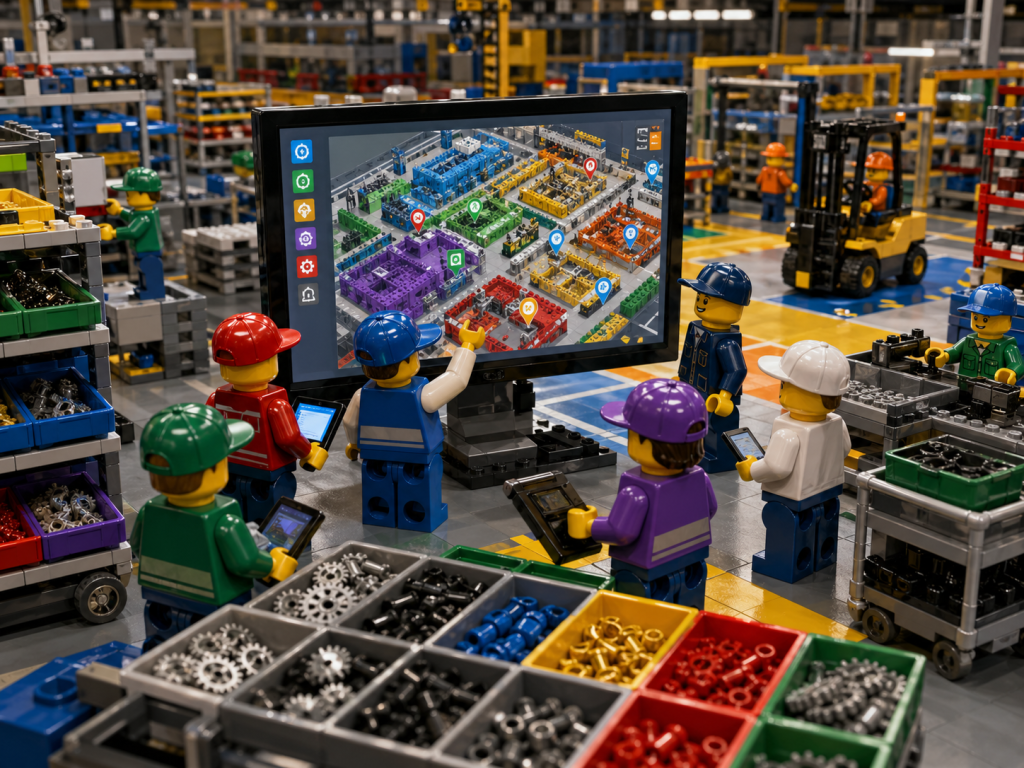
In many factories, inventory trouble does not start with a missing part. It starts much earlier, when receiving sees one count, production sees another, maintenance keeps its own crib records, quality holds stock in a side room, and purchasing has to make decisions from a version of the truth that is already out of date. Manufacturing inventory is never just one thing. It includes raw materials, parts and components, work in progress, finished goods, maintenance, repair and operations supplies, and packaging materials. When those items are spread across multiple departments and storage points, visibility becomes an operations issue, not just a warehouse issue.
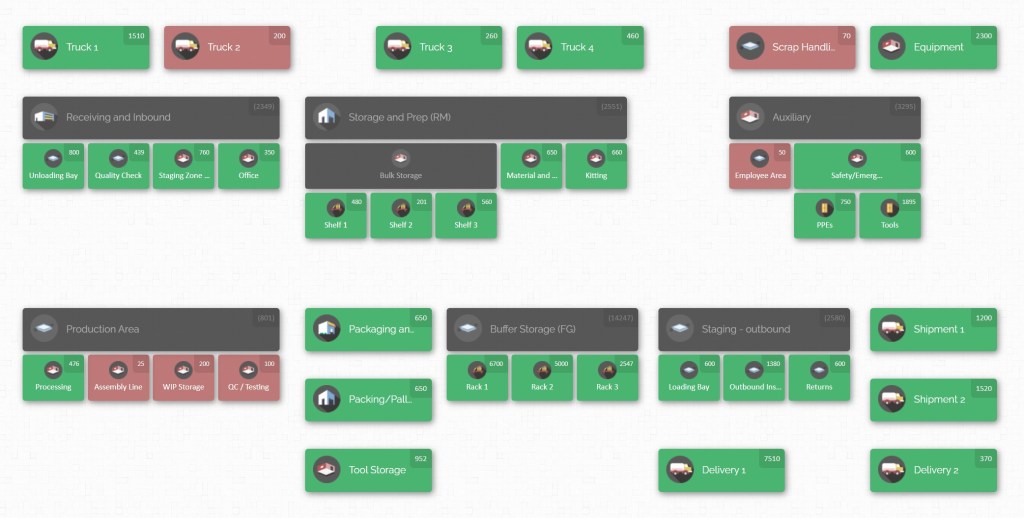
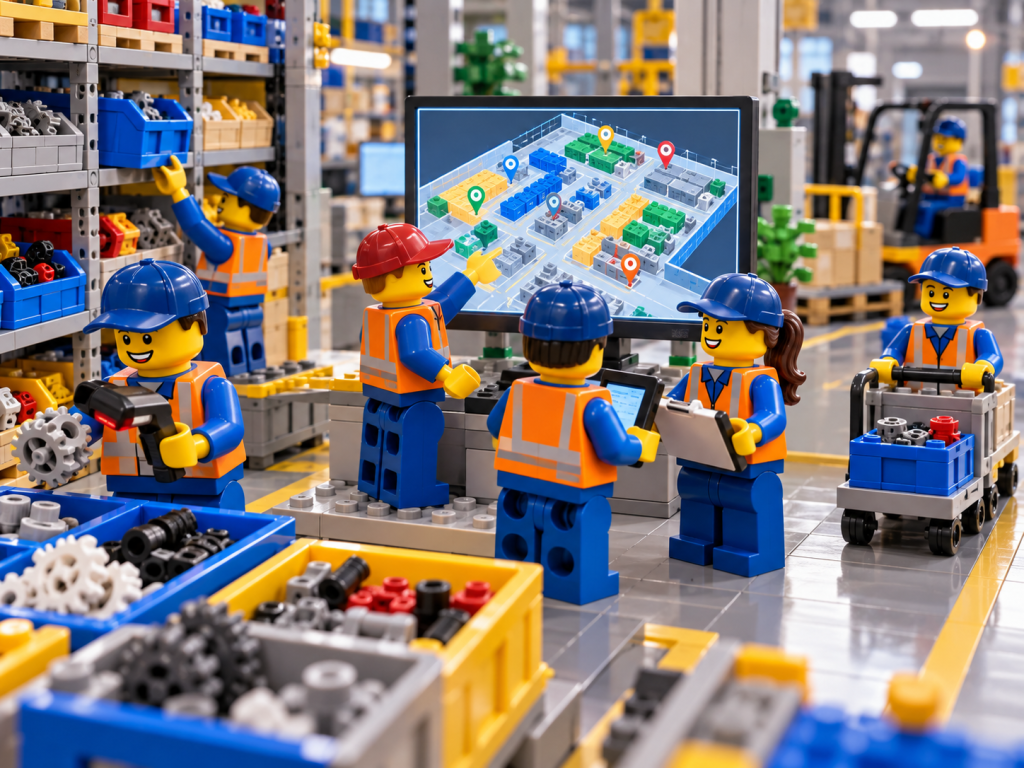
That is why multi-department parts visibility matters so much in manufacturing inventory. A plant does not need another static list. It needs one clear screen that answers the questions people ask all day: What do we have, where is it, who is holding it, what is running low, and can we move it fast enough to keep production going?
Why multi-department parts visibility matters
A manufacturing site rarely loses time because nobody ordered the part at all. More often, the part is already somewhere inside the business, but the wrong team is holding it, the location was never updated, the count is wrong, or the stock exists in a form that nobody can trust quickly enough.
That is why inventory management across an organization is different from inventory control inside a single warehouse aisle. Inventory control focuses on movements and quantities within a warehouse, while inventory management tracks stock across an entire organization that may operate multiple locations and facilities. In a plant with several departments, that difference matters every hour of the day.

Parts move through more places than people realize
Think about the typical path of a critical part. It might arrive at receiving, move into raw materials storage, get staged for machining, sit briefly in a work-in-progress area, transfer to assembly, pause in quality inspection, then finally land in finished goods or dispatch.
Now add tool crib stock, maintenance spares, line-side kits, returns, quarantine stock, and overflow storage. The physical reality becomes much more complex than a simple item list.
Manufacturing guidance repeatedly stresses that accurate record-keeping and visibility across locations are essential because a business cannot manage what it does not measure or locate.
When that visibility breaks down, the cost shows up in several places at once. Production planners see line risk. Buyers see urgent demand they cannot verify. Warehouse teams see extra travel and repeat searches. Maintenance teams start hoarding just-in-case stock. Finance sees more cash tied up in inventory than expected. Customers eventually feel the effect through delays, missed commitments, or expensive last-minute corrections.
Industry research on visibility and resilience links limited visibility to greater exposure to disruptions, while inventory management guidance warns that both too much stock and too little stock damage cash flow and service performance.
A shared view turns inventory into usable inventory
This is why one-screen visibility is not a cosmetic reporting upgrade. It is a way to make inventory accessible.
If a team cannot quickly find and trust the stock, then from an operations point of view, it may as well not exist. A quantity sitting in another building, inside the wrong room, or under the wrong label does not protect production.
What protects production is stock that can be seen, understood, and moved with confidence. That is the difference between “inventory on paper” and “inventory the factory can actually use.”
The case for a single shared view becomes even stronger when departments use different naming rules or local habits. One area might store material by supplier batch, another by shelf number, another by job order, and another by tribal knowledge.
The result is not only confusion. It also slows training, slows hand-offs, and creates repeated mistakes. Guidance from supply chain bodies emphasizes standardizing data processes and educating employees because high-quality, consistently captured information is the basis of reliable visibility. Without that shared structure, any dashboard becomes decoration.
Manufacturers also need to remember that visibility is not only about raw materials and finished goods. It is just as important for MRO supplies, spare parts, fixtures, consumables, packaging, backup stock, cycle inventory, transit inventory, work in progress, parts, and components.
In practice, one missing low-value item can stop a high-value process. That is exactly why good plants do not reserve visibility for expensive stock alone.
Current, accurate data supports better decisions
Another reason one-screen visibility matters is that periodic counting alone is often not enough for a fast-moving plant.
Periodic counts rely on manual stock checks at recurring intervals, while perpetual inventory approaches continuously track inventory in near-real time. A manufacturer with many parts, frequent internal transfers, and multiple departments usually needs more than a monthly or quarterly look-back.
It needs a current view that can support decisions during the shift, not after the fact.
That does not mean full physical checks disappear. It means they become more targeted. Cycle counting remains essential because inventory accuracy can drift through loss, misplacement, damage, timing errors, or rushed transactions.
Good visibility depends on data that reflects physical reality. If the system and the shelves disagree, the screen is lying. That is why continuous mini-audits, especially for the most important items, are a best practice in modern inventory control.
Safety stock is another area where visibility and discipline have to work together. Carry too little and production is exposed. Carry too much and you consume storage space and working capital.
Buffer stock should protect against demand and lead time variability, but it should be calculated thoughtfully, not set from guesswork or habit. In a multi-department plant, the same principle applies inside the factory. You need to know which items deserve a buffer, where that buffer should sit, and how quickly teams can see when it is being consumed.
Visibility connects departments, flow, and action
There is also a broader resilience question.
Supply chain guidance highlights supply chain mapping, risk assessment, supplier development, visibility, and coordination across forecasting, demand planning, operations planning, and inventory management.
In other words, internal visibility is not separate from supply chain performance.
A factory that can clearly see stock by department and location is better placed to respond when supplier lead times change, when critical components need alternatives, or when work needs to be redistributed.
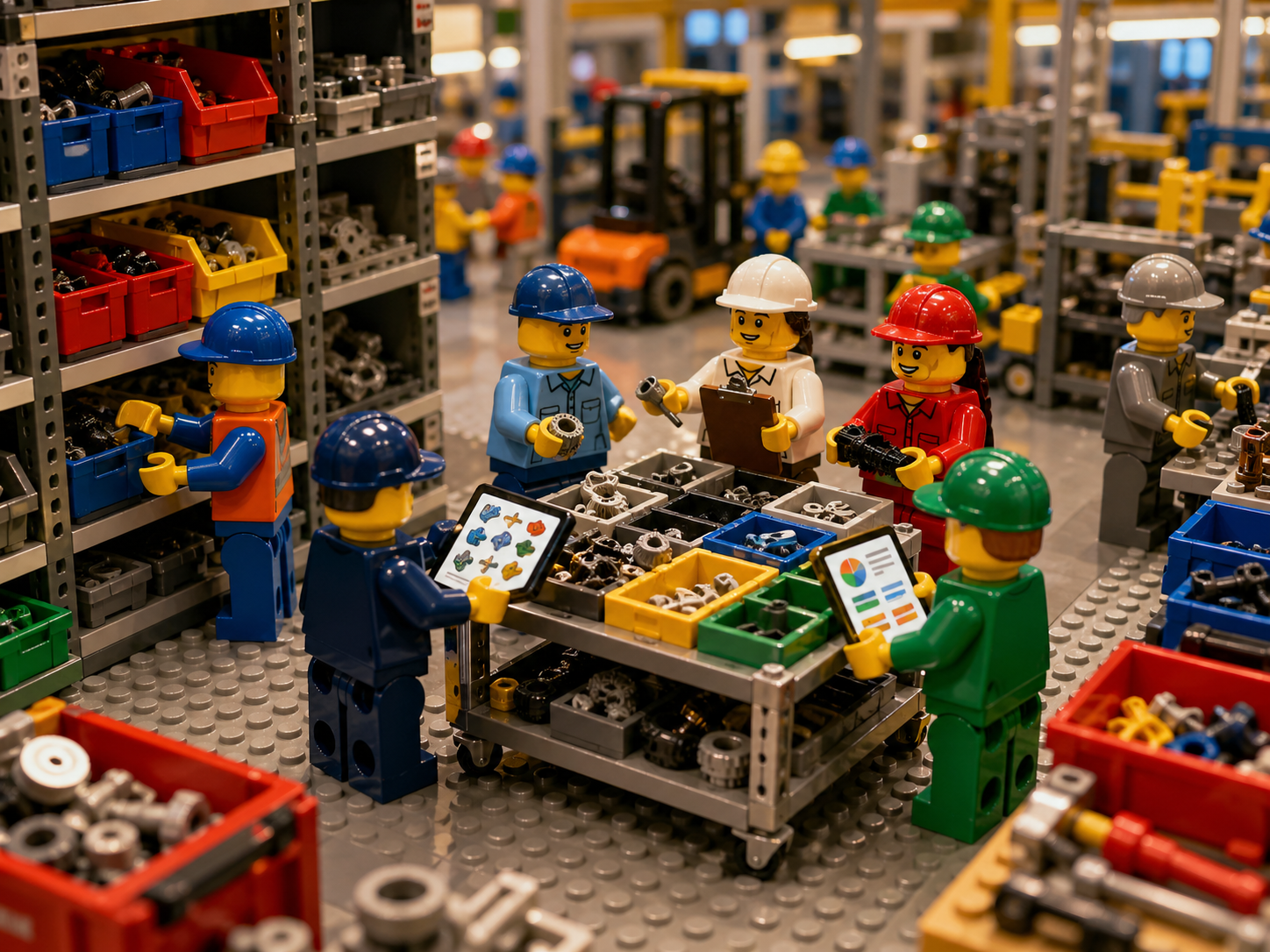
The practical test is simple. When a supervisor, buyer, storekeeper, and maintenance lead all need answers at the same time, can they all look at one screen and understand the same reality?
Can they see not only that a part exists, but also which department holds it, what quantity is available, whether it is below a minimum, and what happened to it last?
If the answer is yes, the operation gains speed and confidence. If the answer is no, the plant stays dependent on calls, memory, manual checks, and urgent workarounds.
This is the real meaning of multi-department parts visibility in manufacturing inventory. It is not just visibility across shelves. It is visibility across responsibility, flow, and action.
It allows receiving, stores, production, maintenance, quality, and shipping to see stock as one connected system.
Once that happens, the conversation changes. Teams stop asking, “Who has it?” and start asking, “What is the best next move?”
How CyberStockroom Turns One-Screen Visibility Into Daily Control
CyberStockroom is useful in this discussion because it approaches inventory from the map outward.
CyberStockroom starts with an inventory map designed to answer a basic but critical question: how many of what you have, and where it is.
That matters for manufacturers because a single visual layout is often easier to trust and act on than pages of disconnected transactions.
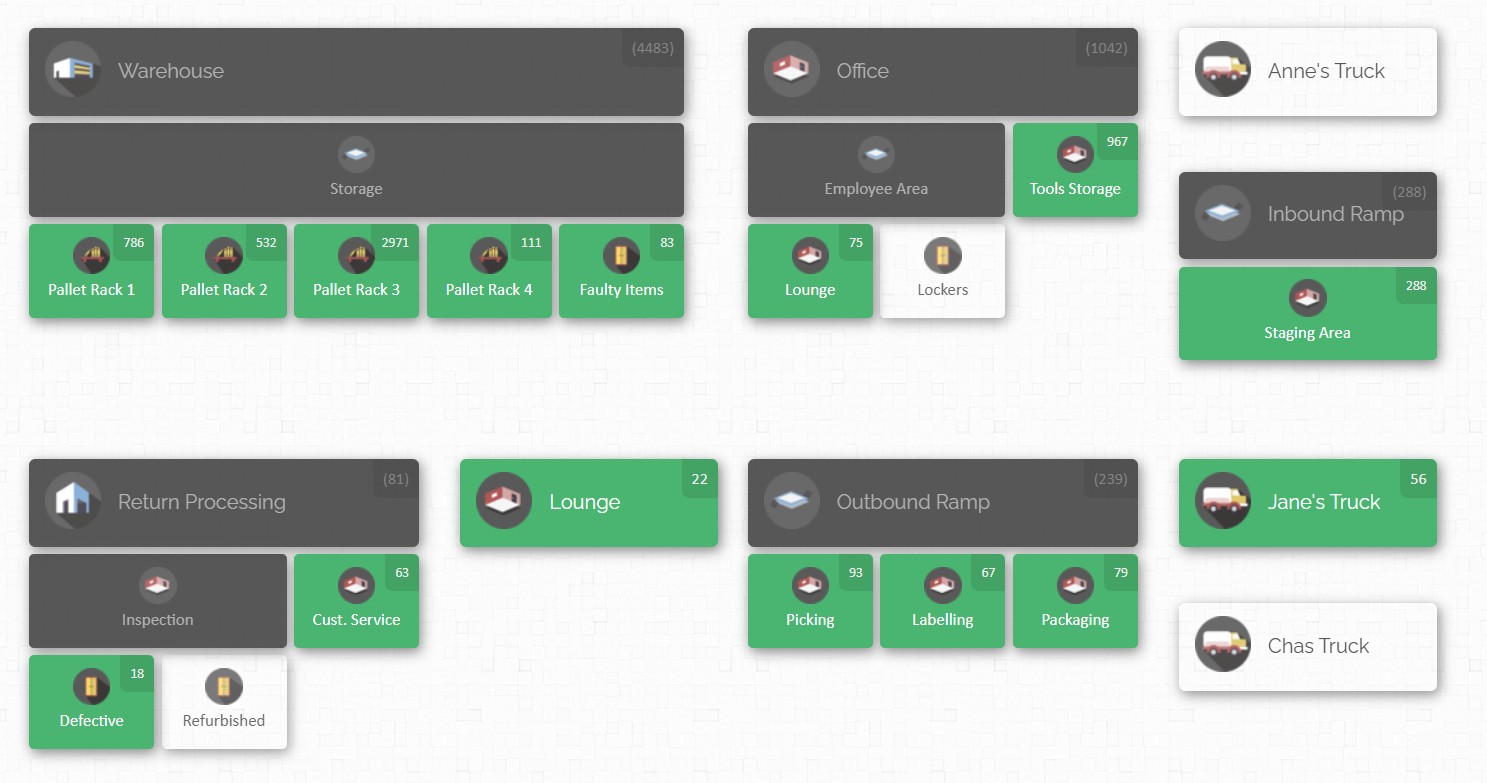
At the core of CyberStockroom is a location hierarchy. The platform lets users create locations and sublocations, then arrange them on a map that reflects how the business sees its operation.
Location types can be building, warehouse, store, floor, room, closet, shelf, bin, and vehicle. These can be nested in any arrangement. For a manufacturer, that means the on-screen structure can follow the physical reality of the plant:
Building A → Raw Materials Room → Rack 4 → Shelf B → Bin 3
Or it can follow any other naming logic that matches the site.
A shared map makes every department easier to understand
That sounds simple, but it solves an everyday factory problem.
When every department can recognize its own part of the map, there is less translation work and less ambiguity. A production supervisor does not have to learn a warehouse-only filing logic to understand where stock is. A maintenance planner can see the tool crib as part of the same layout.
Quality storage, staging zones, and finished goods areas can sit on the same screen rather than in separate silos.
CyberStockroom is for multi-location stock visibility, manufacturing workflows, production stages, and tracking inventory by team or department. It the item-level detail needed to make that map useful. On the main product and location views, users can assign images, barcodes, and custom fields to items.
Products can be added manually, by barcode scanner, or from a spreadsheet. The import tools allow existing stock lists to be uploaded in bulk, while custom fields let businesses record the product details that matter to them, such as manufacturer, supplier, category, color, or other plant-specific attributes.
For manufacturers, that matters because visibility improves when the item master is specific enough to tell one part from another quickly.
Product distribution turns “where is it?” into a one-screen answer
One of the most relevant CyberStockroom features for multi-department parts visibility is product distribution viewing.
A user can search, scan, or select a product and see a map showing where that product is distributed across multiple locations.
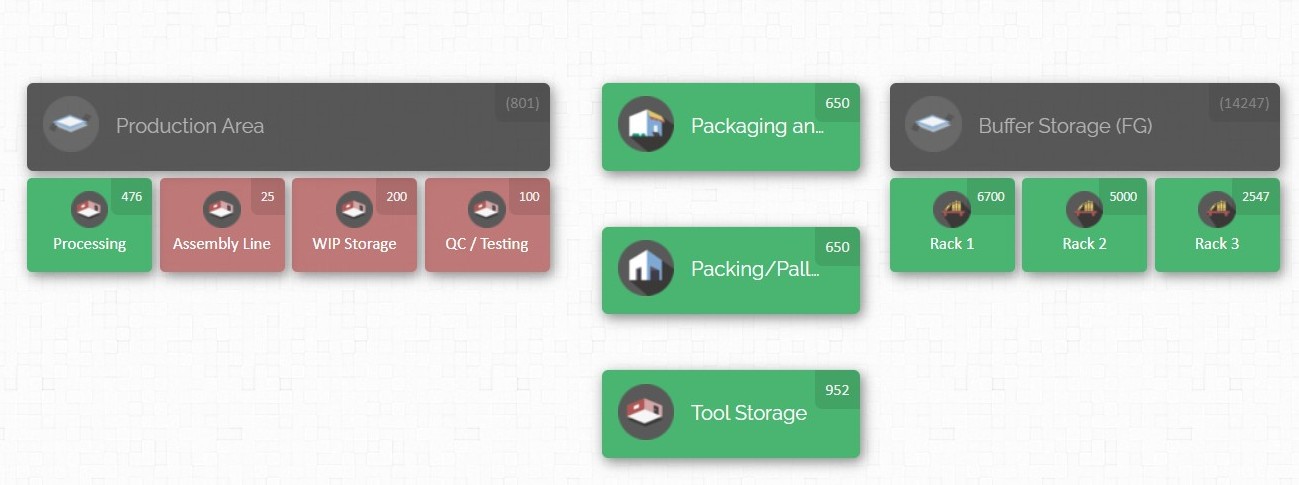
Green locations contain the selected product, the small quantity marker on each location shows how much is held there, and quantities can be updated quickly from that same view. There is also a map filter that can search by keyword, custom field, or barcode directly on the map. For a plant that is constantly asking “Where else do we have this part?”, that is exactly the kind of one-screen answer people need.
This is where CyberStockroom lines up especially well with manufacturing practice. In a parts shortage, the question is rarely just:
“Do we have the part?”
It is usually:
“Do we have the part somewhere else, in another room, another department, another building, or another stock point?”
The distribution view turns that question into a visible answer. Instead of calling around or opening separate location records one by one, the user can see the spread of the item across the mapped operation.
That speeds internal reallocation and reduces duplicate buying.
Daily movement stays connected to the map
Movement control is another strong match. CyberStockroom supports check-in and check-out workflows from the start menu or directly from the map. Users can select items manually or scan them with a barcode scanner, and each scan increments quantity.
For transfers, use the transfer workflow to select a source and destination, or drag and drop directly between mapped locations.
In either case, the system records the move, and users can add transaction comments after check-in, check-out, or transfer. This matters in manufacturing because internal stock movements are frequent, and visibility only works when those hand-offs are captured as they happen.
The drag-and-drop method deserves special attention because it reflects how people think about stock movement on the floor. On the map, a user can drag a location with products to another location, then click individual products, drag all quantity, or manually enter the quantity to transfer.
CyberStockroom’s own feature pages describe drag and drop as a way to move items between locations or sublocations quickly and perform cycle counts and adjustments.
In day-to-day plant terms, that means internal moves do not have to feel like paperwork. They can feel like moving stock through the actual layout of the factory.
CyberStockroom’s barcoding tools reinforce that speed. The official barcode feature page says every interface accepts keyboard or barcode scanner input, users can scan products to add, find, or move them, and CyberStockroom also allows location barcodes to be scanned.
It also supports printing labels directly from the platform or using existing barcodes on products.
For a manufacturer, that opens a practical workflow:
Label bins. Label parts. Scan the departure location. Scan the destination. Let the map stay current without long manual entry.

Visual signals, history, and permissions add control
Low-stock visibility is handled visually too.
CyberStockroom’s color coding documentation shows that empty locations appear white, occupied locations appear green, empty parent locations with occupied sublocations appear gray, and locations can appear red when quantities fall below the threshold setting.
With the minimum threshold feature, you can apply a default minimum threshold for all products so users are alerted when stock drops below that level. While that threshold model is simple, it still supports a powerful behavior: a shortage becomes visible on the map before it becomes a line stop.
For multi-department use, accountability is just as important as visibility.
CyberStockroom’s activity history and permissions features help with that. The loss prevention page states that users can view and analyze past activity in the account, filter history by user, activity type, timespan, and location, and export activity history as a downloadable report.
The read-only user feature allows admins to invite users who can view the map, product details, and activity history without changing the account or inventory.
In a manufacturing business, that is valuable because purchasing, planning, supervisors, and managers often need visibility without unrestricted editing rights.
This combination of activity history and view-only access changes the tone of stock conversations.
Instead of arguing over who last touched the part or which count is more believable, teams can review the movement record. Instead of keeping non-warehouse staff out of the system for fear of accidental edits, the business can give them read-only access to the same map and history.
The effect is a broader shared view with tighter control over who actually changes data.

From spreadsheet control to mapped control
CyberStockroom is also designed to reduce the friction of moving from spreadsheet control to mapped control.
Products can be uploaded from files, bulk product edits can be handled through batch processing, large numbers of changes can be done from spreadsheets, and CyberStockroom offers data wrangling and onboarding support to help organize existing data and train teams.
For manufacturers that have grown around spreadsheets, tribal knowledge, and department-level stock lists, that matters.
The biggest hurdle is often not choosing the right visibility model. It is getting the existing data into usable shape.
Best Practices That Make the Screen Trustworthy
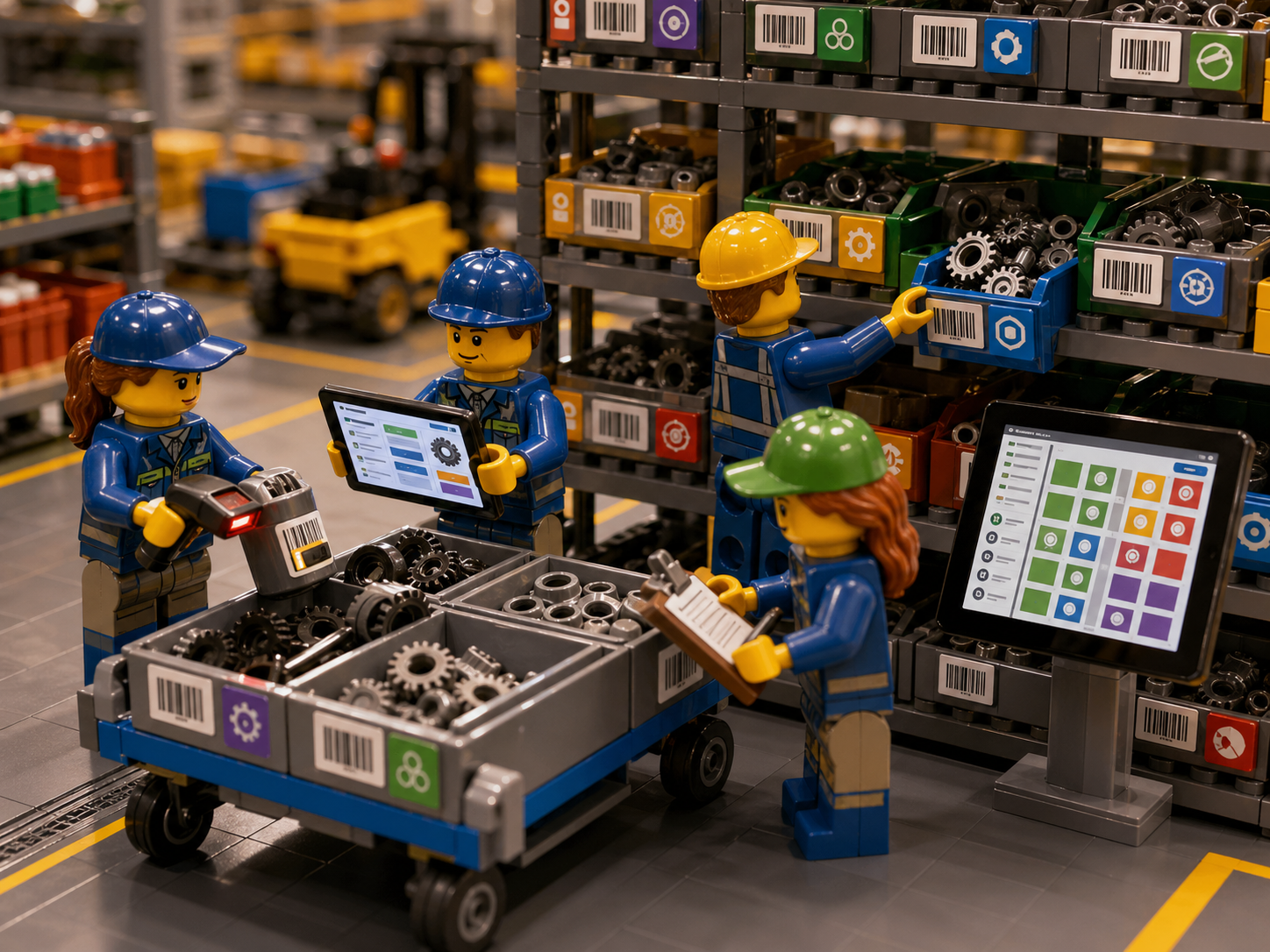
A single-screen view only works when the plant treats it as the official working model of inventory, not as an optional reference.
Supply chain guidance consistently makes the same point in different ways: visibility depends on disciplined data capture, standard processes, training, and continuous review.
In other words, the map is useful, but the behaviors behind the map are what make it trustworthy.
Build the right foundation first
The first best practice is to build a clear location language before worrying about perfection in the software. Every storage point that matters should have a named place in the model. That includes receiving lanes, raw material racks, line-side bins, maintenance crib shelves, quality hold areas, finished goods bays, overflow rooms, and any department stock cages that people use as unofficial stores.
CyberStockroom’s location structure supports this kind of hierarchy well, but the key discipline is operational, not technical. If a stock point is real in the plant, it should exist on the map and have a label people can recognize.
The second best practice is to use unique product identification and a clean item master. Many visibility problems are actually naming problems. The same part appears under two descriptions. An old code still circulates in one department. A substitute gets treated as the same item when it is not.
A mapped system becomes far more useful when products carry clear identifiers, part numbers, barcodes, and meaningful custom fields. CyberStockroom’s custom fields support plant-specific detail, and its barcode functions make those identifiers easier to use in real time.
In practice, the cleaner the item master, the fewer false shortages and duplicate records you will see.
Capture movement where it actually happens
The third best practice is to record every movement at the hand-off point. This sounds obvious, but it is the rule many plants break when things get busy.
Stock is staged for production and updated later. A maintenance part is borrowed and never checked out. Quality moves held stock to another room to make space, but the system still shows the old location.
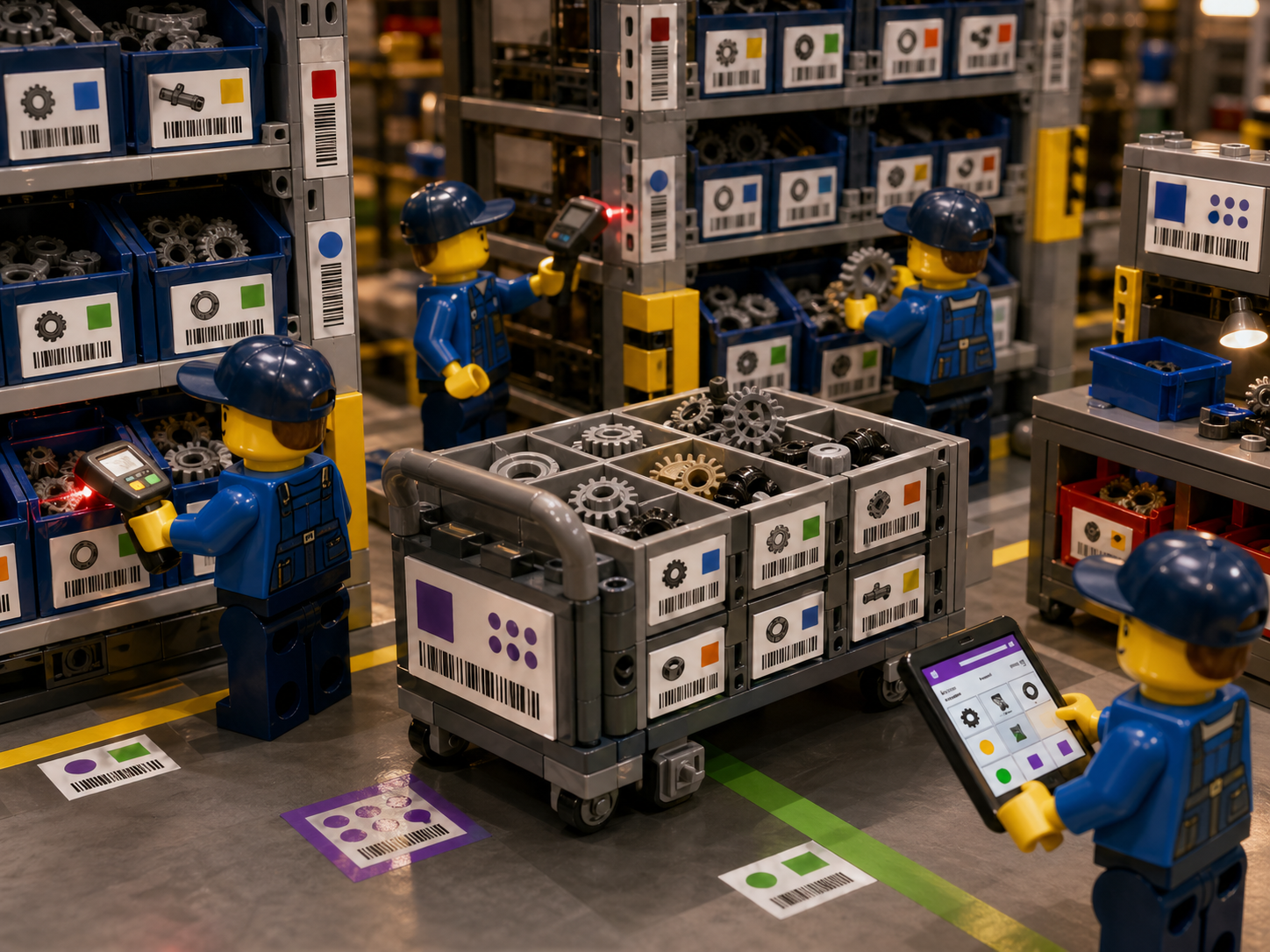
The CyberStockroom check-in, check-out, and transfer workflows exist to capture those moments. The broader inventory guidance behind them is clear as well: visibility degrades the instant a movement is delayed or skipped.
When the transaction does not happen at the move, the screen starts falling behind reality.
The fourth best practice is to label both items and locations, not items alone. Many factories barcode parts but leave shelves, bins, carts, or departmental stock points identified only by memory or handwritten notes. CyberStockroom’s barcode guidance specifically refers to scanning locations as well as products, which is exactly the right habit.
When both ends of the move are labeled, the system knows not only that an item moved, but also from where and to where.
That turns visibility into something operationally meaningful.
Use history, thresholds, and counts to keep the data honest
The fifth best practice is to use comments and history to add context, not just counts. In manufacturing, quantity changes are often only half the story. A check-out might support an urgent work order. A transfer might be a temporary move during line rebalancing. A stock adjustment might reflect damage, kitting, testing, or scrap.
CyberStockroom allows comments on transactions and stores detailed activity history. That makes root-cause work much easier later, especially when a team is trying to understand why a part disappeared from one area, why a count drifted, or why a location keeps running short.
The sixth best practice is to make low stock visible before it becomes a crisis. CyberStockroom’s default threshold setting can turn locations red when quantities drop below the minimum, while the wider discipline of reorder points and safety stock helps plants decide what “low” actually means.
In practical terms, a trustworthy screen should tell people when attention is needed, but the business still has to decide which items deserve buffer stock, how much buffer is needed, and where that buffer belongs.
The seventh best practice is continuous counting, not annual hope. A good single-screen model does not remove the need for physical verification. It tells you where to focus it.
Distinctions between periodic and perpetual inventory, combined with industry guidance on cycle counting, point to the same conclusion: count frequently enough to keep the digital picture aligned with the physical one, and count the most important items more often.
In a multi-department setting, that usually means prioritizing critical and high-value parts, then rotating through the rest of the stock by area or class.
Match control to the importance of the inventory
That leads directly to the eighth best practice: use ABC logic for effort, not blanket control for every item.
Not all inventory deserves the same level of scrutiny.
For a factory, that means the most production-critical or expensive parts get tighter location discipline, more frequent counts, faster alerts, and clearer ownership.
Low-value items still need visibility, but not every washer, cable tie, or carton insert needs the same level of operational attention as a critical component that can stop the line.
The ninth best practice is to widen visibility while narrowing edit rights.
One reason plants keep departments on separate records is fear that more users will create more errors. Read-only access is a practical answer to that concern CyberStockroom’s permission model allows teams to share map visibility, product details, and activity history without giving every viewer authority to change stock.
That matters because a planner, buyer, production lead, or operations manager often needs to see the same stock picture, even if they are not the person responsible for updating it.
Make the system fit real plant work
The tenth best practice is to map process flow, not just storage.
A lot of manufacturing stock is not sitting peacefully on a shelf. It is staged, moved, inspected, queued, kitted, or consumed in motion.
Mapping manufacturing workflows and production stages, and its department or team map concept supports accountability by showing which team or department is responsible for inventory.
That is important because single-screen visibility becomes far more valuable when it reflects how work moves through the plant, not only where shelves happen to be located.
The eleventh best practice is to respect bulk work Inventory systems often fail during clean-up, rollout, and changeover because they assume everything will be updated one transaction at a time.
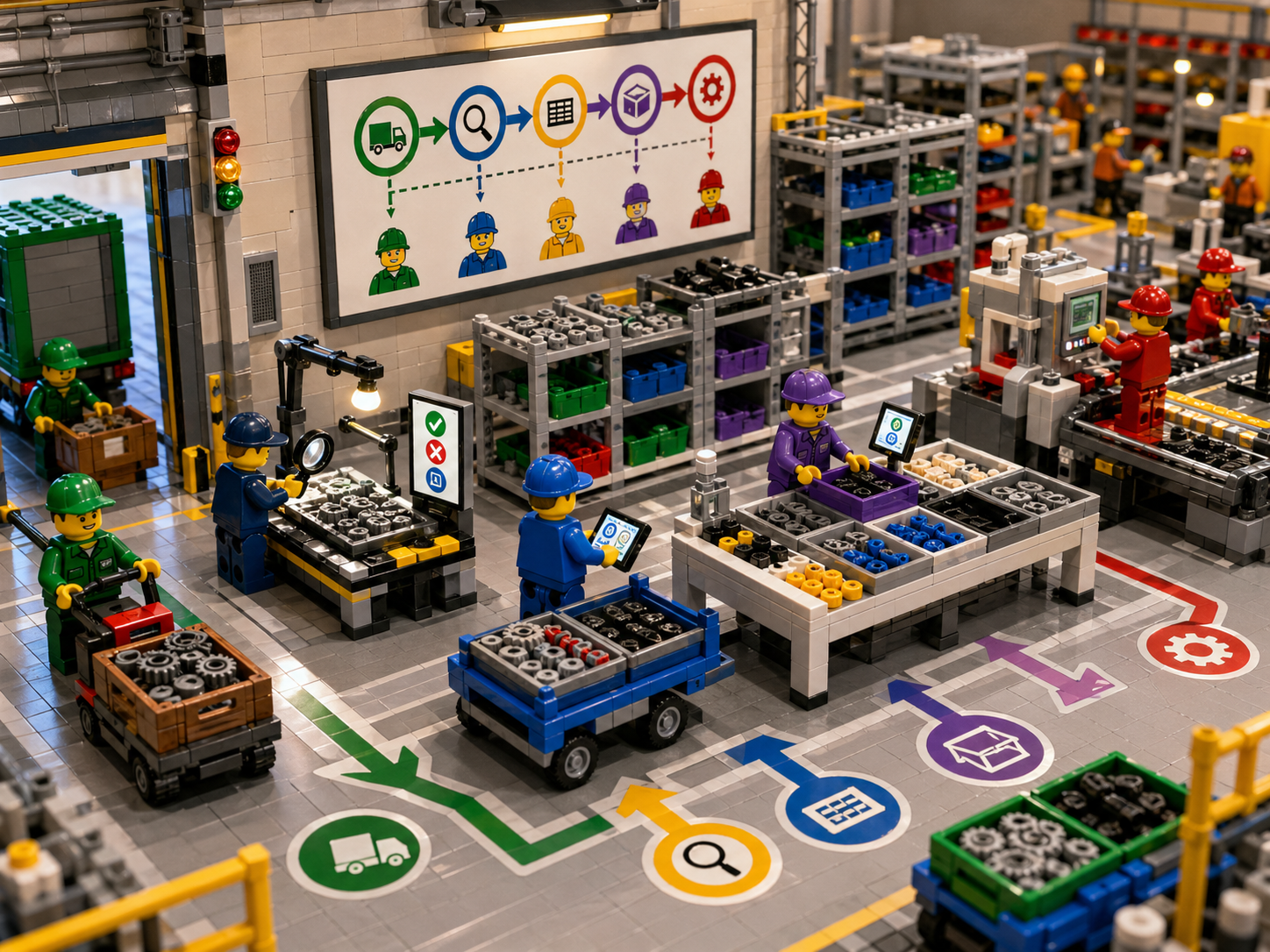
In real plants, teams sometimes need to move or edit hundreds of records at once, especially when importing product masters, reassigning locations, or correcting legacy data.
CyberStockroom’s import and batch processing tools matter here because they allow bulk changes through spreadsheets. That keeps the visibility project moving without forcing people into painful, repetitive entry work.
The twelfth best practice is to train people in the reason for the system, not only in the clicks. Employee education, digital literacy, and continuous improvement.
The point is not to turn staff into software operators. It is to help them see why accurate stock data protects production, cash, service, and credibility.
When teams understand that a missed transaction can create a false shortage, a duplicate purchase, or a line-side scramble for parts, compliance stops feeling bureaucratic and starts feeling useful.
The goal is one trusted operating model
Put all of that together and the screen becomes something more than a digital map.
It becomes a shared operating model.
Departments stop managing “their” stock in isolation and start managing one visible inventory across the plant.
That is the real goal of multi-department parts visibility in manufacturing inventory.
Not more screens, but one screen people can trust because the process behind it is sound.








Leave a Reply