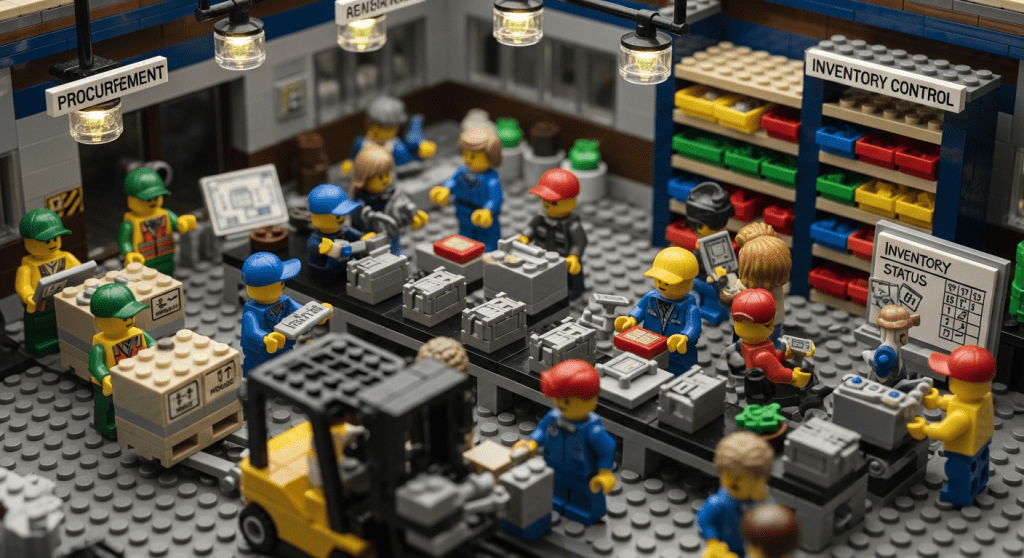
Modular construction and prefabrication are revolutionizing the building industry with faster timelines and streamlined processes. Prefabricated projects can be completed 30–50% faster than traditional builds, thanks to off-site manufacturing of components and rapid on-site assembly. However, this speed and efficiency come with a critical caveat: managing the inventory of modules, materials, and parts effectively. In modular construction projects, success hinges on having the right components in the right place at the right time. A single missing panel or connector can halt an assembly line, eroding the time savings modular methods promise. As the global modular construction market booms (projected to reach well over $100 billion in the near future), construction teams are paying closer attention to inventory management as a strategic priority. By optimizing inventory processes in tandem with modular building techniques, companies can avoid delays, reduce waste, and fully capitalize on the benefits of prefabrication.
But what does inventory management look like in a modular context? Imagine a factory churning out dozens of prefabricated modules—each packed with plumbing fixtures, wiring, and finishes—destined for a construction site. Meanwhile, at the job site, foundations or structural frames are being prepared to receive those modules. Between the factory and the site, there may be storage yards, warehouses, and transport trucks acting as waystations for these critical building blocks. Coordinating this complex supply chain requires careful planning, real-time tracking, and robust systems.
Why Inventory Management Is Critical in Modular Construction
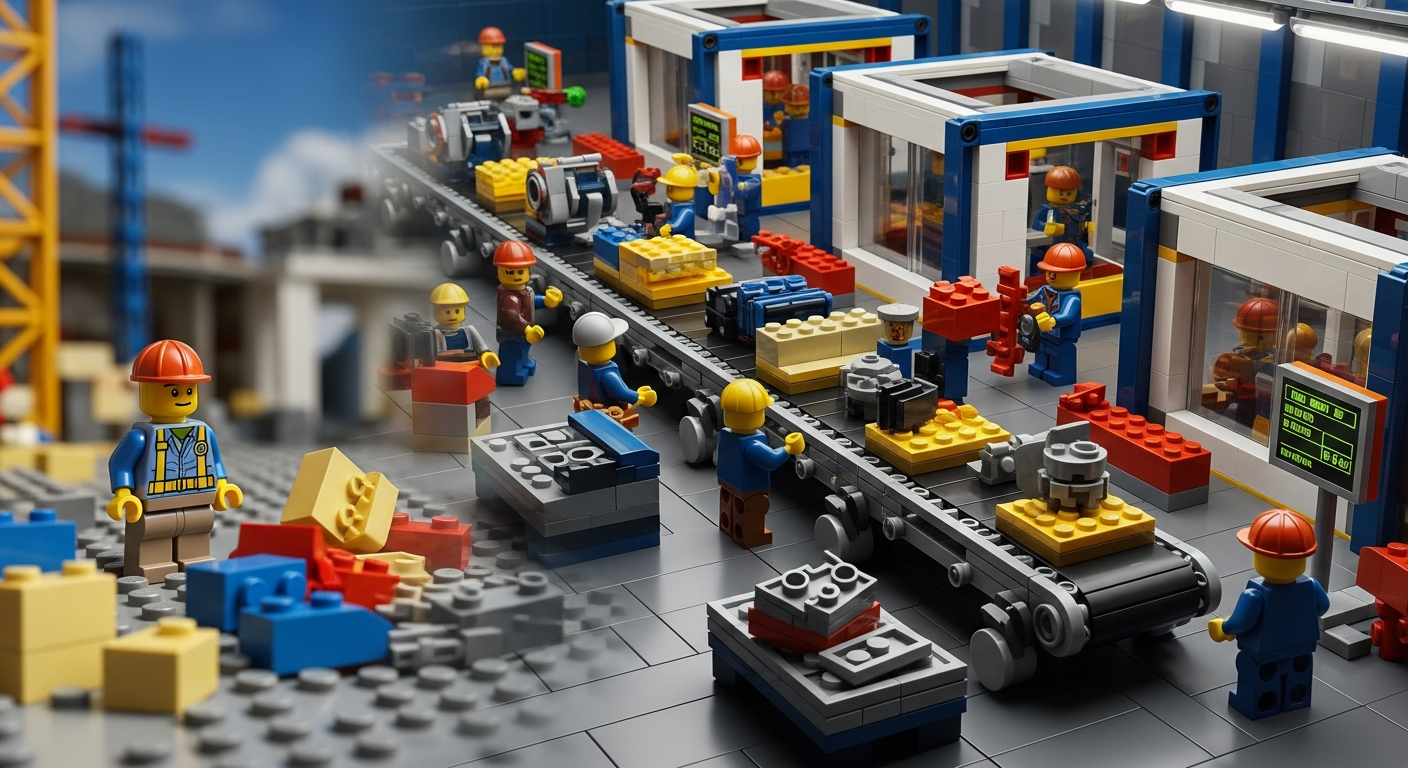
In traditional construction, inventory management often takes a backseat – materials are delivered to site as needed, and any extra can sit until used. Modular construction flips that script. Prefabrication involves assembling large portions of a building (or entire modules) off-site in a factory-like setting. This approach introduces tremendous efficiencies, but it also creates new inventory challenges that can impact the success of a project:
- High Volume of Components: Prefab projects require managing thousands (sometimes millions) of parts, from nuts and bolts to fully-finished modules. For example, a modular housing project might receive entire shipping containers filled with pre-built components. Keeping track of every piece – so that nothing is lost or forgotten – is a monumental task. Effective inventory management ensures that every component, down to the last bracket or light fixture, is accounted for. With so many items in play, inventory is everything in prefab; a small missing part can cause big delays.
- Multi-Location Coordination: Unlike a single jobsite in traditional builds, modular construction inventory is spread across multiple locations. There’s the factory (where modules are produced and stored), possibly one or more warehouses or laydown yards (for staging finished modules or extra materials), the transportation in between, and the final project site. This multi-location supply chain means inventory must be tracked as it moves through production, transit, and assembly. If a communication breakdown occurs – say the site team isn’t aware that a truckload of components is delayed – work can grind to a halt. Thus, real-time visibility and coordination between locations are essential.
- Just-in-Time Delivery Pressure: One of the selling points of modular construction is speed, which often relies on just-in-time (JIT) delivery of modules to the site. The ideal scenario is that as soon as the site is ready for a module, that module arrives and gets installed immediately. This minimizes on-site storage needs and keeps the project timeline tight. However, JIT means little room for error – if a delivery arrives too early with nowhere to go, or too late after crews are idle, the efficiency gains evaporate. Good inventory management supports JIT by finely scheduling deliveries and having contingency plans for storage or re-routing if schedules shift.
- Space and Storage Constraints: Construction sites usually have limited space, and cluttering them with stored modules or materials can create safety hazards and workflow issues. Large prefab modules can’t just be piled up on a small urban lot awaiting installation. This brings in the need for off-site storage yards or warehouses to temporarily hold modules until the exact moment of install. Coordinating these storage solutions is an inventory management function: knowing how many modules can be stored, under what conditions, and for how long. Without a plan, modules might end up stuck on trucks or left in unprotected areas. For instance, many modular builders establish a nearby staging yard where incoming modules are checked, stored securely, and then dispatched to site in the proper sequence.
- Protecting Valuable Components: Prefabricated units and materials need protection from theft, damage, and weather. On a traditional site, materials like lumber can be covered with tarps and left; in modular projects, you might have entire kitchens or bathrooms prebuilt inside modules that are very costly. Inventory management in modular construction includes securing and safeguarding these assets. That could mean using fenced storage with security cameras, weatherproof wrapping for modules, and detailed tracking of who is responsible for each component at any given time. When modules are stored off-site, robust procedures are needed to prevent unauthorized access or mishandling – a damaged module not only costs money but can set the schedule back weeks.
- Complex Assembly Sequences: Modular buildings are assembled like giant Lego blocks, and there is often a strict order in which modules must be put in place. This sequence dictates the order in which inventory (modules and connecting materials) is needed. If module #5 is needed right after module #4, but module #5 got buried behind others in the storage yard or delayed in transit, the assembly crew hits a standby. Thus, inventory management must align closely with the construction schedule. It’s not just about having all the parts, but having them in the correct order and accessible at the moment of use. This requires careful planning and often the ability to rearrange delivery sequences on the fly if something changes.
- Supplier and Logistics Dependencies: In many prefab projects, modules or components might be coming from various suppliers – sometimes internationally. This adds layers of complexity to inventory control. A project might source modular units from an out-of-state factory, custom glazing from another country, and specialty connectors from a local shop. Each of these supply lines has its own lead times and risks. Inventory management in this context means keeping close tabs on lead times, tracking shipments, and having backup plans for delays. Strong communication with suppliers is necessary to know when each piece will leave the factory, arrive at the port, clear customs (if international), and reach the site or storage yard. Essentially, inventory management overlaps with supply chain management for modular projects.
Modular construction amplifies the importance of inventory control. With so much being built off-site, the flow of materials and modules becomes the lifeblood of the project. A well-managed inventory means the prefabrication process can truly shine – delivering quality modules in a smooth pipeline that keeps on-site crews productive. Poor inventory management, on the other hand, can negate modular construction’s advantages, leading to idle crews, storage nightmares, and budget overruns.
The stakes are high, but the good news is that with the right strategies and tools, these challenges can be met head-on. Next, let’s look at some best practices and actionable steps for effective inventory management in prefab and modular projects.
Key Challenges (and Solutions) in Modular Inventory Management
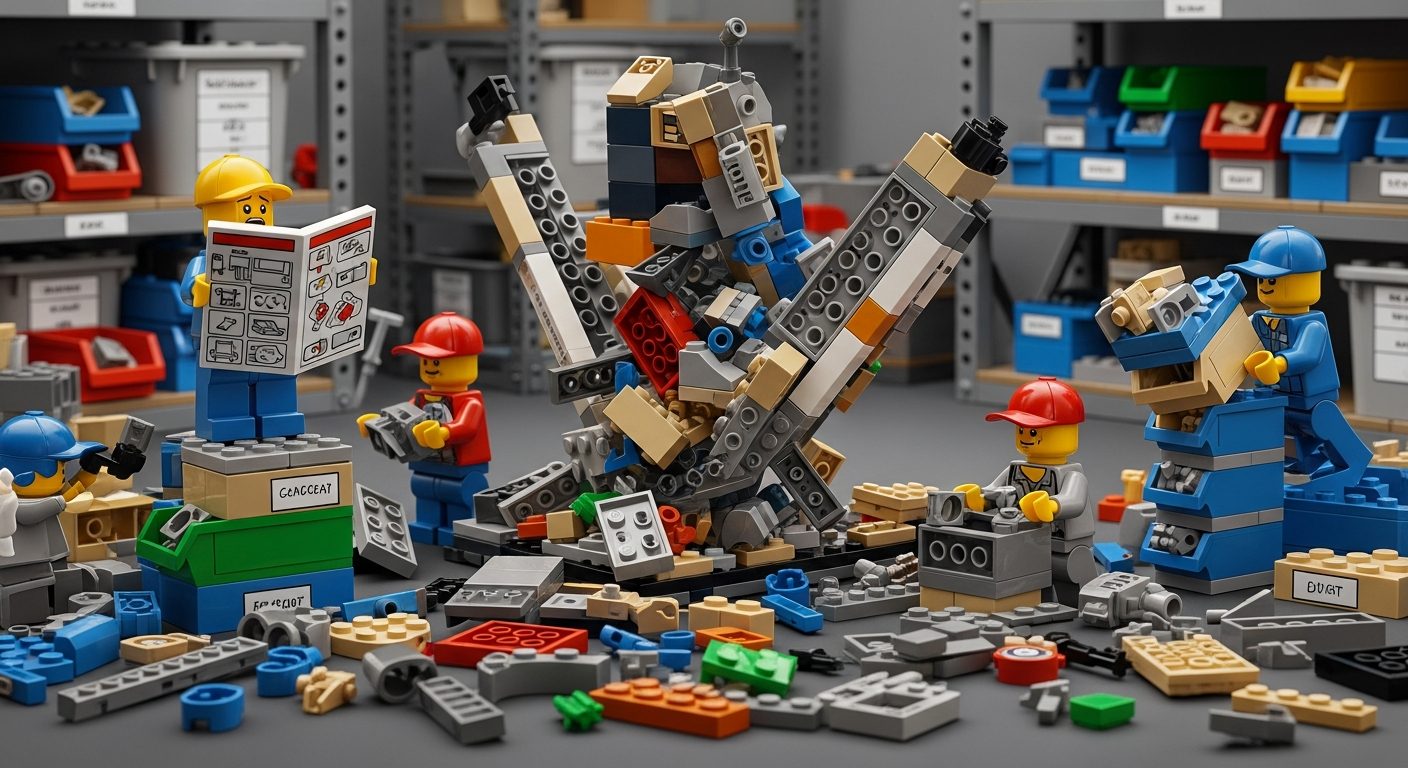
To build a solid strategy, it helps to break down the key challenges of modular inventory management and consider how to tackle each one. Below, we outline major pain points and pair them with practical solutions:
Challenge 1: Tracking Thousands of Parts and Modules
Solution: Implement a centralized inventory tracking system that can handle detailed item records. Each module or part should have a unique ID (barcode, QR code, or serial number) and be logged in a database. Use digital tools (inventory management software) instead of manual spreadsheets, as they can update counts in real time and handle large volumes of data.
For example, tagging every prefabricated component with a barcode allows you to scan items as they leave the factory, arrive at storage, or are installed on-site. This creates a digital paper trail. Also consider assigning a dedicated inventory coordinator for the project, someone whose job is to maintain the parts catalog and ensure counts match reality. Some projects even dedicate full-time staff to just track and find missing pieces – a testament to how crucial this is. By staying organized at the item level, you prevent the chaos of misplaced or forgotten components.
Challenge 2: Synchronizing Multiple Locations
Solution: Strive for real-time inventory visibility across all locations. Cloud-based inventory software can allow both factory managers and field crews to view the same inventory dashboard simultaneously. This means when a module is finished at the factory and marked “ready to ship,” the site team sees that update immediately. Similarly, if a shipment is delayed, an alert in the system can notify all stakeholders.
Regular coordination meetings (or quick update calls) between the factory, logistics team, and site crew can also keep everyone aligned. Some companies create a “control tower” role or team that oversees the entire logistics chain, adjusting schedules as needed. Essentially, treat the distributed locations as one connected system rather than separate silos. Modern inventory systems with multi-location support are ideal – they let you transfer items virtually, generate pick lists for shipments, and track in-transit inventory so nothing gets lost between points A and B.
Challenge 3: Limited On-Site Storage Space
Solution: Plan out a staging strategy from the start. If the construction site can only hold, say, four modules at a time, identify an off-site storage yard or warehouse early on for overflow. Work with a logistics partner if necessary to secure a convenient location near the site. Use that off-site yard as a buffer: as modules are completed, send them to storage, and then feed them to the site in the order needed. It’s crucial to map out where each module will sit in the interim (racks, lots, etc.) and how they’ll be protected (coverings, supports to prevent warping, etc.).
An inventory map can help allocate each module to a specific spot in storage so it’s easy to retrieve. Also, schedule deliveries in phases instead of all at once. Phased delivery, supported by a storage yard, means you can deliver modules to site just-in-time for each phase, reducing congestion. Always have a contingency: if the site gets delayed (due to weather or permit issues), the plan should allow modules to remain in off-site storage longer or be rerouted to a different project if absolutely necessary. In essence, optimize storage by design, not as an afterthought.
Challenge 4: Preventing Damage and Loss
Solution: Treat prefab modules and materials as the high-value inventory they are, with a comprehensive protection plan. This includes security measures and handling protocols. For security against theft or vandalism, use fenced yards, security cameras, and inventory check-in/check-out procedures (so you know who accessed what and when).
For example, require that any module leaving the storage yard is scanned out by an authorized person, and when it arrives on site, scanned in by the site manager. This chain of custody discourages unauthorized removal and immediately flags if something is missing. To prevent damage, invest in proper coverings for modules – shrink-wrap, tarps, or even temporary enclosures – especially if weather exposure is a risk. Ensure that items like glass panels or pre-installed fixtures are well-padded during transport.
If modules are stacked or stored, follow the manufacturer’s guidelines for support and weight distribution to avoid structural stress. Regularly inspect stored inventory for any issues (water leaks, etc.) and perform maintenance if needed (for instance, running a generator in a prefab electrical room periodically if it’s stored for long). By building security and quality control into inventory management, you maintain the integrity of your prefab components from factory to final placement.
Challenge 5: Complex Scheduling and Sequencing
Solution: Integrate your inventory planning with the project schedule. This means the project’s build sequence should directly inform the inventory deployment plan. Work closely with project managers and schedulers to determine when each module or kit of parts is needed on site. Then, ensure those items are earmarked and ready to go by that date.
Inventory management software can assist by linking items to project phases – for example, tagging modules “Phase 1 – Podium Level” or “Phase 2 – Apartment Units Floor 2” so you can filter and see what’s needed for the upcoming week. Consider using a kanban or pull system in the factory and storage yard: the site “pulls” modules as it needs them, and the factory gets signals of when to produce or prep the next batch. If a schedule delay happens, immediately adjust the inventory plan – perhaps pausing shipments or rearranging the sequence of which modules are delivered first.
Flexibility is key; a good inventory manager will have a pulse on the construction progress and be ready to shuffle resources. Think of it as choreographing a dance: each inventory element must arrive on cue.
Challenge 6: Communication Gaps and Human Error
Solution: Establish clear communication protocols and standardized processes for inventory management from day one. Everyone involved – from the warehouse forklift operator to the site supervisor – should know how inventory is being tracked and moved. Standardize how items are labeled and referred to (a common naming convention avoids confusion; e.g., if you label modules as “Unit A, Unit B,” ensure everyone uses those labels rather than nicknames). Create simple forms or digital logs for things like reporting a missing or damaged part.
As seen in one real-world project, having a system (even as simple as a shared app) to log missing parts with details can save hours of chaos – the team logged part numbers, descriptions, and who is responsible to replace it, all in one place, instead of juggling emails and spreadsheets. Regular inventory meetings or huddles can catch issues early: maybe the site team notices they’re short on a specific connector; if communicated promptly, the factory can send spares before it becomes an emergency.
Training is also crucial: train the crew on how to use scanning devices or the inventory app, and stress the importance of timely updates. Encourage a culture where if someone removes or uses inventory, they immediately update the system (scan the barcode or check it out in the app). By making inventory communication part of the daily routine, you minimize errors and surprises.
By addressing these challenges head-on with structured solutions, a modular construction project can maintain a smooth flow of materials and modules. The payoff is huge: projects stay on schedule, crews remain productive (not standing around waiting for a part), and costs are kept in check due to fewer last-minute fixes or idle time.
CyberStockroom for Modular Construction Inventory
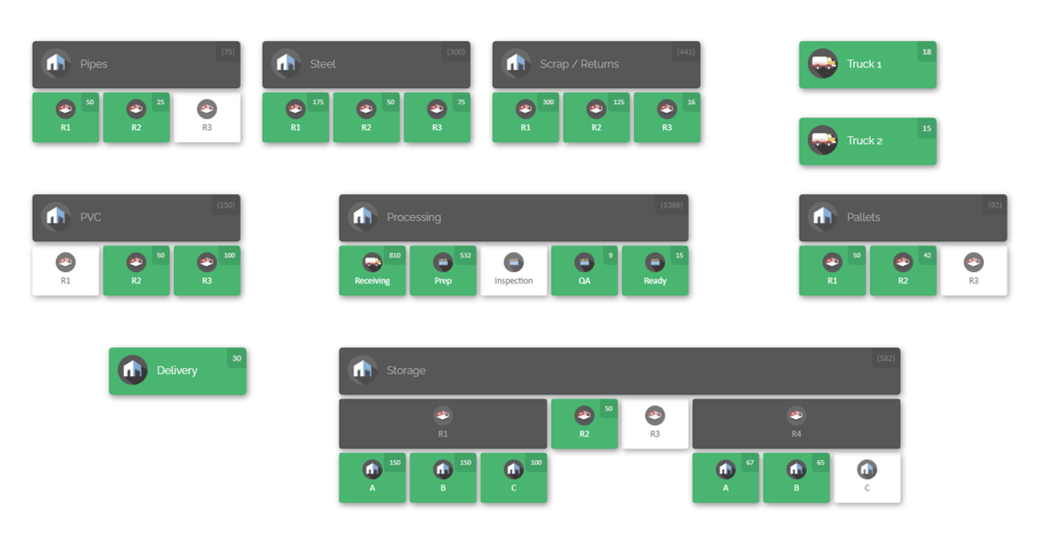
Modern problems demand modern solutions. CyberStockroom is an example of a next-generation inventory management platform that aligns perfectly with the needs of modular construction and prefabrication projects. Unlike traditional inventory software that might show you rows in a spreadsheet, CyberStockroom uses a visual “inventory map” interface to make tracking intuitive and comprehensive. Let’s explore how CyberStockroom can enhance inventory management for a modular project:
Visual Inventory Mapping
CyberStockroom’s signature feature is its ability to create a custom map of your operation. For a modular construction company, this means you can set up a map with all relevant locations – your prefab factory, each storage warehouse or laydown yard, various job sites, and even vehicles like trucks or trailers that carry inventory. The map is essentially a drag-and-drop blueprint of your inventory universe.
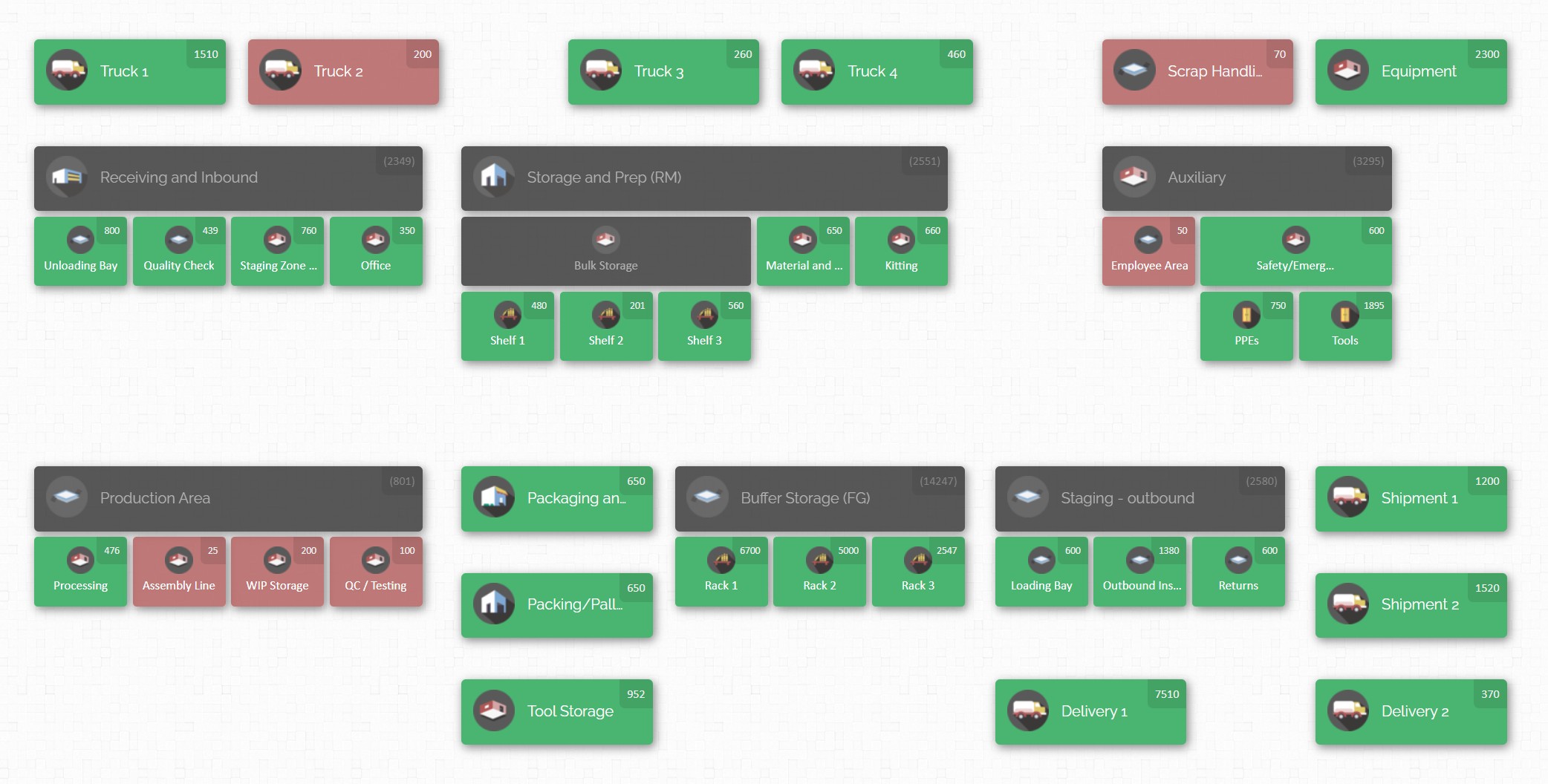
For example, you might have a section of the map representing “Factory Floor A” where module assembly happens, another icon for “Warehouse 12 (Storage Yard)”, and another for “Project Site – Building A”. Within each location, the software displays the inventory present there (with item names, quantities, maybe even thumbnails of the product). Seeing your inventory laid out like this provides instant clarity. If someone asks, “Where are the HVAC units for Building A?”, a quick glance at the map might show they are currently in Warehouse 12, or “in transit” on Truck 7. This beats sifting through multiple spreadsheets or calling different team members for updates.
Real-Time Updates and Multi-User Access
CyberStockroom is cloud-based and accessible from any device. As a result, everyone works off the same real-time information. When a crew member in the field moves an item – say they unload four modular bathroom pods from a truck into the site’s staging area – they can update that in CyberStockroom immediately. This could be as simple as scanning a barcode on each pod and “dragging” their icons on the map from the truck to the staging area location. The system updates the counts: the truck now shows zero pods, the staging area shows four pods. All users see this change live.
This real-time synchronization eliminates miscommunication. The factory team knows those pods arrived safely, the project manager sees that installation can proceed, and nothing falls through the cracks. Multi-user support means you can have your inventory manager, site supervisor, foremen, and even subcontractors (with permissions) all collaborating on inventory tracking without stepping on each other’s toes.
Drag-and-Drop Transfers and Assignments
One of the pain points in inventory is recording transfers between locations – CyberStockroom makes this almost effortless. Using the visual map, transferring inventory is often as easy as dragging an item from one location node to another. In a modular project scenario, imagine you have a set of electrical panel kits stored in Warehouse 12, and you want to send them to the Site. You’d simply drag those kits from the warehouse icon to the site icon on the map. The software will prompt you to confirm quantity and perhaps log details (who is transferring, any reference notes). Once confirmed, the inventory counts adjust accordingly.
This drag-and-drop interface is not just user-friendly, it also mirrors the physical movement of goods in a way that’s easy for anyone to understand. Additionally, CyberStockroom allows “assigning” items to people or teams. For instance, you could assign a set of tools or modules to a specific crew or contractor. In the context of modular construction, you might assign each prefab module to a building level or installation team, so it’s clear who is responsible for it once it’s delivered. This feature helps manage mobile crews and keeps accountability – everyone knows which team has which inventory items at any time.

Barcode Scanning and Quick Search
CyberStockroom includes barcoding support, which is crucial when dealing with a large number of parts. You can generate and print barcodes for your inventory items if they don’t already have them. In a prefab project, each component crate or each modular unit can have a barcode label. Scanning reduces data entry errors and speeds up the logging process dramatically. The platform also has a search function, so if you need to find “Panel #AXD-42”, you can search and immediately see where that item is and how many are left. This is incredibly helpful if someone is looking for a spare part – they can quickly determine if it’s in inventory and where.
Custom Fields and Photos
Modular projects often have very project-specific inventory details – perhaps internal part numbers, supplier info, or status notes like “Inspected/Passed QC” or “Needs Repair”. CyberStockroom lets you add custom fields to inventory entries to capture this kind of information. You might track the manufacturer’s serial numbers of each module, the production batch, or a quality inspection status. Having these details attached to each item in the system means you don’t have to cross-reference separate documents – all the info is in one place.
Furthermore, CyberStockroom supports attaching product images. This can be useful if you want to visually catalog your components. For example, a field technician using the system could see a thumbnail photo of the “steel bracket type B” to ensure they are referencing the correct part. In modular projects where there may be many similar-looking parts, images reduce confusion.
Inventory Visibility and Audit Trails
One of the biggest advantages CyberStockroom offers is inventory visibility at all levels and a complete audit log. Visibility means at any given moment, you can zoom out and see the big picture, or zoom in to a specific location or product. Need to know how many prefab kitchen units are still at the factory? It’s one click away. This holistic visibility helps project managers make decisions (e.g., if production is outpacing installation, maybe pause production to avoid overstock; or if site installation is faster, accelerate deliveries).
As for audit trails, every transaction (move, add, remove, count adjustment) in CyberStockroom can be logged with time stamps and user info. This feature is gold for accountability and theft prevention. If an expensive tool or component goes missing, you can check the history to see who last handled it and where it was moved. In a construction environment, this deters casual theft and mistakes – people know that the system is tracking changes, so they are more likely to follow proper procedure. It also means easier reconciliation: if the physical count at site doesn’t match the system, you can trace back and identify where the discrepancy might have arisen (e.g., maybe something wasn’t scanned during a hectic delivery).
Use Case – Modular Construction Scenario
To illustrate, imagine a construction company building a modular apartment complex. Using CyberStockroom, they set up a map that includes: “Module Factory”, “Storage Yard North”, and “Jobsite – Apartment Complex” with sub-locations for each building and floor. As modules are built at the factory, each is labeled and added to the system (e.g., Module A1 – Building A, 1st Floor). The factory manager drags Module A1 into the “Storage Yard” when it’s shipped out. The logistics team at the yard receives it and scans it into the yard’s inventory. When the jobsite is ready for Module A1, the site manager transfers it on the map from “Storage Yard” to “Jobsite Building A > 1st Floor” location as it’s delivered and installed. Throughout this process, any authorized person can open the map and instantly know which modules are completed, where they are currently, and which are installed. If a module is missing, the team can quickly see if it’s still at the yard or factory, rather than panic. This greatly simplifies coordination and builds trust that nothing will slip through unnoticed.

CyberStockroom brings a powerful, user-friendly toolkit for managing inventory in modular construction. It embodies many of the principles we outlined in the best practices: centralized data, real-time updates, easy communication (since everyone can literally see the same map), and accountability. By using a platform like this, modular builders can reduce manual effort and focus more on building and less on hunting for parts. It’s an excellent example of how embracing technology can directly solve on-the-ground construction problems.
Of course, tools alone aren’t a silver bullet – they need to be part of a broader process. So next, let’s discuss how to put all these pieces together in a coherent plan. How do you actually implement an effective inventory management approach in a modular project from start to finish? The following section provides a step-by-step guide.
How to Implement Effective Inventory Management in Prefab Projects
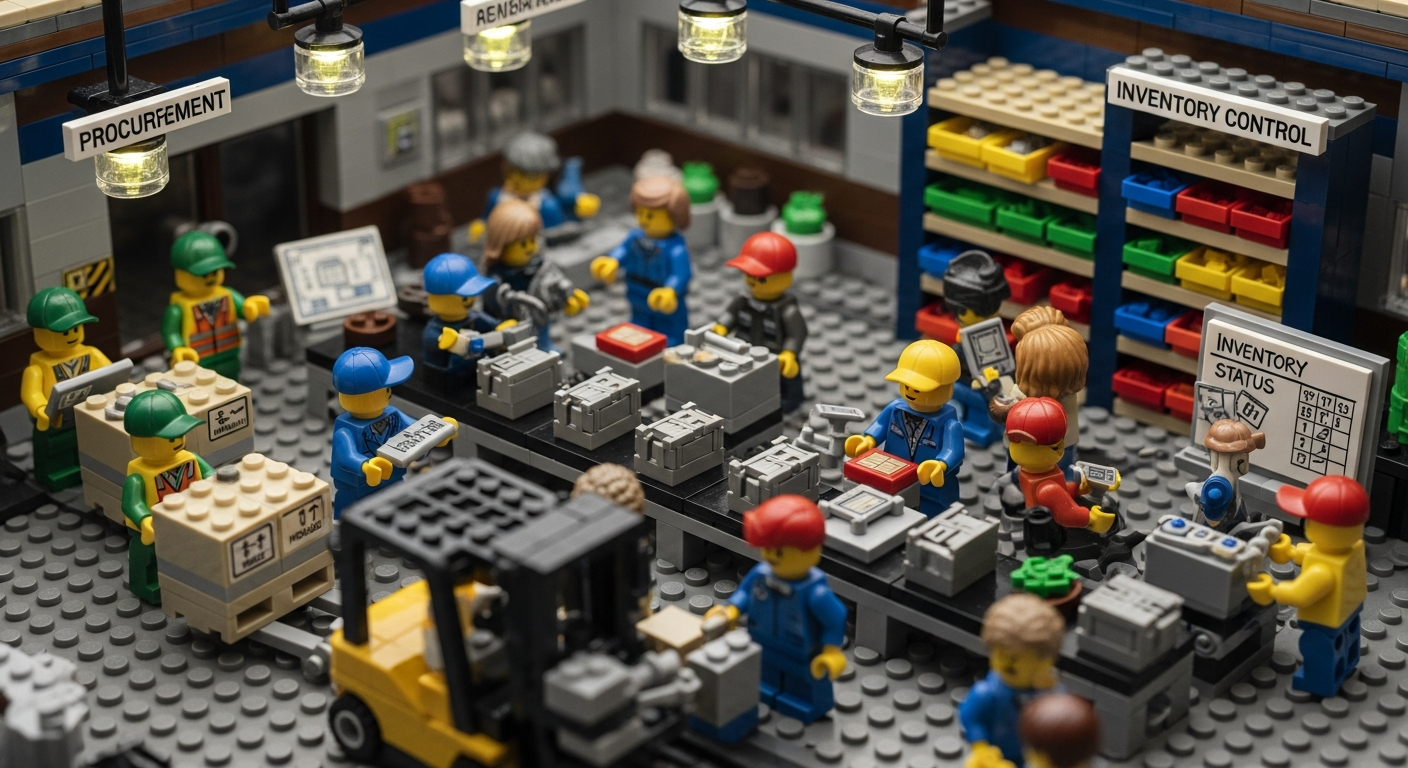
Bringing strong inventory control to a modular construction or prefabrication project requires a combination of planning, process, and technology. Here’s a step-by-step guide on how to implement effective inventory management from project inception to completion:
- Plan Inventory Needs Early in the Project: Start during the design and planning phase by reviewing the Bill of Materials (BOM) for the project. Work with design engineers and procurement to understand exactly what parts, modules, and materials will be required, and in what sequence. Identify long lead-time items (e.g., specialized prefabricated staircases or mechanical units) and plan their ordering and production schedule. At this stage, also determine storage and handling needs: Will you need an off-site yard? How many modules can the site accommodate at once? Early planning helps avoid last-minute scrambles.
- Set Up a Centralized Inventory System: Before fabrication begins, decide on the system you’ll use to track everything. As discussed, a dedicated inventory management software is highly recommended for modular projects. Set up your system with the project’s locations and initial inventory data. Import or input the initial stock of materials at the factory, and create entries for each module that will be built. If software is not an option, at the very least set up a master inventory spreadsheet that everyone agrees to use (though it will be harder to keep updated). The key is to have one source of truth for inventory.
- Standardize Labeling and Documentation: Develop a clear method to label every item and module. This could mean assigning an ID code for each module (e.g., Module A1, A2… for Building A) and each type of material. Label physical items with tags or barcodes that match the IDs in your system. Also, document the workflow: create a simple inventory management plan document that outlines how items will be tracked, who is responsible for updates at each stage (factory, transport, site), and how often reconciliations will happen. Ensure all team members receive training on these standards so everyone speaks the same “inventory language”.
- Coordinate Procurement and Production with Inventory Control: As modules and parts are being fabricated, integrate the inventory management process into daily operations. For example, when the factory starts building Module A1, they should update its status in the system to “In Production”. When it’s finished, mark it “Completed – In Factory Inventory”. Similarly, coordinate with procurement for raw materials – when a shipment of steel or lumber arrives at the factory for module production, log it into the inventory system immediately. Maintaining real-time data from the very start prevents a backlog of “to be logged” items later. It also allows you to track production progress via inventory status (e.g., 10 modules in progress, 5 completed, 5 yet to start).
- Establish a Communication Rhythm: Set up regular meetings or check-ins focusing on inventory and logistics. For example, a weekly coordination call might include the factory manager, the project manager, the site superintendent, and the logistics coordinator. In these meetings, review what modules or components have been completed, what’s in transit, and what’s needed next at site. Use the inventory system’s reports or map during the call to visually go over status. Address any issues, like “Module X is delayed” or “We’re missing 20 plumbing fixtures – can we source them quickly?”. This proactive communication loop ensures everyone is aware of inventory-related matters and there are no surprises.
- Optimize Storage and Handling Processes: When the first set of modules or materials is ready to leave the factory, have your storage and handling logistics ready. If using an off-site storage yard, ensure it’s set up and staff there know how to receive and log items. Implement a standard receiving process: count items, inspect for damage, update the inventory system, and physically secure them in a designated spot. Use techniques like zone storage (group items by building or type) and clearly label sections in the yard or warehouse. This will pay off later when you are quickly retrieving items for delivery. Additionally, have proper equipment available – forklifts, cranes, etc., for moving modules – and train operators in careful handling to avoid damage. Essentially, treat your storage yard as an extension of the factory with the same discipline in inventory control.
- Align Delivery Schedules with Site Progress: Work closely with the construction site management to align inventory deliveries with installation schedules. This might involve creating a delivery calendar that slots which modules or kit-of-parts will arrive each day or week. Factor in some buffer for possible transport delays. Communicate this schedule to transport teams and confirm each shipment a day prior. When scheduling, remember to consider site conditions – for instance, avoid delivering too many items on days when the site has limited crew or if a critical lift (like crane placement of modules) is happening, to prevent congestion. Stay flexible: if the site gets ahead or behind, be ready to adjust deliveries. Use your inventory system to prioritize items for dispatch – many tools allow setting priority or due dates on inventory needed at site.
- Perform Regular Inventory Audits and Cycle Counts: Throughout the project, conduct regular cycle counts at each location to ensure the physical inventory matches the records. For instance, every week you might have the yard supervisor count how many modules or components are in storage and cross-check with the system. Similarly, the site team can do a quick inventory of materials on-site at the end of each major phase. Regular cycle counting helps catch discrepancies early (perhaps a data entry was missed during a hectic day). If any mismatches are found, investigate immediately – better to find a missing part when you still have time to reorder or locate it, rather than at the moment it’s needed for installation. Logging these audits in the system (or in a log sheet) also provides accountability.
- Implement Security and Contingency Measures: Inventory management isn’t just about counts; it’s also about safeguarding against risks. Ensure your storage locations are secure after hours – locks, surveillance, lighting, and even security patrols if needed for high-value items. On the contingency side, have backup plans for likely scenarios. What if a shipment gets lost or delayed? Identify alternate suppliers or have a small buffer stock of critical items (for example, keep extra fasteners or connection plates on hand beyond what’s exactly needed, in case some are lost or damaged). What if a module is accidentally damaged during installation? Perhaps plan for a “spare” or the ability to temporarily patch and continue. Document these contingency plans so the team knows how to react quickly rather than panicking. Part of contingency is also insurance – make sure valuable modules and materials are insured during transit and storage to mitigate financial loss if something catastrophic happens.
- Use KPIs and Continuous Improvement: As the project progresses, monitor key performance indicators related to inventory. These might include metrics like inventory accuracy percentage (how often your records match actual), average time an item stays in storage (to see if JIT is working), and any idle time due to inventory issues (e.g., hours of crew downtime waiting for parts). Tracking such data helps identify bottlenecks. Maybe you discover that modules are sitting too long in the yard, indicating the factory is outpacing site assembly – you could then adjust production rate or storage capacity. Or if there were several instances of missing tools on site, maybe increase security or improve the check-out process. After the project, do a debrief on inventory management: what went well and what could be improved next time. Prefab construction is still evolving, and each project is a learning opportunity to refine the art of inventory control.
- Train and Foster Accountability in the Team: Human factors are often the difference between a plan that works on paper and one that succeeds in practice. Invest time in training your team on the inventory system and processes. Make it part of onboarding for new crew members to learn how to, say, update the inventory map or properly fill out a materials requisition. Also, foster a culture of accountability and pride in inventory management. Recognize team members who consistently keep good records or who catch a potential inventory issue early. Make it clear that tracking inventory is not just “extra paperwork” but an integral part of the project’s success and everyone’s job. When people on the ground understand the why – that keeping an accurate count prevents delays that could otherwise have them working overtime or facing stress – they are more likely to buy into the process.
By following these steps, a modular construction project can significantly mitigate inventory-related risks and inefficiencies. Essentially, you are creating a well-oiled pipeline from production to installation, with clarity at every stage about where things stand. Yes, it requires effort and discipline, but the payoff is a project that runs on schedule, within budget, and with far fewer headaches.
Turning Inventory Management into a Modular Advantage

In the world of modular construction and prefabrication, inventory management is the hidden hero. It doesn’t always get the spotlight like an innovative building design or a state-of-the-art factory, but it’s the underpinning that allows those innovations to deliver results. A modular project can only achieve its promised speed and efficiency if the right modules and materials arrive exactly when needed, in perfect condition, and in the correct order. By applying the principles and practices we’ve discussed – from meticulous planning and real-time tracking to using advanced tools like CyberStockroom’s inventory map – construction teams can transform inventory management from a source of risk into a source of strength.
The benefits of mastering inventory management in modular projects are substantial. Projects finish faster without waiting on missing parts. Costs are controlled by avoiding rush orders and idle labor. Quality stays high because components are handled properly and protected. And perhaps most importantly, everyone from the client to the crew can have peace of mind knowing that there is a clear plan for every piece of the build. No more frantic searches for “that one part” or surprise shortages at a critical moment.
As the construction industry moves toward more prefab and off-site methods, those who invest in smart inventory management will have a competitive edge. They’ll be the ones who can take on complex modular projects and deliver reliably. Whether you’re a prefab shop manager looking to optimize your workflow, a construction project manager aiming to streamline site operations, or a contractor eyeing the leap into modular building – remember that controlling your inventory is key to controlling your outcome.
In closing, inventory management in modular construction is all about visibility, coordination, and proactivity. It’s about seeing the whole chessboard of parts and modules and planning moves ahead of time. By leveraging modern techniques and tools (and avoiding pitfalls like over-reliance on ad-hoc spreadsheet updates or manual counts), you can keep your modular projects running like clockwork. The result: happier teams, satisfied clients, and successful builds that fully realize the promise of modular construction.
Empower your modular construction with strong inventory management, and you’ll find that even the most complex prefabricated puzzle comes together smoothly, piece by piece, exactly as planned. Here’s to building smarter, faster, and with complete control over your construction inventory – from the first bolt in the factory to the final module set in place!








Leave a Reply