
Scaling up production is an exciting milestone for any manufacturing business. It means customer demand is growing and it’s time to make more products than ever before. But with this opportunity comes new challenges—especially when it comes to inventory management. If your production is about to ramp up significantly, ask yourself: Is your current inventory system ready to handle the increase?
When manufacturers double or triple their output, the volume of raw materials, work-in-progress items, and finished goods all surge. Handling this surge in inventory using the same old methods can quickly lead to chaos. Think about it: More production means more components to buy, more products to store, and more shipments to send out. Without proper adjustments, a fast-growing operation might encounter chronic stockouts, piles of excess stock, or simply lose track of where things are. The last thing you want when fulfilling booming orders is to halt a production line because a critical part ran out, or to discover you have thousands of dollars tied up in unused stock.
Scaling up production and inventory management must go hand in hand. Just as you invest in additional machinery or workforce to increase output, you also need to “upgrade” how you manage inventory. This ensures that supply meets demand smoothly and efficiently. In this guide, we’ll explore practical steps and strategies on how to adjust your inventory management in line with production growth. From forecasting demand and optimizing stock levels to leveraging technology and reorganizing your warehouse, we’ve got you covered. By the end, you’ll understand how to keep your inventory under control and support your company’s growth without missing a beat.
Why Scaling Up Production Demands Better Inventory Management
Increasing production isn’t as simple as just making more units — it has a ripple effect throughout your operations, especially on inventory. When you scale up production, every aspect of inventory management becomes more complex. You will need to handle larger quantities of raw materials coming in, more work-in-progress items flowing through the factory, and greater numbers of finished goods going out to customers. If your inventory processes remain the same as before, they can quickly become overwhelmed by the sheer volume.

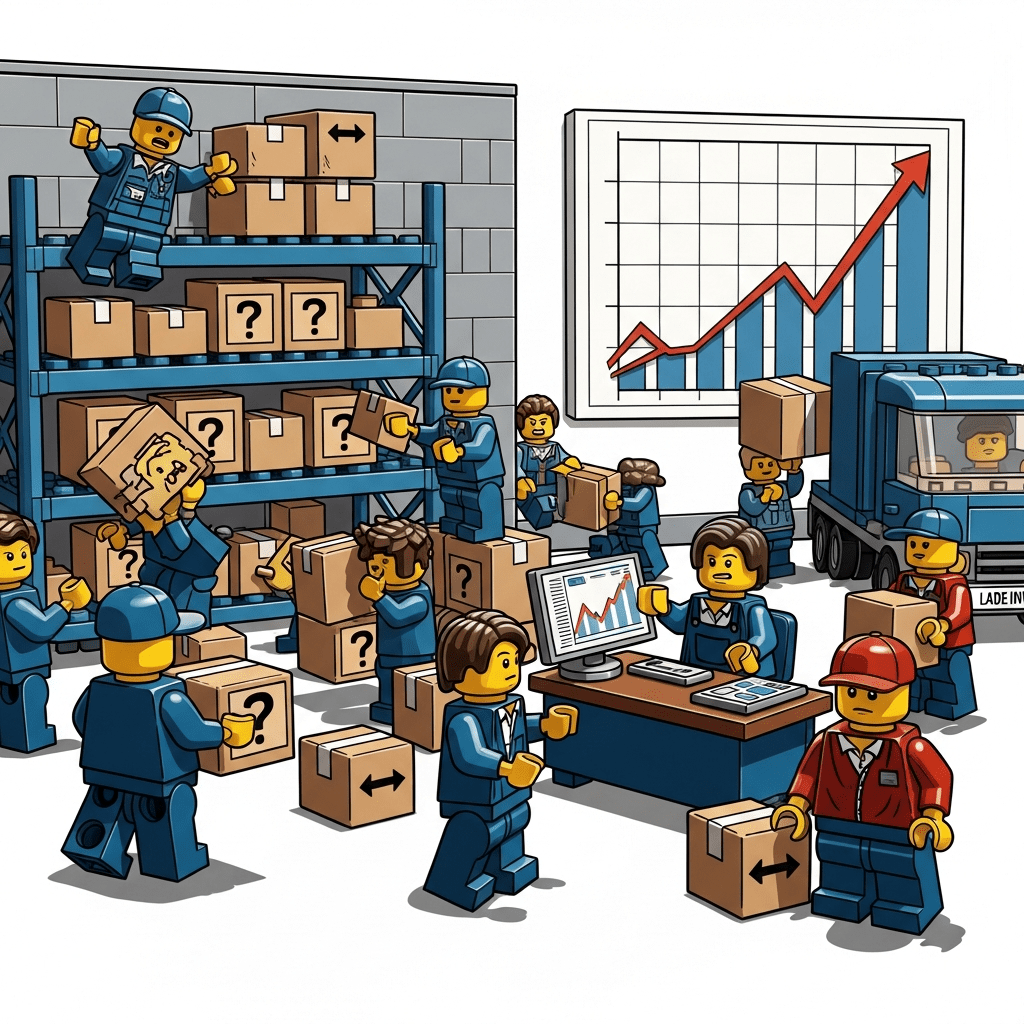
Let’s illustrate the stakes with a scenario. Imagine a small electronics manufacturer that suddenly lands a huge contract, doubling their monthly production. Excited, they focus on buying new machines and hiring more staff to assemble products faster. But they forget to adjust their inventory planning. A few months in, chaos ensues: one week, the production line grinds to a halt because a tiny but critical component (say, a specific microchip) wasn’t reordered in time — it got used up twice as fast as usual. A rush order from the supplier delays production and frustrates the new customer. Meanwhile, in the warehouse, stacks of other materials are piling up unused, because the company overestimated certain needs. They have thousands of dollars tied up in excess stock that is just gathering dust and eating up storage space. This kind of disconnect happens often when production expands without synchronizing inventory management.
The above example shows why scaling production demands a smarter approach to inventory. A surge in output amplifies the risk of both stockouts (running out of needed items) and overstocking (holding too much of the wrong items). It can also strain your current tracking systems. Manual logs or basic spreadsheets that worked for smaller volumes may start to crack under the pressure of more frequent transactions and a larger catalog of parts. Errors that were minor before — like a data entry mistake or a missed update — can turn into major headaches when multiplied across hundreds of parts and orders.
Furthermore, growing production often involves expanding into new sales channels or markets, which adds complexity to inventory management. You might be fulfilling larger wholesale orders, direct-to-consumer shipments, or feeding multiple assembly lines at once. Without real-time visibility and coordination, you could end up overstocked in one area and understocked in another, as there’s more to keep track of.
In short, scaling up manufacturing is a bit like moving from a quiet two-lane road onto a busy highway. Your inventory management needs a more robust vehicle to keep up with the speed and traffic. This means upgrading processes, systems, and strategies to handle increased demand seamlessly. The next sections of this guide will look into how you can do just that — ensuring that as production grows, your inventory is optimized, costs are controlled, and customer orders keep getting filled on time.
Assessing and Planning Inventory Needs for Growth

Start with a plan. Before you ramp up production, take a hard look at your current inventory status and project what it needs to be under the new production level. This means doing an in-depth assessment of your stock levels, usage rates, and supply chain capabilities. Begin by reviewing historical data: How quickly have you been using key raw materials and components at your current production volume? If you’re planning to double output, you may roughly expect to double the consumption of those items (though not always evenly across all parts—focus on the ones directly tied to the scale-up). Identify which materials or parts are critical to production (the ones that would stop everything if they ran out) and ensure you have a solid plan for those.
Next, perform demand forecasting for the products you will be manufacturing. Scaling up production usually happens for a reason—perhaps you have new orders, are entering new markets, or are anticipating a seasonal surge. Work with your sales or planning team to forecast how much of each finished product you expect to sell in the coming months. From this, you can derive how much raw material and component inventory is needed to meet that demand.
Use a combination of past sales data, market trends, and input from stakeholders (like big customer forecasts) to get the most accurate picture possible. The goal is to anticipate demand before it hits, so your inventory is ready and waiting rather than reacting last-minute.

It’s also vital to align inventory planning with production scheduling. For example, if you plan to gradually increase production over a quarter, you should phase in inventory purchases in step with that increase. Map out a timeline: how much additional stock of each item will you need each week or month as output grows? This prevents the pitfall of either over-ordering everything upfront or scrambling to catch up later. As part of this planning, calculate new reorder points and safety stock levels for the higher production rate (more on that in the next section). A good rule of thumb is that any item used in production will likely need a higher minimum stock level now, to buffer against the faster usage and any supply delays.
Involve your procurement and supply chain team in this planning phase early. They can communicate with suppliers about your scaling plans to ensure those suppliers can also scale their deliveries to you. It’s much better to know in advance if a supplier might not be able to deliver the extra 500 kilograms of material per week you’re going to need; that way you can find alternatives or adjust the plan. This proactive assessment and planning stage will highlight any gaps—maybe you discover you’ll need an additional storage area by mid-year, or that you’ll have to source an alternate vendor for a crucial part. By identifying these needs upfront, you can address them before they become crises.
Optimizing Stock Levels and Reorder Points

As you grow, it’s crucial to fine-tune how much inventory you keep on hand. The goal is to have the right amount of each item to support production without tying up excessive capital or running out. Start by revisiting your reorder points – the stock levels at which you trigger a new purchase. With higher production, these thresholds will likely need to be higher. Why? Because you’re consuming materials faster and possibly facing longer lead times if suppliers are stretched. A simple formula-driven approach can help: multiply your average daily usage of an item by its lead time (in days) to get a baseline reorder point, then add some safety buffer. For example, if you were using 100 units a day of a component and it took 10 days for new deliveries, previously you might reorder when you hit around 1,000 units left. But if you’re now using 180 units a day (due to increased production), you’d adjust that reorder trigger to around 1,800 units (plus extra as a cushion).
This brings us to safety stock, the buffer inventory kept to prevent stockouts in case of fluctuations. When scaling up, consider increasing your safety stock for critical items – at least initially until you gain confidence in the new demand patterns.
Larger safety stock can protect you if, say, a supplier shipment is late or if demand suddenly spikes even higher than forecast. However, be cautious: holding too much safety stock across the board can bloat your inventory and increase carrying costs.
Reserve the highest safety margins for items that are either very unpredictable in demand or absolutely vital to keep production running (again, those “A” items that have outsized importance).
One advanced strategy is to calculate your economic order quantity (EOQ) for key materials under the new conditions. EOQ helps find the optimal order size that minimizes the total cost of ordering and holding inventory. Often, as you scale, ordering larger batches less frequently can be more cost-effective (you might get bulk discounts or save on freight), but you have to balance that against the cost of storing extra units. If you haven’t done this before, scaling up is a good time to crunch those numbers or use inventory software to suggest optimal order quantities.
Also, pay attention to your inventory turnover rates – essentially how fast inventory is being used and replaced. With increased production, you might expect turnover to speed up for most items, which is good (stock isn’t sitting idle). But if some materials are still turning slowly or hardly at all, that’s a red flag that you might be overstocking those. It could be that not every part of your product line is scaling equally, or you anticipated demand that hasn’t materialized. Regularly review items that aren’t moving as expected. It may be necessary to adjust their order quantities down or even liquidate excess stock of slow movers to free up space and cash.
Using an ABC analysis can be helpful here. Categorize inventory items into groups: A (high value or critical), B (moderate value), and C (low value or infrequent use). When production scales, your A items (often the costly components or those with long lead times) should get the most attention – monitor their levels closely, perhaps set higher minimums, and review them more frequently. C items, on the other hand, might not need a big increase in stock levels even if production grows, especially if they’re cheap and easily ordered as needed.
Optimizing stock levels is an ongoing exercise. After implementing new reorder points and safety stocks, monitor the results. Are you still experiencing any stockouts? Is inventory piling up anywhere? You may need to tweak the numbers a couple of times to strike the perfect balance. The effort is well worth it – a finely tuned inventory system will support your higher production rate without waste or interruption.
Upgrading Processes and Eliminating Inefficiencies

Scaling up is the perfect time to scrutinize and improve your inventory management processes. What worked for a smaller operation might not be efficient at a larger scale. Start by identifying any manual or outdated workflows that could bog things down. For example, if you’re still logging inventory receipts and issues on paper or Excel sheets, consider how much time and accuracy that will cost you with double the transactions each day. It might have been feasible before, but now it’s a recipe for delays and errors. Upgrading to barcode scanning and a centralized system for logging inventory movements (more on technology soon) can save hours and prevent mistakes. Even without new software, you can streamline processes: standardize how and when inventory data gets updated. Perhaps move from a weekly stock update to a daily (or per-shift) cycle count for fast-moving items, so your records stay accurate in real-time.
Examine your current workflow from end to end – from the moment raw materials arrive, to when they are stored, picked for production, turned into products, and finally shipped out. Look for bottlenecks or redundant steps. Maybe the receiving team waits until end of day to enter new stock into the system, which means production staff might not realize needed parts are actually sitting on the dock. In a scale-up scenario, such lag can stall production. Instead, implement procedures so inventory is checked in and made visible to the team immediately upon arrival. Similarly, when finished goods are produced, have a clear process to record them into inventory and allocate them to orders without delay.
This is also a good opportunity to embrace lean inventory principles. Lean manufacturing ideology aims to eliminate waste, and excess inventory is one of the biggest wastes.

Work with production to reduce overproduction of components that aren’t immediately needed and to minimize work-in-progress piles. For instance, if certain subassemblies are being produced in huge batches “just in case”, see if you can shift to a “just-in-time” approach where they are made in smaller lots more frequently. This will prevent large buffers of WIP inventory clogging up floor space and tying up money. Of course, lean doesn’t mean cutting critical materials to the bone; it’s about trimming the fat where you can afford to, without risking operations. A well-tuned process might use Kanban signals or automated alerts to replenish parts right when they’re needed, keeping inventory levels optimal.
Another key area is eliminating dead stock and obsolete items. As your business evolves, some materials or products might no longer be in high demand (or have been replaced by newer versions). Scaling up in one area could mean scaling down in another. Take the time to identify items that haven’t moved in a long time – the last thing you want is to keep storing and counting things that aren’t contributing to your business. Develop a plan to dispose of or sell off such inventory. You could offer discounts on older product models, repurpose or recycle raw materials, or even return supplies to vendors if possible. By clearing out the old and slow-moving stock, you make room (physically and financially) for the inventory that matters for your current growth phase.
Cross-functional communication is part of process improvement too. Ensure that teams like production, inventory management, procurement, and sales are in sync. Regular meetings or an integrated dashboard can help everyone stay aware of inventory status and needs. For example, the production planners should know if inventory levels are tight for a certain part before they schedule a big production run requiring that part. On the flip side, the purchasing team should know if production plans to spike output next month, so they can arrange supplies in advance. Breaking down these silos and improving information flow will eliminate a lot of inefficiencies that plague growing companies.
In summary, don’t let old habits hamper your new scale. Streamline and document your inventory procedures, get rid of unnecessary steps and stock, and make sure your whole team is rowing in the same direction. This paves the way for a smoother operation where inventory moves quickly and accurately through your expanded production pipeline.
Strengthening Supplier and Supply Chain Management

Your relationship with suppliers becomes even more critical when scaling up. If you’re suddenly ordering twice the amount of materials, your suppliers need to keep pace. Proactively communicate with your suppliers about your growth plans. Share your forecasts with them and ensure they are prepared to deliver larger quantities on the needed schedule. In some cases, you may need to secure contracts or agreements that guarantee supply at the volumes (and timeframes) you require. It’s much better to have this conversation early, rather than springing surprise large orders and finding out the supplier has insufficient stock or capacity.
Consider multi-sourcing important materials. Relying on a single supplier for a key component is always a risk, and that risk grows when your usage doubles or triples. If possible, identify a second (or third) supplier who can provide the same quality material. Even if you don’t split the orders evenly, having an approved backup vendor can save you if your main supplier encounters a hiccup. For example, one supplier might struggle with delays due to raw material shortages on their end – if you have an alternate source ready, you can pivot and keep your production on track.

Scaling up also gives you some leverage to negotiate with suppliers. You’re likely buying in larger bulk, which might qualify you for volume discounts or better payment terms.
Don’t hesitate to discuss pricing breaks for higher order quantities; reducing your per-unit cost of materials will directly improve your margins on the increased production. Similarly, talk about payment terms: if cash flow is tight due to holding more inventory, negotiating an extra 15 or 30 days to pay invoices could help buffer that.
Keep a close eye on supplier performance during the scale-up. Monitor if deliveries are arriving on time and if the quality remains consistent when order sizes increase. If you notice any slippage (late shipments, more defects than usual), address it immediately. Sometimes suppliers themselves need to adjust their processes to handle your bigger orders, and a friendly check-in or problem-solving session can go a long way. In worst-case scenarios where a supplier consistently can’t meet your needs, you may have to shift more volume to your alternative source or find a new partner entirely. Your production schedule is on the line, so hold suppliers accountable to the standards you require.
Additionally, reinforce your inbound logistics and inventory receiving processes. More supply coming in means your team will be busier unloading trucks, inspecting materials, and getting them into storage. Plan for this uptick: maybe schedule deliveries more strategically (not all at once) or add staff during peak receiving times to avoid bottlenecks at the loading dock. Ensure that quality checks are still thorough even as volume increases — the last thing you want is to accept a large shipment of subpar parts because the team was rushed and then have production issues later.
Remember that a strong supply chain is a two-way street. By collaborating closely with suppliers, you can even find efficiencies, like adjusting order frequencies to match their production runs or using a vendor-managed inventory (VMI) system for certain items (if appropriate for your scale). While fancy integrations aren’t always needed, simply maintaining good communication and planning jointly can significantly smooth out the flow of materials.
In summary, treat your suppliers as vital partners in your scale-up journey. Make sure they are up to the task, give them visibility into your needs, and be prepared to adapt (or find new partners) if they can’t deliver. A resilient supply chain will ensure that your ramped-up production never stalls due to lack of material.
Organizing Warehouse Space for Higher Volume

When production grows, so does the physical footprint of your inventory. Suddenly, you might be receiving pallets of materials that barely fit in your current stockroom, or you’re stacking finished goods higher and higher while awaiting shipment. It’s time to re-think your warehouse layout and storage strategies to accommodate the influx.
First, evaluate whether your existing storage space is sufficient or if you need to expand. Some companies find that scaling production requires an additional storage facility or warehouse. If you do add new storage locations (on-site or off-site), plan carefully how you’ll divide inventory between them. For instance, you might keep fast-moving raw materials closer to the production floor and use an external warehouse for bulk overflow or finished goods storage. Keep in mind that managing multiple stock locations adds complexity — you’ll need clear visibility into what’s stored where (a challenge that inventory mapping tools like CyberStockroom are built to handle). But even without a new building, making better use of your current space can go a long way.
Look at your warehouse layout with fresh eyes and assess whether it can support higher volume. Rearranging zones or improving flow can unlock more capacity without expanding your footprint. Consider using vertical space with taller shelving or mezzanine levels if your building allows. Keep storage logical and consistent so teams can move faster and reduce errors.
Key layout improvements to consider:
- Group raw materials by category or by the production line they support.
- Keep high-use components in easy-to-reach areas near the workstations that need them.
- Create dedicated zones for:
- Raw materials near the receiving area
- Work-in-progress between production stages (carts or racks work well)
- Finished goods close to shipping or loading docks
- MRO supplies so tools, spare parts, and consumables stay organized
As volume grows, even small delays like searching for packaging tape or waiting on a spare part can slow production. A clean, well-defined layout with a reliable MRO section helps keep everything moving efficiently.
Don’t skimp on labeling and bin organization. With more inventory, having every shelf, bin, and pallet location clearly labeled becomes critical.

Consider implementing a location numbering system if you haven’t already (like aisle-section-shelf designations) so that anyone can find items quickly even as the warehouse fills up. If you’ve acquired new product lines or components through scaling, integrate them into the layout logically; avoid just shoving boxes wherever there’s space, as that leads to confusion later.
Flow of movement is another important aspect. Think about how materials travel through your facility. Is there a clear path for raw materials from receiving to storage to the production area? Are finished goods being staged in a way that trucks can pick them up without weaving through clutter? If not, reconfigure the layout. Sometimes simply widening aisles or relocating a few shelves can improve forklift access and reduce the time it takes to move items around. Since you’ll be moving a higher volume of goods, even small inefficiencies get amplified.
Safety should never be compromised, even if you’re tempted to cram in more inventory. Ensure aisles remain clear and wide enough for equipment. Heavy items should still be stored low, and stacking should follow safety guidelines (no toppling piles of boxes just because space is tight). You may need to invest in additional material-handling equipment, like extra pallet jacks or forklifts, to keep up with the increased load — and of course, train employees to use them properly.
Finally, plan for scalability in your storage. If this growth spurt is part of an even larger trajectory, design your warehouse changes with the future in mind. Use modular shelving that can be expanded, or leave some areas flexible so they can accommodate different types of inventory as your product mix evolves. And implement systems like FIFO (first-in, first-out) for products that have a shelf life or can become obsolete — as inventory volumes grow, it’s easier to lose track of how old stock is. Good warehouse organization will make sure that older stock gets used first, preventing waste.
By investing time in reorganizing and possibly expanding your storage efficiently, you create a solid backbone for your scaled-up production. An organized warehouse means faster picking, fewer errors in finding stock, and an overall smoother operation despite handling more inventory than ever.
Leveraging Technology for Inventory Control

Manually managing inventory at a larger scale is a bit like trying to control a rocket ship with bicycle brakes. To truly stay on top of inventory in a growing operation, you will want to leverage technology. Modern inventory management software and tools are game-changers for high-volume, multi-faceted operations. They provide the speed, accuracy, and visibility that human-managed spreadsheets simply can’t match when things get complex.
One of the biggest advantages of a dedicated inventory management system is real-time tracking. Instead of updating records at the end of the day (or later), every stock movement can be recorded as it happens — when materials are received, when they are issued to production, when products are finished, and when orders are shipped. This real-time data means you always know exactly what you have on hand, across all locations, at any given moment. For a scaling manufacturer, that visibility is gold. It helps prevent scenarios where you think you have more stock than you do (leading to nasty surprise stockouts) or where inventory is sitting in one location unused because nobody realized it was there while another location was desperately ordering more.
Barcode and scanning technology is often a key component of modern systems. By tagging inventory items or pallets with barcodes, and using scanners to scan them, you can drastically cut down on data entry errors. Receiving a delivery? Scan each item’s code to instantly add it to inventory. Picking parts for production? Scan them out. This ensures accurate counts and traceability with minimal manual effort. For businesses scaling up, the reduction in errors and time savings here alone can justify the investment. Some companies even use RFID tags to automatically track movement of goods without direct scanning, but even the simpler barcoding approach yields huge improvements in efficiency.
If your manufacturing operation uses other software (like ERP systems, accounting software, or sales platforms), consider how your inventory management technology will fit in. Ideally, data should flow smoothly across systems so that you’re not manually re-entering information in multiple places. For instance, when a sales order comes in, it should reflect against inventory availability automatically; or when production uses parts, it should update both inventory records and cost accounting. Many modern inventory solutions allow integrations or data exports/imports to connect with the rest of your IT ecosystem. At the very least, they give you a single source of truth for inventory that everyone can refer to.
Cloud-based inventory management has become popular, especially for growing businesses. Cloud systems mean your inventory data is accessible from anywhere – whether you’re at the head office, on the factory floor with a tablet, or at a satellite warehouse. Multiple team members can work in the system simultaneously and see updates in real time. There’s no need to worry about maintaining servers or whether everyone has the latest spreadsheet version; the cloud service takes care of uptime and updates. Security and backups are handled too, which is one less headache as you grow.
In short, technology acts as a force multiplier for your inventory management. It helps small teams manage big operations by automating routine tasks and providing clarity. Implementing a robust inventory management software and related technologies early in your scale-up can prevent a lot of growing pains. It lays a foundation where you can confidently produce more because you have digital eyes on every part, item, and product moving through your system.
How CyberStockroom Supports Scalable Inventory Management
To tie all these ideas together, let’s examine how an actual inventory management solution can make scaling easier. CyberStockroom is one such tool designed with growing businesses in mind, and its features align closely with the needs we’ve been discussing. Here’s how CyberStockroom can help a manufacturing operation adjust to a higher scale of production:
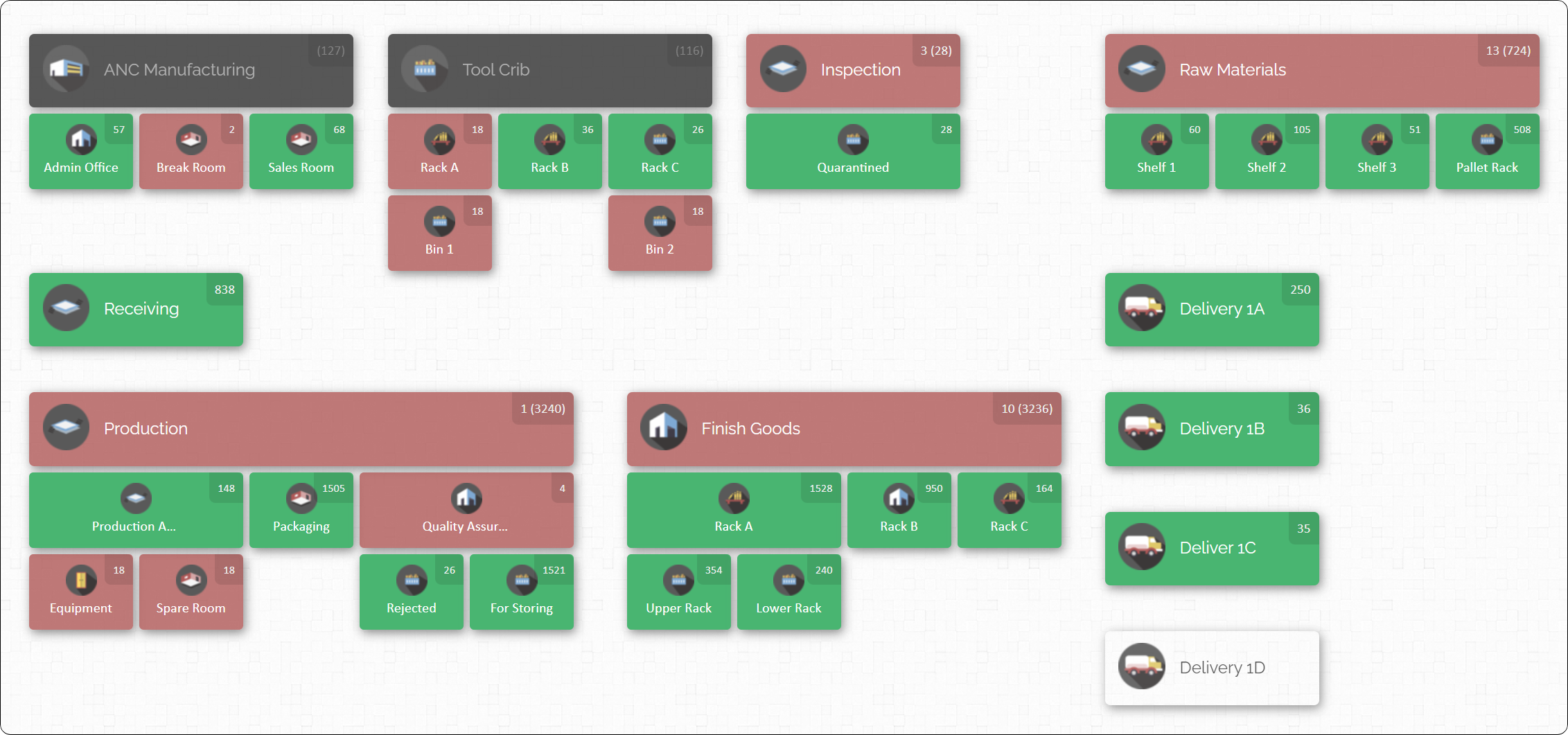
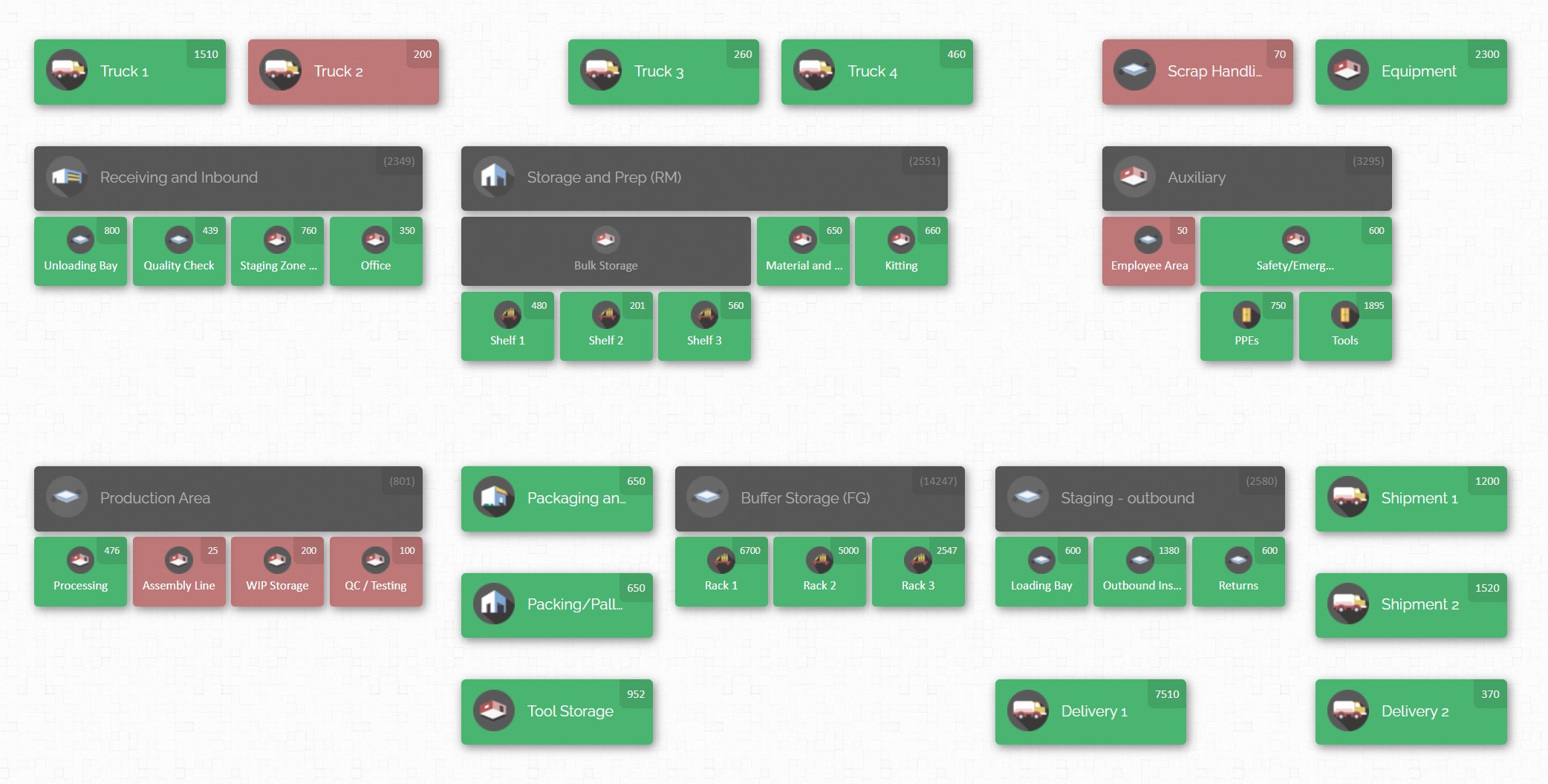
- Visual Inventory Map: CyberStockroom’s trademark feature is its visual map interface. Instead of navigating through endless lists or spreadsheets, you build a virtual map of all your inventory locations — think of it like a floor plan or blueprint of your business. You can create locations for each warehouse, stockroom, production area, or even service vehicle, and then within those, sub-locations (like specific rooms, zones, or shelves). As your company scales and perhaps adds a new warehouse or an extra storage area, you simply add a new location node to the map. This visual approach means at any moment you can click on a location and instantly see what’s inside. For a scaling operation, this is a huge win: it gives you a bird’s-eye view of inventory distribution. If you have three warehouses and ten production stations, you’ll see them all laid out, with indicators of stock levels at each. It’s intuitive — even someone new to the system can quickly grasp where items are.
- Real-Time, Cloud-Based Access: CyberStockroom is cloud-based, so all the data updates happen in real time and can be accessed from anywhere with an internet connection. As your team grows or you operate in multiple sites, everyone sees the same up-to-date inventory information. When one warehouse logs a new shipment of raw materials, the quantities on the system update immediately for all to see. If a production supervisor at Plant A is looking for a part that’s out of stock there, they can instantly check on the map if Plant B or C has it available. This real-time visibility across locations can be the difference between a quick internal stock transfer versus an expensive rush order from a supplier.
- Drag-and-Drop Transfers: Managing inventory across multiple locations is notably easier with CyberStockroom’s drag-and-drop functionality. Say you decide to move 100 units of a component from Warehouse 1 to Warehouse 2 to balance stock. In the software, you literally drag the item icon from one location on the map to the other. The system will adjust the counts in both places accordingly, logging that transfer. It feels as straightforward as moving pieces on a board — which beats writing emails or filling forms to request transfers and then updating spreadsheets. This encourages proactive rebalancing of inventory as needs change. As you scale, such transfers might become common (shifting stock to where it’s needed most), and CyberStockroom makes it painless.
- Barcode Scanning Support: CyberStockroom supports barcoding, allowing you to use barcode scanners to check items in and out or update quantities. For example, when raw materials arrive, you can scan them into the system, instantly assigning them to the appropriate location on your map. Later, when those materials are issued to production, scanning can decrement the inventory count. This ties back to the earlier point about reducing manual effort and errors. Even though CyberStockroom doesn’t require a dedicated mobile app, it can work with common scanning devices or mobile browser scanning, so your team on the warehouse floor can interact with the system without running back to a computer. The result is faster, more accurate inventory updates in the hustle of a busy manufacturing day.
- Inventory Control and Audit Trails: With production ramping up, keeping control and traceability is key. CyberStockroom provides a detailed activity history for all inventory movements. Every addition, removal, transfer, or edit is logged with a timestamp and the user who did it. This means if something goes awry – say inventory counts are off or a part is missing – you can trace back to see the transactions involved. This audit trail helps in both preventing and diagnosing issues like theft, loss, or process errors. In a fast-moving, scaled environment, having that accountability is reassuring. Additionally, you can set user permissions within CyberStockroom so that team members only perform actions relevant to their role. For example, maybe only managers can approve removing high-value items or adjust inventory counts. Such controls keep the system trustworthy as more people start using it.
- Cycle Counts and Reconciliation: CyberStockroom aids in regular cycle counting by making it easy to select a location on the map and list what should be there, so your staff can physically verify and update any discrepancies. Instead of doing massive annual counts (which become impractical as you scale), you can rotate through small sections of your inventory regularly. The software can simplify this by highlighting locations or items to count. Consistently using cycle counts means your records stay accurate even as the number of transactions multiplies.
In essence, CyberStockroom provides a robust yet flexible platform to manage inventory during expansion. It addresses the complexity that comes with scaling – multiple locations, more products, more transactions – by making inventory management visual, intuitive, and real-time. By adopting a tool like this, manufacturers can focus on producing and selling more, confident that their inventory system will support and not hinder their growth.

Continuously Monitor, Analyze, and Adapt
The journey doesn’t end once you’ve implemented all these changes. In fact, scaling up is an ongoing process, and continuous monitoring and improvement are your best friends. Make it a habit to regularly analyze how your inventory management is performing against key metrics. For instance, track your service level or fill rate (the percentage of customer orders or production orders met without delay due to stockouts), inventory turnover (how many times inventory is used/sold and replaced in a period), and overall inventory accuracy (how often your recorded stock matches the actual count). If you introduced a new software system, look at usage logs or reports it provides: are there still frequent adjustments being made because counts were off? Are some items constantly hitting their safety stock or going into negative availability?
Use these insights to adjust your strategy. Maybe you find that despite all efforts, one particular raw material keeps causing close calls on stockouts — that might mean you need to raise its safety stock or find a more reliable supplier. Or perhaps you notice that inventory in one warehouse is stagnant while another location can’t keep up with demand; that could prompt a re-allocation of stock or even rethinking what each warehouse stocks (specialization vs. duplication of inventory). If certain products or parts have become obsolete or slow-moving (maybe a big client dropped a product line, or a design was updated), don’t let them linger unnoticed; update your inventory plan to phase those out and prevent reordering them.
The external environment can change too, often unpredictably. Lead times might stretch out if suppliers experience their own capacity issues or if shipping slows down — if so, you’ll need to adjust reorder points and safety stocks in response. Market demand might also fluctuate: an economic shift or a new competitor could mean your sales projections overshoot or undershoot reality. Keep a close dialogue between the inventory team and the sales/marketing side of the business so you can recalibrate quickly if needed. Scalability isn’t just about ramping up endlessly; it’s about being able to adjust to the right level, whether that’s higher or slightly back down, efficiently and without drama.
Embrace a mindset of continuous improvement. Many companies find value in quarterly or bi-annual reviews of their inventory management performance. In these reviews, gather the key stakeholders and data: How many stockouts occurred? What were the causes? How much excess inventory did we end up with and why? Did the inventory holding costs stay within budget? By asking these questions, the team can pinpoint process tweaks or system enhancements. Maybe it turns out that the forecasting algorithm needs refining, or that a particular supplier’s unreliability is costing too much in rush shipping fees — these insights can lead to actionable changes, like adopting a better forecasting tool or switching suppliers.
Also, keep an eye on technology advancements and industry best practices. The manufacturing world is constantly evolving. Today’s cutting-edge (like the visual mapping or cloud systems we’ve discussed) might become standard practice tomorrow, and new innovations (AI-driven demand planning, advanced automation, etc.) will emerge. As you stabilize your current scale-up with the solutions at hand, stay informed about what tools large manufacturers are using, because the next stage of your growth might warrant another upgrade or new approach.

In summary, adjusting inventory management is not a one-and-done project; it’s a living process. Stay vigilant, be ready to pivot when data suggests it’s needed, and involve your team in finding improvements. This way, your inventory system will remain robust and responsive as your production scale continues to evolve.
Conclusion
Scaling up production is a thrilling sign of growth, but it comes with the critical responsibility of scaling up your inventory management in tandem. Neglecting to adjust your inventory strategies is like adding horsepower to an engine without upgrading the brakes — eventually, something’s going to fail. The good news is that with foresight and the right practices, you can handle the increased complexity and volume.
By thoroughly planning and forecasting needs, optimizing your stock levels, streamlining processes, and leveraging modern technology, you’re laying down the infrastructure that will support your business expansion. Equally important, by training and aligning your team and maintaining a mindset of continuous improvement, you’ll be able to adapt swiftly to any new challenges that come with growth.
Remember, effective inventory management is the backbone of a smooth manufacturing operation. When it’s done right, your production can soar to new heights without tripping over supply snafus or ballooning costs. You’ll be able to fulfill orders on time, keep production lines fed with the materials they need, and avoid sinking cash into excess stock. In essence, you’ll be scaling smart, not just fast.
As you implement the steps in this guide, don’t hesitate to use all resources at your disposal — whether that’s advanced inventory software like CyberStockroom to give you an edge in visibility and control, or simply the collective experience of your team and industry peers. Scaling a manufacturing business is challenging, but with adjusted inventory management, it becomes a challenge you can meet confidently. Here’s to your successful expansion and the efficient inventory system that will help drive it.







 CyberStockroom
Leave a comment