
Why Inventory Layout Matters?
An efficient factory layout is more than just a tidy shop floor. It is the hidden engine that keeps materials moving, orders flowing, and workers safe. When resources are poorly arranged, time and money disappear into long travel distances, misplaced items, and bottlenecks.
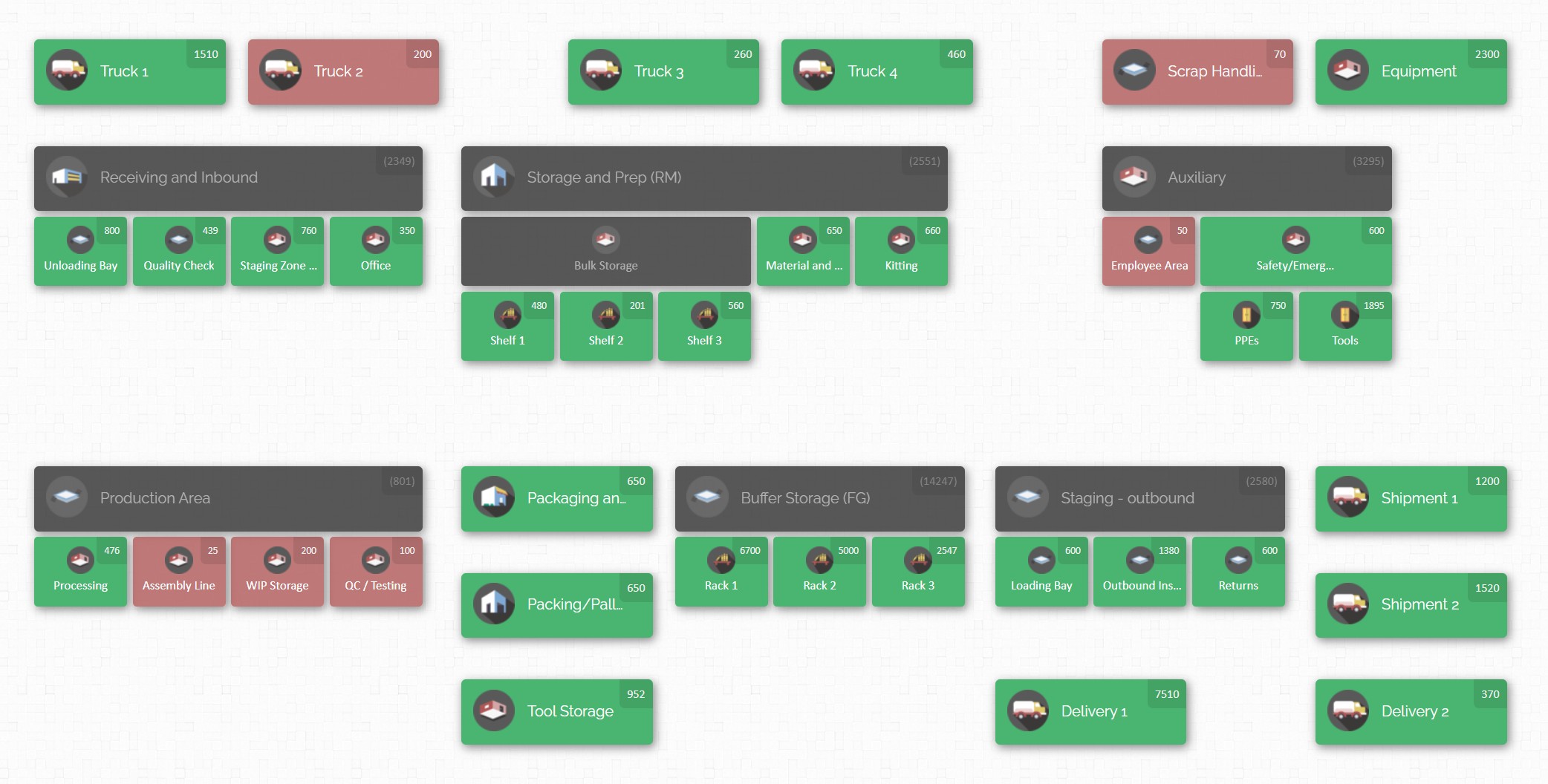
Conversely, a streamlined inventory layout can cut pick times, maximize capacity, reduce errors, and energize your workforce. In this blog we explore factory inventory layout optimization – best practices that manufacturing leaders use to squeeze more productivity from their facilities. We’ll cover proven techniques for every type of plant, from medical device manufacturers with strict regulations to high‑volume factories aiming to squeeze every ounce of efficiency from their footprint.
Understanding the Basics: Types of Manufacturing Layouts
Before redesigning a factory floor, it helps to understand the fundamental layout strategies used across industries. Manufacturing plant layouts describe how machines, workstations, and storage areas are arranged relative to one another. Four common layout types each have distinct strengths:
- Product (or line) layout. Machines and workstations are organized in sequence to produce a single product or family of products. Assembly lines in automotive plants are classic examples. Product layouts offer high throughput for standardized products but tend to be inflexible; reconfiguring lines for new products can be costly.
- Process (or functional) layout. Machines performing similar functions are grouped together. This layout supports high product variety because parts move between workstations based on processing needs. However, the irregular flow increases travel distance and material handling complexity.
- Fixed‑position layout. The product stays in one place and resources move to it. Shipbuilding, aerospace, and construction projects often use this layout because the product is too large or heavy to move. While ideal for oversized products, fixed‑position layouts require meticulous coordination to ensure materials arrive at the right time.
- Cellular or combination layout. Cellular layouts combine features of product and process layouts. Workstations are grouped into self‑contained cells that perform a set of related operations. Each cell handles a family of similar parts, reducing travel distances and boosting flexibility. Many factories adopt hybrid layouts to balance efficiency with product variety.
Selecting the right layout hinges on product mix, volume, processing steps, and future growth plans. Factories producing standardized products in high volumes may favor product layouts, whereas those with bespoke or variable products often lean toward process or cellular layouts. Most facilities ultimately blend several layouts in different areas to meet diverse operational needs.
Defining Objectives and Requirements

An optimized inventory layout begins with a clear understanding of what success looks like. Managers should articulate goals that reflect both operational efficiency and worker wellbeing. Typical objectives include:
- Maximizing space utilization. Every square foot is precious. Effective layouts use vertical racking, mezzanines, and compact workstations to store more inventory without crowding workers.
- Reducing material handling costs. Shorter travel distances between raw materials, work‑in‑progress (WIP) and finished goods lower handling time and fuel expenses.
- Improving throughput and productivity. Streamlined workflows reduce bottlenecks and ensure that operations flow smoothly from one process to the next.
- Enhancing flexibility for growth. Facilities must accommodate new product lines, larger orders, or seasonal surges without major redesigns.
- Ensuring worker safety and ergonomics. Clear pathways, adequate lighting, emergency exits, and ergonomic workstations reduce injury risk.
- Supporting quality control and traceability. Properly organized storage zones help maintain first‑in‑first‑out (FIFO) flow, ensure batch traceability, and reduce picking errors.
To set these goals, evaluate current operations and gather data. Ask whether production delays stem from cramped aisles or poorly positioned materials; measure travel distances for both people and pallets; review accident reports; and solicit feedback from operators on obstacles they encounter. This assessment forms the baseline for measuring improvement.
Collecting and Analyzing Data
The next step is to map your current space and analyze how materials, people, and information flow. Creating an accurate blueprint reveals where inventory is stored, where bottlenecks occur, and how far workers travel for picks.

Tools and techniques include:
- Spaghetti diagrams and value stream mapping to visualize material and information flows and identify wasteful movements. These tools highlight circuitous routes, backtracking, and points where items pile up.
- Process charts to document operations, identify dependencies, and understand the sequence of tasks. Charts reveal whether equipment is arranged logically or if materials cross paths unnecessarily.
- Floor plan measurement using laser measures or digital layout tools. Collect accurate dimensions for aisles, racks, machine footprints, and clearances. This data ensures new layouts will fit.
- Time and motion studies to capture how long tasks take, how much time is spent walking or waiting, and where employees encounter delays.
Collecting this information may feel tedious, but it pays dividends. Without accurate data, any redesign will be based on guesses rather than evidence. Modern plant layout software and simulation tools allow you to test alternative configurations in a virtual environment, measuring how changes affect throughput, travel distances, and space utilization. This reduces the risk of costly mistakes when implementing changes.
Best Practices for Optimizing Factory Floor Layouts

Once you understand your current state and objectives, it’s time to redesign your space. The following best practices combine lean thinking, ergonomic principles, and space optimization techniques.
1. Redesign the Plant Layout
Reconsider the arrangement of workstations, storage zones and traffic routes. Use modeling tools to design a vertical and horizontal layout that considers raw materials, WIP, finished goods, and administrative areas. Align machines and storage to mirror the sequence of production steps, thereby minimizing transport between operations. Create a logical progression from receiving to production to shipping; U‑shaped or straight‑line flows often work well for discrete manufacturing.
2. Use Vertical Space and Mezzanines
When floor space is limited, go vertical. Install mezzanines or elevated platforms above storage areas or work zones to add square footage without expanding your footprint. Tall pallet racking, modular shelving, and overhead pallet stacks allow you to store more materials while leaving aisles clear for forklifts and workers. Vertical storage also reduces travel distances by centralizing materials in high‑density zones.
3. Narrow Aisles Strategically
Wide aisles make navigation easy but waste space. Evaluate your aisle widths and, where safe and practical, narrow them to reclaim additional floor area. Use narrow‑aisle lift trucks or reach trucks designed to operate in tighter spaces. However, maintain enough clearance for pallets, safety equipment and emergency egress. Consider designating separate paths for pedestrians and vehicles to prevent accidents.
4. Install Overhead Conveyors and Material Handling Equipment
Overhead conveyors lift materials off the floor, freeing up space and reducing manual lifting. Ceiling‑mounted monorail systems, for example, can transport heavy or bulky items across a facility without interfering with ground‑level operations. Other material handling equipment – such as cranes, automated guided vehicles (AGVs), and conveyor belts – should be chosen based on throughput requirements, product characteristics, and budget. The key is to minimize manual handling and keep materials flowing smoothly between stations.
5. Implement Lean Principles
Lean manufacturing emphasizes eliminating waste in all forms – excess inventory, unnecessary motion, waiting, overproduction, defects, and unnecessary processing. Applying lean principles to layout design often reveals hidden space and inefficiencies. Techniques like 5S (sort, set in order, shine, standardize, sustain) help organize work areas, remove clutter, and standardize storage. Kaizen encourages continuous improvement, prompting employees to suggest layout adjustments and process changes that cut waste.
6. Create Functional Zones and “Golden Zones”
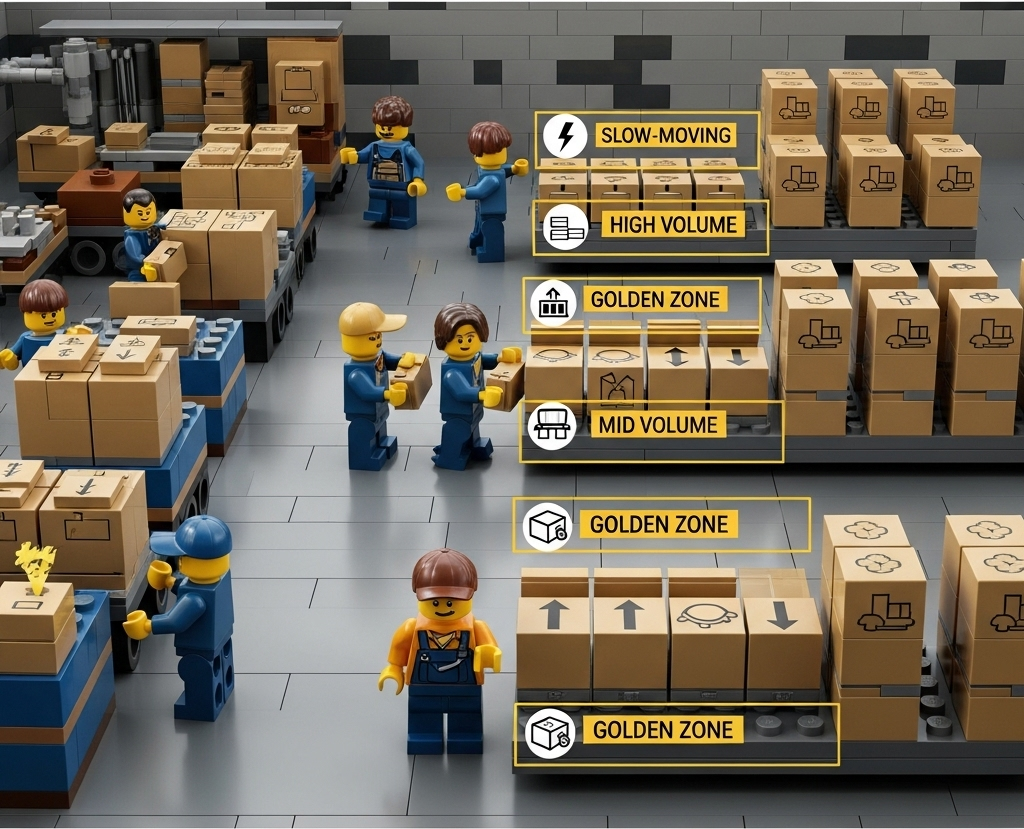
Divide the floor into zones based on activity. Reserve areas near shipping for fast‑moving or high‑volume items, while storing slow‑moving items farther away. Within each zone, designate a golden zone – the area at waist and shoulder height where pickers can access items with minimal bending and stretching. Place mid‑volume products in these golden zones to speed up picking and reduce fatigue. This simple ergonomic principle improves picking efficiency and worker comfort.
7. Select the Right Storage Systems
Different products require different storage solutions. Pallet racks handle heavy loads; shelving units store smaller items; flow racks facilitate FIFO flow; and bins or totes organize loose components. Choose storage systems that suit your inventory’s size, weight, and turnover. Adjustable or modular racks add flexibility as SKUs change. When designing racking, consider load capacities, accessibility, and compatibility with your material handling equipment.
8. Emphasize Safety and Ergonomics
Optimizing for efficiency shouldn’t compromise safety. Ensure emergency exits are clearly marked and accessible, fire extinguishers and first aid stations are strategically placed, and lighting is sufficient to prevent accidents. Mark pedestrian walkways and forklift routes with floor lines and signage. Ventilation systems should maintain good air quality and remove fumes. Additionally, choose ergonomic workstations that minimize repetitive strain and provide adjustable heights, particularly for assembly operations.
9. Plan for Flexibility and Growth
Demand volatility is common in manufacturing, whether due to seasonality, new product launches, or external shocks. Design your layout with modular components that can be rearranged quickly. Leave open space for additional machines or storage; incorporate mobile workstations on wheels to support temporary operations. Simulate scenarios for future products or volume increases using 3D modeling software, and design multiple routes to prevent bottlenecks when one path becomes congested.
10. Deploy Warehouse Management Systems and Data Collection Tools
Modern warehouses rely on warehouse management systems (WMS) and inventory management software (IMS) to track inventory and guide layouts. WMS software identifies optimal storage locations based on item dimensions, weight, and pick frequency; it helps plot efficient pick routes and provides real‑time visibility into stock levels. Barcode scanners, QR codes, and wireless data capture tools ensure accurate inventory records and reduce manual entry errors. By integrating WMS with layout planning, managers can adjust storage allocations in response to demand patterns and avoid stockouts or overstocking.
Integrating Material Handling and Space Planning
Material handling choices strongly influence layout design. Forklifts must navigate aisles without causing congestion. Mobile carts or powered workstations can bring computing power and labeling tools directly to the production line, reducing the need fortrips to office desks.

Evaluate your material handling system to ensure it supports efficient movement. For example:
- Overhead cranes and monorails transport heavy loads without blocking ground‑level traffic.
- Conveyors connect picking zones to packing areas, reducing the need for human transportation.
- AGVs or automated carts move pallets or totes along predetermined routes, freeing workers for value‑added tasks.
When space is at a premium, overhead handling solutions are particularly beneficial. They lift materials above head level, making use of otherwise unused vertical space and keeping aisles clear for workers and forklifts.
Optimizing Inventory Positioning and Flow
Inventory should not be scattered randomly around a facility. Instead, assign SKUs to logical zones based on turnover, size, and handling requirements. The ABC analysis technique classifies items as:
- A items: high‑value, fast‑moving products that warrant careful placement near shipping and in golden zones.
- B items: moderate‑value products with steady demand; store these in easily accessible areas but further from shipping than A items.
- C items: slow movers or low‑value products; these can be stored further away or higher up on racks.
Applying ABC classification ensures that the majority of picking time focuses on items that matter most. Combine ABC with FIFO to prevent old stock from expiring or becoming obsolete. Clearly label locations and use consistent naming conventions to minimize confusion and picking errors.
CyberStockroom and Visual Inventory Management
In the middle of our discussion on layout optimization, it’s worth spotlighting a tool that embodies many of the principles described above: CyberStockroom. This cloud‑based, map‑driven inventory platform provides a visual way to design and manage your inventory layout, making it particularly useful for factories seeking spatial awareness and efficient material flow.
Map‑Based Inventory Tracking
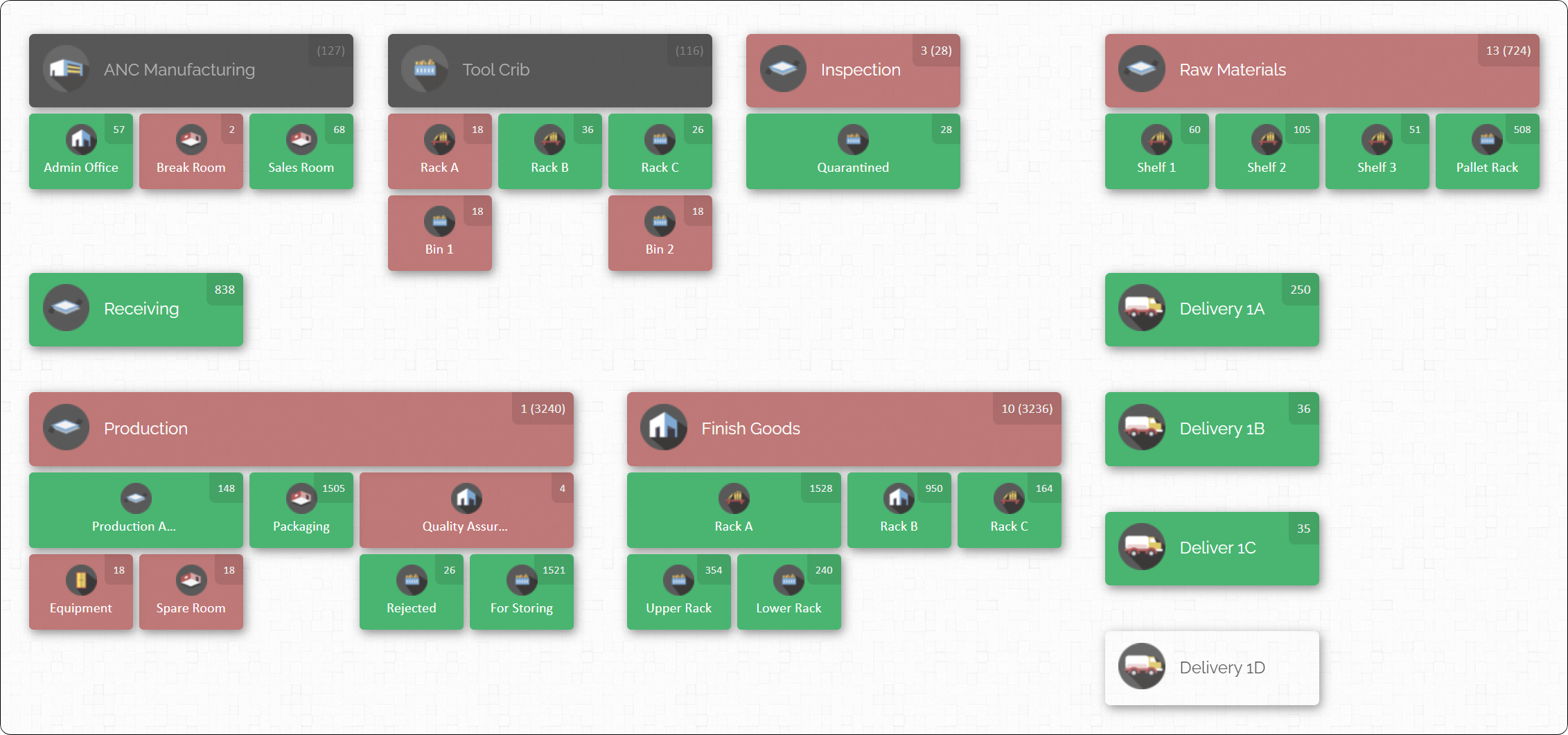
CyberStockroom’s standout feature is its interactive map. Users start by drawing or uploading a blueprint of their facility—creating locations such as receiving docks, storage racks, assembly stations, and finished goods areas. Each location can be subdivided into sub‑locations (e.g., aisles or bins) and assigned barcodes, images, and custom fields. This map offers a bird’s‑eye view of the entire inventory network, revealing where every SKU is stored and how quantities are distributed.
The map supports drag‑and‑drop transfers: simply drag an item icon from one location to another to record a transfer, whether it’s moving raw materials to a production line or finished goods to a shipping area. This feature reduces data entry errors and mirrors the physical movement of inventory, helping team members think spatially about stock.
Real‑Time Visibility and Cycle Counts
Unlike static spreadsheets, CyberStockroom maintains real‑time inventory counts. Users can add items manually, import from spreadsheets, or scan barcodes to update quantities. The system supports cycle counting—a method of auditing a portion of inventory regularly instead of performing disruptive annual counts. By scheduling cycle counts and recording discrepancies, managers keep stock levels accurate and identify theft or shrinkage early.
X‑Ray Vision and Multi‑Location Management
An innovative “X‑Ray vision” feature allows users to highlight a product and instantly see where it’s stored across all locations. This helps identify misplaced stock and plan transfers more efficiently. For organizations with multiple sites—such as factories plus offsite warehouses or job sites—the map scales to include each facility, enabling consolidated visibility. Users can switch between locations without leaving the dashboard, ensuring that no inventory falls through the cracks.

Application to Factory Layout Optimization
The visual nature of CyberStockroom complements factory layout optimization in several ways:
- Visual planning: After mapping your facility, you can experiment with different layouts by dragging locations into new positions or creating sub‑locations representing new zones. This functions like a virtual simulation, letting you test arrangements before rearranging heavy racks.
- Real‑time resource allocation: For factories with multiple work cells or job sites, the map makes it easy to assign tools, materials, or equipment to specific teams. Managers can see at a glance which locations are overstocked and which are understocked, enabling balanced resource allocation.
- Loss prevention: The system’s visibility reduces the risk of misplaced or stolen equipment. In job‑site applications, managers can track which crew has which tools or materials and verify when items are returned.
- Enhanced collaboration: Because CyberStockroom runs in the cloud, multiple users can view and update the map simultaneously. This fosters collaboration between purchasing, production, and warehousing teams and ensures everyone works from a single source of truth.
Special Considerations for Medical Device and Regulated Industries

Factories producing medical devices, pharmaceuticals, or cosmetics face unique challenges. High‑value inventory, strict regulations, and expiration dates impose stringent requirements on layout and inventory management. Here are best practices tailored to regulated sectors:
1. Enforce Par Levels and Stock Controls
Medical devices and supplies can be expensive and subject to expiration dates. Establish par levels for each item – the minimum quantity needed to avoid stockouts – and reorder when inventory approaches this threshold. This prevents overstocking, reduces expired products, and maintains cash flow. Adopt FIFO or FEFO (first‑expired, first‑out) picking methods to ensure older inventory moves out first. Track lot and serial numbers for traceability in case of recalls or regulatory audits.
2. Maintain Clean and Controlled Environments
Regulated industries often require temperature control, humidity monitoring, and contamination prevention. Design storage areas with climate control systems and proper filtration. Separate sterile or sensitive items from general inventory, and establish air‑lock zones to prevent cross‑contamination. Use materials and finishes that can be easily sanitized, and incorporate hands‑free or touch‑less technology (e.g., automated doors) to maintain hygiene.
3. Optimize Inventory Levels via Demand Analysis and Just‑In‑Time (JIT) Techniques
Demand volatility is common in healthcare. Use historical sales data, seasonality, and market trends to forecast demand and set appropriate inventory levels. Collaborate with suppliers to shorten lead times and receive smaller, more frequent deliveries rather than storing large quantities. JIT inventory reduces holding costs and limits the risk of obsolete inventory, provided you have reliable supply partners.
4. Leverage Technology for Traceability and Automation
Medical device manufacturers should implement smart inventory systems that provide real‑time visibility into stock levels, expiration dates, and batch numbers. Barcodes and RFID tags enable fast scanning and tracking, while automated reordering systems trigger purchase orders when stock dips below par levels. Integration with clinical systems ensures that inventory data flows into hospital or laboratory management platforms, reducing manual paperwork and preventing errors. While these systems may rely on network connectivity, they don’t necessarily involve IoT devices; simple barcode scanners can provide accurate data capture without complex sensors.
5. Segregate and Label Zones Clearly
Regulated products should be stored separately to avoid cross‑contamination or mix‑ups. Use physical barriers or color‑coded labels to distinguish sterile storage from general inventory. Ensure that hazardous or temperature‑sensitive materials have dedicated, clearly marked locations. Label aisles, racks, and bins in an intuitive manner so that workers can quickly locate items without confusion. Adopt 5S principles to keep spaces clean and clutter‑free, which is essential for regulatory compliance.
6. Train Employees on Regulatory Requirements
Human error often causes compliance issues. Provide regular training on proper handling, documentation, and storage of medical devices and pharmaceuticals. Teach employees to recognize lot numbers, handle sterile packages correctly, and follow cleaning protocols. Reinforce the importance of immediate reporting when a product is misplaced or packaging is damaged. A culture of accountability and continuous learning reduces risk and improves audit outcomes.
Sustainability and Environmental Considerations
More companies recognize that efficient layouts can also support sustainability goals. Consider incorporating the following practices:
- Energy‑efficient lighting and HVAC systems reduce utility costs and carbon emissions. Use LED fixtures and motion sensors in rarely used areas to minimize consumption.
- Recyclable packaging and waste reduction initiatives cut down on trash. Provide designated recycling bins, and re‑engineer packaging to reduce volume and weight.
- Green material handling equipment, such as electric forklifts or conveyors powered by renewable energy, lowers emissions and improves indoor air quality.
- Sustainable building materials like recycled steel or reclaimed wood for mezzanine structures reduce the environmental footprint of facility expansions.
Sustainability isn’t just about being eco‑friendly; it can also reduce operational costs and bolster brand reputation. Customers increasingly prefer companies that demonstrate social responsibility, and efficient layouts that minimize waste align with those values.
Future Trends in Factory Layout and Inventory Management
The future of factory layouts will still be shaped by technology and changing business models. Look for these trends to influence how companies organize their floors and manage inventory:
Advanced Automation and Robotics
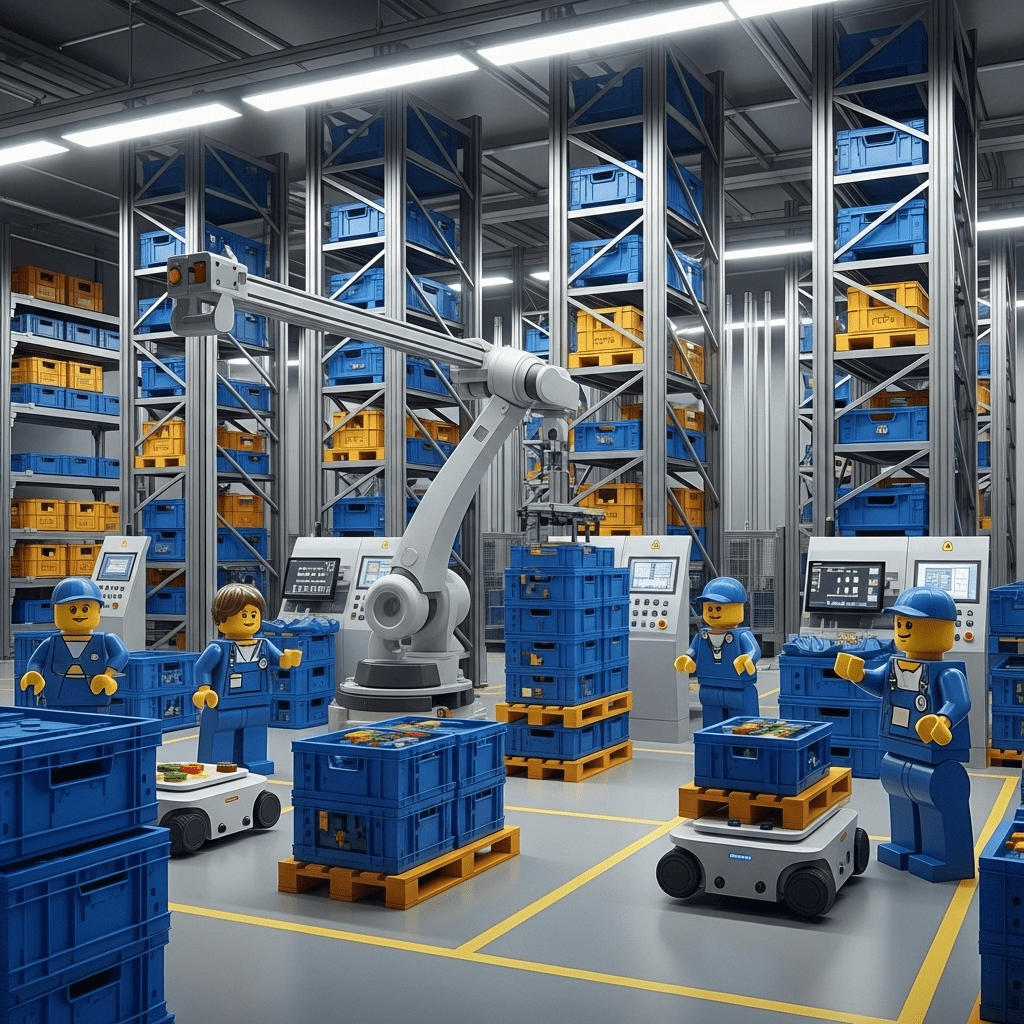
Robots and automation systems are becoming more affordable and versatile. Automated storage and retrieval systems (AS/RS), robotic palletizers, and autonomous mobile robots (AMRs) can handle repetitive tasks at high speeds.
These systems optimize vertical space and operate in narrow aisles, freeing workers for complex tasks. For factories planning major expansions or greenfield facilities, designing with robotics in mind can offer long‑term efficiency gains.
Digital Twins and Simulation

Digital twin technology creates a virtual replica of your facility, capturing real‑time data on equipment, inventory, and workflows.
By integrating simulation tools with actual performance data, managers can run “what‑if” analyses before making changes. For example, you can test how adding a mezzanine or relocating a work cell will affect throughput and travel distances without touching the physical layout. Digital twins extend the layout optimization process beyond initial design to continuous operations.
Artificial Intelligence and Predictive Analytics
AI algorithms can analyze historical data to forecast demand, predict maintenance needs, and recommend optimal inventory positioning. For example, an AI‑powered WMS might suggest relocating certain SKUs closer to shipping during peak seasons or reconfiguring pick routes to avoid congestion. Predictive analytics also help plan staffing and equipment usage, reducing overtime and idle time.

Greater Focus on Worker Well‑Being
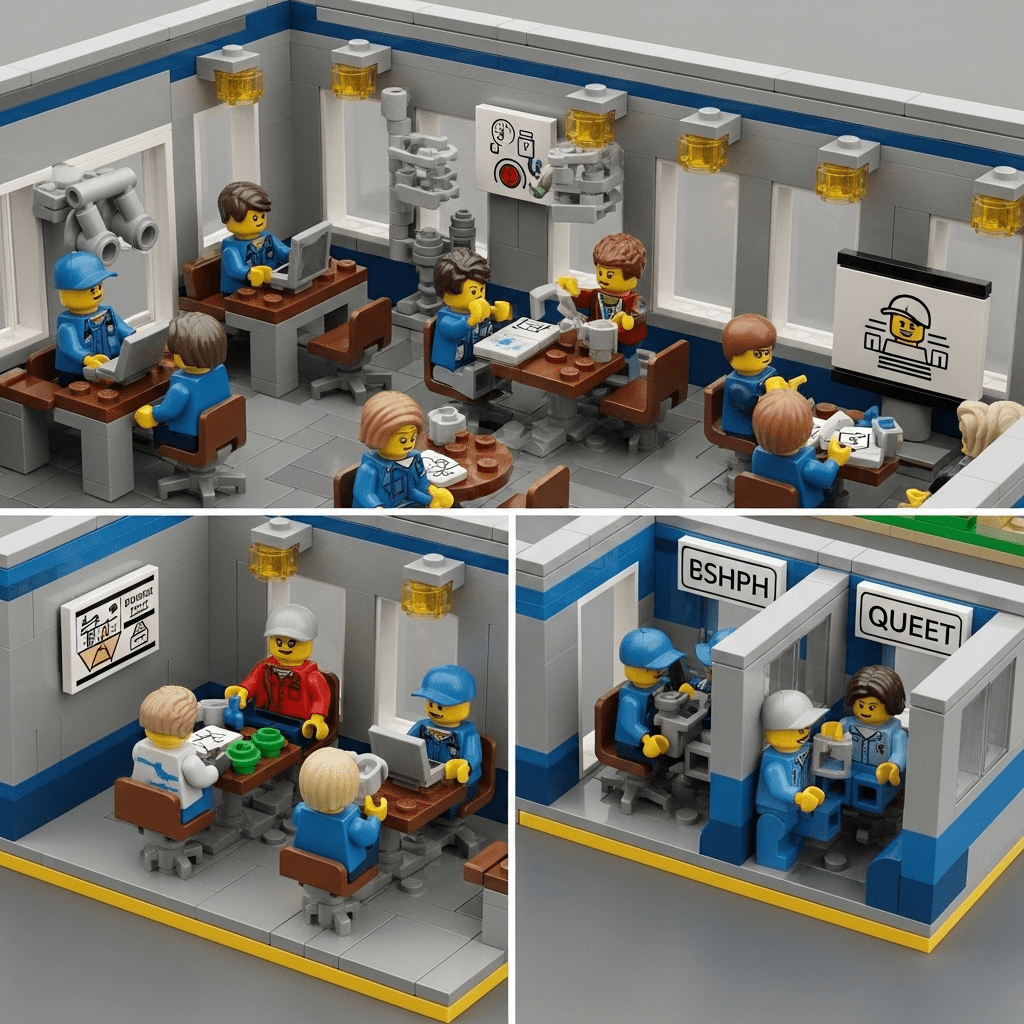
As labor shortages persist in many regions, companies are investing in ergonomic workstations, climate‑controlled environments, and safe, well‑lit facilities to attract and retain workers. Layout designs now prioritize employee experience, with break rooms, training areas, and quiet zones integrated into the floor plan. Companies recognize that a satisfied workforce is more productive and less prone to accidents.
Conclusion: A Blueprint for Efficient Manufacturing
Optimizing your factory floor inventory layout is a multifaceted undertaking that touches on space planning, material handling, technology adoption, and human factors. It begins with clearly defining your objectives and meticulously analyzing your current state. By applying best practices—such as using vertical storage, narrowing aisles, implementing lean principles, and investing in the right material handling equipment—you can uncover hidden capacity and streamline workflows.
Technology plays a pivotal role: WMS solutions and visual tools like CyberStockroom provide real‑time visibility and spatial context, enabling managers to manage inventory with confidence and design layouts that match operational realities. For regulated industries, additional measures—such as par levels, environmental controls, and detailed tracking—ensure compliance and safeguard patient safety.

Finally, remember that layout optimization is not a one‑time project. Ongoing monitoring, continuous improvement, and an openness to new technologies ensure that your facility remains competitive and adaptable. By following the guidance in this article, manufacturers can reduce costs, improve safety, elevate customer satisfaction, and build sustainable operations—turning their factory floor into a strategic advantage.







 CyberStockroom
Leave a comment