
Barcode tracking is one of the simplest and most cost-effective ways for manufacturers to upgrade their inventory management. Despite being a decades-old technology, barcodes remain a powerful tool to streamline operations. In a manufacturing setting, implementing a barcode system can transform how you track raw materials, work-in-progress items, and finished goods
How Barcode Inventory Tracking Works and Its Benefits
At its core, a barcode inventory system works by assigning a machine-readable code (the barcode) to each item or batch in your inventory. When a barcode is scanned with a reader, it quickly pulls up or records information about that item in a database or inventory software.

In manufacturing, this means every component, raw material, or finished product can be tagged with a barcode and tracked through every stage of production and storage. Scanning a barcode typically takes a fraction of a second – much faster and more accurate than writing down or typing data. Here’s why barcode tracking is so beneficial for inventory management:
- Speed and Efficiency: Scanning barcodes speeds up everyday tasks. Checking in deliveries, moving items into production, or conducting stock counts all happen faster than manual data entry. For example, receiving a pallet of materials can be as simple as beep, beep, beep – each scan logging items into stock within seconds. This efficiency frees up workers to focus on production rather than paperwork.
- Accuracy and Error Reduction: Barcodes drastically reduce human error. When workers manually record part numbers or quantities, mistakes are inevitable – a transposed digit or illegible handwriting can throw off inventory counts. With barcodes, the scanner reads the exact code every time, virtually eliminating data entry errors. Some studies have found error rates drop by over 60% or more after switching to barcode systems. Fewer errors mean fewer production delays due to missing parts and less time spent investigating discrepancies.
- Real-Time Inventory Visibility: Because scans update your inventory records immediately, you gain real-time visibility into stock levels and item locations. Managers can see at a glance how many units of a component are on hand or which bin a part is stored in. This real-time data helps prevent stockouts (running out of parts) and overstocking. For instance, if production uses the last box of screws, scanning it out triggers an update so purchasing knows to reorder.
- Improved Traceability: In manufacturing, tracking materials through each step is crucial for quality control and recalls. Barcodes enable traceability by logging each movement of an item – from receiving raw materials, to work-in-progress on the assembly line, to finished goods in the warehouse. If a defect is found, you can trace back through the barcode records to see which batch of material or which production run it came from. This is invaluable for pinpointing problems quickly.
- Cost Savings: Implementing barcodes is relatively inexpensive, yet it saves money in multiple ways. You’ll reduce labor costs because workers spend far less time on manual inventory counts or searching for lost items. You’ll also avoid costs of production downtime waiting for parts, and minimize excess inventory sitting idle. In fact, a basic barcode setup often pays for itself within months through these efficiency gains. It’s a small upfront investment for significant long-term savings.
- Ease of Use and Training: Barcode systems are easy to learn. Training staff to use a scanner and the inventory software is straightforward – often just a few hours. Most people find scanning a barcode more intuitive than filling out forms or spreadsheets. Because of this simplicity, employees are more likely to adhere to the process, keeping your inventory data accurate.
- Scalability: Whether you have 50 items or 50,000 items to track, a barcode system can handle it. It’s used by tiny businesses and global corporations alike. As your manufacturing operation grows, you can simply add more barcoded items and additional scanners – the process remains the same. This scalability means barcodes are a future-proof solution that can grow with your business.
- Better Decision-Making: With accurate, up-to-the-minute inventory data, manufacturers can make smarter decisions. You can analyze barcode scan data to identify trends like which parts often cause delays due to low stock, or how long finished products stay in the warehouse before shipping. These insights help in optimizing production schedules, warehouse layouts, and purchasing strategies. In short, barcodes provide the data needed for continuous improvement in operations.
Common Types of Barcodes Used in Manufacturing
Not all barcodes look alike – you’ve probably seen a variety of patterns on products. In manufacturing, the two most common categories of barcodes are 1D (one-dimensional) and 2D (two-dimensional) barcodes. Understanding the difference will help you choose the right type for your needs:
1D Barcodes (Linear Barcodes)
These are the traditional black-and-white bars arranged in parallel lines. A 1D barcode typically encodes a sequence of numbers or letters. Common examples include UPC codes on retail products, Code 128, and Code 39 (often used for industrial parts and warehouse labels). In a manufacturing context, 1D barcodes might be printed on component packaging, bins, or product labels.

They are simple and quick to scan. However, they have a limit to how much data they can hold – usually just an identifier like a product ID or serial number, which the system uses to look up details in a database.
For most inventory purposes, that’s perfect: the barcode might just be an item number, and all other info (description, quantity, etc.) lives in the software. One key advantage of 1D codes is that they can be read by inexpensive laser scanners very rapidly, even from a moderate distance. This makes them ideal on fast-moving production lines or for scanning boxes on high shelves with a long-range scanner.
2D Barcodes (Matrix Barcodes)
These barcodes look more like a grid or matrix of small squares or dots (instead of vertical lines). Examples of 2D codes are QR codes and DataMatrix codes. In manufacturing, DataMatrix codes are popular for marking small items or components because they can store a lot of information in a tiny space. For instance, a DataMatrix sticker on a circuit board could encode the part number, batch number, and even a full serial number all in that one little pattern.

QR codes are another 2D type that can store larger data sets (they’re often used in marketing, but can also be used in inventory if you want, say, to encode a URL or a long text). The benefit of 2D barcodes is their capacity: they can hold hundreds of characters of information if needed. They also can still scan correctly even if partially damaged or obscured, thanks to built-in error correction. The trade-off is that you need an imaging scanner (basically a camera-based scanner) to read them, as traditional laser scanners can’t decode matrix patterns. In manufacturing, 2D barcodes are often used for traceability on high-value or small components – for example, aerospace and automotive parts often bear DataMatrix codes etched or printed directly on them for lifetime tracking.
So which should you use? For most general inventory tracking of raw materials and products, 1D barcodes are perfectly sufficient and very cost-effective. They work great for labeling shelves, bins, and items in a warehouse or shop floor. 2D barcodes make sense if you need to encode more data on the item itself or have very limited label space. Some manufacturers use a mix: perhaps 1D codes on boxes and pallets, but 2D codes on tiny subcomponents. The good news is that modern barcode systems and scanners often handle both types, so you aren’t locked into one or the other.
Common Types of Barcode Scanners and Hardware
Printing and sticking barcodes on everything is only half of the equation – you also need devices to scan those barcodes and software to process the data. The good news is that barcode hardware comes in many forms to fit different budgets and needs. Here are the common types of scanners and related hardware used in manufacturing:
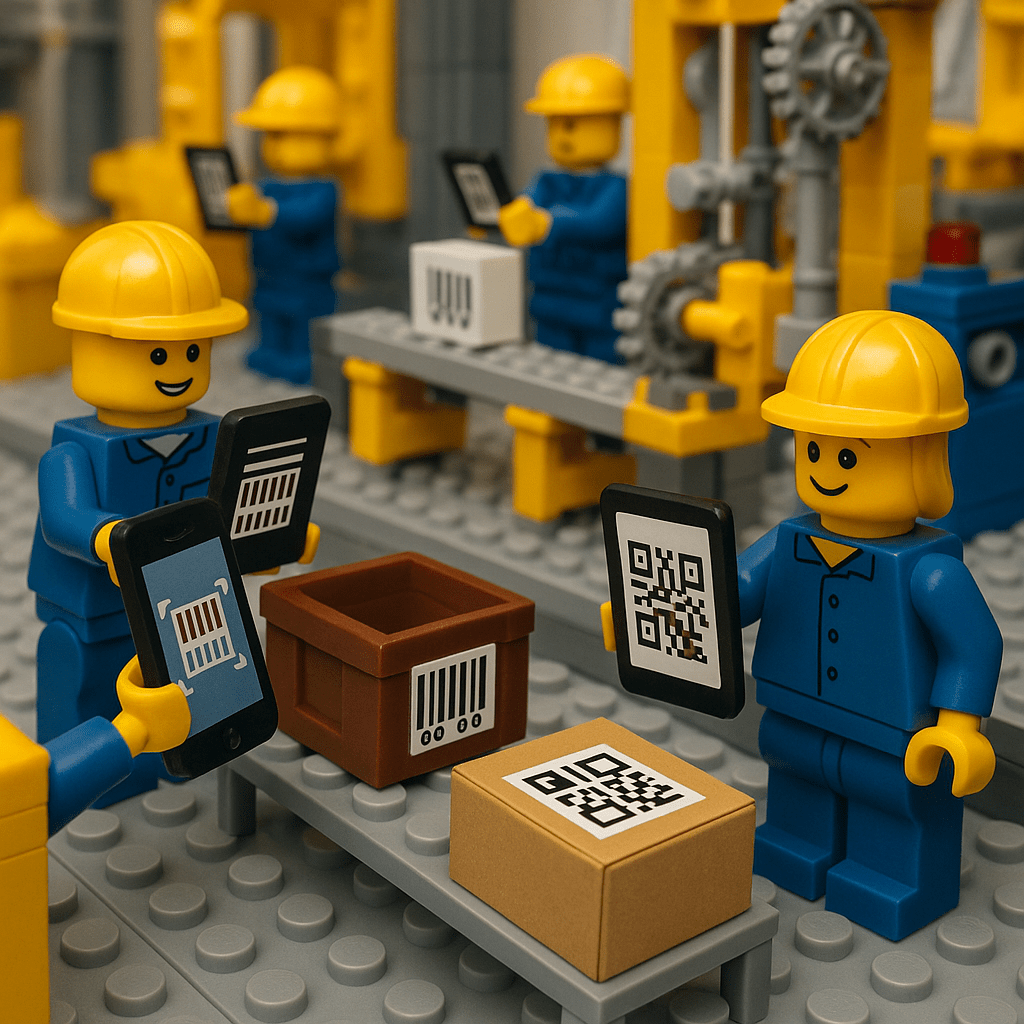
Smartphones & Tablets:
Great for low-cost setups, mobile devices can scan barcodes using their cameras. While slower than dedicated scanners, they’re useful for light tasks or small operations. Pairing with Bluetooth scanners boosts performance, allowing teams to pilot barcode tracking with minimal investment.

Handheld Barcode Scanners:
These classic trigger-style scanners can be corded or wireless (e.g., Bluetooth). Laser versions are fast for 1D barcodes, while imager types can read both 1D and 2D codes—even damaged ones. In manufacturing, they’re used at docks, warehouse stations, and on the floor. Rugged, wireless models are ideal for industrial use, with prices ranging from under $100 to a few hundred.
Mobile Computer Scanners:
These are all-in-one handheld devices with built-in scanners, screens, and keypads—like rugged smartphones. Common in large warehouses, they’re perfect for tasks like stock counts or work order management, running inventory apps (often Android-based). More expensive than basic scanners but offer greater flexibility and efficiency.

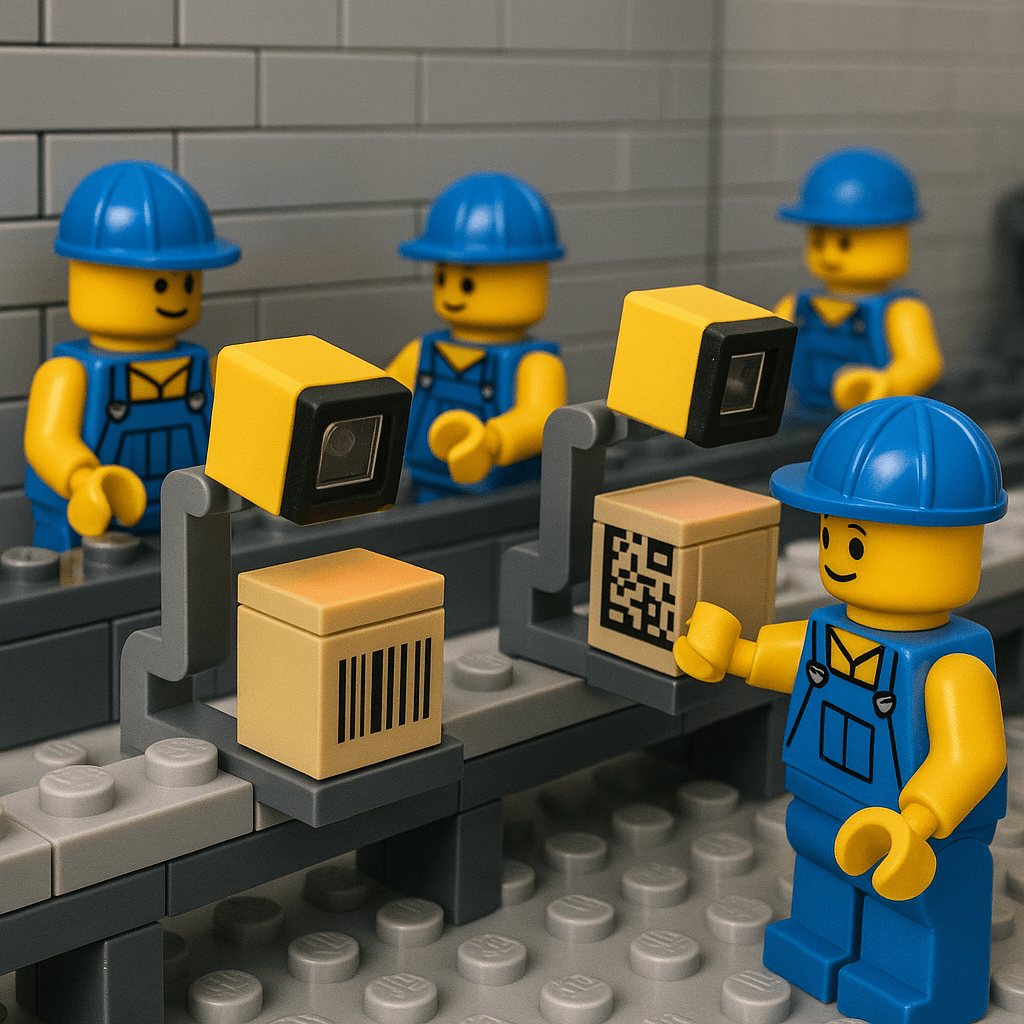
Fixed Mount & Industrial Scanners:
Stationary scanners used on production lines to automatically scan items as they pass by. Ideal for high-speed, high-volume operations, they’re often part of larger automation systems and capable of reading from multiple angles.
Label Printers:
Used to generate barcode labels for parts, bins, or pallets. Thermal printers are common in manufacturing due to their speed, clarity, and low cost per label. They integrate easily with inventory systems for quick label printing when new stock arrives.

Manufacturers have options ranging from a $50 USB scanner plugged into a laptop, all the way to automated scanning systems on production lines. For most beginners, starting with a couple of handheld scanners and a label printer is sufficient.
As your barcode tracking needs evolve, you can add more advanced hardware like mobile computers or fixed scanners. The key is that any scanning device will feed data into your inventory management software, which brings us to the software and implementation process.
Step-by-Step: Implementing Barcode Tracking in Your Operation
Implementing a barcode inventory system might sound technical, but it can be broken down into clear steps. Here’s a step-by-step guide to help manufacturers (large or small) set up barcode tracking:
1. Plan Your Inventory Categories and SKUs
Before buying any equipment, start with your data. Make a list or spreadsheet of all the inventory items you want to track – this could include raw materials, components, finished products, and even tool or part bins. Define a unique SKU (stock-keeping unit) or part number for each item if you don’t have them already. This step is essentially organizing your inventory information.
For each SKU, gather key details like item name, description, unit of measure, and current quantity. If you have variants of products or similar parts, ensure each has a distinct identifier. Planning this out will ensure your barcodes are linked to clean, structured data. (Tip: If your inventory is already in a digital system or spreadsheet, you’re ahead of the game – you can often import this data directly into new barcode software.)
2. Choose Inventory Software with Barcode Support
Next, select software that will manage your inventory and work with barcode scanners. Many manufacturing inventory management or warehouse management systems have barcode features. When choosing, consider your company’s size and needs. Small businesses might opt for a simple cloud-based inventory app or an add-on to software they already use (for example, some accounting or ERP systems have inventory modules).
Larger operations might invest in a dedicated warehouse management system (WMS) or manufacturing ERP that includes barcoding. The key features to look for are: the ability to assign barcodes to items in the system, integration with scanners (so it can receive scan input), and label printing capabilities.
Some popular inventory software options range from lightweight ones like inFlow, Sortly, or CyberStockroom (more on that later), to robust systems like Fishbowl, Unleashed, or Odoo. Pick one that fits your budget and complexity – remember, the goal is to simplify your life, so it should be user-friendly.
3. Decide on Barcode Formats and Create Your Codes
With software in place, determine what type of barcode you’ll use for your items. Most inventory systems will let you choose from common formats. For instance, you might use Code 128 (a versatile 1D format that can encode numbers and letters) for your internal part numbers. Or, if you want to use QR codes (2D) because you plan to embed more info, go for it. In many cases, the default choices in your software are fine.
Once decided, generate the barcodes for each item in your inventory. Good inventory software can auto-generate a unique barcode image for each SKU in your list. If not, there are free barcode generator tools available as well. Essentially, the system will take the SKU or item ID and create a barcode graphic representing that ID.
At this step, also consider location labels – many companies also assign barcodes to warehouse locations or bins. For example, each shelf or bin gets a code so that when an item is placed there, one scan of the location and one scan of the item can record exactly where inventory is stored.
4. Print Barcode Labels
Now it’s time to get those barcodes onto physical labels you can stick on things. Using your label printer (or even a regular printer with adhesive label sheets for a very small operation), print out the barcodes for all your items. Typically, you’d print one label per item unit or per batch, depending on how you track inventory. For example, if you have 100 bolts in a bin that you treat as a single stock item, you might label the bin with one barcode. But if you individually track each product unit, you’d label each item or its packaging.
Don’t forget to print labels for locations if you decided to use them. While printing, consider the label material: durability is important in manufacturing. If items are stored outdoors or in a greasy shop environment, use durable labels (like polypropylene or polyester labels that resist water and oil) and waterproof ink ribbons in a thermal printer.
For high-temperature areas or metal parts, specialized labels or tags might be needed. In most cases, standard paper labels work for dry indoor facilities, but think about where the labels will live to ensure they remain scannable.
5. Affix Labels to Items and Locations
Once you have your stack of printed labels, go ahead and stick them onto the corresponding items, bins, shelves, or whatever you’re labeling. This can be time-consuming if you have a lot of existing inventory, so it may be wise to do it in phases or during a planned stock take. Make sure labels are placed in accessible, visible spots where a scanner can read them easily.
On a box or pallet, a front-facing side is good. On shelving, the edge of the shelf at eye level is ideal for the bin label. On individual products, find a flat surface; many products have designated spots for labels (near a corner or on the packaging).
As you label each item, you might perform an initial scan into the system to register that item’s barcode in your software. Some systems allow you to print and immediately scan to verify the code ties to the right record. By the end of this step, every physical item or location should carry a barcode that corresponds to an entry in your inventory system.
6. Integrate Scanning into Your Workflow and Train Staff
With everything labeled, you can now actually start using the barcode system in daily operations. This step involves changing your procedures so that whenever inventory moves or changes, a scan is done.
For example: when new raw materials arrive, the receiver should scan the item’s barcode to log it into stock (or apply a label and scan it). When materials are issued to production, scan them out (possibly scanning the work order too, to tie usage to a job). When finished goods are completed, scan them into inventory; and when they ship, scan them out to mark them as sold/shipped. Essentially, every inventory transaction gets a scan.
Training your employees is critical here – explain the new process and demonstrate how to use the scanners and software. The system is only as good as the data put in, so emphasize the importance of scanning items consistently. Fortunately, most workers pick it up quickly because scanning is fast and even fun compared to manual logging. You’ll likely need to create some standard operating procedures (SOPs) like: “Always scan the part and the job traveler when moving a part to assembly,” or “Scan the bin location and the item when putting away stock.” Start with small trials if needed, then expand to all operations.
7. Test and Refine the System
After implementation, do some regular check-ups on how the system is running. Perform a few cycle counts (spot-check counts of a handful of items) by scanning and see if the quantities match what’s actually on the shelf – this will confirm that people are scanning correctly. If you find discrepancies, investigate where a step might have been skipped and reinforce that process.
It’s also wise to have periodic full inventory counts early on, just to ensure the database stays accurate as everyone adapts to the new system. Test the scanning in various scenarios: Can the scanner read the codes in low light? Are any codes printed too small for quick scanning? Make adjustments like reprinting labels if needed or tweaking font sizes.
This refinement period will iron out any kinks. Once everything is running smoothly, you’ll notice how much faster and easier inventory management becomes.
Cost Comparison: Barcodes vs. Manual Inventory Systems
One of the reasons barcoding is considered a “low-cost upgrade” is the tremendous value it provides relative to its cost. Let’s break down the typical costs of a barcode system and compare them to the costs (some visible, some hidden) of traditional manual inventory management:
- Initial Setup Costs: Setting up a barcode system does require some upfront investment. For a small operation, you might spend on a couple of handheld scanners (which could be as low as a few hundred dollars total), a label printer (another few hundred dollars), and possibly a first-year subscription or license for inventory software. For example, a basic setup for a small warehouse can often be in the range of $1,500 – $3,000 all-in. Larger companies might spend more if they need many devices or a more complex software integration, but even a robust system for a mid-sized factory can be in the tens of thousands, not hundreds of thousands of dollars. On the other hand, a manual system might appear to have no cost (using pen, paper, and spreadsheets), but it incurs costs in other ways as we’ll see below. The initial hardware and software outlay for barcoding is a one-time or infrequent expense (scanners typically last many years; software might be subscription-based, but often the efficiency gains offset that).
- Labor Costs and Efficiency: Manual inventory tracking is very labor-intensive. Think about periodic stock counts where employees have to go and record quantities by hand – this can take many person-hours, and usually you have to halt other work to get it done accurately. Also, every time something is received or moved, someone has to write it down or type it in. Those labor hours add up significantly over time, effectively costing money in wages for non-productive work. With barcodes, these processes are much faster – a scan and you’re done – so you either need fewer people or less time to manage the same inventory. The labor savings is a major cost advantage of barcodes. Many businesses find that after implementing barcode tracking, they can handle more inventory with the same number of staff, or reassign staff to more value-adding tasks instead of tedious record-keeping.
- Accuracy and Error-related Costs: Human errors in inventory can directly impact the bottom line. Shipping the wrong product to a customer, misplacing stock, or halting production because an expected part isn’t actually on the shelf – all these are costly. They can result in expedited shipping fees, lost sales, scrapped products, or overtime to catch up. Manual systems are prone to such errors. Barcodes, by dramatically improving accuracy, reduce these error costs. It’s hard to put a precise dollar figure because it varies, but consider something as simple as avoiding a single production line stoppage because all parts were properly tracked with barcodes – that could save thousands in one instance. Over a year, the error reduction can easily justify the barcode system cost. As mentioned earlier, companies have seen error rates plunge (by 60-80% in many cases) after adopting barcoding.
- Carrying Costs of Inventory: Traditional systems often lead to either too much inventory (because you don’t trust your records, so you overstock “just in case”) or too little (because of missed reorders or lost items). Both scenarios have costs: Overstocking ties up capital and storage space, while stockouts can halt manufacturing or delay sales. A manual system might require larger safety stock levels to compensate for uncertainty. With barcodes providing real-time, reliable data, you can lean out your inventory – carrying just what you need and reordering in time. This optimization reduces the carrying cost (capital, warehousing, insurance, etc.) of excess inventory and avoids the emergency costs of running out.
- Cost of Technology vs. Alternative Tech: Barcodes are often compared with more advanced identification tech like RFID (radio-frequency identification) or IoT sensor tracking. It’s worth noting that barcodes are by far the cheaper option among these. RFID tags and scanners, for example, can be ten times the cost of a simple barcode setup, which is why many small and mid-size manufacturers stick with barcodes. The focus here is exclusively on barcodes (as requested), but it’s useful to understand that among modernization options, barcoding is the most budget-friendly stepping stone into automation.
- Return on Investment (ROI): When you weigh the costs against the benefits, barcode systems usually pay for themselves quickly. A small manufacturing business might recoup the investment within 6-12 months just from labor and error cost savings. Larger operations with high throughput have even faster ROI – sometimes just a few months – because the scale of efficiency gained is huge. After that, it’s basically savings and improved productivity year after year. In contrast, a manual system has no upfront tech cost, but it never “pays back” – in fact, you continually pay in the form of inefficiencies and mistakes.
In a direct comparison, the traditional manual approach seems cheap on day one but carries hidden ongoing costs and limitations. The barcode approach has a modest upfront cost but leads to ongoing savings and performance improvements. For most manufacturers, especially those growing or dealing with frequent inventory moves, the cost comparison heavily favors barcoding in the long run. It’s a classic case of a small investment yielding big returns.
Challenges to Watch Out For (and How to Overcome Them)

Implementing barcode tracking in manufacturing is generally straightforward, but like any change, there can be challenges. Being aware of these potential pitfalls will help you address them proactively and ensure your barcode system delivers all its promised benefits. Here are some common challenges and tips to overcome them:
- Initial Data Entry and Setup Effort: One challenge is the upfront work of cataloging your inventory and labeling everything. If you have thousands of parts, the idea of sticking a barcode on each and updating the system can be daunting. Overcome it: Break the task into phases. You might start with one section of the warehouse at a time or label new incoming stock first, then gradually label older stock. You can also involve the whole team over a dedicated day or use temporary help to accelerate this. The key is to recognize that this is largely a one-time effort. Once items are labeled and in the system, you’re over the hump.
- Employee Resistance or Training Issues: Sometimes, staff who are used to the old ways might resist the new scanning procedures, either out of habit or fear of technology. Overcome it: Emphasize how the new system makes their jobs easier – less lifting heavy paper logs, less searching for missing parts, and more confidence that they’re doing things right. Provide hands-on training and allow a learning curve. Often once employees see that scanning is actually quicker and less error-prone, they embrace it. Appointing a few “barcode champions” or super-users on the team who can help their peers can also smooth the transition.
- Scanner or Software Integration Problems: It’s possible to encounter technical issues, such as scanners not communicating properly with the software, or the software not recording scans as expected. Overcome it: Do a pilot test with a small setup first – connect one scanner, set up a few items, and simulate typical transactions to ensure everything flows. Work closely with your software vendor’s support during setup; they can often help configure devices or troubleshoot issues. Using recommended hardware (for instance, some software providers suggest specific scanner models known to work well with their system) can avoid compatibility problems. Keep software and drivers up to date. Once set up correctly, such issues are rare during daily use.
- Label Durability and Barcode Damage: In a busy manufacturing environment, labels can get dirty, scratched, or fall off. If a barcode is damaged or missing, it can’t be scanned, which might slow things down. Overcome it: Use quality labels suited for your environment (as discussed earlier). For extreme conditions, consider alternatives like metal barcode plates or tags. Implement a routine to inspect and replace labels that are wearing out – perhaps during regular maintenance or cycle counts. It can also help to have a policy that if a barcode isn’t scanning, employees can manually enter the item ID as a fallback and flag that item for re-labeling immediately. Redundancy like printing two barcode stickers for critical items (placing one on the item and one on the shelf where it sits) can also ensure at least one is always scannable.
- Process Discipline: The barcode system is only effective if people consistently use it. One common challenge is ensuring that every inventory movement is accompanied by the appropriate scans. If someone forgets to scan a part when taking it, the system’s accuracy suffers. Overcome it: This is a training and management issue. Make scanning a standard step in every relevant process. Sometimes adding simple physical cues can help – for example, a sign at the storeroom exit: “Did you scan it out?” or setting up the workflow so that a work order cannot proceed until required items are scanned out. Regular auditing (spot checks) will reveal if procedures aren’t being followed, and you can address habits early on. Usually, as people get used to the new workflow and see its benefits, consistency improves.
- Scaling and System Load: For very large operations, scanning hundreds of thousands of transactions, you need to ensure the system (software and hardware) can handle the volume without slowdowns. Overcome it: Choose software known to scale well, and use enterprise-grade equipment if needed (industrial scanners, robust network for wireless scanning devices, etc.). Incredibly, even simple systems can handle quite a lot, but if you’re pushing the limits, monitor system performance and upgrade components if you notice lag. It’s also wise to have a plan for periodic maintenance of the system’s database – archive old data if needed, keep things optimized.
- Integration with Other Systems: Sometimes the challenge is not the barcode system itself, but connecting its data with other systems (like your purchasing system, production planning system, or accounting). Overcome it: Many modern inventory software solutions have integration options (APIs, or built-in connectors to accounting software like QuickBooks, etc.). Plan out what needs to sync – for example, do you want inventory levels from the barcode system to update your ERP stock levels automatically? If the built-in integration is lacking, you might use export/import of data periodically. In any case, mapping out these data flows beforehand helps. You can implement the barcode system standalone first, then integrate other systems once it’s stable.
By anticipating these challenges, you can ensure they don’t derail your barcode project. With good planning, user training, and the right materials, each of these issues is manageable. In fact, thousands of manufacturers around the world have successfully navigated these hurdles and are running efficient barcode-based operations today.

Streamlining Inventory with CyberStockroom’s Barcode System
In the landscape of inventory management solutions, CyberStockroom stands out as a user-friendly platform that helps manufacturers (and other businesses) implement barcode tracking with ease. CyberStockroom is a cloud-based inventory management software tailored especially for small to mid-sized operations that need better inventory visibility without a huge IT overhead. Here’s how CyberStockroom can specifically help manufacturers with barcode-based tracking:
- Inventory Mapping for Multiple Locations: One unique feature of CyberStockroom is its Inventory Map interface. This lets you create a virtual map of your business – for example, you can map out your warehouse sections, storage rooms, or even multiple facility locations. Each location on the map can correspond to actual physical areas or bins. CyberStockroom allows you to use barcodes not only on products but also on locations. You can print barcode labels for each location (say, Warehouse A, Shelf B, Bin 3) and then use a special Quick Scan mode to scan an item and a location in one go to record a transfer. For a manufacturer, this is incredibly handy when moving parts between a stockroom and the shop floor, or finished goods from production to the warehouse. You simply scan the part and then scan the destination on your map, and the system logs the new location instantly.
- Easy Barcode Integration: CyberStockroom is designed to accept input from barcode scanners at every point. If you have a USB scanner or a Bluetooth scanner connected to a device running CyberStockroom, any scan is just like typing the code into the system – except much faster. You can add products to your inventory by scanning them, find items by scanning their barcode (handy when you stumble on an unknown part – just scan it and the system pulls up what it is), and conduct stock counts by scanning. The software will update counts and records in real time for everyone.
- Label Printing and Existing Barcodes: For manufacturers just starting with barcoding, CyberStockroom helps by letting you print your own barcode labels directly from the software. Say you input a new batch of components into the system; you can generate and print labels for them with a click. Conversely, if you already have some barcodes (maybe your supplier labels parts or you have existing tags), CyberStockroom can use those too. You can associate existing barcode numbers with your items in the system so that scanning those will call up the item. This flexibility is great for transitioning – you don’t necessarily have to re-label everything if some things are barcoded already.
- Accuracy and Audit Trail: By using CyberStockroom’s barcode-driven process, manufacturers get a reliable audit trail of inventory movements. Every scan transaction (like item X moved from Location A to B, or 100 units of item Y consumed in production) is logged with time stamps. This means accountability – you can always trace back who moved what and when. It adds to quality control efforts; for instance, if there’s a discrepancy, you can check the movement history to investigate. CyberStockroom’s system thus brings the accuracy of barcode tracking and pairs it with an intuitive interface that even non-technical staff find easy to navigate.
- Real-Time Visibility and Alerts: Because it’s cloud-based, CyberStockroom provides real-time visibility of inventory across your operation. A plant manager can log in and see current stock levels, even if items are spread across multiple warehouses or service vans (some manufacturers also manage spare parts inventory for field technicians. CyberStockroom can track inventory in transit or in remote locations just as easily). You can set up thresholds and alerts, so if scanning out items causes the stock to drop below a set level, the system can flag that for replenishment. This proactive alerting helps prevent stockouts without having to constantly run manual reports.
- Quick Implementation: CyberStockroom is geared towards quick onboarding. For a manufacturer who doesn’t have an IT department to deploy a big system, CyberStockroom can be a breath of fresh air. It’s sign-up and go. You can import your inventory list via spreadsheet, generate barcodes, and start scanning in a very short time frame. CyberStockroom also provides tutorial videos and support to get you started, making the whole process accessible even to those new to inventory software. This lowers the barrier to entry for barcoding – you don’t need to spend months and a huge budget implementing a system; you can start small with CyberStockroom and scale up.
- Cost-Effective for Growing Businesses: In line with the “low-cost upgrade” theme, CyberStockroom’s pricing is aimed at smaller businesses budgets. By avoiding heavy upfront costs and using a subscription model, it allows manufacturers to get enterprise-level inventory control without the enterprise price tag. The value comes in improved organization and reduced losses.
In essence, CyberStockroom acts as a partner for manufacturers stepping into barcode tracking. It combines the cloud convenience (accessible anywhere, no local server needed) with barcode technology to give even the smallest factory a bird’s-eye view of their inventory. By visualizing your warehouse on a map and updating everything with quick scans, it simplifies what could otherwise be a complex task.
For a manufacturer considering barcoding, opting for a solution like CyberStockroom can accelerate the benefits – you get a proven system where best practices (like barcoding, location tracking, and real-time updates) are built-in. This way, you can focus on making your products while the software takes care of keeping your inventory organized and visible.

Conclusion
Upgrading to a barcode tracking system is one of the smartest moves a manufacturing business can make to enhance efficiency without breaking the bank. We’ve explored how barcode inventory tracking works, from the simple concept of scanning a label to the broad benefits it brings in speed, accuracy, and cost savings.
We covered the types of barcodes and scanners, giving you a sense of the flexible options available – whether you run a tiny workshop or a sprawling factory, there’s a barcode solution that fits. The step-by-step implementation guide shows that getting started is manageable, especially if you plan well and bring your team on board with training. Yes, there are challenges, but none that can’t be overcome with a bit of foresight and the right approach.
Crucially, this upgrade is low-cost relative to the alternatives. It’s a technology that has matured to be affordable and reliable, which means even smaller manufacturers can implement it and quickly see a return on investment. The comparison with manual systems makes it clear that sticking to old ways can actually cost more in the long run through inefficiency and mistakes.
Finally, we highlighted CyberStockroom as an example of a modern tool that makes barcode inventory management even more accessible. Solutions like that can kickstart your journey, offering an intuitive platform to harness barcodes effectively.
In conclusion, if you’re new to tech tools in manufacturing and looking for a clear win, barcode tracking is it. It’s straightforward to learn, gentle on the budget, and powerful in impact. By tagging your inventory with those simple black-and-white codes and scanning instead of scribbling, you’ll gain a level of control and insight into your operations that will help your business run smoother and grow.
Barcode tracking in manufacturing truly is a low-cost upgrade that delivers high-value results – a small change that can transform your inventory management from chaos to clarity. Here’s to scanning your way to success!







 CyberStockroom
Leave a comment