
Year-end inventory audits are a critical ritual for manufacturers across the globe. As the fiscal year closes, businesses must verify that the stock on hand – from raw materials to finished goods – aligns with what’s recorded in their systems. This process is not just an accounting formality; it directly impacts financial accuracy, operational planning, and supply chain efficiency. In manufacturing, where inventory often represents one of the largest assets on the balance sheet, an inventory audit ensures nothing falls through the cracks. It’s an opportunity to identify discrepancies (like missing or extra items), update records, and start the new year with reliable data.
That said, conducting a year-end inventory audit in manufacturing can be challenging. Production may be ongoing, warehouses are brimming with various parts and products, and teams are racing to meet year-end targets. The good news is that with the right preparation and best practices, your year-end inventory count can go smoothly. This checklist of tips – from planning the count at the right time to leveraging technology – will help make the process efficient and stress-free, while maintaining a friendly-professional approach to an otherwise painstaking task.
Plan Ahead and Set Clear Procedures
The foundation of a smooth inventory audit is advance planning and well-defined procedures. Long before the counting begins, establish written policies that outline how the audit will be conducted. This should include deciding on the counting method (will you do a full physical count of everything, or use cycle counts to cover different sections over time?), defining roles and responsibilities, and documenting the overall process. Clear procedures eliminate confusion and ensure consistency, especially in a manufacturing environment with multiple product types and storage areas.

Outline the step-by-step process: for example, performing a “floor-to-sheet” count (going through the facility counting items and then comparing to records) and a “sheet-to-floor” count (taking inventory records and verifying items physically on the floor).
Start by assembling an inventory audit plan or manual. Define who will oversee the process (e.g. an inventory manager or audit supervisor) and who will be on the counting teams.
Establishing these methods ahead of time provides a reliable framework. It also helps to enforce segregation of duties – the person maintaining inventory records should ideally not be the same person counting the stock, to maintain objectivity.
Standardize the counting procedure across all departments and locations. If your manufacturing business has multiple warehouses or stockrooms, ensure each site follows the same protocol. This might involve creating a uniform inventory count checklist or using pre-printed count sheets that everyone uses. Consistency is key to avoid errors, especially when consolidating results from different areas.
Don’t forget to clarify inventory valuation methods as part of your planning. Manufacturers often use methods like FIFO (First-In, First-Out) or weighted average cost to value inventory. While this is more of an accounting concern, it’s important to apply your chosen method consistently during year-end. For example, if you use standard costing for your products, make sure any count adjustments are correctly reflected at the standard cost. Document these practices so that at year-end, there’s no ambiguity in how inventory will be valued and reported.
Lastly, incorporate any regulatory or compliance considerations into your procedures. Manufacturers in certain industries or countries might need to meet specific audit requirements or maintain records for auditors. By planning for these in advance – such as knowing which reports to generate or what evidence (like count tags or signed count sheets) to retain – you can save headaches when the audit actually happens. In short, plan early, document everything, and set the ground rules so that everyone from the shop floor to the accounting office knows how the year-end inventory audit will unfold.
Schedule the Count for a Low-Activity Period

Timing is everything. One of the best ways to ensure an efficient inventory audit is to schedule the physical count during a period of low activity. Every manufacturing operation has ebbs and flows – it could be a seasonal lull, a maintenance shutdown, or a holiday break. Plan your year-end count to coincide with a time when production and shipping are at their slowest. This minimizes disruptions and the likelihood of inventory moving around while you’re trying to count it.
Consider your operational rhythms: if you run on a fiscal year that aligns with the calendar year, many manufacturers choose the very end of December or start of January (when many suppliers and customers are also quiet) to do the big count. If you have a different fiscal year, find out when orders typically slow down. The key is to avoid peak production or shipping times. For example, a toy manufacturer wouldn’t want to count inventory in late November when they’re frantically fulfilling holiday orders. Instead, they might choose early January when things calm down.
Communicate the planned inventory count date well in advance to all departments. Production, warehouse, sales, and even customers should know that during the chosen window, normal operations may be paused or limited. This allows everyone to plan around the audit. For instance, you might inform the sales team that the last shipments of the year will go out on December 29, and then the warehouse will close for counting on December 30-31. By setting these expectations, you prevent last-minute surprises like a big order or delivery arriving in the middle of your count.
If your manufacturing facility operates on multiple shifts or 24/7, scheduling becomes even more crucial. In such cases, you might plan the count overnight or over a weekend when you can temporarily halt operations. It may also mean scheduling different areas on different days – for example, count raw materials on one day and finished goods on the next, to avoid a complete plant shutdown all at once. Map out a detailed timetable: what time counting starts, when breaks will occur, and which areas are counted in what sequence. A well-thought-out schedule keeps the audit organized and helps you deploy your staff efficiently.
In summary, choose a count date (or dates) that set you up for success. By aligning the inventory audit with a slow period, you’ll have fewer moving pieces (literally) and a calmer environment for your team to focus on accuracy. Good timing can reduce stress for everyone and shortens the overall duration of the audit, meaning you can get back to normal operations faster.
Organize and Label Inventory Beforehand

Imagine walking into a chaotic storeroom with unmarked boxes and items strewn about – conducting an accurate count in such conditions would be a nightmare. That’s why pre-count organization is a must. Before the year-end audit begins, take time to tidy up and arrange your inventory in a logical order. A well-organized warehouse or stockroom not only speeds up the counting process but also greatly improves accuracy.
Start with a thorough housekeeping of inventory areas:
| ✔️ Clean and declutter the warehouse or production floor storage. Remove any trash, and clear aisles and bin access so counters can move safely and quickly. |
| ✔️ Arrange items by category or SKU if possible. Group similar products together and ensure each item is stored in its designated location. In manufacturing, you might have separate sections for raw materials, work-in-process items, spare parts, and finished goods – make sure each section is neatly sorted. |
| ✔️ Label everything clearly. Every shelf, bin, pallet, and product should have a label or tag identifying what it is (and ideally an item number or barcode). If labels have fallen off or become illegible, replace them now, before the count. Consider using large signs for aisles or sections (e.g. “Aisle 1 – Raw Materials A-M”) and detailed labels for individual bins (with product code, name, and unit of measure). This way, counters won’t waste time figuring out what an unlabeled box contains. |
| ✔️ Segregate damaged, obsolete, or on-hold inventory. If there are items that are not sellable or usable (scrap material, expired chemicals, returned defective parts, etc.), decide how you will handle them. In many cases, you’ll want to exclude these from saleable inventory counts. Mark them clearly and physically separate them – perhaps in a quarantine area or tagged with a bright sticker – so counters know these are not to be counted as good inventory. It’s often wise to conduct a purge of obsolete stock before year-end. By disposing of or writing off items that you can’t use or sell, you simplify the count and ensure your records only reflect active inventory. |
During this organization phase, it’s helpful to reconcile inventory records on a small scale. For example, as you organize, you might do mini-counts of certain bins to see if the quantities seem reasonable. This is not the official audit, but it can uncover glaring issues early (like if a part is completely in a wrong location or an entire pallet is missing). You can correct these issues or at least be aware of them ahead of the formal count.
Documentation is part of organizing too. Make sure you have an updated inventory list or count sheets prepared that match the physical layout. If you’ve rearranged items or added new stock, update the records accordingly. The people counting should have a list that tells them what should be in each location as a starting reference (unless you’re doing a blind count, where they count without knowing the expected number – that’s an option for accuracy, but if using expected counts, those numbers must be current).
Taking the time to organize and label in advance pays huge dividends. Your team will spend less time hunting for items or debating “what is this thing?” and more time actually counting. Plus, this level of organization tends to carry beyond the audit – it promotes better everyday inventory habits, which ultimately reduce the effort needed at year-end. Think of it as setting the stage so that the inventory audit is just reading a well-ordered book, not piecing together a jigsaw puzzle.
Implement Inventory Freeze and Cutoff Controls

During a year-end audit, the last thing you want is inventory constantly moving while you’re trying to count it. That’s where an inventory freeze (or at least strict cutoff controls) comes in. In manufacturing, completely halting operations might not always be feasible, but it’s crucial to minimize any inventory transactions during the count. By freezing movement, you ensure that the numbers stay static long enough to tally them accurately.
An inventory freeze means that, for the duration of the physical count, you pause routine inventory operations. This includes: shipping out products, receiving new supplies, and internal movements of stock (like transferring raw materials to production or finished goods to the warehouse). Many companies will schedule the audit after the last shipment of the year has gone out and ask suppliers not to deliver anything during the count period. If your plant runs 24/7, you might orchestrate a brief production halt or at least hold finished items aside until counting is done. Yes, a freeze can incur some downtime cost (we’ll address minimizing that later), but it is vital for an accurate snapshot of inventory.
In cases where a full freeze isn’t possible, establish clear cutoff procedures. For example, suppose you must keep manufacturing running to some extent. In that case, you can implement the following controls: any product completed after 5:00 PM on count day is not added to the counted inventory – instead, move it to a separate staging area and process it after the audit. Similarly, if raw materials are delivered or issued to production during the count, have them set aside and not intermingled with the counted stock. Essentially, you’re creating a clear line: inventory “as of” the cutoff time is counted, anything after is kept separate. Good record-keeping is necessary here; label any late arrivals or post-count production so you know those were not included and can be added to records later.
Another control is to lock inventory records at the start of the audit. Many inventory management systems allow you to set a cutoff or generate a point-in-time report of what the system thinks you have on hand at the moment of freeze. By doing this, you have a baseline to compare against once physical counts are in. It’s important that during the count, staff aren’t making sneaky adjustments in the system “to fix” discrepancies on the fly – all adjustments should come after the physical verification and proper review. So, disable typical inventory transactions in your software temporarily if possible.
Communicate the freeze clearly to all employees. You don’t want a well-meaning worker unknowingly shipping out an order or moving items mid-count, which could result in double counting or omissions. Post signs on warehouse doors like “Inventory Counting in Progress – No Inventory Movement Until [date/time]”. If you have multiple shifts or a large facility, ensure supervisors enforce the rule. This might also extend to production cutoffs: for example, instruct the production team to finish all WIP (work-in-process) tracking updates by midnight of the day before the count, so you know exactly what stage everything is in.
By implementing an inventory freeze or solid cutoff controls, you create a stable target for your audit. It’s like pressing pause on a moving conveyor belt – you can finally count the items without them whizzing by. This greatly improves the reliability of your year-end audit, preventing the common problem of “we counted it, but then it got moved or shipped and now records don’t match.” In summary: lock it down, count what’s there, then resume normal service once you’ve captured the data.
Train Your Inventory Count Team

Even the best-laid plan and perfectly organized warehouse won’t matter if the people doing the counting are not prepared. Training your inventory count team is an investment that ensures accuracy and efficiency on audit day. Many manufacturing companies bring in cross-functional staff or temporary helpers for the big count – whoever your counters are, take the time to train them in advance on the process and their specific roles.
First, assemble your team and assign clear roles. Common roles include: counters (the individuals physically tallying items), recorders or scribes (who write down or input the counts), supervisors or team leads (who coordinate and troubleshoot for a group of counters), and data entry personnel (who will enter the final counts into the inventory system if not done in real time). For example, you might pair employees in teams of two: one counts the items in a location, the other double-checks and records the number. This dual approach helps catch mistakes on the spot. Make sure everyone knows which areas they are responsible for – perhaps divide the warehouse into zones and assign teams to each zone to avoid overlap or omissions.
Next, conduct a training session (or several) before the actual count. During training, cover the following key points:
- Counting procedures: Explain how to count different types of inventory. Small items might be counted by piece, whereas bulk materials might be measured by weight or volume (ensure they know the conversion if they have to weigh something). If items are stored in cartons or pallets, teach them to count by case or layer and multiply – but also to verify by sampling if possible.
- Use of tools: If you’re using barcode scanners or inventory software to record counts, practice with these tools. Show the team how to scan an item’s barcode and enter a quantity, or how to input data into a tablet or on paper forms. If barcodes are involved, ensure they know what to do if a barcode label is missing or unreadable (e.g., have a manual lookup sheet or a way to flag it).
- Handling discrepancies: Train counters on what to do when the physical count doesn’t match the expected count on the sheet or system (if they have that info). Should they recount immediately? Mark it for review? Call a supervisor? Having a standard approach is important. For instance, a rule might be: if the first count is off from the record by more than 5%, do a second count. If it still doesn’t match, flag it for supervisor investigation.
- Documentation: Instruct how to fill out count sheets properly if using paper – legibly and with all required info (item ID, description, counted quantity, units, counter’s initials, etc.). If using an app or spreadsheet, verify everyone knows how to save data and not accidentally overwrite previous entries. Emphasize honesty and accuracy over speed; it’s better to take a bit longer to get it right than to guess a number just to finish quickly.
It can be very helpful to do a mock inventory count as a training exercise. Pick a small section of the warehouse or a subset of items and have the team go through a trial run. This simulation will highlight any misunderstandings or issues in your process. Perhaps you discover that two teams started counting the same shelf, or someone didn’t know how to handle mixed products in a bin. You can correct these before the real audit. Moreover, practice builds confidence – come the actual audit day, the team won’t be fumbling because they’ve done it (on a smaller scale) already.
Don’t overlook safety training as well. If counting requires climbing ladders to high shelves or operating forklifts to bring down pallets, ensure those doing so are properly trained or have assistance. An inventory audit can involve a lot of movement and lifting, so brief everyone on working safely (proper lifting techniques, being aware of others in aisles, etc.).
Finally, foster a sense of teamwork and make it clear that accuracy is a collective goal. Encourage counters to ask questions if unsure about something during the count – it’s better to speak up than to assume. By having a well-trained, well-informed team, you’ll find that the year-end inventory audit becomes a disciplined operation rather than a chaotic scramble. When people know what to do and why it matters, they take ownership of their tasks, and the result is a far more accurate inventory tally.
Streamlining Year-End Audits with CyberStockroom
In the midst of all this preparation and effort, one might wonder: Is there an easier way to conduct inventory audits, especially with modern technology? The answer is yes – leveraging the right inventory management tools can significantly streamline your year-end count. One such tool tailored for visual and intuitive inventory control is CyberStockroom.
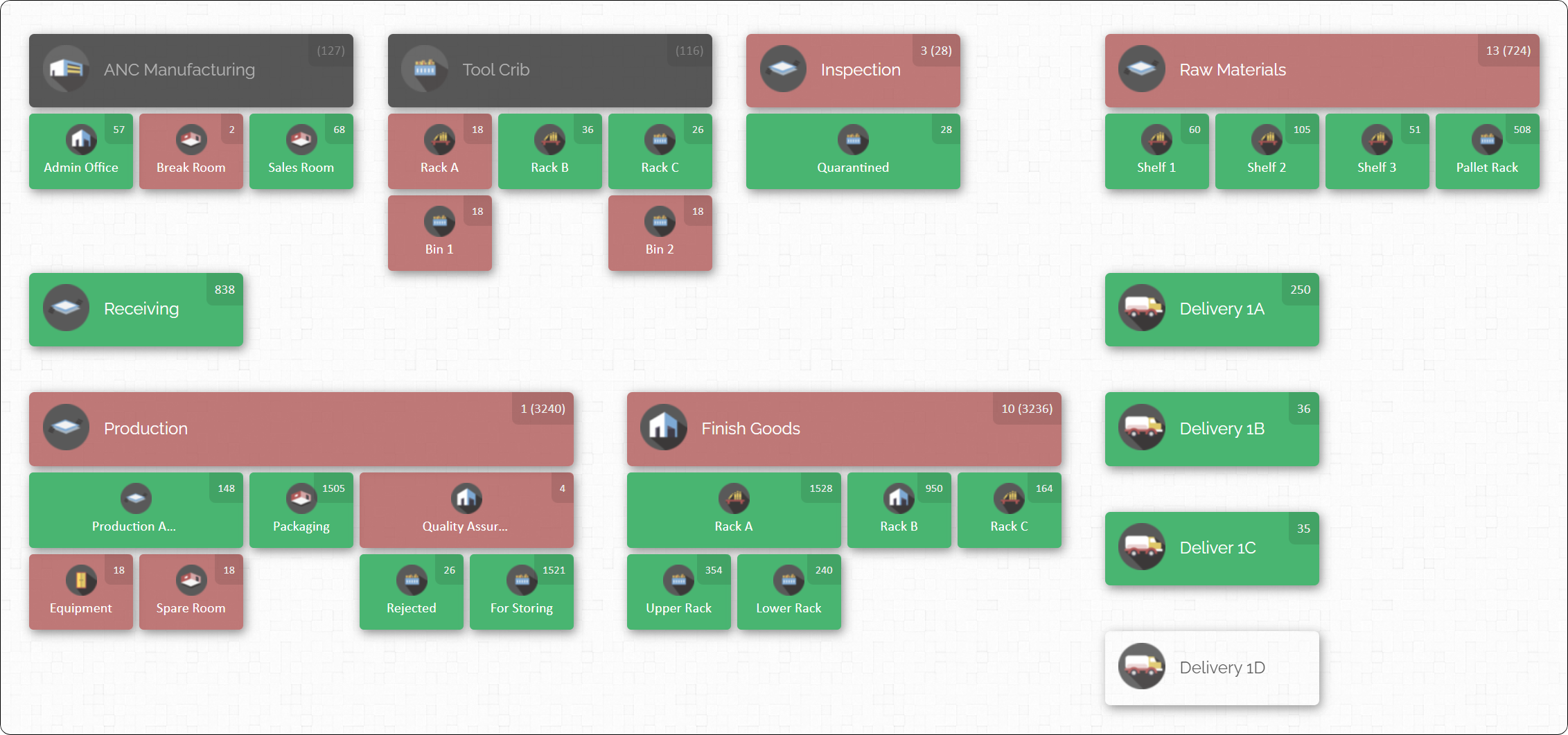
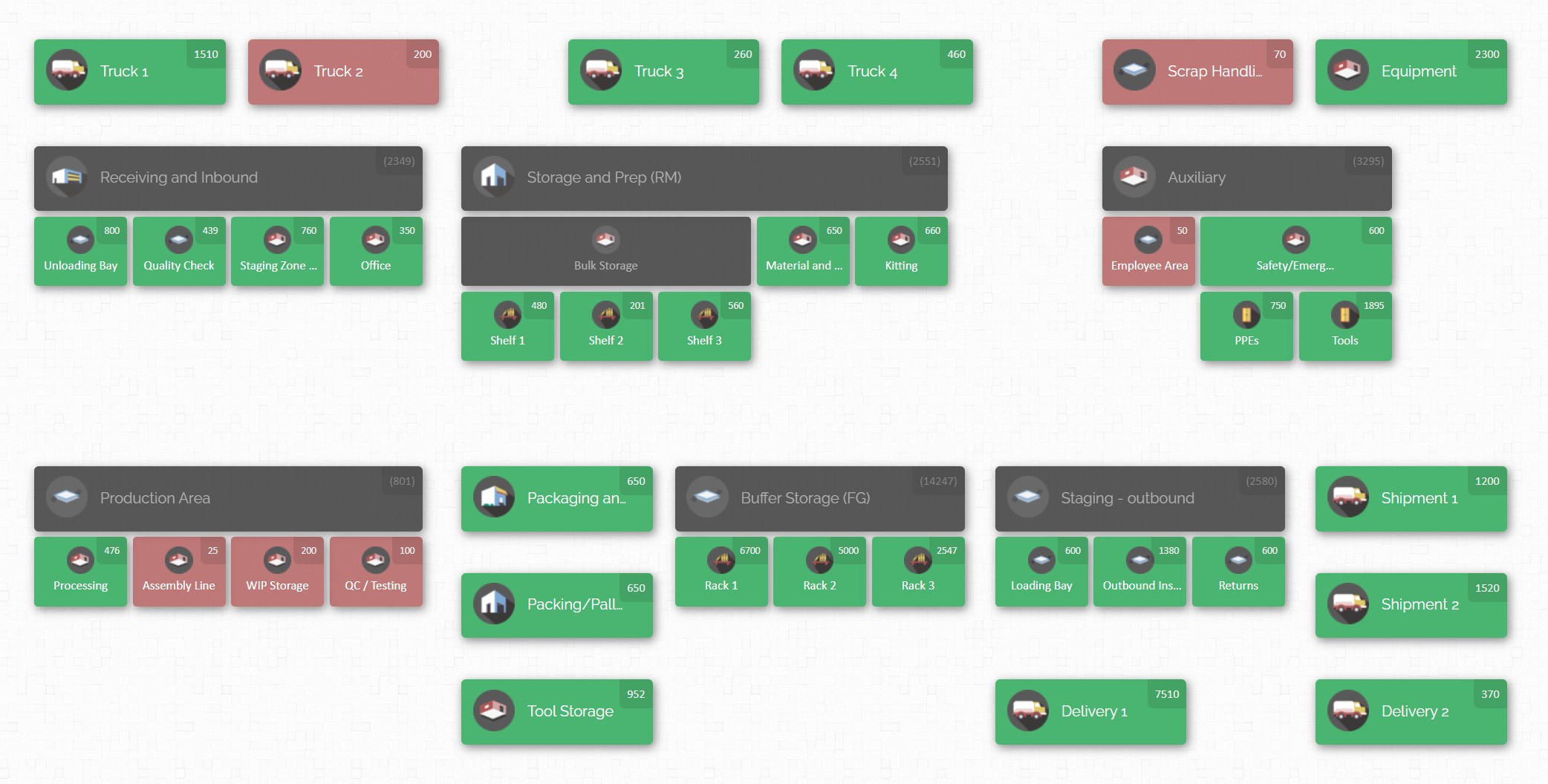
CyberStockroom’s core innovation is its visual inventory mapping. Instead of just dealing with spreadsheets and list views, CyberStockroom allows you to create a digital map of your inventory across all locations. Imagine being able to see on your computer screen a layout of your factory floor, warehouse, and stockrooms, with icons or zones representing where each product is stored. This visual approach means that before anyone sets foot to count, you have a clear picture of where everything is. It’s much easier to delegate counting tasks when you can literally see all inventory points on a map – for example, you might assign Team A to the “Raw Materials Room” and Team B to the “Finished Goods Section” as shown on the map. There’s no ambiguity about what or where to count.
Because CyberStockroom is cloud-based inventory software, it keeps all your data centralized and up-to-date in real time. Throughout the year, as you receive inventory or use it in production, those changes can be reflected on the map. When it comes time for the year-end audit, you can generate an inventory list or snapshot from CyberStockroom that serves as the starting point for your count. This ties back to our earlier tip on having accurate records going in. If you’ve been using CyberStockroom consistently, your records will likely be very close to reality, and the audit becomes more about verification than discovery of errors. And if you find discrepancies during the count, you can update the quantities in the system on the fly, ensuring that by the end of the audit your digital inventory matches the physical counts.
Another benefit is barcoding integration. CyberStockroom supports the use of barcodes for your inventory items and locations. During the audit, your team can use barcode scanners (or even a smartphone’s scanning capability with the CyberStockroom web app) to quickly pull up items on the map and record counts. This reduces manual data entry mistakes. For instance, a counter can scan a bin’s QR code or barcode label, and instantly the system highlights that bin on the inventory map and expects a count input. The counter enters the quantity they see, and that data is saved right away. Not only is this faster, but it also builds an audit trail – you’ll know exactly when and who entered each count. CyberStockroom doesn’t require a separate mobile app installation; it is accessible via web on any device, which means your team can use tablets or laptops on the warehouse floor and input data directly.

CyberStockroom’s drag-and-drop and transfer features come in handy as well. Suppose during the audit you discover some components were stored in the wrong area. In the software, you can literally drag those item icons from one location on the map to another to reflect the correct placement. This visual reallocation immediately updates the inventory records for both locations. It’s an intuitive way to correct misplacements that you find during a count. Similarly, if you decide to move all slow-moving spare parts to a particular storage room as part of organizing for the audit, you can update that in CyberStockroom so the map and listings align with the physical reality.
From a work-in-process (WIP) perspective, CyberStockroom can be a game changer. Manufacturing inventory isn’t just static items on shelves; there are tools, materials issued to production, and partially finished goods to account for. With CyberStockroom, you can map not only physical storage locations but also process stages. For example, you could have sections on your map for “Assembly Line 1” or “Quality Inspection Area” where WIP items reside. As items move from raw materials to WIP to finished goods, their location on the map can be updated. At year-end, you can easily see “these 50 units are in Assembly Line 1 (WIP), 200 units are completed in Finished Goods storage.” Having this clarity prevents WIP from being overlooked or double-counted. It also helps in applying the right valuation – you know those 50 WIP units are not full value yet, if accounting needs to value WIP separately.
CyberStockroom also supports custom fields and notes, which means during your audit you could annotate items with any findings (e.g., “Box damaged, 5 units unsellable” or “Count adjusted after second count”). This keeps all audit-related info in one place. And when the audit is done, you can generate reports directly from the system to share with management or auditors, showing the final counted quantities and any adjustments made.
Importantly, while CyberStockroom is powerful, it remains user-friendly – a key factor for a friendly-professional approach. The interface with maps and icons is intuitive, so even team members who are not tech-savvy can quickly learn to navigate and count using it. Many traditional inventory systems can intimidate users with grids of data, but a visual map lowers the barrier. This means your staff training (as we discussed in the previous section) can be shorter and more effective because the tool makes sense visually.

Use Cycle Counting to Reduce Year-End Workload
Year-end physical counts can be large undertakings, but what if you could chip away at that workload throughout the year? That’s essentially what cycle counting accomplishes. Cycle counting is a best practice where you count a subset of your inventory on a rotating schedule (for example, daily, weekly, or monthly) so that, over time, you’ve verified all items without doing it all at once. Implementing cycle counts in your manufacturing operation can make the year-end inventory audit much less daunting.
The idea is to categorize your inventory (often by value or importance) and count high-priority items more frequently and lower priority less frequently. Many companies use the ABC classification: “A” items (high value or critical parts) might be counted monthly, “B” items quarterly, and “C” items maybe twice a year or annually. By the time December rolls around, those A and B items have been counted several times already, so you have confidence in their accuracy. Your year-end audit might then be focused mostly on the C items or simply reconciling any known variances rather than counting everything from scratch.

For example, a manufacturer of electronic components might decide that resistors and capacitors (cheap and plentiful) are C items counted annually, while expensive microchips are A items counted monthly. If the monthly cycle counts have kept the records for microchips accurate, the year-end count for them will be a formality with likely no surprises. Cycle counting is like doing mini-audits all year long, preventing massive discrepancies from accumulating.
Integrating cycle counts into regular operations requires a bit of planning: assign someone (or a small team) to be responsible for ongoing counts. This could be part of the warehouse staff’s duties. Some days, they’ll count shelf 5 in aisle 2, tomorrow maybe bin 10 in aisle 3, and so on. It shouldn’t significantly disrupt operations because you’re counting small sections at a time. Over the course of a quarter or year, you’ll cycle through the whole inventory. Using inventory management software, you can schedule and track these cycle counts systematically. The software can prompt which items to count next and record the results, adjusting inventory records continuously.
When year-end approaches, you will notice the difference: instead of finding, say, a 10% inventory shrinkage on a critical item (which can happen if issues go unchecked all year), you might find near 0% variance because cycle counts caught issues early. It also means less pressure on the big audit day – you might opt to just verify certain items or do random test counts since you trust most of your numbers. And if external auditors come, they will take comfort in knowing you maintain cycle count records as part of strong internal controls. It demonstrates proactive management of inventory accuracy.
Additionally, cycle counting can reveal root causes of discrepancies in a timely manner. If you notice in March that a certain raw material count is always off, you can investigate then – maybe a production usage wasn’t being recorded or there’s some theft occurring. You can fix the problem long before the year-end. By December, that issue is resolved, and your inventory audit won’t be a fire-fighting exercise.
Of course, even with cycle counts, a year-end full count might still be mandated (for financial reporting or tax purposes). But it will be much smoother and faster because you’re essentially double-checking work that’s been done periodically, rather than counting blind from zero. Many manufacturing firms find that cycle counting allows them to even avoid a complete shutdown at year-end – since the inventory records are perpetually verified, some skip the full physical count and do a targeted audit instead. Even if you can’t skip it entirely, you might only need to count the items that haven’t been recently counted or those with known issues.
In summary, don’t treat inventory auditing as a once-a-year scramble. By embracing cycle counting, you make inventory accuracy a habit rather than a hurdle. It distributes the labor over 12 months and yields more reliable records, so when you get to the official year-end audit, it’s just the “last cycle count” of the year with full confidence in the numbers. This practice ties in with the broader theme: consistent and disciplined inventory management is the real secret behind painless year-end audits.
Pay Special Attention to Work-in-Process and Other Special Inventory

Manufacturers have an extra layer of complexity in inventory audits that many retailers or distributors might not: Work-in-Process (WIP) inventory. These are the goods that are mid-production – not raw materials anymore, but not yet finished products. WIP can be tricky to count and value because it’s literally in between stages. As part of your year-end audit strategy, it’s important to have a plan for handling WIP so that it’s accurately reflected.
Identify and tag WIP items clearly. In the days leading up to the count, walk the production floor and list out all the WIP that will exist at the moment of the cutoff. This could be partially assembled units on the line, sub-assemblies in bins waiting for the next process, or products in the QC inspection area. One approach is to treat WIP batches as if they were inventory items of their own. For example, if you have 100 units of Product X halfway assembled, you might tag them with a label “Product X – 50% complete – quantity 100 in WIP”. During the count, you’ll “count” this as 100 WIP units. While you’re not counting them as finished goods, you are acknowledging their presence. This is useful for accounting later, where they might be valued at a percentage of full cost according to completion stage.
It’s often wise to pause production briefly at the cutoff point to freeze the state of WIP. For instance, decide that on December 31 at noon, the assembly line will stop feeding new raw materials and whatever is in progress will be counted. Any new production after noon goes into the next year’s count. If you can’t pause entirely, then coordinate so that at least one stage is stable for counting. Some companies do a “WIP count” at year-end by having production supervisors report how many units are at each step of production at the cutoff time. These counts are then used to adjust records. It’s inherently less exact than counting finished goods, but it’s important to attempt it for completeness.
Another special inventory category to consider is in-transit or consignment inventory. Do you have goods that have been shipped out to a customer on consignment (they’re technically still your inventory until sold)? Or do you have raw materials that left the vendor but haven’t arrived yet (FOB shipping point purchases that you own on the way)? These can easily be overlooked if you focus only on what’s physically in the building. To get a global view of inventory, include such items in your audit plan. You might not physically count them (since they’re not on site), but you should reconcile them in records. For consignment at customer sites or at a 3PL warehouse, you may need to rely on reports from those locations as of year-end. For in-transit, you can list what was en route and ensure it’s accounted for in the year-end books appropriately.
Spare parts and MRO (Maintenance, Repair, and Operations) inventory is another category to not forget. Manufacturing plants often have a stock of spare machine parts, tools, and supplies (like lubricants, gloves, etc.). These might not be part of “production inventory” for sale, but they are assets that may need counting for completeness. Decide if your audit will include MRO inventory – many companies do include it in a separate section. If so, organize and count those as well (e.g., parts crib inventory count). If not, ensure they’re expensed and already off the books so they don’t need counting.
The overarching tip here is identify high-risk or unusual inventory categories in advance and treat them with special care. WIP is high-risk for count errors (because it’s not neatly on a shelf), so plan extra oversight for it. Maybe assign your more experienced staff or supervisors to handle WIP counting and valuation. They’ll know, for example, how to estimate the percentage of completion for items (like “these circuit boards are 70% through the process at year-end”). If needed, coordinate with engineering or production managers to quantify WIP.
By paying attention to these special cases – WIP, in-transit, consignment, MRO – you ensure that your year-end inventory audit covers all inventory, not just what’s in the main warehouse. Manufacturers who ignore WIP can end up with big discrepancies between what their production schedule says and what’s on the books. Conversely, those who tackle it head-on by planning counts or estimates for WIP can confidently state their inventory figures knowing they didn’t leave part of the factory uncounted. Remember, a thorough audit leaves no inventory behind, even if it’s sitting half-built on a workbench!
Conduct the Count Methodically and Double-Check Key Items

When the day (or days) of the big count arrive, it’s game time. All the preparation and training come together as your team hits the floor to tally everything. To make the actual physical counting process successful, approach it methodically and build in checks for accuracy. This section covers some on-the-ground tips for the counting phase itself.
Follow a logical sequence
In a manufacturing setting, a good practice is to count from one end of a location to the other in a systematic order. For example, start at one corner of the warehouse and move aisle by aisle, shelf by shelf. This prevents skipping an area. You might have designated a route during planning – stick to it. If your facility is large, break it into zones and ensure each zone leader knows where to begin and end. Marking the completed areas is helpful; some teams use a piece of tape or a sticker to tag a shelf once it’s counted, or simply mark it off on a printed map. This way, if you’re interrupted, you can resume where you left off without doubt.
Use count tags or tickets for control
One traditional audit technique is using pre-numbered count tags. Here’s how it works: you give counters stacks of serialized tags in pairs (like two tags both numbered 001, then 002, etc.). They write the item and quantity on the tag, attach one copy to the inventory (or shelf) and keep the other. Later, the tags are collected and used to enter data into the system. The benefit of this is completeness – if tag number 045 is missing, you know an area might have been skipped or a tag lost. It’s a bit old-school and labor-intensive, but very thorough. Even if you don’t use physical tags, the principle is to account for each section counted. Modern systems like CyberStockroom might digitally equivalent this by logging each counted location. The goal: no section is unaccounted and no counted data is lost.
Employ blind counts for critical items
For key high-value items, you may consider a blind count approach where the counter does not know the expected quantity. This forces an unbiased count purely based on what is physically there. After they record it, a supervisor or system can compare it to the record. If there’s a discrepancy beyond a threshold, a recount is triggered. Blind counting can also be done by a second team as a verification step: Team A counts item X and records 95 units. Separately, Team B (unaware of Team A’s result) also counts item X later and records 93 units. Such double-checks are usually done on a sample of items, not all (to save time). If differences are found, you investigate and possibly recount a third time to resolve it. This technique is especially useful for expensive components or items historically prone to count errors.
Monitor and support the team during the count
Supervisors or inventory managers should roam and be available to answer questions or resolve issues. Perhaps a counter finds a box of parts with no label – what to do? Rather than guess, they should pause and ask a supervisor to identify it. It’s better to take a moment to clarify than to mis-count an unknown box that later causes a discrepancy. Encourage a culture where accuracy matters more than speed. It’s common for some teams to finish their section early; if so, reassign them to help others or to perform verifications.
Keep an eye on fatigue – counting can be surprisingly draining work, mentally and physically. If it’s a large inventory, schedule short breaks for teams to rest and stay sharp. A tired counter is more likely to transpose numbers or miscount a shelf. Providing water, snacks, or a lunch break can maintain morale and focus.
As counts are completed, start reconciling major variances in real time if possible. If you notice during the day that one item is coming up way short, you can start investigating: Was there a recent shipment out that wasn’t recorded? Was some stock moved elsewhere? Sometimes you might halt and do a quick recount of that one item to confirm. It’s easier to resolve while everything is in audit-mode than a week later when normal operations resume and things move again.
Record everything clearly
If using paper, ensure all handwriting is legible and all fields are filled. If using a digital device, double-check that entries are saving correctly. Nothing is worse than spending hours counting and then losing the data due to a tech glitch or human error in recording. That’s why redundancy (like two-person teams) can help catch if, say, one person wrote down a number wrong – the other person is effectively checking their work on the spot.
By being methodical – a place for everything and everything counted in its place – you reduce the chance of mistakes. And by double-checking (either through verification counts or monitoring), you catch errors before they become costly adjustments. The physical count is the heart of the audit, and treating it like a well-run project on the factory floor will yield reliable results. Think of it as a quality control process: you’re ensuring the quality (accuracy) of your inventory data through careful inspection (counting) and validation. With that mindset, your team will appreciate the importance and handle the count with the diligence it deserves.
Reconcile Discrepancies and Update Records Promptly

Once the physical counting is done, the work isn’t over just yet. The next crucial step in a year-end inventory audit is to reconcile the counted quantities with your inventory records and update everything promptly. This is where the numbers get crunched and any differences (discrepancies) are explained. Handling this step swiftly and thoroughly ensures that your financial books and inventory system accurately reflect reality as you move into the new year.
Start by comparing the physical count results to the book quantities (the quantities that were supposed to be in the system). Many inventory software systems can generate a variance report: a list of all items showing the recorded quantity, the counted quantity, and the difference. If you’ve been doing parts of this throughout the count (spot-checking major variances), you might already have some insight. Now you want to systematically go through all variances, especially significant ones.
For each discrepancy, ask the question: “Why is there a difference?” There are many possible answers:
| It could be due to transaction timing (e.g., something shipped right before the count but paperwork wasn’t processed, so the system had it when physically it was gone, or vice versa). |
| It could be shrinkage – perhaps some items disappeared during the year without record. |
| It could be record errors – maybe someone received a shipment of 100 units but accidentally entered 110 into the system, creating an artificial surplus that the count now corrects. |
| It might be counting errors too – yes, despite best efforts, mistakes can happen. If a variance is huge or doesn’t make sense, a recount might be warranted to ensure it wasn’t just human error on count day. |
Document the explanation for major variances.This documentation is valuable for auditors (if external auditors are reviewing your financials, they will want to see you’ve accounted for differences) and for internal knowledge so you can fix process gaps.
After identifying causes, proceed to update the inventory records in your system to match the physical counts. This often means posting adjustments: if you found less than expected, you record an inventory write-down for the missing units; if you found more, you record a write-up or addition. Doing this promptly is important because while the count was a snapshot at year-end, business might resume right after. You want the system’s starting numbers for the new year to be correct, otherwise all new transactions will pile on top of wrong balances. Ideally, complete reconciliation and adjustments before you resume normal operations, or at least in the first few days of the new period.
While making adjustments, follow proper approval protocols. Significant inventory write-offs, for instance, might need sign-off from a manager or finance department. This adds a level of control – it forces a conversation: “We’re about to write off $10,000 worth of raw material that’s missing – are we sure that’s correct and investigated?” It’s a good check to have, rather than one person unilaterally changing stock levels. Most systems will log these adjustments, creating an audit trail of what was changed and why.
If you’re using a tool like CyberStockroom, reconciliation might be partially automated – counts entered could automatically update quantities. Even so, it’s wise to review a discrepancy report. One advantage in CyberStockroom or similar systems is that after reconciliation, you can visualize the “after” state on your inventory map, confirming that everything now matches what’s physically there.
Sometimes, despite our best efforts, a discrepancy cannot be fully explained. Maybe 2 units are missing and you simply don’t know what happened. In such cases, you might categorize it as shrinkage or error and still adjust the records. But treat it as a learning point – perhaps implement tighter control on that item or monitor it closely in the new year.
Promptness in reconciliation also matters for financial reporting deadlines. If you’re a larger company, you might have to close your books in early January. Inventory is often the last piece waiting to be finalized because everything else (sales, expenses) can be tallied quickly. Having your inventory count reconciled means finance can trust the inventory asset value on the balance sheet. This value affects cost of goods sold and profit too, so accuracy is paramount.
Finally, after all adjustments are made, produce a final inventory valuation report. This is the outcome of the year-end audit: a clean list of every item, how many you have, and typically its value, all updated. Circulate this to relevant stakeholders – management, finance, auditors – as needed. Congratulate your team as well, because reaching this point means the year-end inventory audit has been successfully completed! The records are clean, and you can march into the new year with confidence that you know exactly what’s on your shelves and shop floor.
Review the Audit Process and Apply Lessons Learned

Completing the inventory count and updating records isn’t the final chapter. A truly effective organization will take a step back afterwards and review the entire audit process, extracting lessons for improvement. Year-end inventory audits come annually, so any insights you gain now will pay off in future counts (and in day-to-day inventory management as well).
Gather your inventory team and other stakeholders for a post-audit debrief. Discuss openly what went well and what challenges arose. For instance, maybe the counting in the warehouse went smoothly but counting WIP on the production floor was chaotic – why? Perhaps the team assigned to WIP didn’t have clear instructions. Or maybe you discovered that a particular item had frequent discrepancies; that could indicate an issue in how that item’s inventory is being handled operationally (maybe it’s stored in two places but recorded as one, causing confusion). By identifying these pain points, you can address them long before the next year-end.
Analyze discrepancy patterns. Look at the variance report not just item by item, but for patterns. Were there specific categories of items that had many differences? (e.g., raw materials off more often than finished goods, or items from a certain supplier consistently short). Patterns might suggest systemic problems: if raw materials were often short, maybe the receiving process is flawed or scrap isn’t being logged; if finished goods were over, perhaps production sometimes produces extras that aren’t recorded properly. Identifying a trend means you can implement a targeted fix – maybe retraining the receiving team, or improving how scrap is documented, or ensuring production receipts are timely.
Another area to review is your inventory levels themselves. A year-end audit is a perfect time to question, “Do we have the right amount of inventory?” If you found a lot of obsolete stock (which you perhaps segregated and didn’t count as active), that’s a sign of over-ordering or products that should be discontinued. If certain components were always in variance because of last-minute rush orders (perhaps you frequently had zero on hand because they’re used immediately upon arrival), that might indicate you’re cutting it too close and need more buffer stock. Essentially, use the audit as a mirror reflecting your inventory health – both in accuracy and in strategy. It’s about operational insight, not just accounting compliance.
Consider any feedback from the count team. They might say, for example, “It was hard to count items on Shelf 7 because it’s too high and not labeled.” That’s actionable – maybe rearrange how inventory is stored for easier access or invest in better labeling at heights. Or they might note, “We wasted time searching for Item Q because it was not where the system said.” That highlights a location tracking issue that you can correct by updating locations in the system (and using tools like the inventory map more diligently).
Also review the time and resources the audit took. Did it align with your expectations? If the plant was down for two full days, is there a way to reduce that next year (maybe through more cycle counts or a larger team to do it in one day)? If overtime was incurred, weigh that cost against potential improvements. Management will be happy to know if you devise a plan to make next year’s audit 20% faster or less disruptive. Perhaps the use of technology can be expanded; for example, if you only used barcode scanning for half the items this year and found it helpful, plan to have all items barcoded by next year.
In the debrief, update your inventory procedures documentation with any changes. If you introduced a new step this year that worked well, formally include it in the written process. If something didn’t work, note that too and decide what to do instead. Over the years, these audit documents become more and more refined, which makes training new staff easier and ensures continuity even if team members change.
Lastly, celebrate the successes. Year-end inventory audits are tough – your team likely put in a lot of effort and maybe long hours to get it done. Acknowledge that. Recognizing the accomplishment boosts morale and motivates everyone to keep the inventory in good shape going forward. It reinforces the culture of accuracy and accountability.
By reviewing and learning from the audit, you close the loop on the process. Inventory management is continuous improvement. Each year’s audit should ideally be smoother than the last, and the inventory records more accurate than before. When you treat the audit not as a dreaded yearly chore but as a chance to sharpen your operations, you’ll see tangible benefits: less capital tied up in stock, fewer emergency stockouts, and more trust from your finance team in the numbers. In essence, you transform the year-end inventory audit from a painful necessity into a powerful tool for operational excellence.







 CyberStockroom
Leave a comment