
Choosing the right inventory management software for construction is a critical decision for any company juggling tools, equipment, materials, and supplies across multiple job sites. Unlike retail or manufacturing, construction inventory involves everything from high-value heavy machinery to piles of consumables (nails, lumber, concrete bags) – all moving in and out of warehouses, yards, trucks, and work zones.
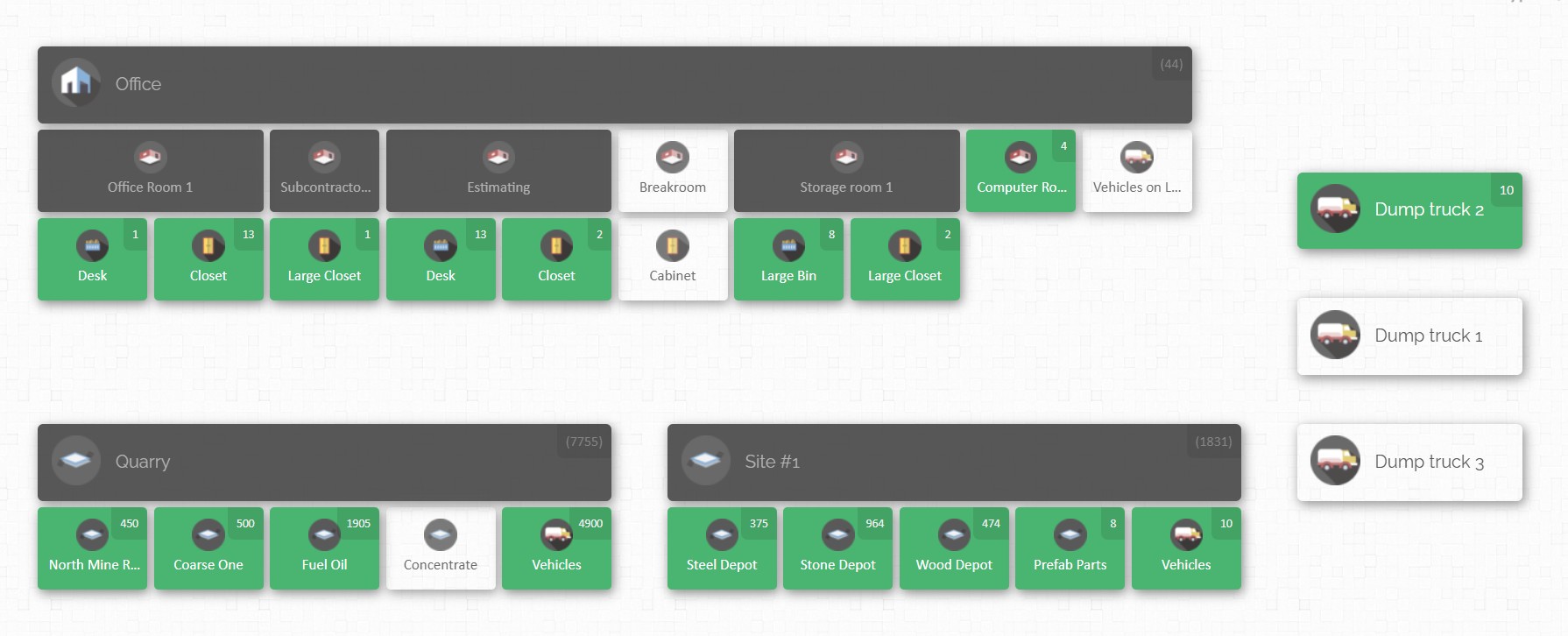
A good inventory system keeps projects on schedule and on budget by knowing exactly what inventory you have, where it is, and who is using it at any given time.
Why Construction Inventory Management Matters
Construction projects are complex operations that span offices, warehouses, and job sites. Inventory in construction – including power tools, heavy equipment, bulk materials and consumable supplies – directly impacts project costs and timelines. Efficient inventory control means delivering the right tools and materials to the right place at the right time, avoiding downtime and waste. Key reasons to invest in a specialized inventory system include:
- Tighter Budgets and Thinner Margins: Construction profit margins are often slim. Lost or misused inventory quickly erodes profits. Tracking every nail and hand tool ensures you don’t over-order or overspend. By knowing exactly what you have and need, you reduce waste and avoid emergency purchases at inflated last-minute prices.
- Coordinated Teams: Unlike a static warehouse, construction involves crews (field teams), warehouses, and office staff working together. The field teams use the equipment and materials, the warehouse supplies them, and back-office needs visibility for scheduling and budgeting. An inventory system provides a single source of truth – everyone works from the same data. For example, if a scheduler sees only 2 generators left in a warehouse but 5 are needed for an upcoming site, they can reallocate or order in advance rather than scrambling later.
- Visibility Across Sites: Construction firms often run multiple sites simultaneously, each with its own staging areas, containers, and mobile assets. A good system tracks inventory by location – which warehouse, which truck or crew, which jobsite. If a foreman at Site A needs a scaffold or concrete form, the inventory tool can show it’s sitting unused at Site B and arrange a transfer. This real-time visibility prevents scenarios like waiting for a part that’s actually already on another truck.
- Accountability and Security: Tools and equipment can be expensive or scarce. An inventory system logs who checks out which items and when, boosting accountability. In the case of theft or loss, logs help pinpoint where it happened. Routine audits and automatic alerts (e.g. “low on safety gear”) ensure nothing slips through the cracks.
- Compliance and Maintenance: Some equipment (like cranes, lifts, or safety gear) require regular inspections and certifications. The right software can remind you of maintenance schedules or paperwork deadlines. This avoids fines or shutdowns due to non-compliance.
Purpose-built construction inventory software goes well beyond just “on-shelf counts.” It supports end-to-end workflows: ordering new stock, receiving materials on site, moving items between locations, servicing tools, and even linking inventory usage to project costs. Without it, companies rely on spreadsheets or generic stock apps that track quantities in isolation. Those generic tools simply know how many of each item you have, but not the nuances of where and how they’re used in construction projects. As a result, errors creep in: you might double-order materials, or rent extra equipment unnecessarily, because you didn’t see the bigger picture.
Unique Challenges in Construction Inventory

Managing inventory in construction has its own set of challenges that differ from a standard warehouse or retail environment:
- Diverse Asset Types: Construction inventory ranges from bolts and buckets of cement to cranes and generators. Each category needs different handling. Small consumables (screws, adhesives, plywood) might be tracked in bulk or by location. High-value assets (dump trucks, power tools, lifts) need individual tracking, often with service/maintenance logs. Your system must handle both “many-of-the-same” items and unique serialized assets.
- Multiple Worksites and Mobile Inventory: Unlike a fixed warehouse, inventory moves constantly. Materials might arrive at Site A today, then move to Site B tomorrow. Crews carry inventory in vans or trucks (known as “trunk stock” or mobile stock). Keeping tabs on mobile inventory is tough: the system must let you create locations for trucks, trailers, shipping containers, or even specific crew members and assign stock to them.
- Large and Small Scale: Some construction sites are massive (laydown yards with rows of pipe or heavy equipment), others are small (residential builds). Your inventory software needs to scale accordingly. In a big yard, you might map entire storage zones and yard areas; in small projects, a simple floor plan or marked-off shelving might suffice.
- Environmental and On-Site Conditions: Construction sites aren’t climate-controlled stores. Items get dusty, weather-beaten, or buried under debris. This means inventory counts can easily drift without rigorous processes. Also, field staff are often busy and may not have time to fiddle with complex software. A usable system should minimize data entry overhead (e.g., quick mobile scanning) and fit the fast-paced environment.
- Unpredictable Supply Chains: Building materials can face long lead times and price fluctuations. For example, supply issues or geopolitical events can delay deliveries of steel or lumber. An inventory system should integrate or communicate with purchasing so you can reorder early. (Some construction ERP systems include this tightly.) At minimum, the software should let you set reorder thresholds or create automated purchase orders.
- Regulatory Compliance: Safety and quality regulations may require precise tracking of certain materials (e.g., batch numbers on concrete, expiration dates on flammable liquids). Make sure your software can record lot numbers, expiration dates, or inspection certificates if needed.
- Theft and Shrinkage: Unsecured job sites are prime targets for theft. While software can’t physically lock things up, it can deter loss by making inventory transparent. If every tool drop and pick-up is logged, missing items become obvious quickly. GPS or sign-in integration with inventory moves can hold crews accountable.
- Data and Audits: It’s easy for inventory counts to become outdated. Best practices include regular cycle counts (daily or weekly counts of a subset of items) and physical audits. The right software often features a “cycle counting” mode that can quickly reconcile on-the-ground counts with system records. Some systems allow scanning during the count to update stock immediately.
By understanding these challenges, you can look for inventory software tailored to construction workflows, rather than a generic logistics tool. A tool built for construction will support multi-site tracking, flexible item categorization, and simple data entry for field crews.
Essential Features to Evaluate

When assessing inventory management systems for construction companies, prioritize the features that address the challenges above. Key capabilities to look for include:
- Multi-Location and Multi-Site Tracking: The system should let you define multiple physical sites – e.g. main warehouse, laydown yard, each job site, trucks or crews – and track stock in each location. You should easily transfer items between these locations.
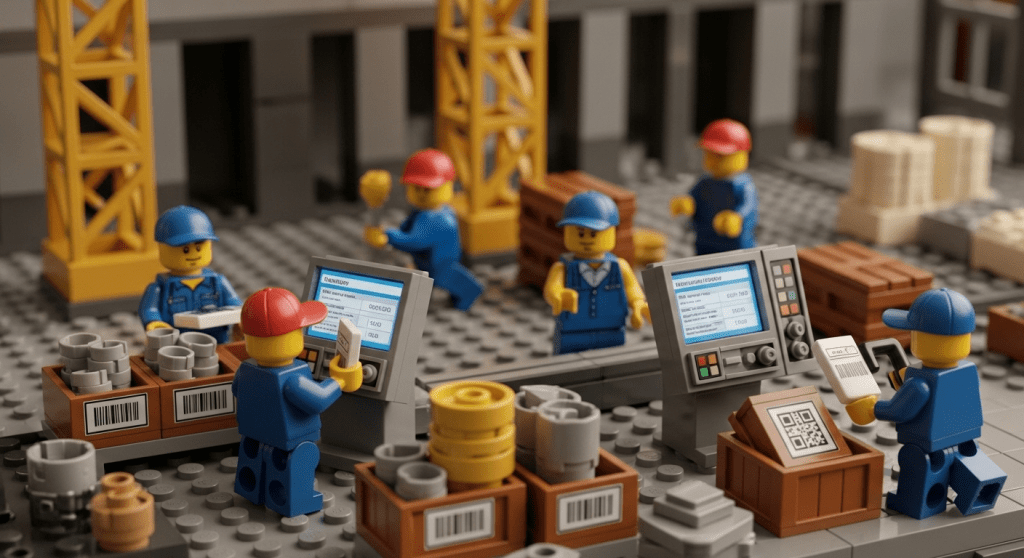
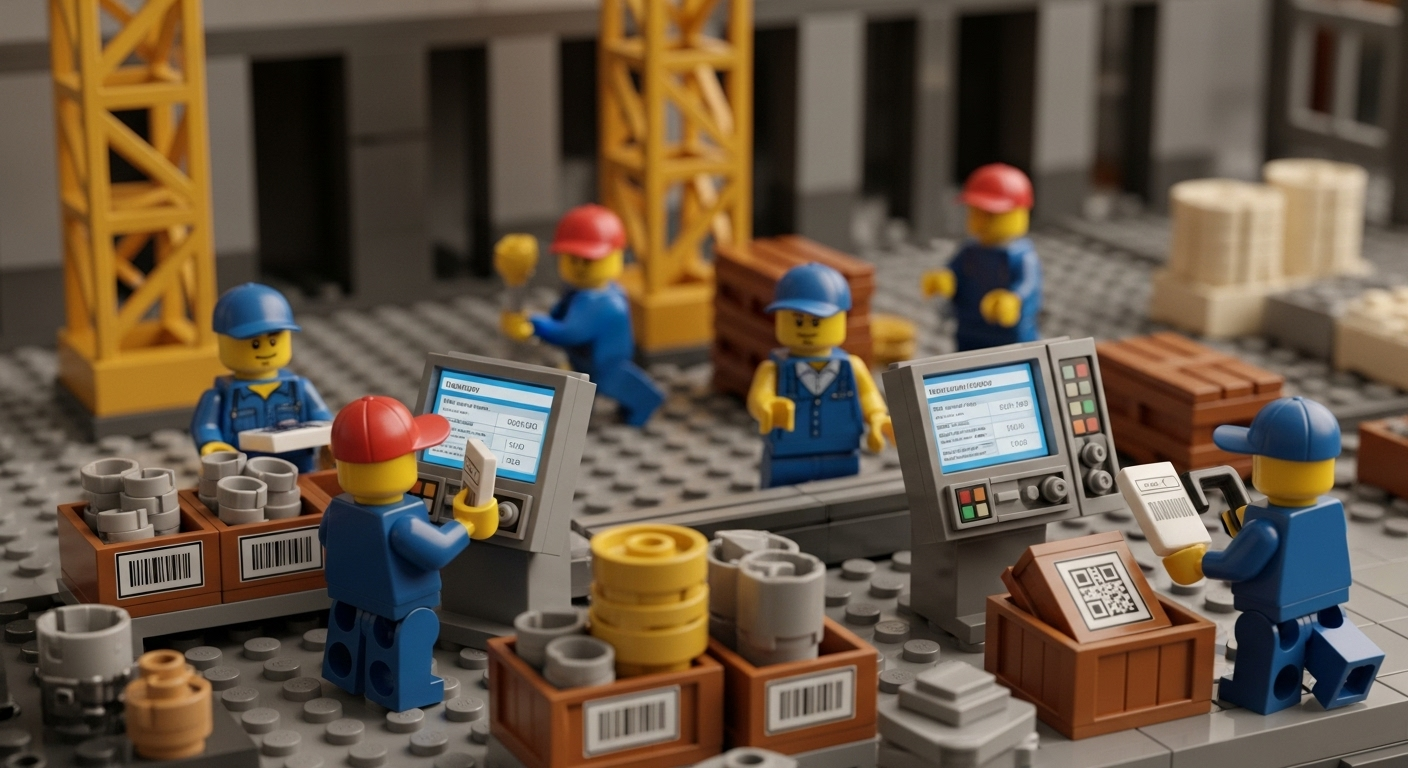
- Barcode/QR Code Scanning: Handheld scanners or smartphone apps that can scan barcodes make inventory tasks much faster and more accurate. With scanning, you can quickly add or remove items from stock, or confirm deliveries, just by pointing a device at a code.
- Real-Time Updates and Alerts: In construction, knowing stock levels right now is vital. The software should update inventory counts instantly as items are checked in/out or moved. Look for systems that issue alerts or notifications for events like: low stock on critical supplies, scheduled maintenance due for equipment, or unusually high usage that may indicate theft. Some systems allow custom alert rules, which can enforce your own business processes (e.g. alert when more than 10 units of a fast-moving item are used per day).
- User-Friendly Mobile Access: Field staff rarely sit at a desktop. Mobile-friendly software (web-based or with an app) lets crews update inventory from the job site. Check that the user interface is intuitive on phones or tablets – large buttons, drop-down menus, or QR scanning cameras.
- Map or Visual Interface: A visual map of your spaces can greatly simplify understanding complex layouts. Instead of lists of bin numbers, you see colored maps or floor plans. This is especially useful in construction: you could overlay your site plan, mark crane positions, storage yards, and then click to see inventory in each zone. Map-based software lets you literally drag items from one zone to another. If a tool changes locations, you drag its icon. This visual approach cuts down on training and confusion.
- Customizable Fields and Documentation: Construction projects often need extra detail on items. Can you add custom fields (e.g. project name, warranty expiration, service history)? Can you attach documents or photos (e.g. invoices, safety certificates, images of special-purpose equipment)? Systems that let you tailor item records capture more useful information for your teams.
- Automated Purchasing and Reordering: While not mandatory, a big plus is linking inventory to purchasing. Software should at least notify you when stock drops below a threshold. Some offer one-click reorder or build purchase orders directly within the system. For example, integrated solutions can use inventory usage to generate material lists for each project. This closes the loop between job costing and supply chain.
- Reporting and Analytics: Data-driven insights help you optimize. Look for robust reporting: stock valuation, aging inventory, usage history by project, inventory turnover, and discrepancies. Visual dashboards showing key metrics (stockouts prevented, shrinkage rates, etc.) help justify ROI to management. Even custom report builders or scheduled email reports (e.g. weekly inventory summary) are useful.
- Security and Permissions: You’ll want role-based access so, for instance, warehouse clerks can update stock but only managers can approve adjustments. Audit logs that record who did what (checked out a generator, edited counts) are important for accountability. Ensure the software supports multiple users with appropriate permissions.
- Scalability and Deployment: Construction firms grow or shrink project-by-project. Cloud-based (SaaS) platforms are common these days and allow easy scaling: you can add new sites or locations on the fly and pay per user or per stock-keeping unit (SKU) rather than investing in servers. Some inventory systems also offer offline support (caching data on a device) for remote sites without internet – something to consider if you frequently work in connectivity-poor areas.
- Integration and Data Import/Export: Determine what other systems the inventory data should connect to. For example, you might need to export inventory reports to your accounting software, or import a list of new items from a vendor’s catalog. Check if the solution has an API (application programming interface) or built-in connectors. Make sure the software at least supports bulk import of items via spreadsheets, to avoid re-entering long parts lists.
By making a checklist of these features and rating each software option against it, you’ll ensure the chosen system truly fits construction needs, not just generic inventory management.
Comparing Your Options
Armed with feature requirements, it’s time to survey the market. There are broadly two approaches:
Standalone Inventory Software (Cloud/SaaS)
These are dedicated inventory tools that you can plug into your workflow. They often offer more flexibility and modern interfaces (barcoding, cloud access, interactive layouts). Some are marketed specifically for construction or field service. Standalone tools can be faster to deploy and easier to scale. They might offer free trials or tiered pricing. The downside is less built-in integration: you may need to manually sync data with your accounting software unless the vendor provides connectors.

Built-In Construction ERP Modules
Some construction accounting or project management suites come with their own inventory module. These offer deep integration with billing and job costing. For example, an integrated system automatically reduces your material stock when you bill a project, and shows inventory costs in financial reports. If you already use a construction ERP, this might be a natural choice. However, these systems can be complex and may not have a modern UI; they might track by warehouses and jobs but lack mobile ease or visual mapping.

As you evaluate candidates, keep in mind these buyer-guide tips:
- Talk to Peers and Read Reviews: Check user reviews specifically from construction or field-service companies. See what they say about support, ease-of-use, and whether the tool handles construction scenarios (not all do).
- Prioritize Ease of Use: Even if a system is powerful, it won’t help if crews won’t use it. Ideally get demos or watch videos to gauge the interface. Look for clean dashboards, mobile-friendly screens, and clear navigation.
- Budget and Pricing Models: Inventory software is usually subscription-based. Some charge per user, some per inventory location, or per SKU count. There can be add-on fees for extras like additional warehouses or advanced reports. Define your budget, and ask vendors to quote for your usage scale. Remember, a bit higher monthly cost is worth it if the tool saves you from expensive delays or theft.
- Integration and Workflow Fit: Test how the software will fit your processes. Do a proof-of-concept if possible: import a small set of your inventory and simulate receiving, transferring, and counting. See if it connects to your critical systems (even if via manual exports). For instance, if you rely heavily on barcoding, verify the software’s scanner app or hardware compatibility.
- Support and Training: Good vendors provide onboarding help and quick support. Check if they offer live demos, training sessions, or documentation. Support responsiveness is crucial when you rely on the tool for daily operations.
- Long-Term Viability: Choose a product that will keep improving. A young startup may have fewer features or integrations, while a large established firm may have sluggish development. Try to gauge vendor roadmaps or how often the software is updated with new features.
CyberStockroom’s Visual Mapping Approach
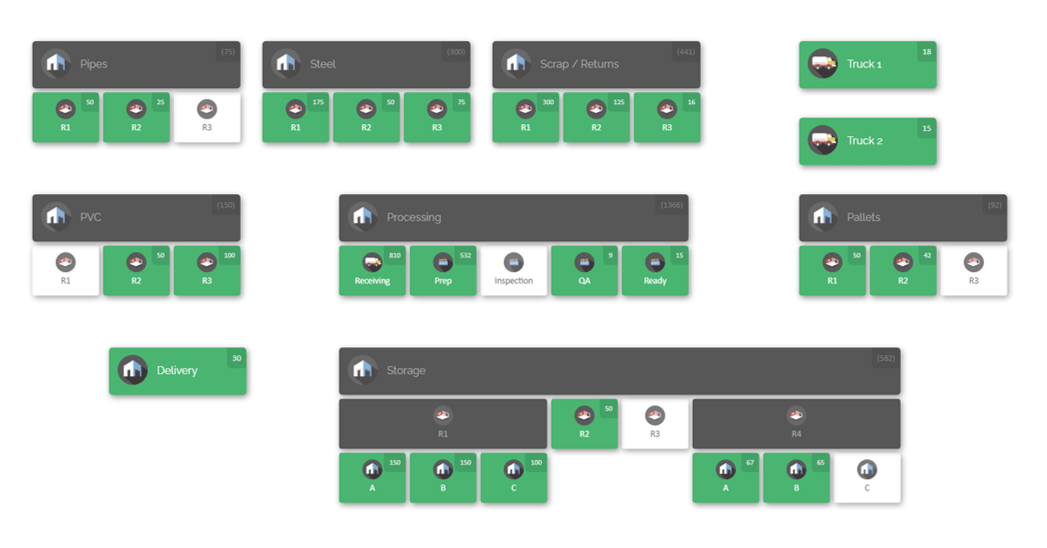
One interesting solution tailored to inventory visibility is CyberStockroom. Rather than using lists or tables, CyberStockroom lets you build an interactive map of your entire operation – warehouses, laydown yards, job sites, vehicles, even crews or office rooms – and then place inventory items into each location on that map. This visual-first approach is unique and can be very intuitive for busy construction teams.
- Inventory Map as Dashboard: CyberStockroom’s core feature is the “Inventory Map.” You literally draw out your physical layout: add rooms, shelves, bins, trucks, or open yard zones. Then you drag items onto these locations. The map then shows colored markers or icons with item counts. For example, one of their marketing maps shows a construction site layout with zones like “Crane”, “Trucking”, “Loading”, etc., each labeled with real-time counts of tools and materials.
- Real-Time Tracking of Tools & Materials: Once set up, every time a team member scans or moves an item, the map updates. You can instantly see where a specific item lives – if a foreman needs a generator, he can click on the “Storage” area of his site’s map and see if any are available there. You can also search for an item and the map will highlight where it is distributed (their “X-ray vision” view).
- Drag-and-Drop Item Transfers: To move stock between locations, you simply drag the item icon from one spot on the map to another. This action automatically logs the transfer. For example, if a power drill moves from the truck into a worker’s hands, you can drag it from “Truck A” to “Zone 1” on the site map. CyberStockroom will record who moved it and when, building an audit history.
- Mobile Accessibility (via Browser): CyberStockroom is cloud-based, so crews can access the map from any internet-connected device (laptop, tablet, smartphone) by logging into the web app. This means there’s no bulky software to install – as long as you have Wi-Fi or cellular data, you can update inventory on the fly.
- Key Features: It supports barcode scanning (you can assign barcode numbers to items and scan them to find or move them), custom fields (add photos or extra info to each item), and check-in/check-out logs. For example, on the “Trunk Stock” page, CyberStockroom shows a map including vans and employees as locations, so a field technician’s van can be tracked as one location. Their interface includes batch importing via spreadsheet, report generation (inventory counts by location, movement history), and basic access controls.
- Job Site & Laydown Applications: They have specific marketing pages for “Job Site Inventory Tracking” and “Laydown Yard Mapping,” highlighting construction use cases. For jobsites, they emphasize theft prevention and accountability: you can assign items to specific crews or trucks and see if anything hasn’t been returned at day’s end. For yards and warehouses, the map helps you optimize space – unused areas or misplaced gear stand out visually.
CyberStockroom represents the visual end of the spectrum in inventory technology. If your main pain point is “finding stuff quickly and preventing loss,” a map-centric system could be very effective. It shines for teams who prefer graphical layouts over spreadsheets. However, if you need tight links to purchase orders or project costing, you might use it in tandem with an ERP or look for systems that offer both.

Making the Decision
Once you’ve narrowed down candidates, take the following steps:
- Identify Your Requirements: Document your must-have features. Rank them (e.g. critical vs nice-to-have). Consider not only today’s needs but where you expect the company in 2–3 years (more sites, new business lines, etc.).
- Schedule Demos/Trials: Sign up for live demos or free trials. Populate the system with a small subset of your real inventory and run through typical tasks: record a delivery, check out a tool to a crew, conduct a cycle count, transfer between sites, run a report. Pay attention to how long each task takes and how easy the interface feels to your actual team members.
- Test on the Job: If possible, involve actual end users (warehouse staff, foremen) in the trial. Their feedback on usability is crucial. What seems obvious on a demo can be confusing in the field.
- Compare Costs: Look beyond just the sticker price. Some vendors charge per-user, per-location, or cap on records. Calculate the total monthly or annual cost for your expected volume (number of users, locations, items). Don’t forget training costs or any needed hardware (barcode scanners, mobile devices).
- Check Vendor Reliability: How long has each vendor been in business? What do reviews say about uptime and support? An inventory system is critical to operations – downtime or lost data can be costly. Favor vendors who regularly update their software and who have good customer feedback.
- Plan the Rollout: Changing inventory systems can face resistance if not handled well. Plan a phased rollout (maybe start with one warehouse or a single project). Provide clear training materials or quick reference guides. Emphasize how it will save time (no more hunting for missing gear) and improve accuracy (less over-ordering).

Conclusion
Inventory is the backbone of any construction operation. Choosing the right inventory management solution for your construction company means creating transparency from office to job site. The best system will fit seamlessly into your workflows: it should track the specialized assets and materials you use, simplify site logistics, and give every team member confidence in where items are at all times.
As you weigh options, remember the key questions: Can you see your inventory by location (warehouse, yard, site, truck)? Can you easily move stock between sites and log who did it? Does the system help you forecast needs and reorder automatically? And critically, will your crew actually use it day-to-day?
Ultimately, the goal is to eliminate surprises – no more mid-project shortages or last-minute tool hunts. Whether you choose a traditional construction ERP module or a modern map-based platform like CyberStockroom, the right software will pay for itself in saved time, reduced waste, and smoother project delivery. Take advantage of trials and demos to ensure the fit is right, and build a more controlled, cost-effective inventory practice for your construction company.







 CyberStockroom
Leave a comment